Chinise mesa clone vs Original vs Ethercat

More
3 months 2 days ago - 2 months 4 weeks ago #348201 by leexi
Dear Colleges I what to share my experience on this topic.

I after several years looking for this card, I get a mesa card,
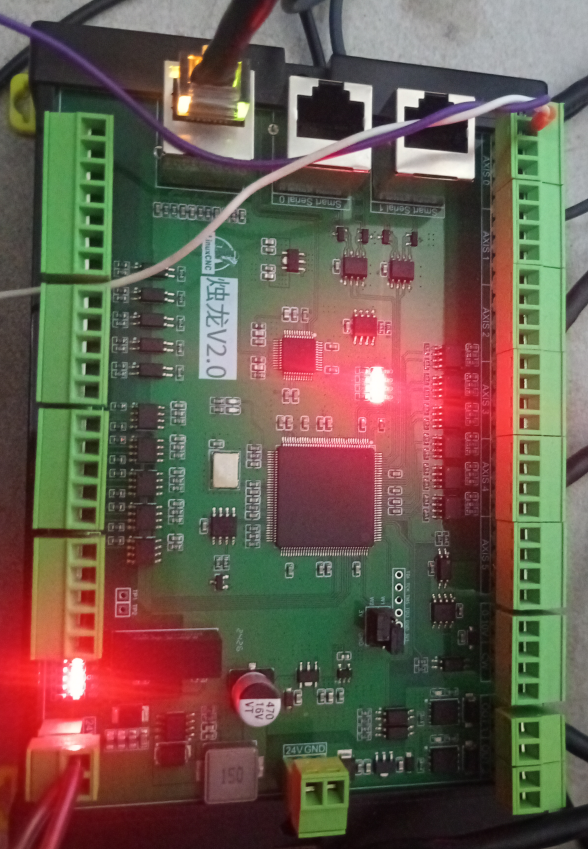
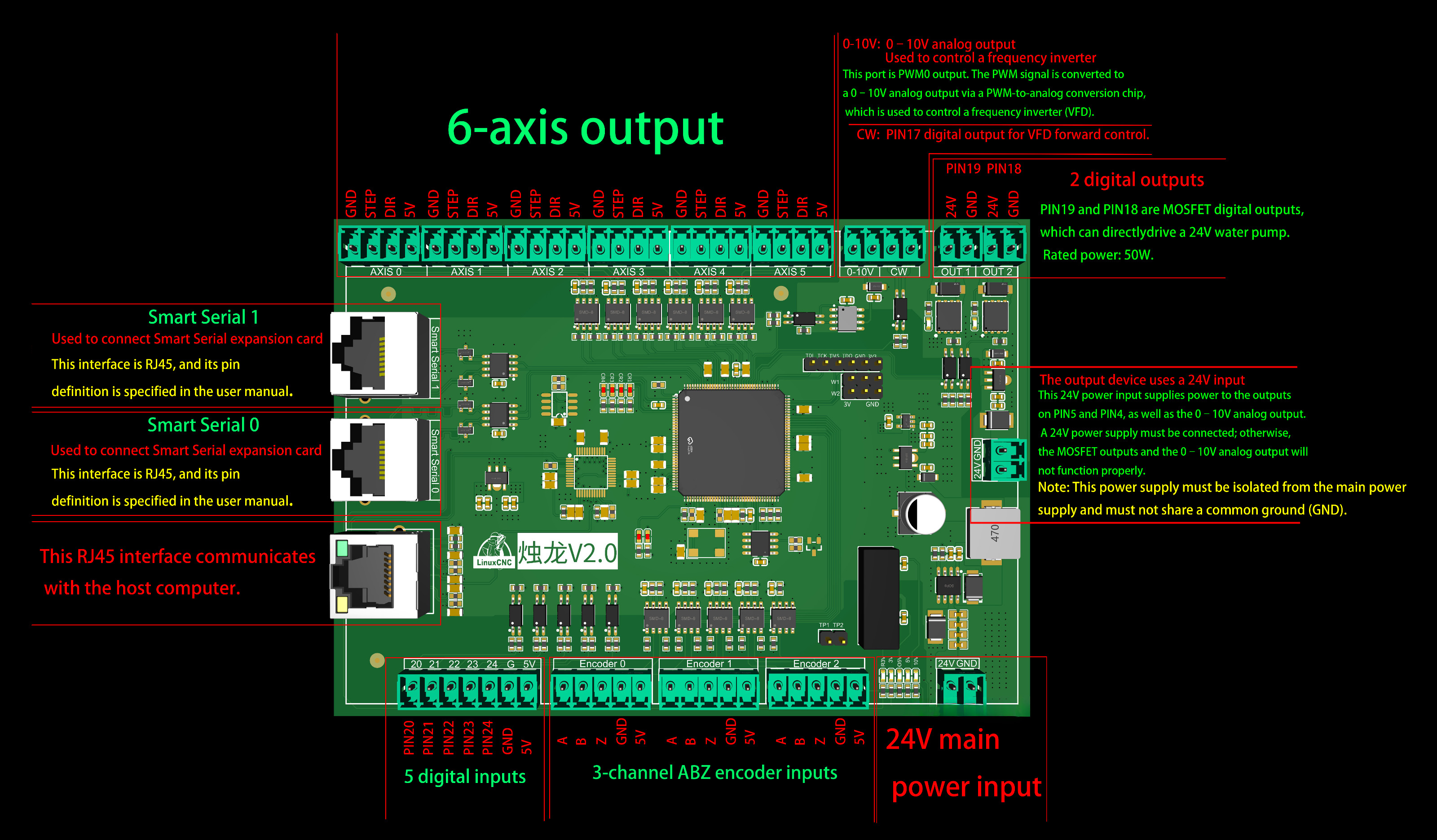
looks a Clone one, V2. (kind of clone of 7i92) Pls. have a look on picture attached, I get his one because was easy way to get it, at the beginning  I try to purchase the original one but was not available to be send to my county and after, after they were lack on cards, and after they start to shipping to my country but  the shipping cost became  more difficult to get  that original  card, and after I was looking on amazon o other retail pages and then I found this one on aliexpress. I was thinking it was the original but after some research I understood that it  was a clone one of original one. but cheap and easy to get (shipping cost included) and for test propose I run the risk to get it

well now I use it with my PC box and I do not load any other bin file. ( I see on forum load a bin file is not a good Idea).

Supplier support = after the time they send me the card information
Process to make it talk and work with linuxcnc (debian 12). 
1.       Configure the ip on my dual Ethernet port pc box , card ip 10.10.10.10 my pc 10.10.10.11 port 2 and ethercat on port 1.
2.       Install the mesa card utilities
3.       Install the ethernet utilities
4.        I discover the card io setup by maker
5.        I use linuxcnc wizard (PnCConf) with discover option 
6.       end configuration and start running the Linuxcnc
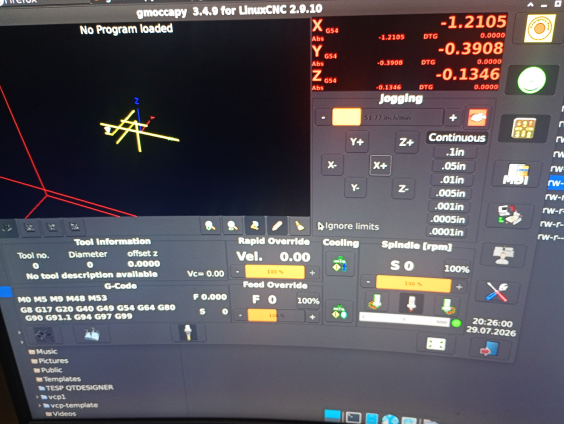
7.        communication with card disconnect issues , solved by disabling the power save option on the realteck Ethernet com card and after not more issue by the moment
8.       If I do not have any other problem I will replace my old and good  PCIe parallel port card that make  my fadal cnc  run G0 at 200 IPM. 
fadal can run up to 600 IPM but this is not my goal to stress my cnc at that speed. ( perhaps I will test it with this new card)

 About Ethercat  servos and I/os card I been testing,  I have  a hybrid configuration with ethercat, and parallel port and this configuration is working but realteck nic is having disconnect issues that the community say the intel nic is the good one for ethercat and servos, and test it with IO ethercat cards and this realteck nic do not notice me any issue, 

 I do not have a pc with intel NIC yet.

Please share your comments and experience.


File Attachment:

File Name: PinDefinition.txt
File Size:2.93 KB

 
Last edit: 2 months 4 weeks ago by leexi. Reason: To make better comments and add more information, I hope those docs became helpful, and to say thank you to a card supplier for them support, and as well to say thank you to LCNC support community

Please Log in or Create an account to join the conversation.

More
3 months 2 days ago #348203 by tommylight
Try to find an Intel network card, look for used 100Mbps ones, all new 1Gbps ones seen to be RealTek.
If the PC has a PCI slot, even real old 10Mbps Intel ones should work.
The following user(s) said Thank You: leexi

Please Log in or Create an account to join the conversation.

More
3 months 2 days ago #348207 by rodw
MAke sure you have the Realtek R8168-dkms or R8125-dkms driver installed for your realtek card. It may fix it.

Please Log in or Create an account to join the conversation.

More
3 months 2 days ago #348236 by tuxcnc

Please share your comments and experience.

 
1. This card is not clone. This is original chinese design. 
2. Never upload any firmware. The proper firmware is loaded by manufacturer.
3 You have to do "mesaflash --device 7i92 --addr 10.10.10.10  --readhmid". This shows card configuration.
4. There is in your hal file line like "loadrt hm2_eth board_ip="10.10.10.10" config="num_encoders=1 num_pwmgens=3 num_stepgens=5"". Functions ommited in this line are unavailable, but you can use it's pins as regular I/O. Of course you are limited by card design. If manufacturer designed some pin as output you cannot use this as input (and vice versa) because output circuit is one way.
5. As mentioned above dkms driver may help. Also other version of kernel may help. The "error finishing read" means the break of connections caused by driver/kernel bug rather than hardware problems, however check cable.  I experienced this problem even after a few hours of proper work. The good idea is leave opened LinuxCNC for as many time as you can (no matter you do something with, or not ).
6. I tried use PnCConf two times (the first and the last) and not recommend this to anybody. Better option is to find config similar to your needs and change something in text editor.
The following user(s) said Thank You: leexi

Please Log in or Create an account to join the conversation.

More
3 months 1 day ago - 2 months 4 weeks ago #348306 by leexi
Hi,
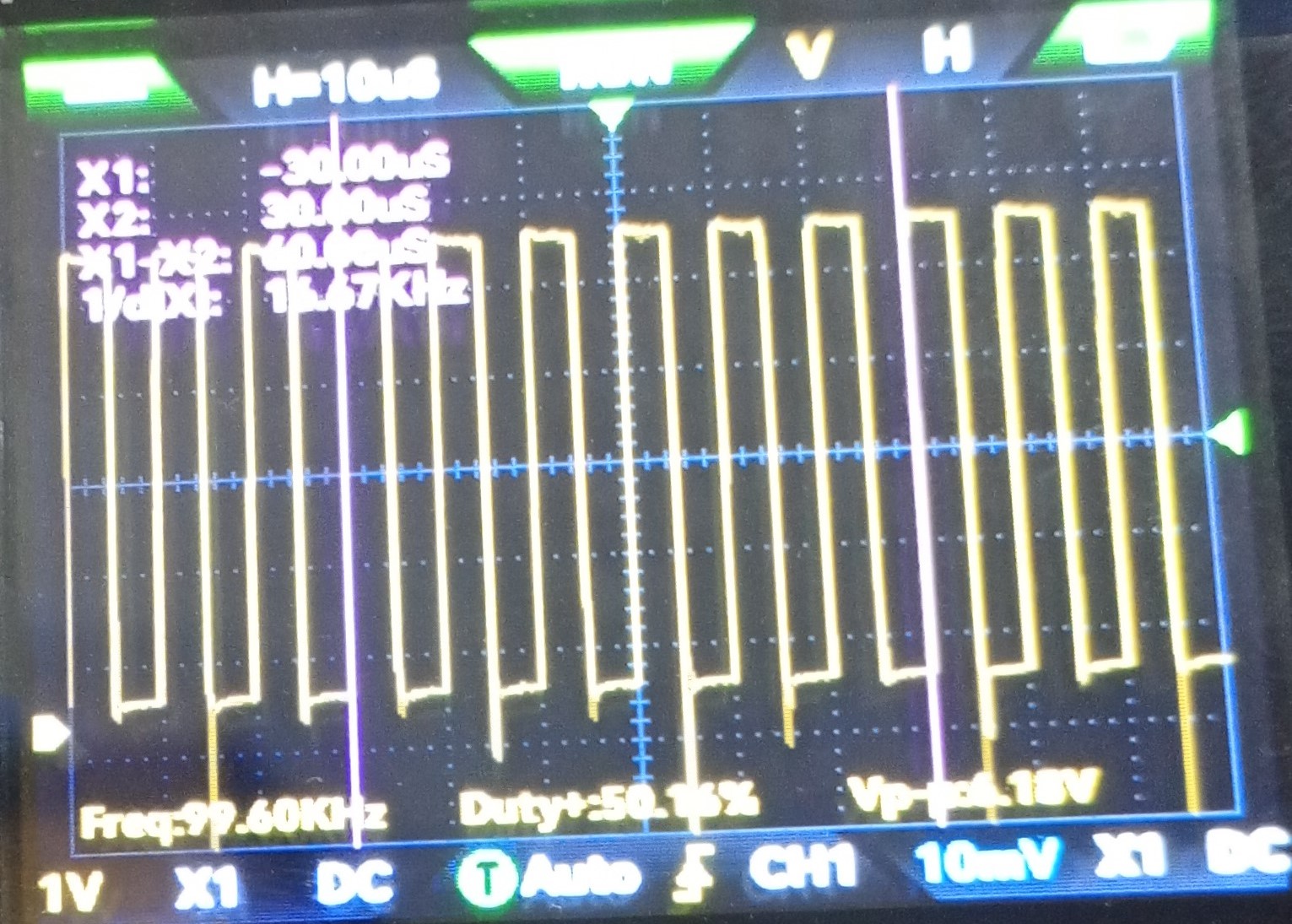
after some test I found the maximal output step frequency that I can get is around 100kHz, , beyond this frequency I start getting following error message, no matter what value on following error is placed at .ini
Do you know if is possible to increase this frequency? 
And compared with maximal frequency step output from my PCIe Parallel port card (around 10kHz) I am guessing that is a very good upgrade, I hope this card (V2) became that stable as the PCIe card has been shown after this time that I been using it.

 
Last edit: 2 months 4 weeks ago by leexi.

Please Log in or Create an account to join the conversation.

More
2 months 4 weeks ago #348379 by tuxcnc

after some test I found the maximal output step frequency that I can get is around 100kHz, , beyond this frequency I start getting following error message, no matter what value on following error is placed at .ini
Do you know if is possible to increase this frequency? 
 
Check max acceleration in your ini.
Low acceleration with high speed increase ferror.
The following user(s) said Thank You: leexi

Please Log in or Create an account to join the conversation.

Moderators: PCW, jmelson
Time to create page: 0.342 seconds
Powered by Kunena Forum