Straight cut error

More
2 years 2 months ago #307827 by LucasWorx
Straight cut error was created by LucasWorx
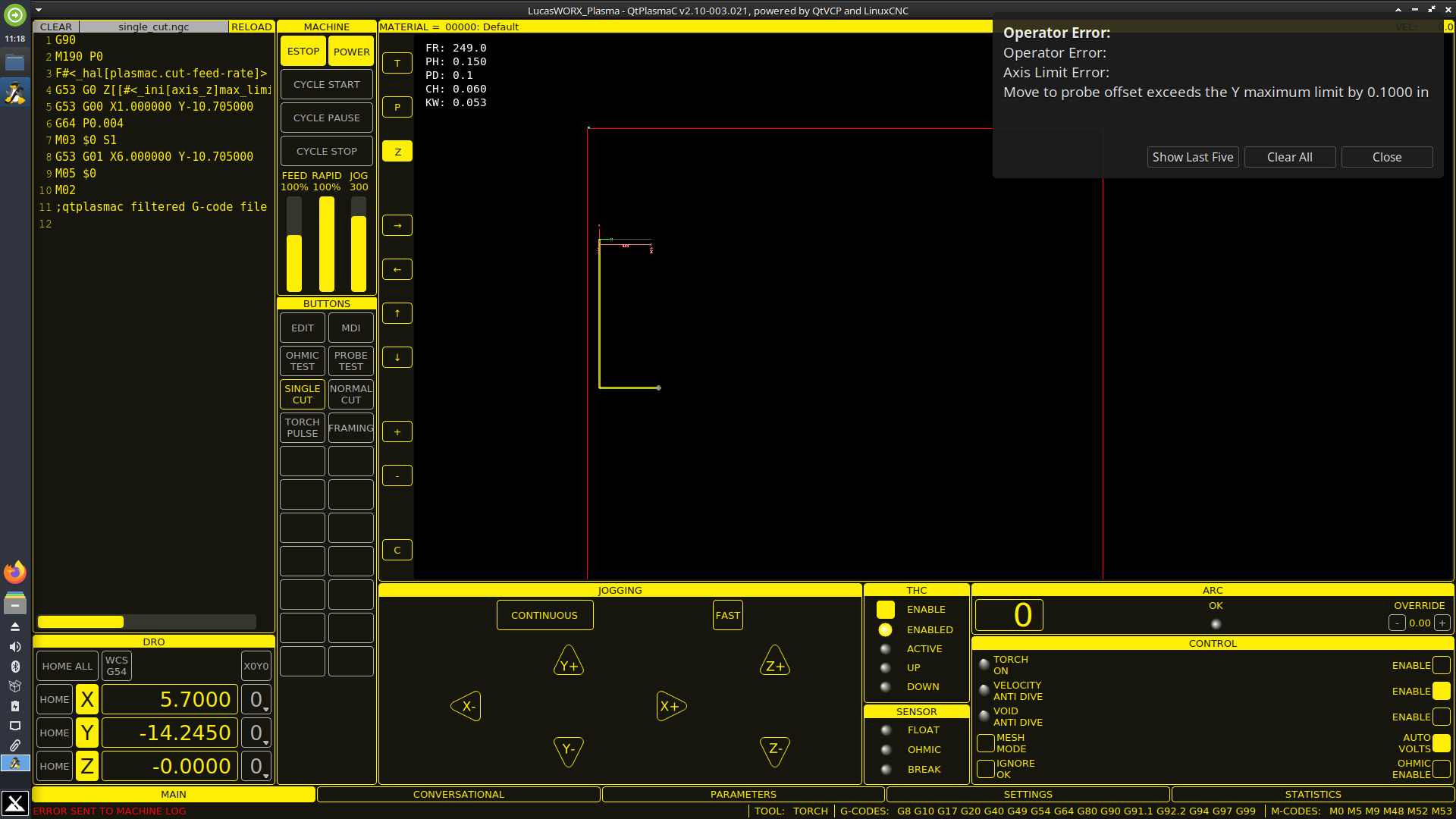
Hey guys, I used to be able to use the straight cut button to make quick cuts across sheets, but now I always receive an error and I'm not able to make the cuts anymore. I think something happened with my .ini file awhile back but I see no issues. I can make programmed g-code cuts just fine. No matter how much I change the coordinates or where I'm at on the table I receive the same error. I've attached a screenshot of the error with my .ini file. I feel like this should be something obvious but I can't see the issue.

Please Log in or Create an account to join the conversation.

More
2 years 2 months ago #307849 by phillc54
Replied by phillc54 on topic Straight cut error
Normally you would get that message if you have offset probing enabled and are less than the Y axis offset distance from the Y axis maximum.
These settings are in the .prefs file.
Code:
[OFFSET_PROBING] X axis = 0.0 Y axis = 0.0
If these values are correct could you post the backup file created from the BACKUP button on the SETTINGS tab.

Please Log in or Create an account to join the conversation.

More
2 years 2 months ago #307862 by snowgoer540
Replied by snowgoer540 on topic Straight cut error
Version 003.021 is from February, and is actually right after we redid bounds checking (003.020). It’s possible there was a bug in that version, that was fixed later on. We are now on 008.046.

If you aren’t using offset probing and all looks well with your prefs file, you might try updating to see if they resolves the issue…

Otherwise if it still remains then the backup file would be helpful, as Phill said :)

Please Log in or Create an account to join the conversation.
More
2 years 2 months ago - 2 years 2 months ago #308162 by LucasWorx
Replied by LucasWorx on topic Straight cut error
Ok. I could've sworn I've performed updates since February, but apparently not:/ I went ahead and updated (at least I think I updated it correctly according to the QTPlasmaC update procedure). Now it allows me to use the straight cut function which is great! Although, I still receive the error, only now it shows up after the cut instead of before. I do not have offset probing enabled. I have attached a copy of the backup file. Please let me know if anything looks out of the ordinary. Thanks a lot for your help.
Last edit: 2 years 2 months ago by LucasWorx.

Please Log in or Create an account to join the conversation.

More
2 years 2 months ago #308186 by snowgoer540
Replied by snowgoer540 on topic Straight cut error
I will try to make some time to take a look in the next few days.

Please Log in or Create an account to join the conversation.

More
2 years 2 months ago - 2 years 2 months ago #308261 by snowgoer540
Replied by snowgoer540 on topic Straight cut error
It would be really helpful with trying to get to the bottom of this if you could make a short video of your work flow including the error message and post it to YouTube. Bugs are easier to reproduce when we can follow the exact steps :)
Last edit: 2 years 2 months ago by snowgoer540.

Please Log in or Create an account to join the conversation.

Moderators: snowgoer540
Time to create page: 0.419 seconds
Powered by Kunena Forum
