

- Posts: 211
- Thank you received: 15
latency (netowork?) 7010 with 7i96s+7i84u
11 months 1 week ago #338999
by mooser
latency (netowork?) 7010 with 7i96s+7i84u was created by mooser
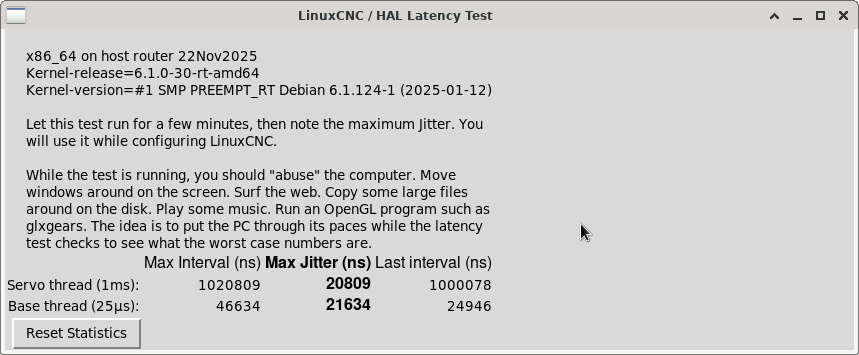
I'm setting up a new system and I'm sometimes getting a unexpected realtime delay on task 0 with period 1000000 error (mostly on startup) and there was a few error finishing read ones as well. After much reading and tinkering I've got it to this point and I'm not sure if it's OK or not.
7010, all the extra anything in the bios has been turned off, only using the 1 core
built in intel network controller, onboard graphics
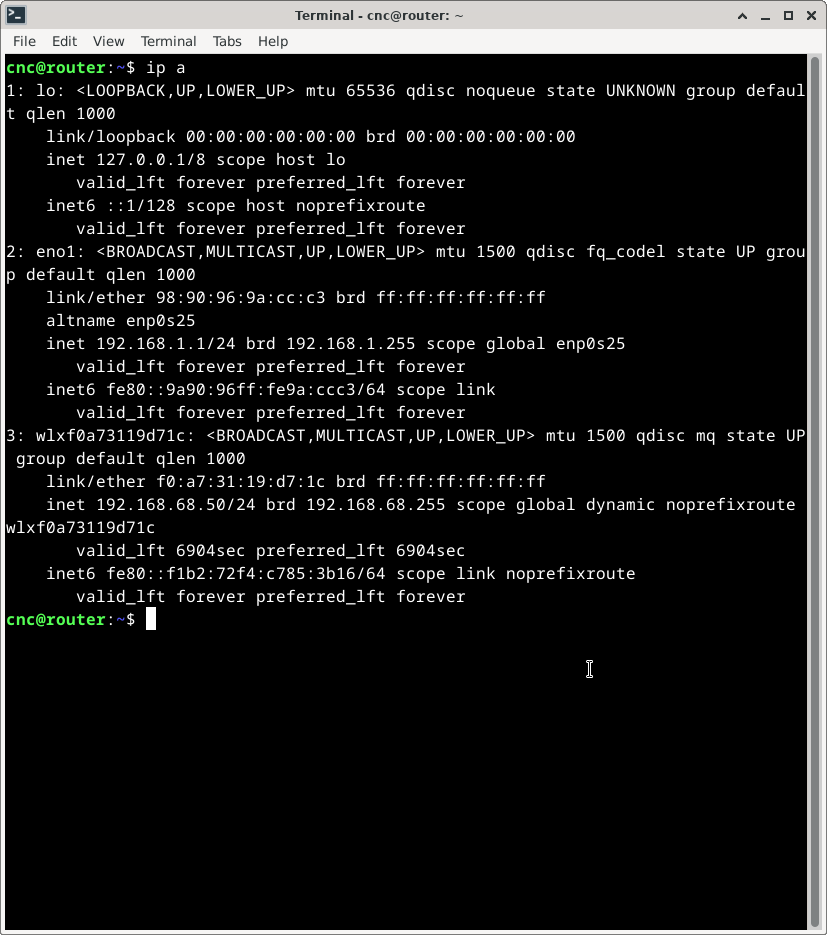
Ping 192.168.1.121 was up around 350ms, made the changes to the networks file and it is about 150ms now, mainly sits just under 100ms so I think the network to card connection is ok.
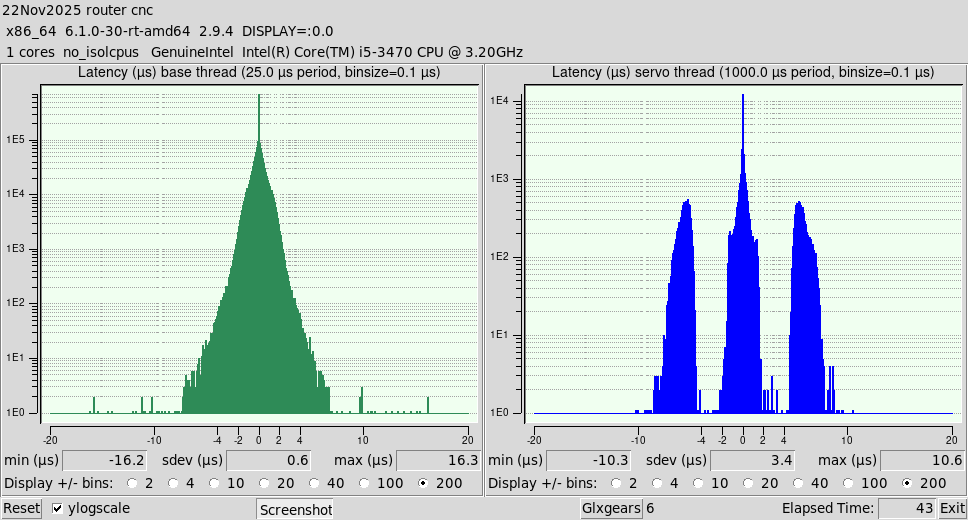
Histogram looks pretty "fat" though ???
Also had a tri-peak at one point... might have been a glitch though
Is it safe to just bump the period up some or is there something I can actually do to make this better
M
Please Log in or Create an account to join the conversation.
- tommylight
-

- Offline
- Moderator
-

11 months 1 week ago #339003
by tommylight
Replied by tommylight on topic latency (netowork?) 7010 with 7i96s+7i84u
Try this:
and also paste the result of this:
Code:
latency-histogram --nobase --sbinsize 1000 --show
Code:
sudo chrt 99 ping -i .001 -q-c 60000 192.168.1.121
Please Log in or Create an account to join the conversation.
11 months 1 week ago #339007
by mooser
Replied by mooser on topic latency (netowork?) 7010 with 7i96s+7i84u
I ran it a couple of times
cnc@router:~$ sudo chrt 99 ping -i .001 -q -c 60000 192.168.1.121
PING 192.168.1.121 (192.168.1.121) 56(84) bytes of data.
--- 192.168.1.121 ping statistics ---
60000 packets transmitted, 60000 received, 0% packet loss, time 59999ms
rtt min/avg/max/mdev = 0.074/0.086/0.256/0.008 ms
cnc@router:~$ sudo chrt 99 ping -i .001 -q -c 60000 192.168.1.121
PING 192.168.1.121 (192.168.1.121) 56(84) bytes of data.
--- 192.168.1.121 ping statistics ---
60000 packets transmitted, 60000 received, 0% packet loss, time 59999ms
rtt min/avg/max/mdev = 0.074/0.086/0.377/0.008 ms
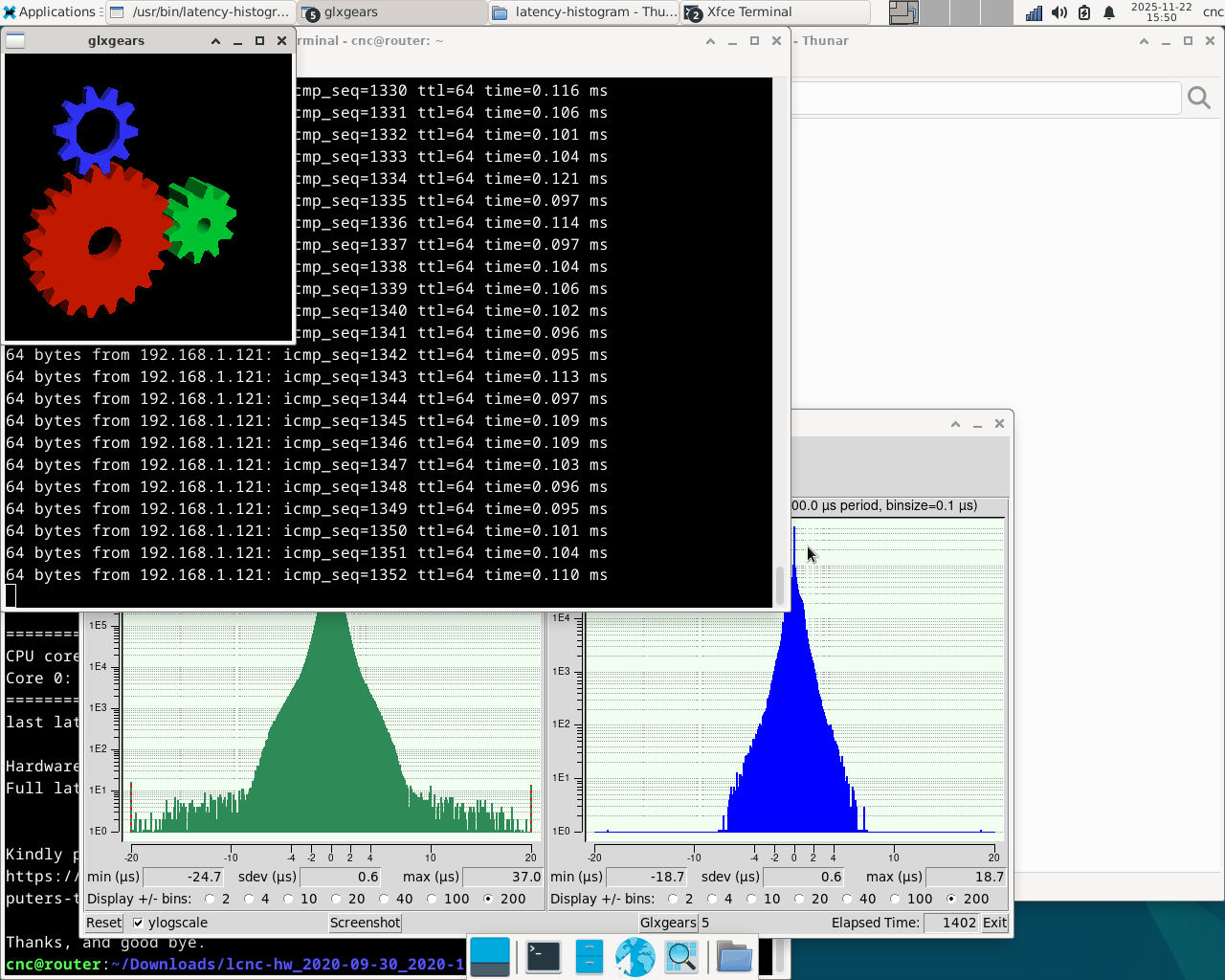
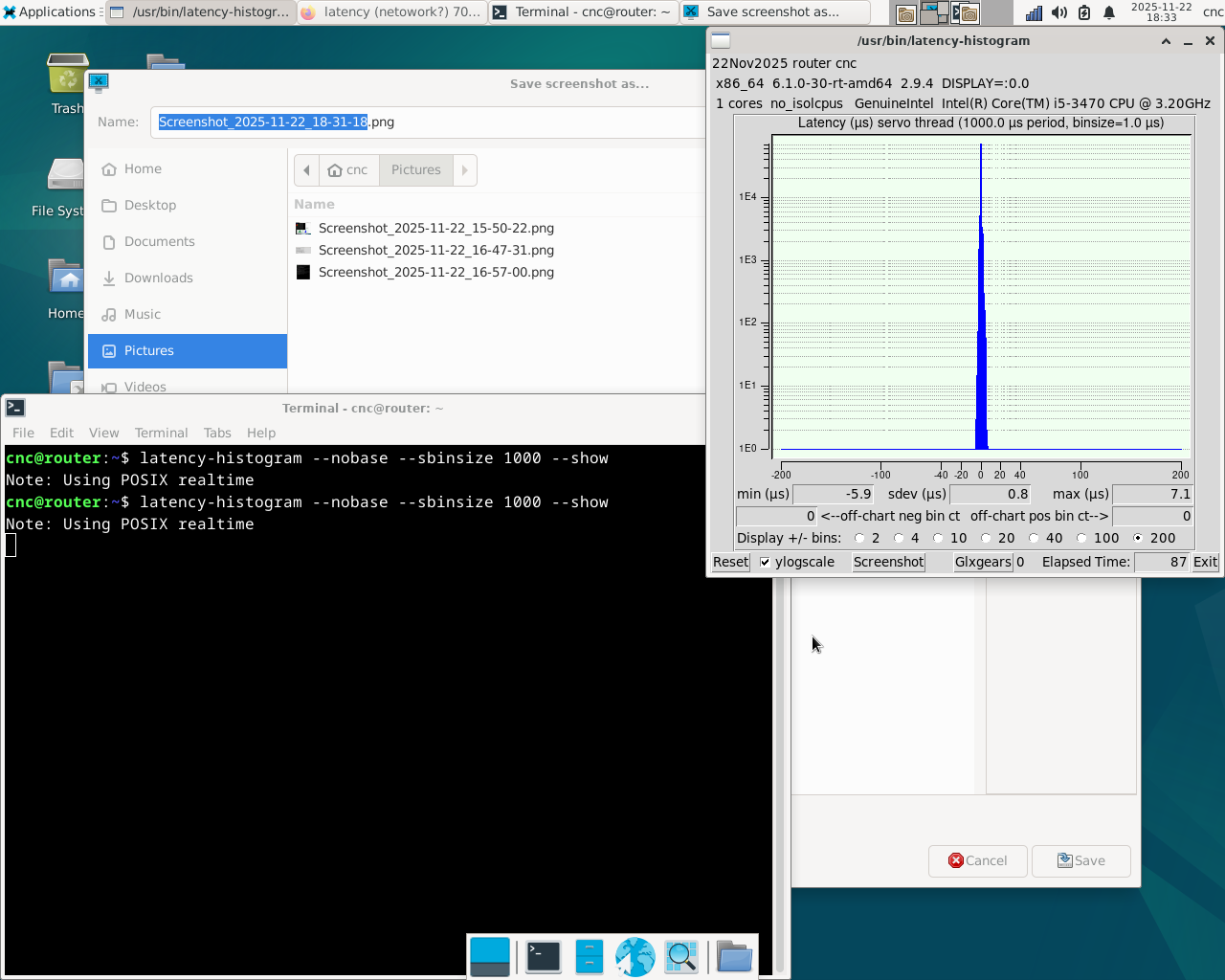
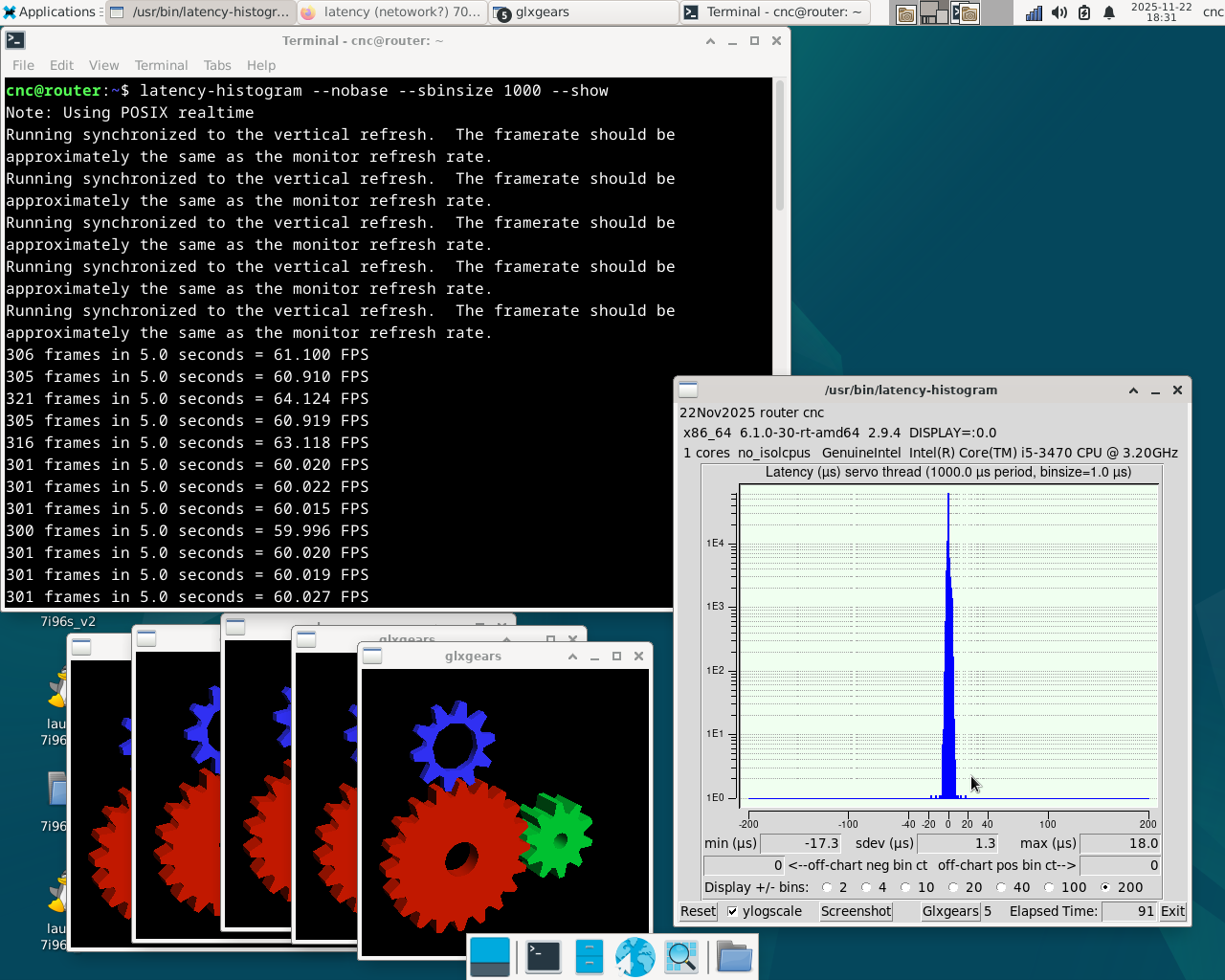
The histogram l ran on it's own and with 5 gears running
cnc@router:~$ sudo chrt 99 ping -i .001 -q -c 60000 192.168.1.121
PING 192.168.1.121 (192.168.1.121) 56(84) bytes of data.
--- 192.168.1.121 ping statistics ---
60000 packets transmitted, 60000 received, 0% packet loss, time 59999ms
rtt min/avg/max/mdev = 0.074/0.086/0.256/0.008 ms
cnc@router:~$ sudo chrt 99 ping -i .001 -q -c 60000 192.168.1.121
PING 192.168.1.121 (192.168.1.121) 56(84) bytes of data.
--- 192.168.1.121 ping statistics ---
60000 packets transmitted, 60000 received, 0% packet loss, time 59999ms
rtt min/avg/max/mdev = 0.074/0.086/0.377/0.008 ms
The histogram l ran on it's own and with 5 gears running
Please Log in or Create an account to join the conversation.

11 months 1 week ago #339009
by unknown
Replied by unknown on topic latency (netowork?) 7010 with 7i96s+7i84u
The i5 3470 is a four core chip.
Might be worth checking your BIOS to see if there is a setting that either enables or disables the 4 cores.
Might be worth checking your BIOS to see if there is a setting that either enables or disables the 4 cores.
Please Log in or Create an account to join the conversation.
11 months 1 week ago - 11 months 1 week ago #339011
by mooser
Replied by mooser on topic latency (netowork?) 7010 with 7i96s+7i84u
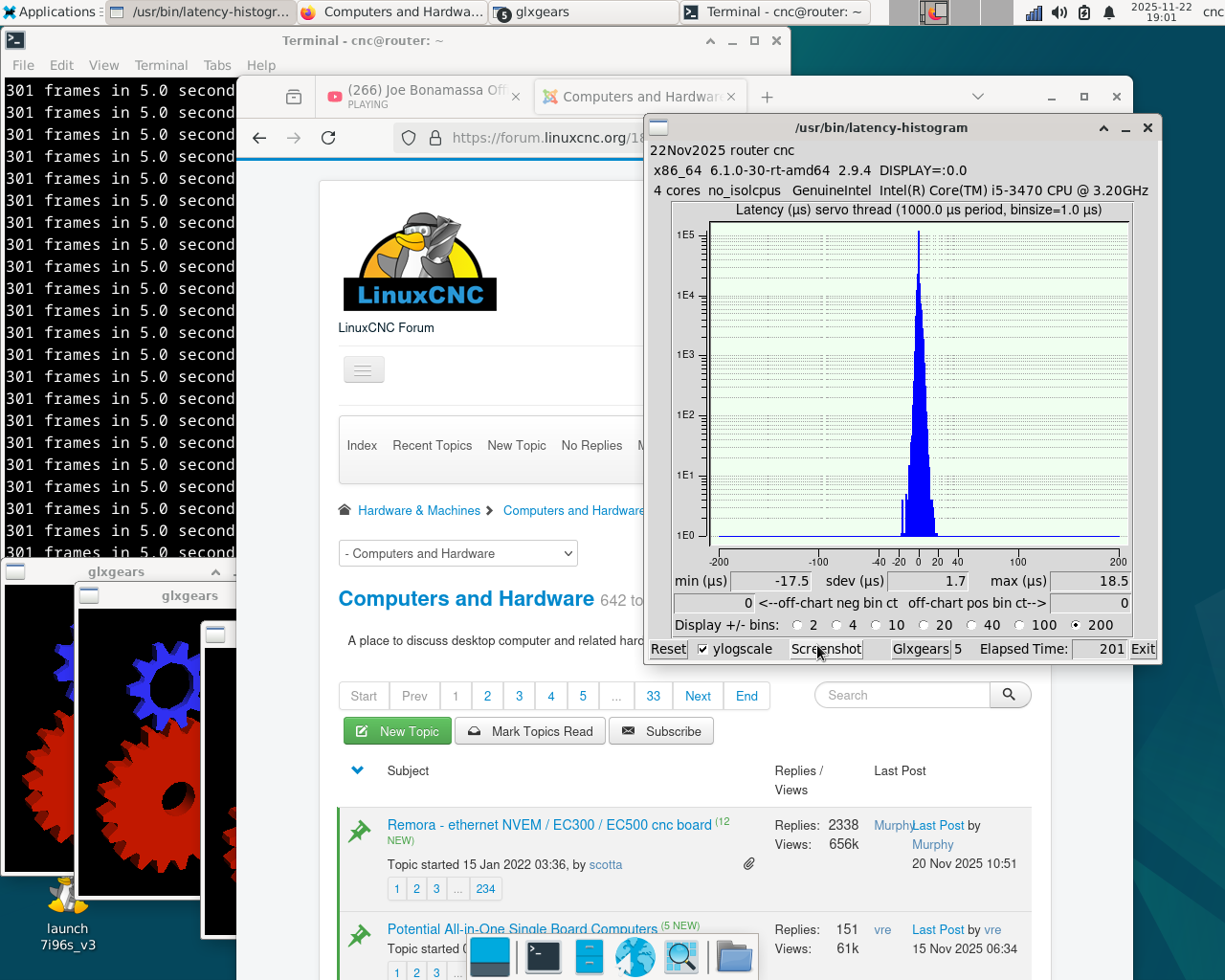
Right now I've got it turned down to only a single. One of the many documents on tuning I came across seemed to want the 7010 to run with it set to single. I'll reset it to all in the bios and re-post
--- 192.168.1.121 ping statistics ---
60000 packets transmitted, 60000 received, 0% packet loss, time 59999ms
rtt min/avg/max/mdev = 0.065/0.102/0.281/0.018 ms
M
--- 192.168.1.121 ping statistics ---
60000 packets transmitted, 60000 received, 0% packet loss, time 59999ms
rtt min/avg/max/mdev = 0.065/0.102/0.281/0.018 ms
M
Last edit: 11 months 1 week ago by mooser.
Please Log in or Create an account to join the conversation.
11 months 1 week ago #339012
by PCW
Replied by PCW on topic latency (netowork?) 7010 with 7i96s+7i84u
I would use all cores but set isolcpus=3 in the kernel command line
otherwise you run all realtime and non-realtime code on the one core.
(plus reducing overall performance)
In addition, pinning the Ethernet IRQ to the last CPU (LinuxCNCs CPU)
will help with network latency.
otherwise you run all realtime and non-realtime code on the one core.
(plus reducing overall performance)
In addition, pinning the Ethernet IRQ to the last CPU (LinuxCNCs CPU)
will help with network latency.
Please Log in or Create an account to join the conversation.
Time to create page: 0.345 seconds