New syntax highlighting for gedit

More
10 years 6 months ago #73674 by FernV
Hi,

For those of you that prefer using gedit, I wrote a new HL file for you.

Just copy ngc.lang.txt file to either (REMOVE THE .txt EXTENSION)
/usr/share/gtksourceview-3.0/language-specs/
or
~/.local/share/gtksourceview-3.0/language-specs/ (you can also use 2.0 instead)

File Attachment:

File Name: ngc.lang.txt
File Size:8.43 KB


and GCode.xml (colors) in
/usr/share/gtksourceview-3.0/styles/
or
~/.local/share/gtksourceview-3.0/styles/
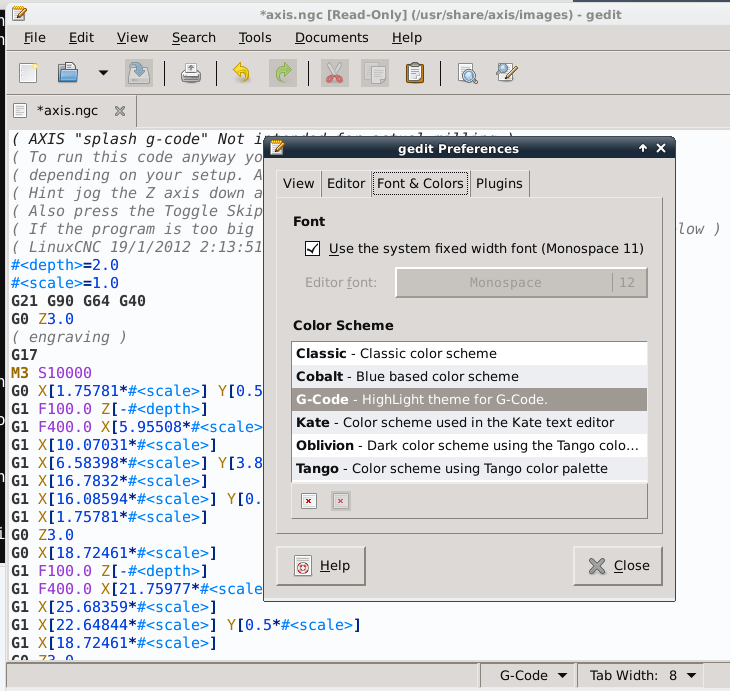
then restart gedit, open a ngc file and select GCode color scheme

File Attachment:

File Name: GCode.xml
File Size:3.45 KB


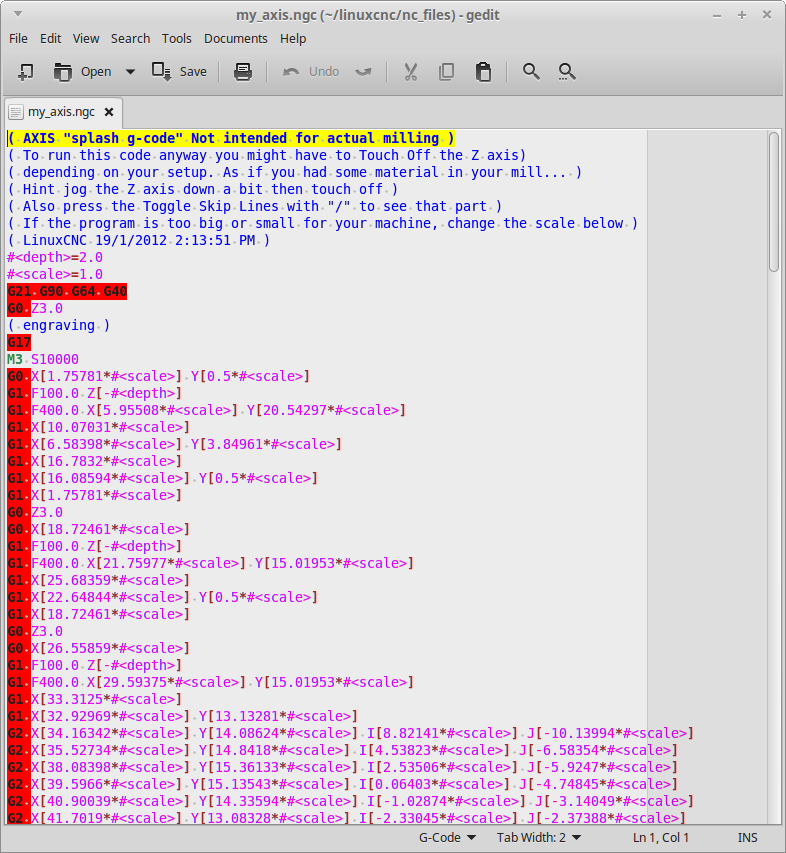
here what it looks like


If you do not like the colors I selected, try to find a scheme you like or edit GCode.xml by inspecting ngc.lang to see how colors are mapped

Best regards
Fernand
The following user(s) said Thank You: BigJohnT, andypugh, chucktilbury, Amedee, webmanoffesto, Studi

Please Log in or Create an account to join the conversation.
More
10 years 6 months ago #73731 by BigJohnT
I'm using Gedit on LinuxMint 17.3 but don't see the directories you mention.

JT

Please Log in or Create an account to join the conversation.
More
10 years 6 months ago #73738 by Amedee
I don't have Mint, but i believe it is shipped with GTK2 so you need to look for /usr/share/gtksourceview-2.0/ directory

Please Log in or Create an account to join the conversation.

More
10 years 6 months ago - 10 years 6 months ago #73744 by BigJohnT
LinuxMint 17.3 has both /usr/share/gtksourceview-2.0 and /usr/share/gtksourceview-3.0. Let me try that and see what I get.

Edit: after some experiments I determined that /usr/share/gtksourceview-3.0 is the correct place however my G code does not look like Ferns example.


JT
Last edit: 10 years 6 months ago by BigJohnT.

Please Log in or Create an account to join the conversation.

More
10 years 6 months ago - 10 years 6 months ago #73749 by Amedee
You need to set the color scheme as well (in the preference menu)

Last edit: 10 years 6 months ago by Amedee.
The following user(s) said Thank You: BigJohnT

Please Log in or Create an account to join the conversation.

More
10 years 6 months ago #73757 by BigJohnT
Now that looks much better and I even like it!

JT

Please Log in or Create an account to join the conversation.

Time to create page: 0.120 seconds
Powered by Kunena Forum
