Rotary view

More
10 years 3 weeks ago #81295 by grump
Rotary view was created by grump
Probably been asked many times and I am searching the wrong criteria.
I have 200 pens to engrave before Christmas.
I have setup the fourth axis and all works well in tests with some small and simple text.
Problem for me is I design and save the ngc files indoors then go to shed and connect to cnc.
I use the wrap feature in www.scorchworks.com/Gcoderipper/gcoderipper.html which also works well for me.
I would love to be able to preview my wrapped work in all round viewer to check fonts, sizes, images etc.
Is there a feature for this or any help would be good thanks.
It's not that anything doesn't work because it all works excellent, It's simply I can't see what I am doing when it's shown on a single line.
I understand that the rotor doesn't shift position so it won't be shown in the basic viewer.
I just want to preview how it will look before wasting tubes on something that is not aesthetically pleasing.

Please Log in or Create an account to join the conversation.
More
10 years 3 weeks ago #81330 by grump
Replied by grump on topic Rotary view
Perhaps an example may produce a response and show my issue. I may have to do this over a few posts to describe it.
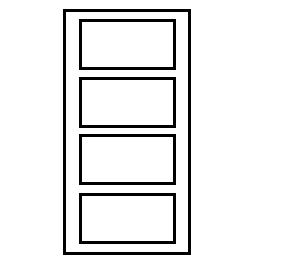
I start with a simple few line drawing of boxes and maybe some text in the boxes. like this.


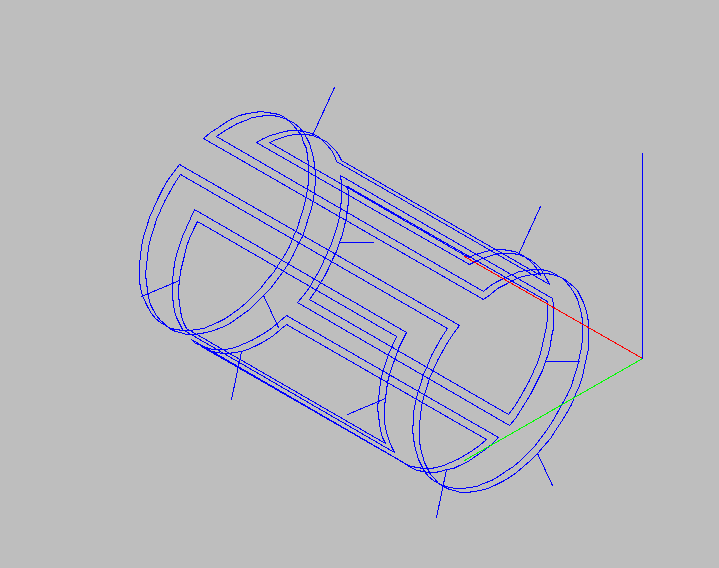
I then wrap the image and convert to G-code for the A-axis and get an image like this.

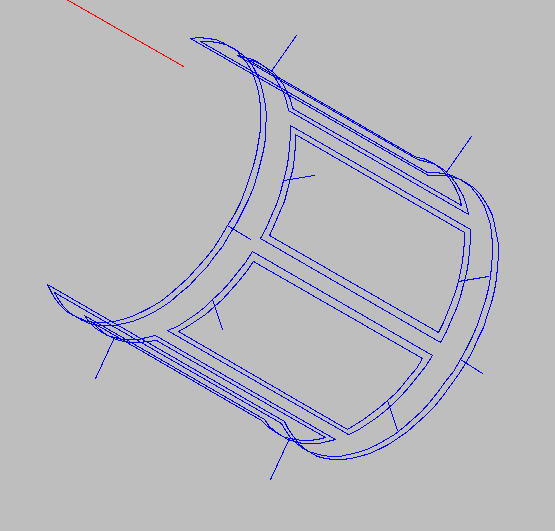
or this.


The longer I look at it the more it changes from front to back view, (my eyes and optical illusions I think).
From this view I can plan where to put the text if any and take the pen clip dimensions into account for the wrap.
This all works without any issue and I can edit everything I need feeling confident it will scratch exactly where and what I want.

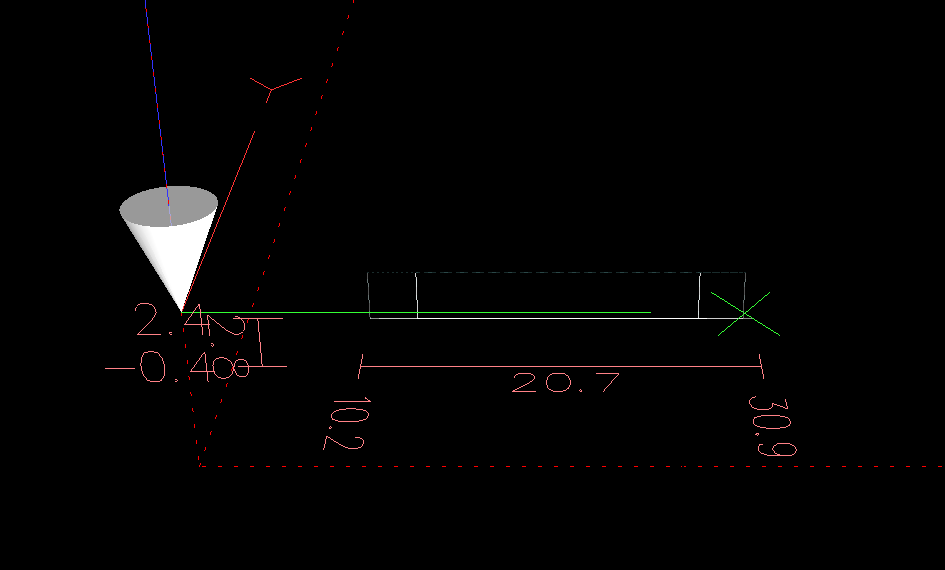
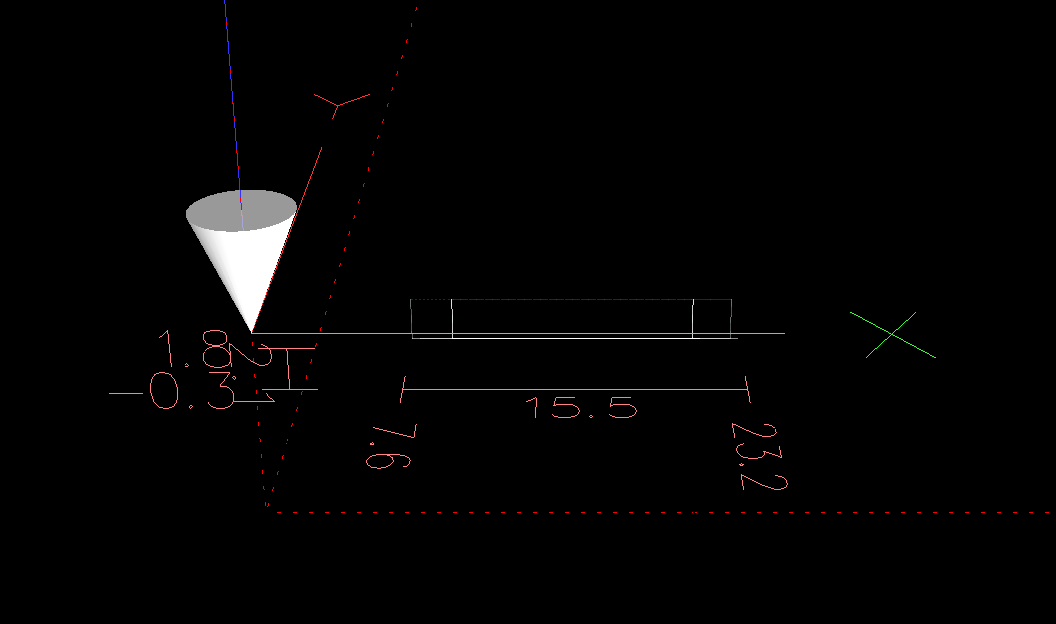
I then open up my axis sim machine and load my code to check my tool path and all I see is this.


Of course no matter what code I load to the fourth axis I will only ever see the same view.
Is there any facility that will give me a rotary cylinder view to track my engraving before I cock up a very expensive item?
I have sat on my arse so long looking and searching I wonder if you guys can help with your excellent knowledge of these sytems?

Please Log in or Create an account to join the conversation.
More
10 years 3 weeks ago #81332 by FariaAl
Replied by FariaAl on topic Rotary view
This works for me.


#********************
# Axis A
#********************
[AXIS_3]
TYPE = ANGULAR
WRAPPED_ROTARY = 0
HOME_SEQUENCE = 0
HOME = 0.0
MAX_VELOCITY = 25.0
MAX_ACCELERATION = 100.0
STEPGEN_MAXACCEL = 425.0
SCALE = -67.00000
FERROR = 1
MIN_FERROR = .25
MIN_LIMIT = -1e99
MAX_LIMIT = 1e99
HOME_OFFSET = 0.0


• TYPE = LINEAR - The type of axes, either LINEAR or ANGULAR.
• WRAPPED_ROTARY = 1 - When this is set to 1 for an ANGULAR axis the axis will move 0-359.999 degrees. Positive
Numbers will move the axis in a positive direction and negative numbers will move the axis in the negative direction.


• MIN_LIMIT = -1000 - The minimum limit for axis motion, in machine units. When this limit is reached, the controller aborts
axis motion. The axis must be homed before MIN_LIMIT is in force. For a rotary axis with unlimited rotation having no
MIN_LIMIT for that axis in the [AXIS_n] section then the value -1e99 is used.
• MAX_LIMIT = 1000 - The maximum limit for axis motion, in machine units. When this limit is reached, the controller aborts
axis motion. The axis must be homed before MAX_LIMIT is in force. For a rotary axis with unlimited rotation having no
MAX_LIMIT for that axis in the [AXIS_n] section then the value 1e99 is used.
The following user(s) said Thank You: grump

Please Log in or Create an account to join the conversation.
More
10 years 3 weeks ago #81333 by grump
Replied by grump on topic Rotary view
Thanks for that but I still have the same view. I am looking for something with a real time preview of what will be engraved.

Please Log in or Create an account to join the conversation.
More
10 years 3 weeks ago - 10 years 3 weeks ago #81338 by FariaAl
Replied by FariaAl on topic Rotary view
i am not in front of my mill but i think you need to do change the order of the axis on the [DISPLAY] section to A X Y Z instead of X Y Z A
and maybe on the [TRAJ] too.

if nobody else come with the right answer i will check later when i go home.
Last edit: 10 years 3 weeks ago by FariaAl.
The following user(s) said Thank You: grump

Please Log in or Create an account to join the conversation.
More
10 years 3 weeks ago - 10 years 3 weeks ago #81340 by grump
Replied by grump on topic Rotary view
I saw that somewhere and when I tried it the machine wouldn't load so had to revert back.
I will give it another try thanks.
Last edit: 10 years 3 weeks ago by grump.

Please Log in or Create an account to join the conversation.

Time to create page: 0.211 seconds
Powered by Kunena Forum
