Mesa 7i92 MAC no longer retrievable

More
3 years 2 months ago #278619 by mariusl
Yes I get link lights. The hardware layer works as Linux also picks up when the board is unplugged and plugged in

Regards
Marius


www.bluearccnc.com

Please Log in or Create an account to join the conversation.

More
3 years 2 months ago - 3 years 2 months ago #278620 by PCW
Are you sure you setup the host MAC for the 192.168.1.xx IP range?

(and disconnected any internet connections in that range as that will cause
packets to be routed away from the mesa card)
Last edit: 3 years 2 months ago by PCW.

Please Log in or Create an account to join the conversation.

More
3 years 2 months ago - 3 years 2 months ago #278621 by mariusl
Yes the PC has two ports. One setup for 10.10.10.xx and the other for 192.168.1.xx.
I test other boards like the 7i96S on that machine and I tested both scenarios this morning.

On the customer's site I also tested both modes with e replacement 7i92 board. That PC is also OK.
 

Regards
Marius


www.bluearccnc.com

Last edit: 3 years 2 months ago by mariusl.

Please Log in or Create an account to join the conversation.

More
3 years 2 months ago #278884 by romafede
Hello, I have the same problem with 7i96S I was using it for a while and now I can't connect, the error message is the same... Is there any solution for this?
 

Please Log in or Create an account to join the conversation.

More
3 years 2 months ago #278885 by PCW
Does the link light illuminate in the 7I96S (Yellow LED on RJ45 connector)?

What IP address is the 7I96S set for?

What does the command

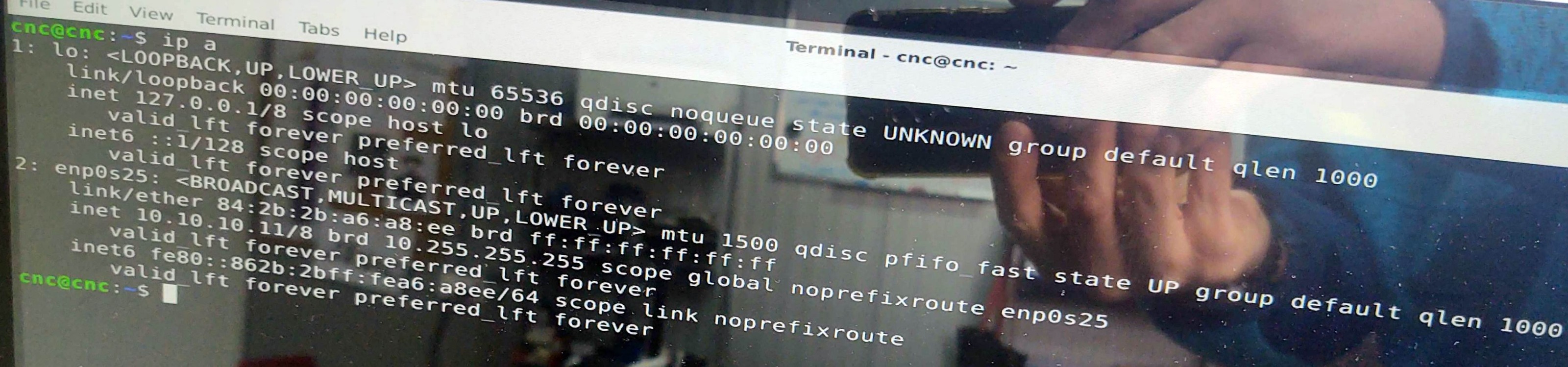
ip a

report?


Please Log in or Create an account to join the conversation.

More
1 year 11 months ago - 1 year 11 months ago #314834 by HalaszAttila
Hello,
I have the same issue with my 7i96S card. It works for 2 years without problem, and once it has a communication error.
On the startup, linuxcnc shows the message you can see in the attached photo.
The fpga boots properly (led flashes, and turns off). The 5VDC power supply is ok, the ethernet cable is tested.
System is Debian 10 with LinuxCNC 2.8.4. In linux on the taskbar, the network connection shows the network is connected.
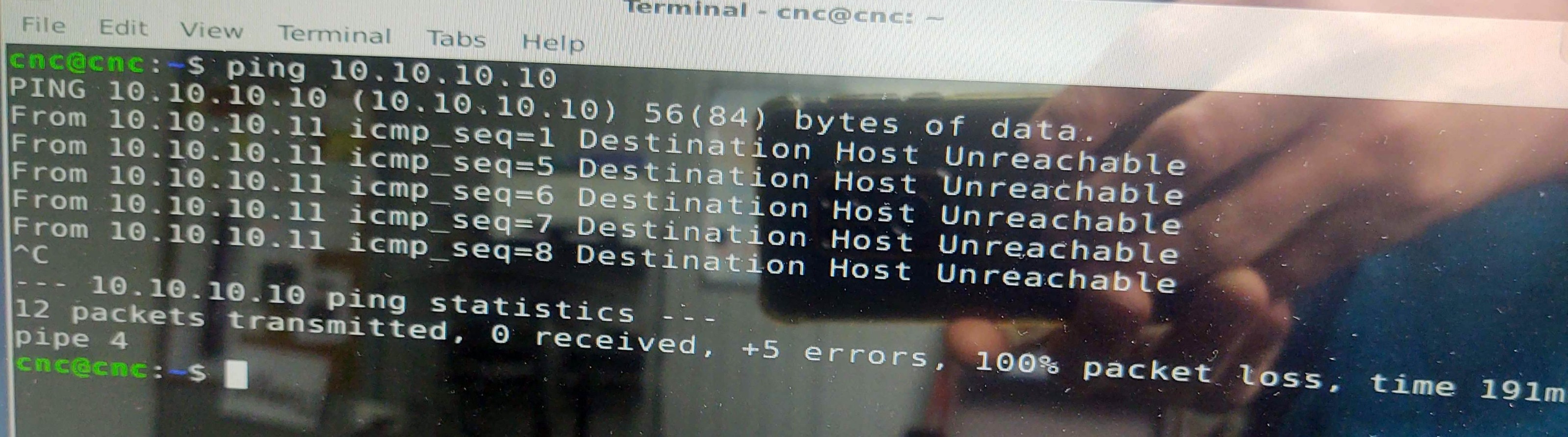
The IP jumpers are set to EEPROM (10.10.10.10).Attached photo shows the ping 10.10.10.10. results. 
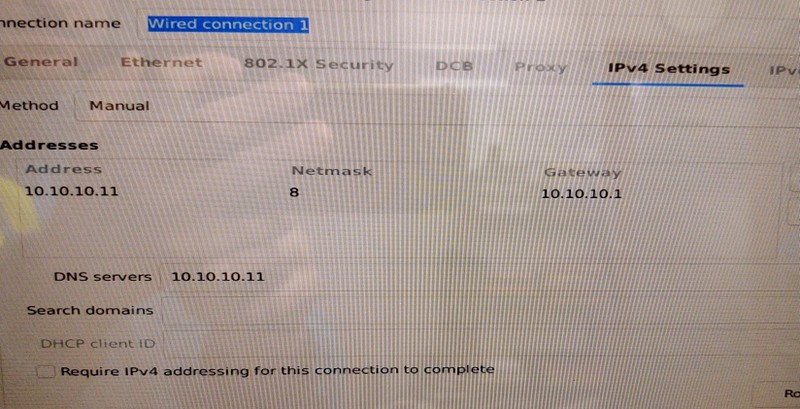
The IPv4 settings are attached.I see you mentioned testing a card with ip: 192.168.1.121.

Can you help me to configure the ethernet connection for this IP?

Result of the "ip a" command is attached.On the Rj45 connector just the green led lights/blinks, the yellow never (nieter during ping).

What can be with a card, can you help me to solve it?



Last edit: 1 year 11 months ago by HalaszAttila.

Please Log in or Create an account to join the conversation.

Moderators: PCW, jmelson
Time to create page: 0.395 seconds
Powered by Kunena Forum