Hey,
I’ve been building a new GUI for LinuxCNC called
lcncgui (mainly for my own use) and figured I’d throw it out here. It's a browser based, more "modern" looking UI.
Why browser?
Qt and the classic GUI stuff work fine, but design-wise a browser UI just gives you a lot more room — layouts, touch stuff, dialogs, etc. feel way less constrained (and I'm also not really proficient with qt).
On older PCs this might be an issue, but anyone something somewhat modern like a raspberry pi will be fine.
How it works
Python backend talks to LinuxCNC, frontend talks to the backend over WebSockets. Same role as gmoccapy — set `DISPLAY = lcncgui` and you’re good.
Because it’s network-based, you could also open and control it on another device, e.g. an iPad on the same network.
Control
It’s mainly meant for external buttons / hotkeys (and HAL panel inputs). Softkeys, keyboard, and physical buttons all do the same things.
If you don’t have a panel, there’s a virtual button sidebar so you can still run everything from the screen.
Things that are different from the classic linuxcnc GUI
-
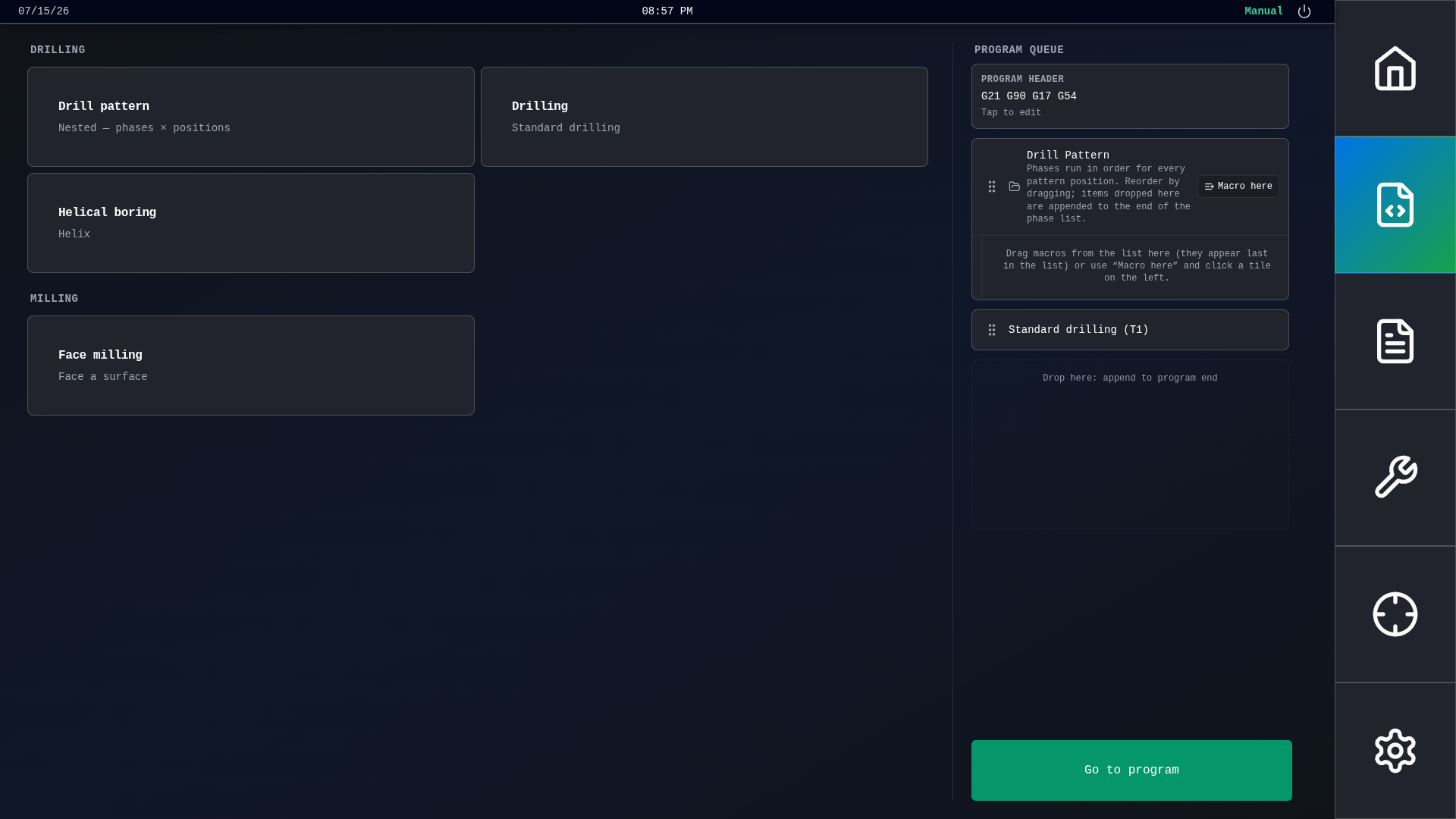
Macros — stack operations in a queue (drill, helical bore, face mill, patterns, …), hit go, gets turned into real G-code and opened in the program editor
-
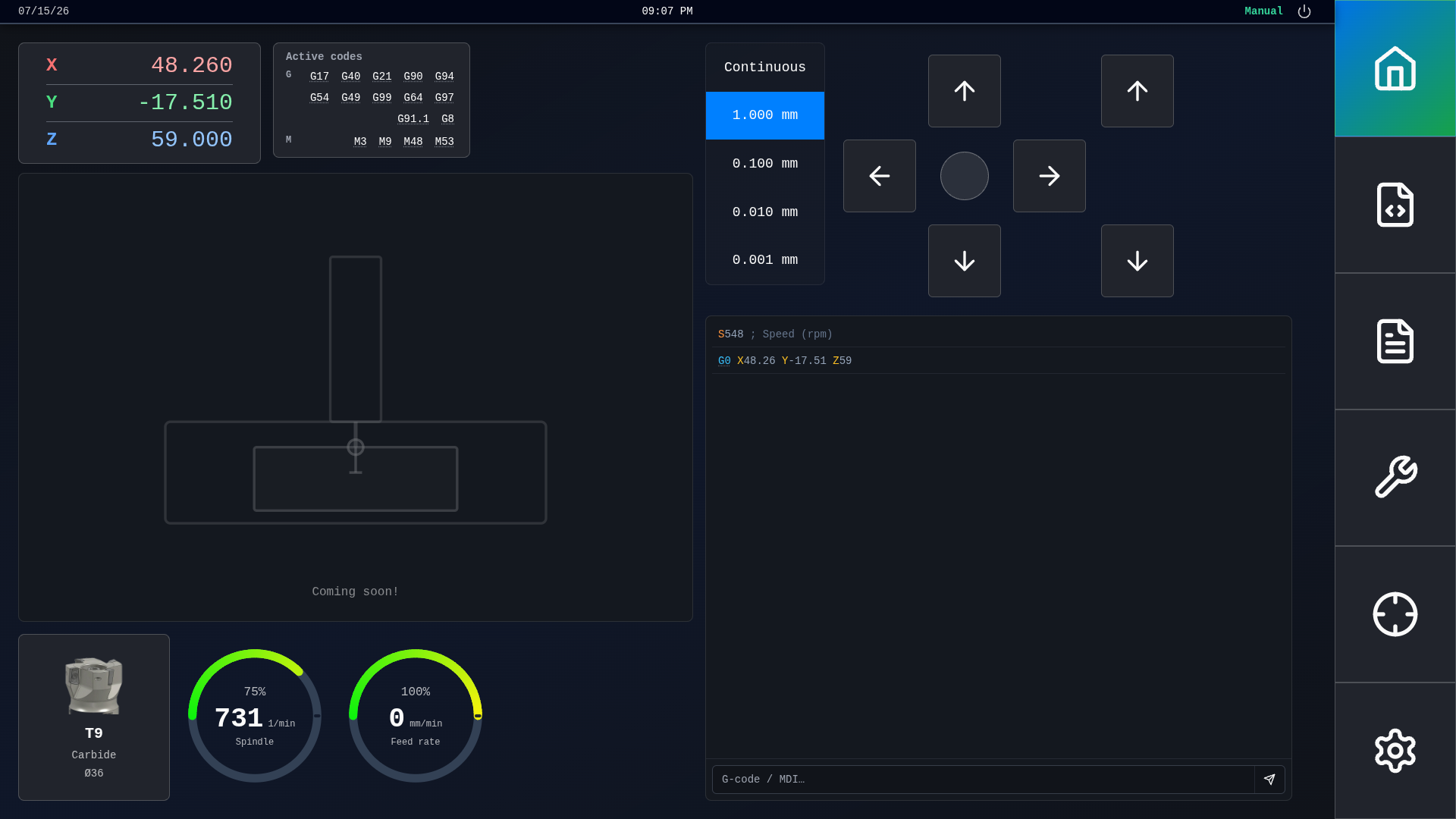
G/M-code tooltips — hover/click a code and you get a short explanation instead of digging through the manual
-
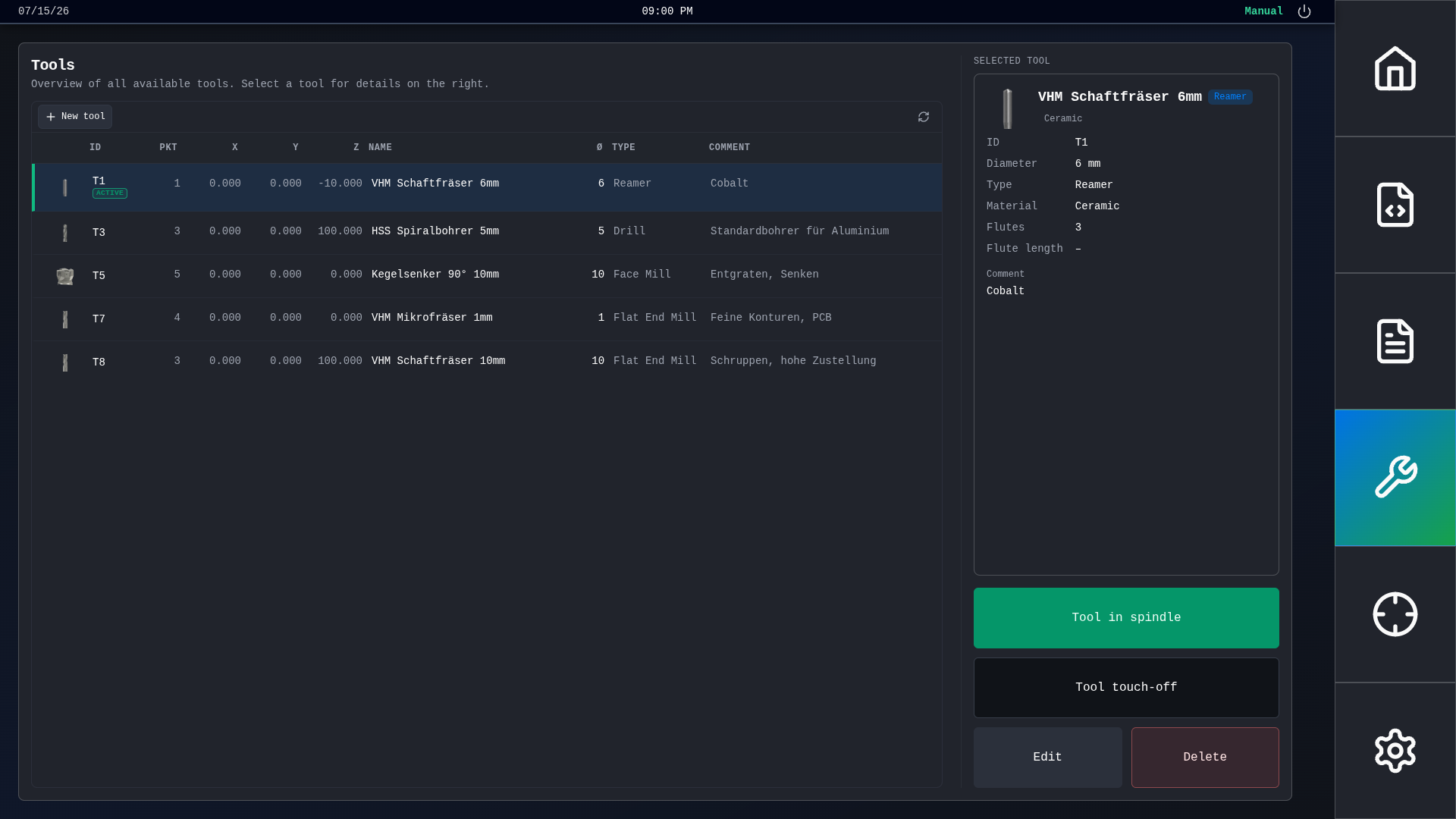
Tool table — more info than the usual `.tbl` stuff, plus cut presets (RPM, feeds, etc.) so you can set cutting data quickly
-
Shutdown — close the GUI, or close it and shut down the PC cleanly afterward
Plus the usual jog/home, DRO, program editor, MDI, overrides, etc.
Still WIP
Some things are missing or half-done (no machine visualization yet, not every macro tile actually generates G-code yet, etc.). Expect rough edges. Also coding was assisted a lot by AI.
Looking for feedback — what feels useful, what’s annoying, what’s missing for real use.
Repo:
github.com/salomom/lcncgui
Install via release tarball + `install.sh`, no Node needed on the machine.
If you're running on an older machine, consider installing chromium as your default browser, as it's a bit more performative.
Happy to answer questions.
Cheers,
Tim