

- Posts: 12
- Thank you received: 1
can not jog axis in Gmoccapy
3 months 4 weeks ago #347484
by Etced
can not jog axis in Gmoccapy was created by Etced
After setting up axis , I go to the test axis button. There I can jog all axis and run the test program. When I go to Gmoccapy the cursor on the screen makes a line, but the motors do not turn. Any suggestions would be appreciated.
Thanks
Thanks
Please Log in or Create an account to join the conversation.
- tommylight
-

- Offline
- Moderator
-

3 months 4 weeks ago #347486
by tommylight
Replied by tommylight on topic can not jog axis in Gmoccapy
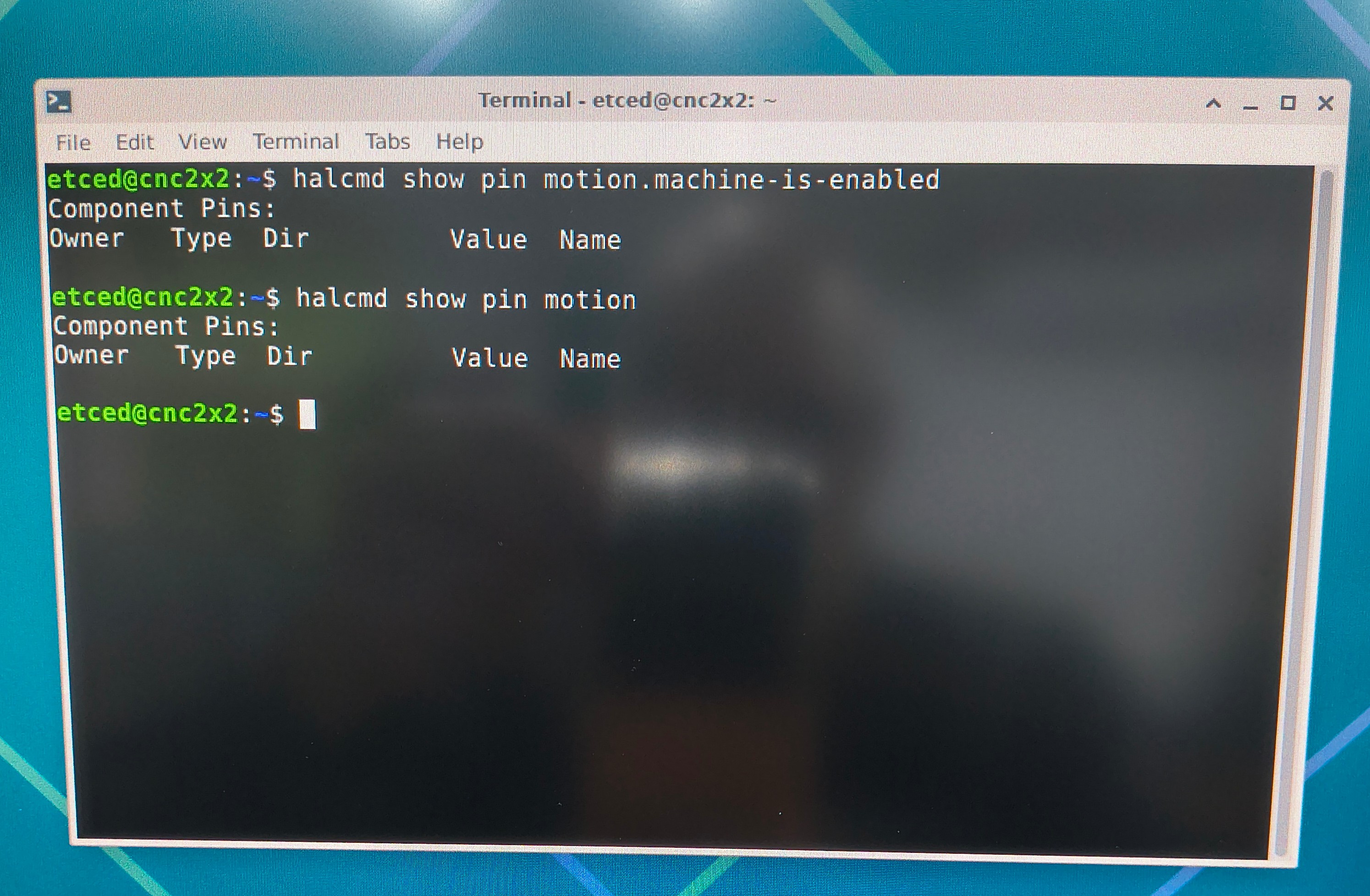
What is pin "machine-is-enabled" connected to in hal?
Please Log in or Create an account to join the conversation.
3 months 3 weeks ago #347539
by Etced
Replied by Etced on topic can not jog axis in Gmoccapy
Since I am a linuxcnc newb I hope that the below pic is what you are asking for.
I have CL57Y drivers , currently they are wired to: PU+ PU- DR+ DR- . The MF+ (enabled +) and MF- (enabled -) are not connected.
If they do need to be connected do I connect them from MF+ to the +5v and from MF- to GND on the TB2 terminal?
Thanks
I have CL57Y drivers , currently they are wired to: PU+ PU- DR+ DR- . The MF+ (enabled +) and MF- (enabled -) are not connected.
If they do need to be connected do I connect them from MF+ to the +5v and from MF- to GND on the TB2 terminal?
Thanks
Please Log in or Create an account to join the conversation.
- tommylight
-
- Offline
- Moderator
-
3 months 3 weeks ago #347546
by tommylight
Replied by tommylight on topic can not jog axis in Gmoccapy
NO, do not touch the wiring if it works with Axis GUI.
Upload the config files here so we can have a look, the working and non working ones.
Upload the config files here so we can have a look, the working and non working ones.
The following user(s) said Thank You: Etced
Please Log in or Create an account to join the conversation.
3 months 3 weeks ago #347561
by Etced
Replied by Etced on topic can not jog axis in Gmoccapy
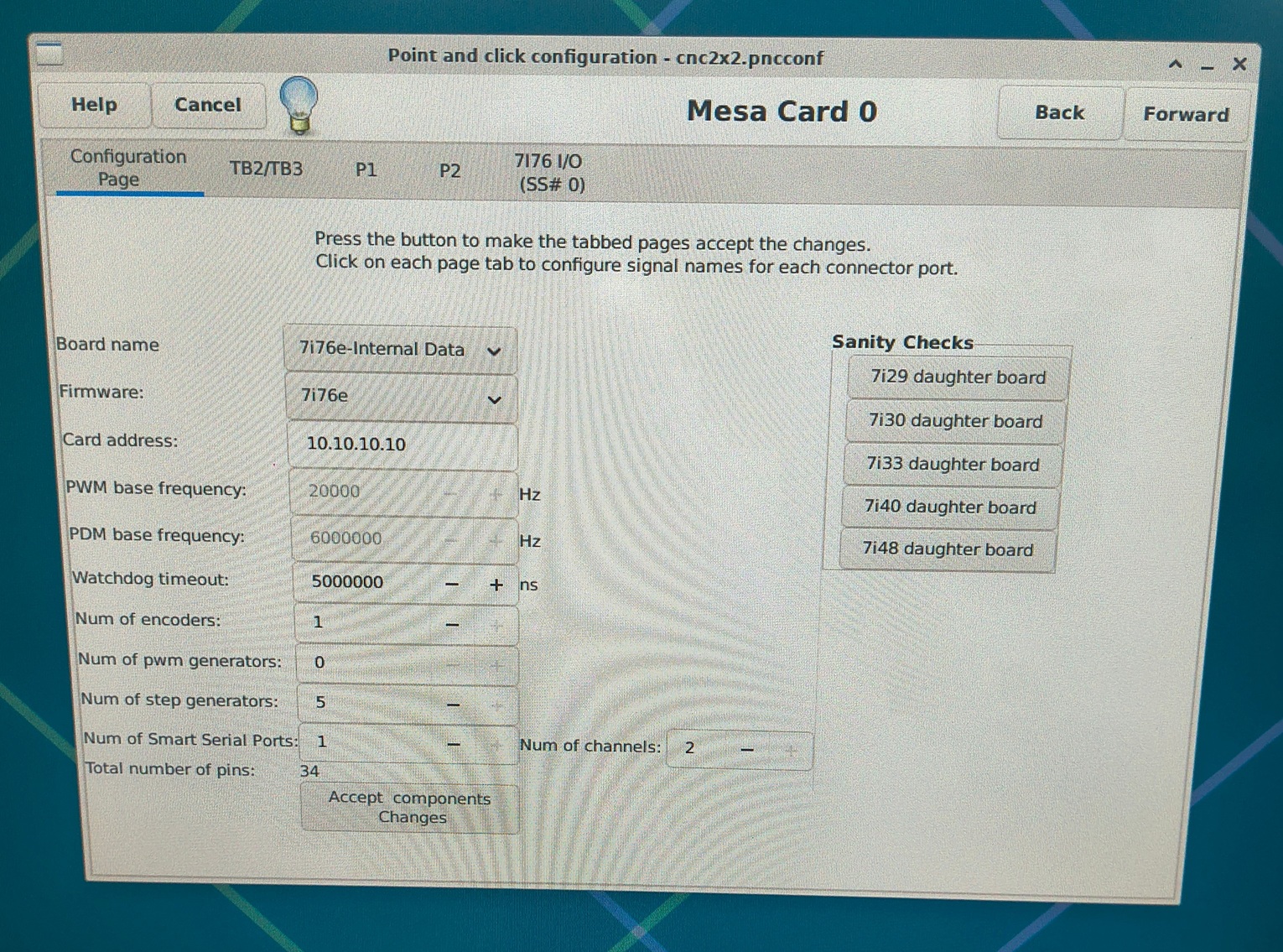
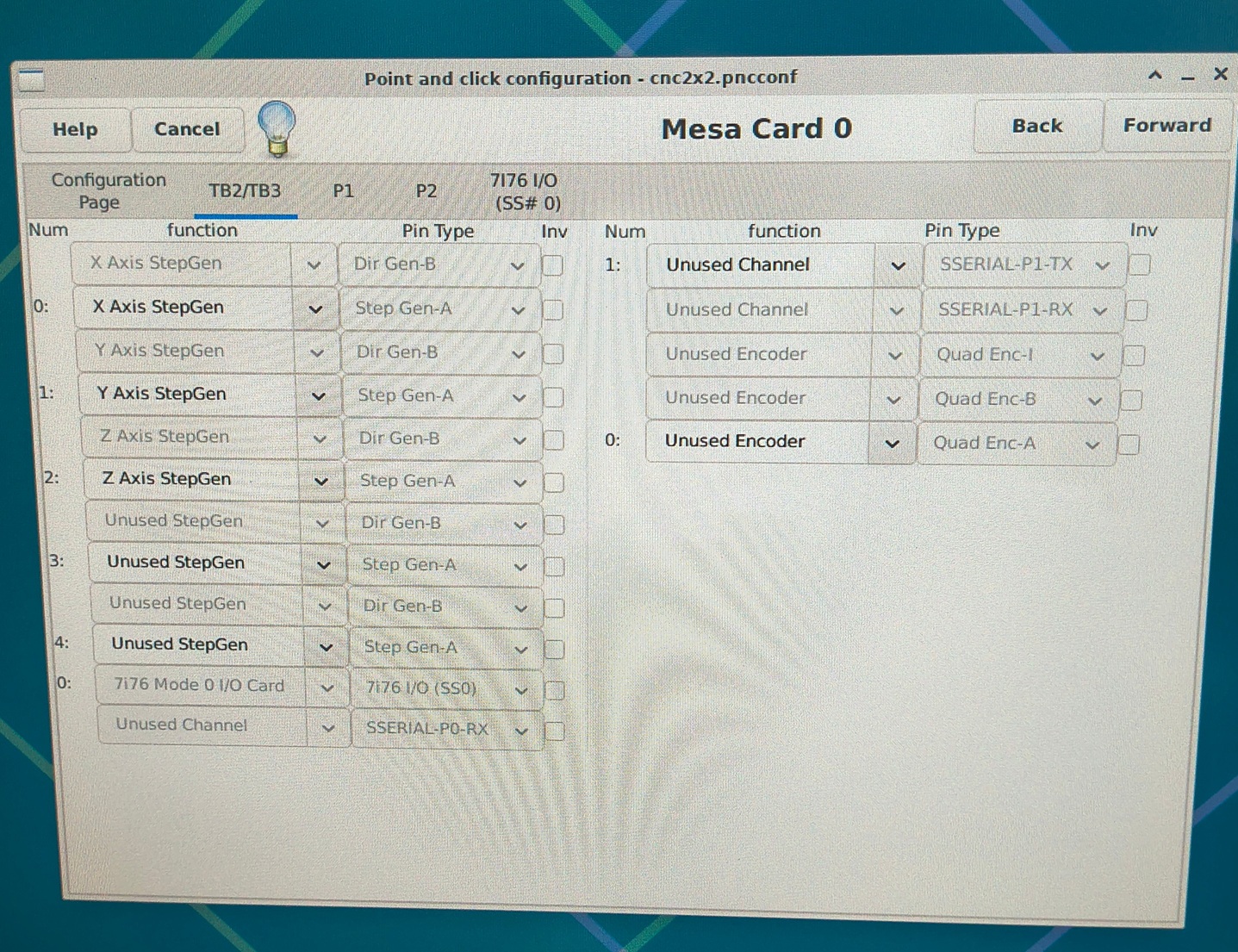
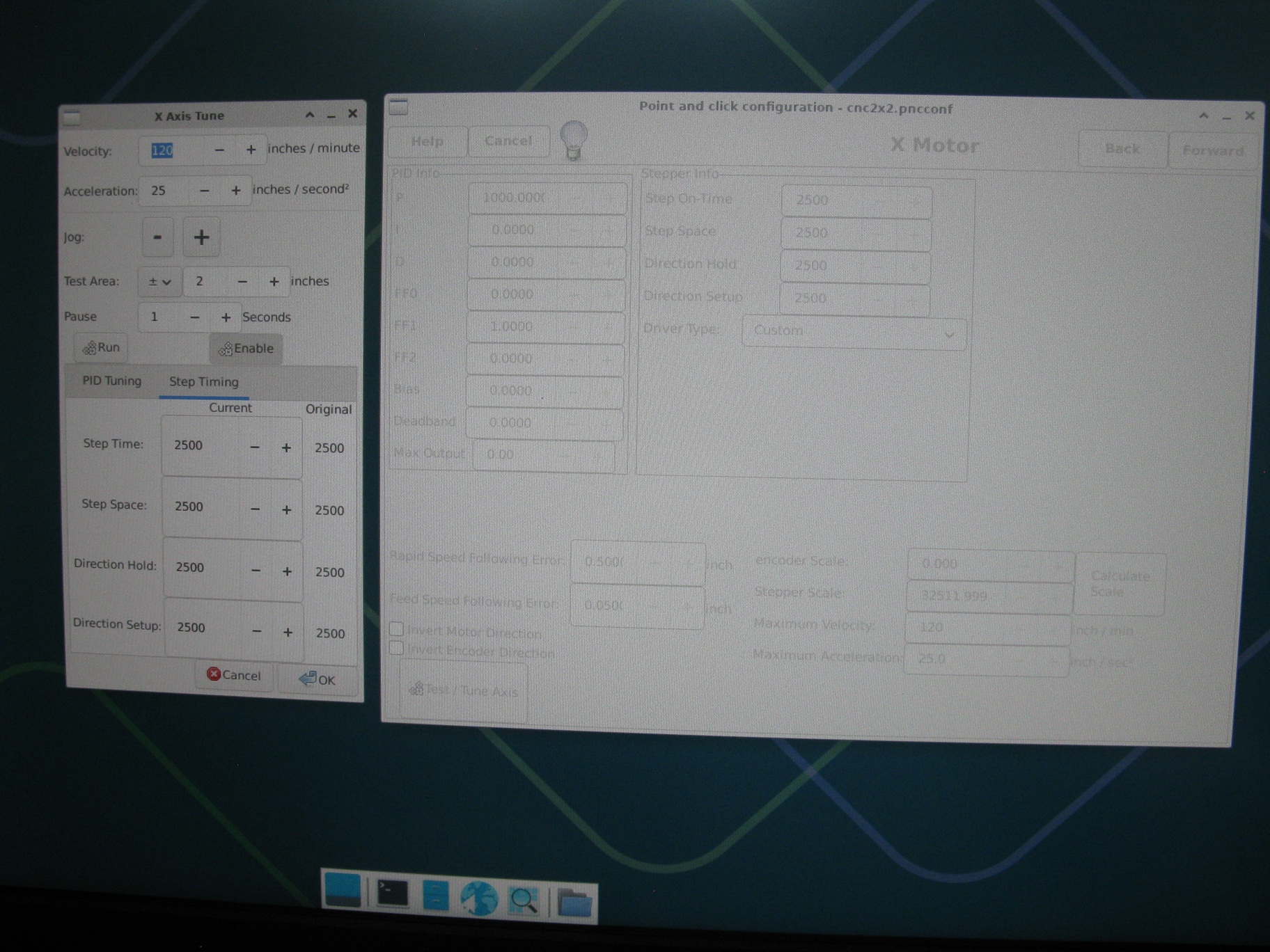
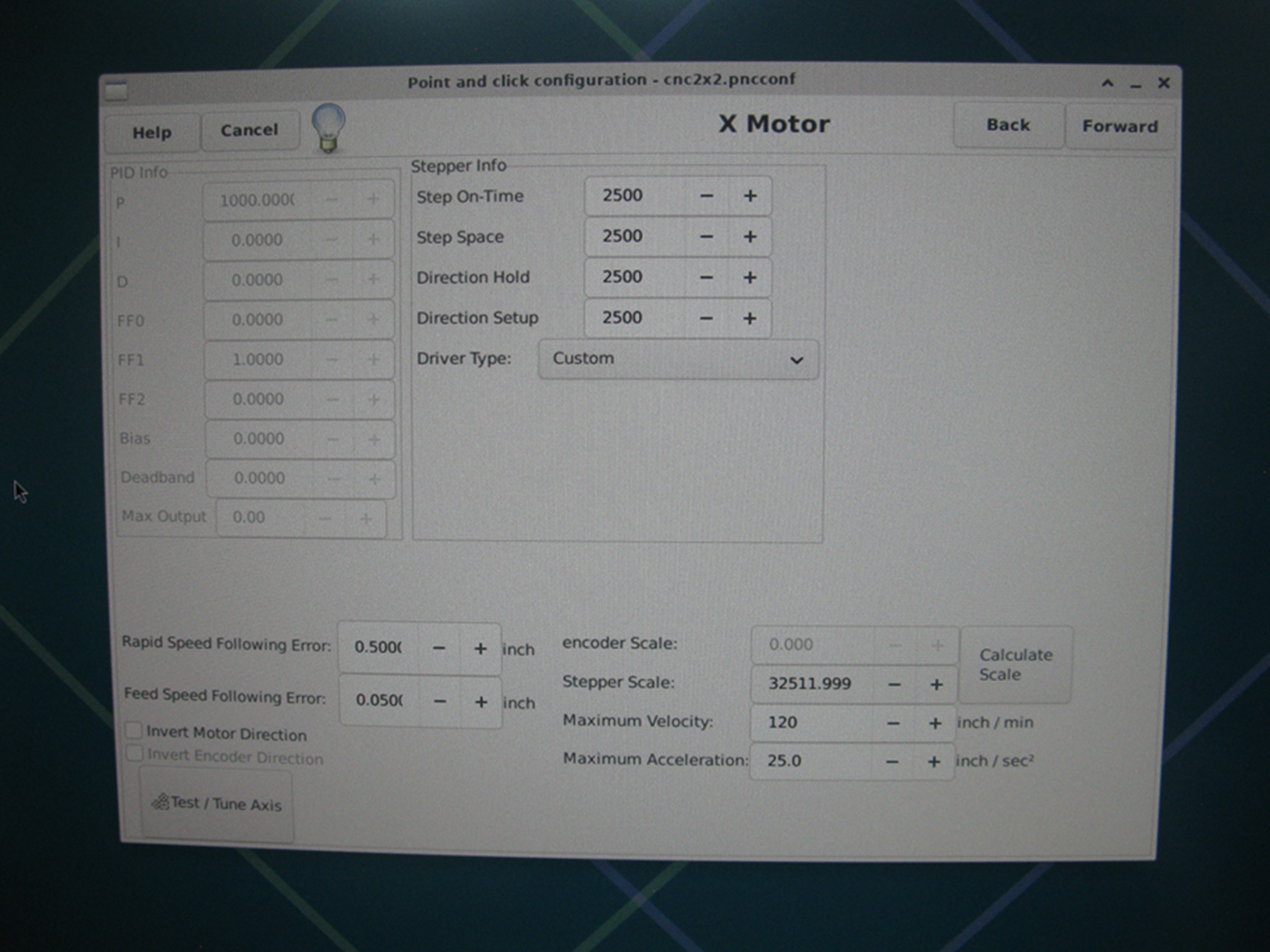
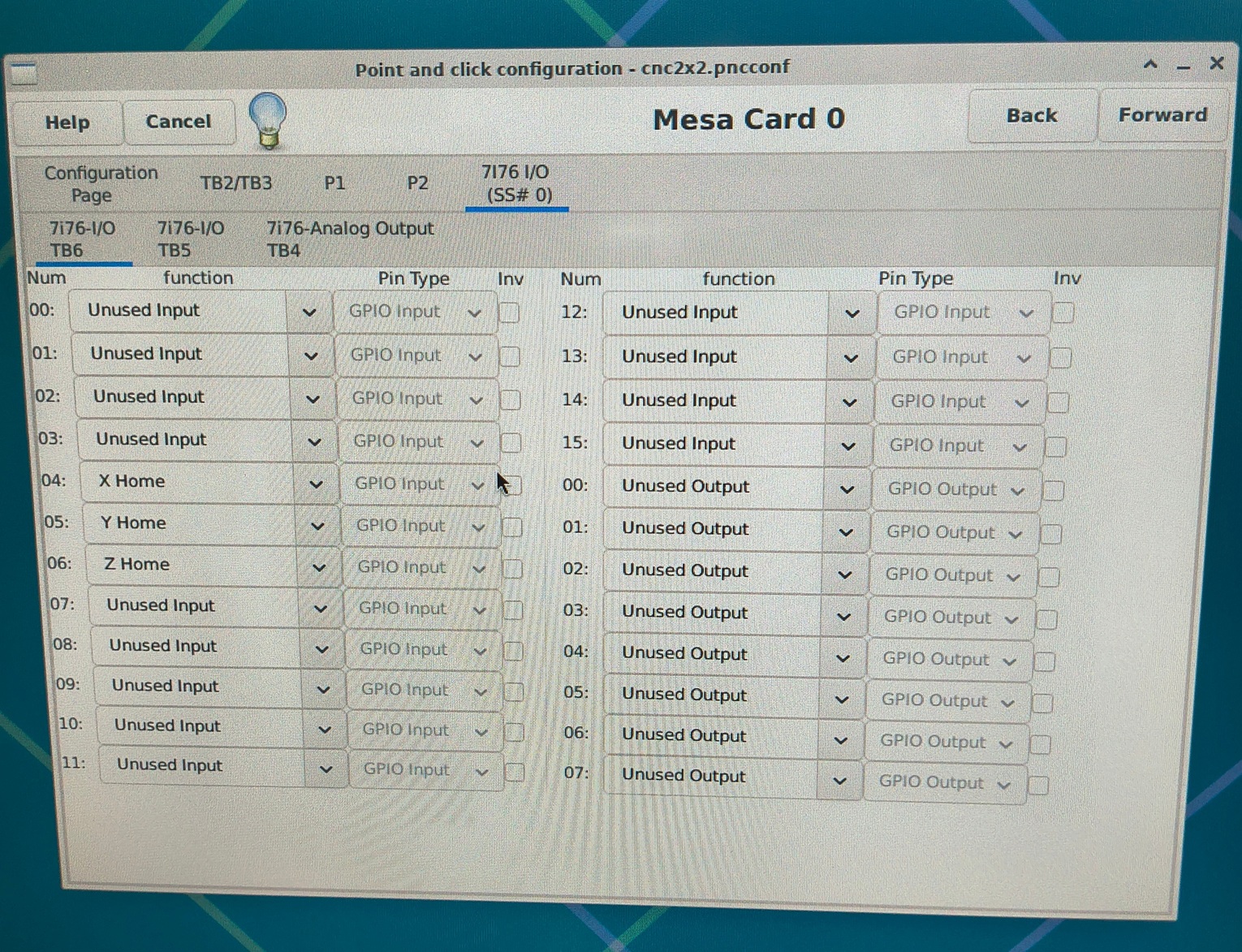
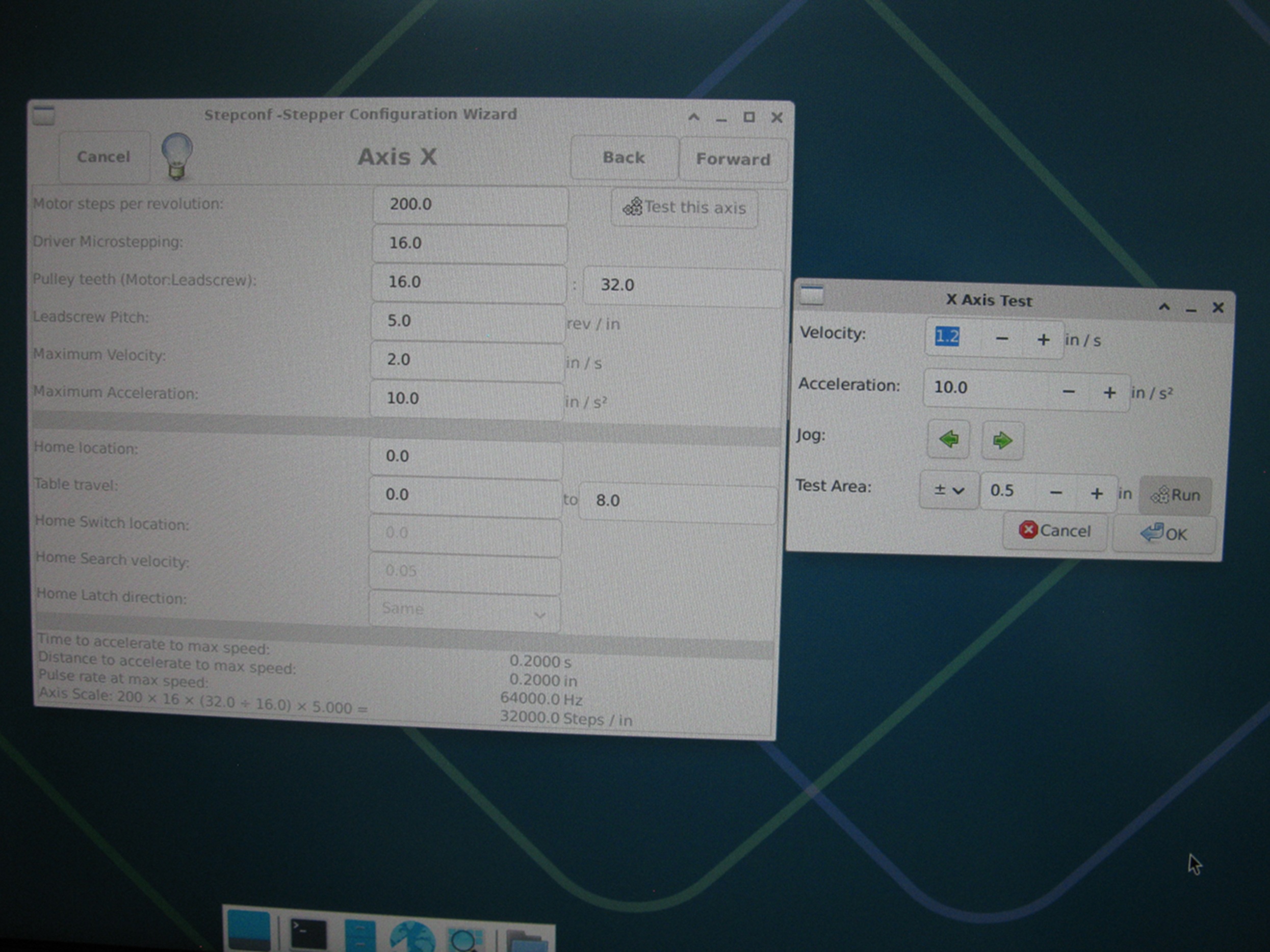
I just noticed that in the PNC config wizard "test this axis" that I can jog xyz. However in the Step config wizard "test this axis" I can not jog xyz.
Please Log in or Create an account to join the conversation.
3 months 3 weeks ago #347562
by Etced
Replied by Etced on topic can not jog axis in Gmoccapy
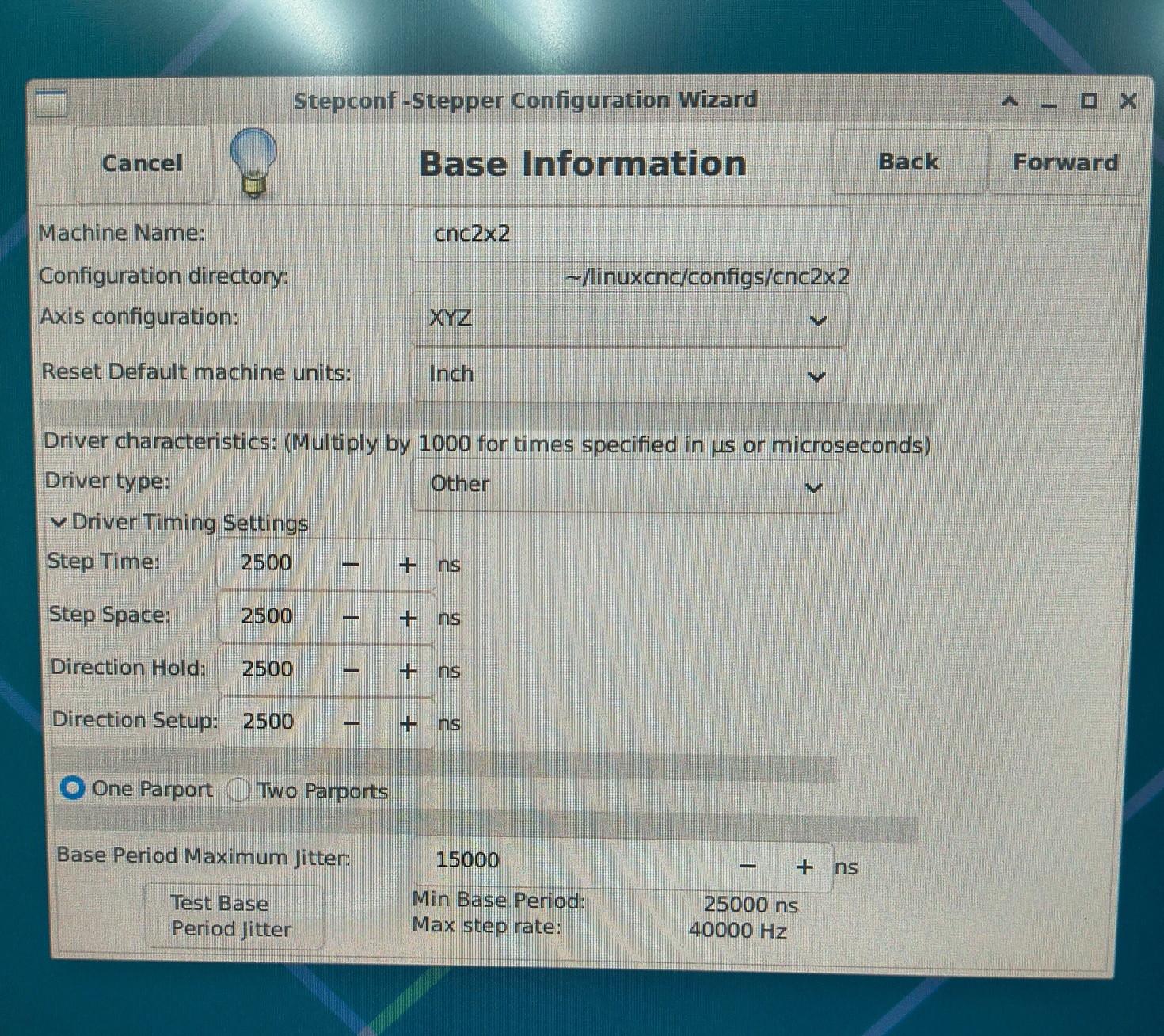
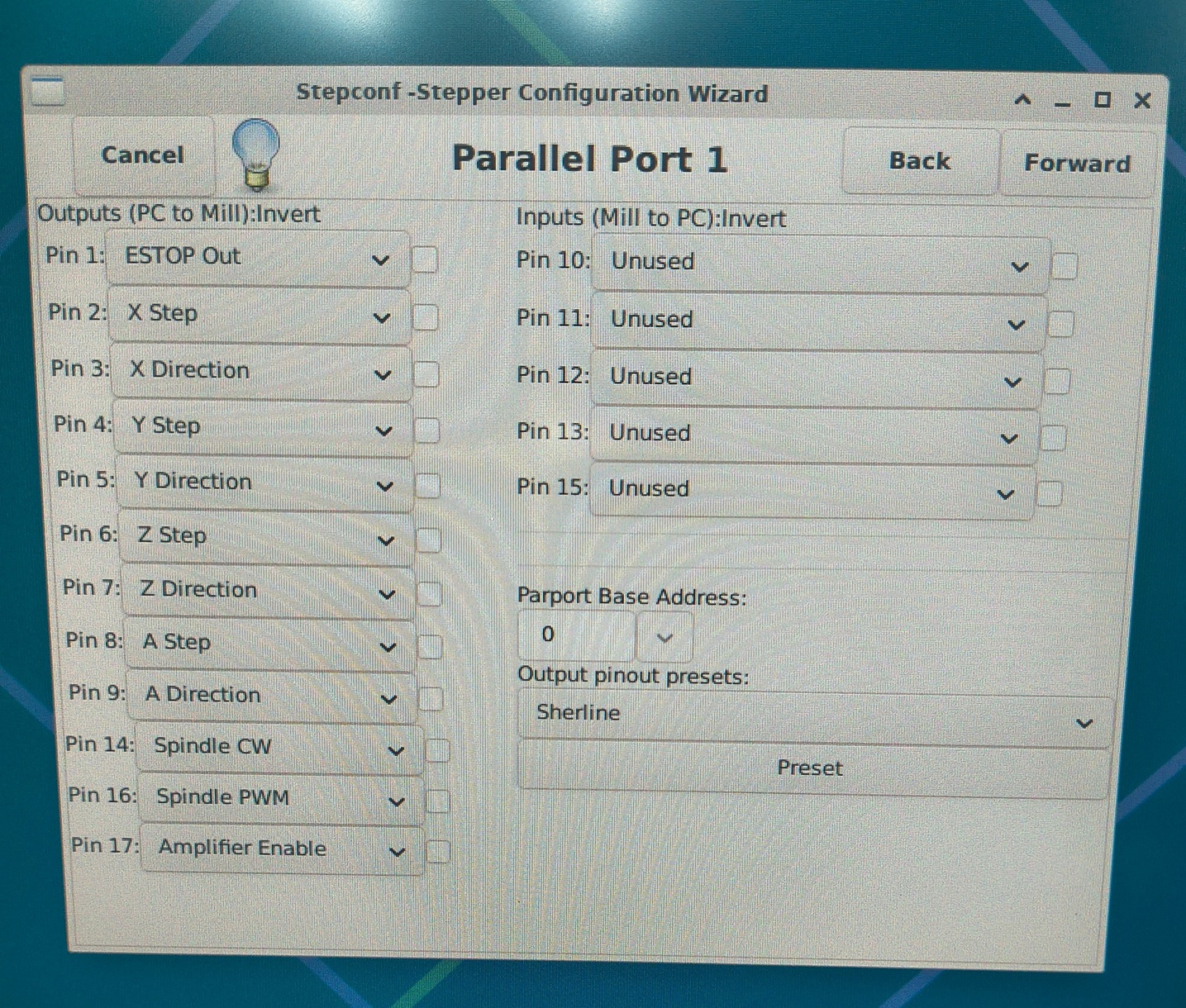
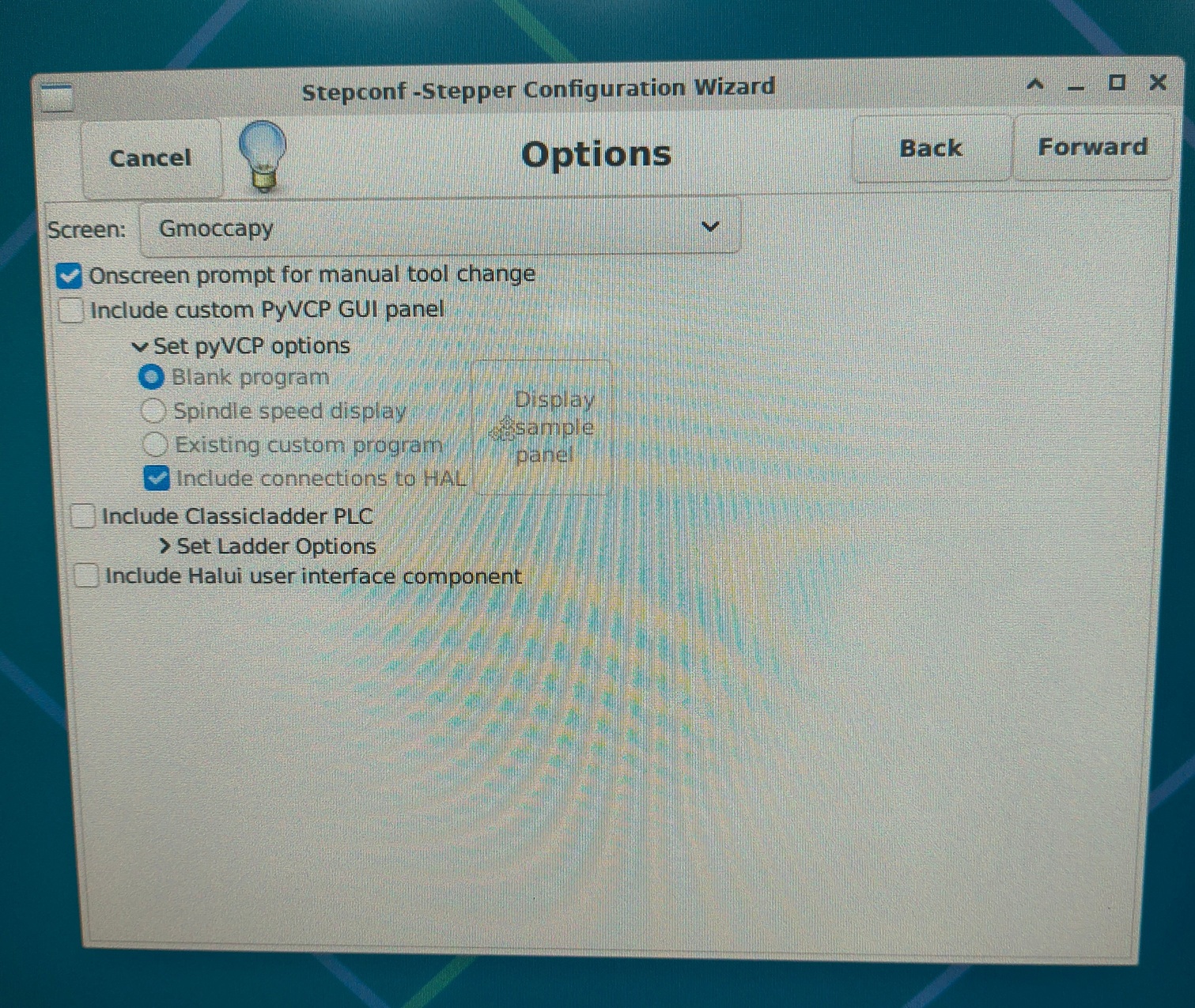
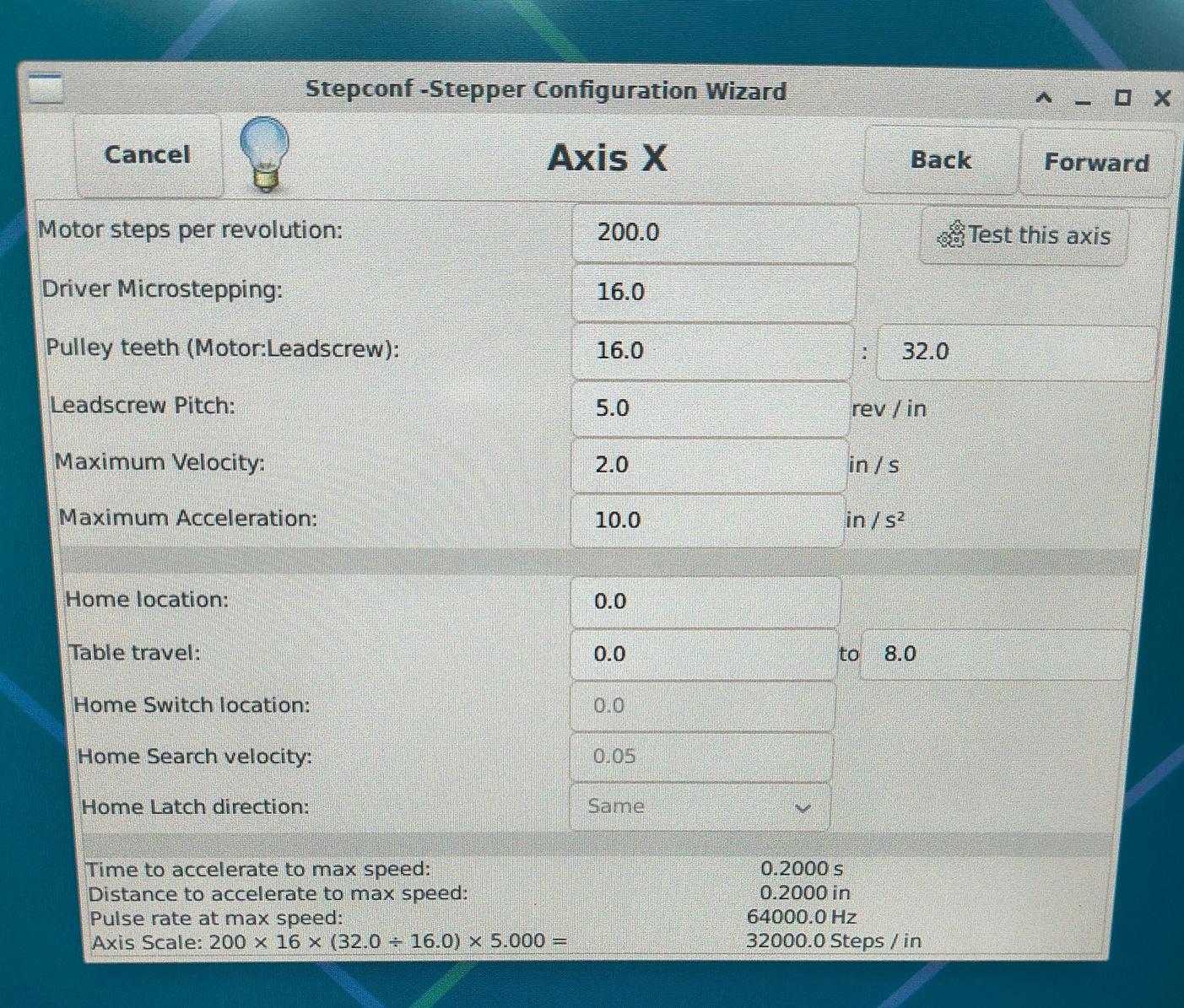
Step config files, where xyz jog does not work.
Thanks
Thanks
Please Log in or Create an account to join the conversation.
Time to create page: 0.289 seconds