
- Posts: 62
- Thank you received: 9
Nativecam running on 2.9.4 almost so close
- Doug Crews
- Topic Author
- Offline
- Senior Member
-

Less
More
1 year 2 months ago #333779
by Doug Crews
Nativecam running on 2.9.4 almost so close was created by Doug Crews
Hello everyone,I managed to get Nativecam loaded and running on the 2.9.4 iso, using the
github.com/freemoore/NativeCAM
download, and Giovanni’s instruction pdf plus all the corrections along the way. I ran a huge victory lap when I saw the Nativecam Tab in Axis not blank but how it supposed to look! But…..as usual the fight is not over and my troubleshooting skills are limited by my total lack of experience with Nativcam as I have never used it before.The problem is the Nativecam project is not dynamically updating in the Axis preview ,tab and if I try exporting the project as gcode the .ngc file is mostly composed of stuff that looks like this:
I’ve been asking the AI questions about how Nativecam is supposed to work and I think its been mostly correct but is often describing how it “used to work” and not necessarily how it works now. My gut tells me the problem has something to do with a symbolic link or a missing ncam.ngc file. Any thoughts are greatly appreciated!-Doug
Code:
(begin Workpiece)(workpiece definition author : Fernand Veilleux) #<wp_width> = [5.906000]#<wp_length> = [13.780000]#<wp_depth> = [0.125000]#<wp_wall> = [0.000000]#<wp_corner_radius> = [0.000000]#<wp_inside_width> = [#<wp_width> - #<wp_wall> * 2]#<wp_inside_length> = [#<wp_length> - #<wp_wall> * 2] #<wp_x> = -2.953000#<wp_y> = 0.000000 o<select> CALL [31] [0] [-2.953000] [-2.953000 - #<wp_length> / 2] [-2.953000 - #<wp_length>]#<wp_left> = #31#<wp_right> = [#<wp_left> + #<wp_length>]
Please Log in or Create an account to join the conversation.
- Aciera
- Offline
- Administrator
-

Less
More
- Posts: 4819
- Thank you received: 2177
1 year 2 months ago - 1 year 2 months ago #333781
by Aciera
NativeCam has always output gcode in parametric form because it uses subroutines for it's operations (ie the output does not look like what you would expect on a regular 'CAM'). SO there may actually be nothing wrong with that output (except of course that it would need to be formatted properly)
Replied by Aciera on topic Nativecam running on 2.9.4 almost so close
Code:
if I try exporting the project as gcode the .ngc file is mostly composed of stuff that looks like this:
NativeCam has always output gcode in parametric form because it uses subroutines for it's operations (ie the output does not look like what you would expect on a regular 'CAM'). SO there may actually be nothing wrong with that output (except of course that it would need to be formatted properly)
Last edit: 1 year 2 months ago by Aciera.
Please Log in or Create an account to join the conversation.
- BigDo
- Offline
- Senior Member
-
Less
More
- Posts: 58
- Thank you received: 8
1 year 1 month ago - 1 year 1 month ago #335632
by BigDo
 I'm trying to reinstall LinuxCNC on Debian 12, but I can't get NativeCam to work. I'm missing the menu and actions in the left pane. Does anyone have any ideas?
Screenshot
www.directupload.eu/file/d/9058/zm3mxqeh_png.htm
Replied by BigDo on topic Nativecam running on 2.9.4 almost so close
Screenshot
www.directupload.eu/file/d/9058/zm3mxqeh_png.htm
Last edit: 1 year 1 month ago by BigDo.
Please Log in or Create an account to join the conversation.
- Giovanni
- Offline
- Senior Member
-
Less
More
- Posts: 50
- Thank you received: 29
1 year 1 month ago #335643
by Giovanni
Replied by Giovanni on topic Nativecam running on 2.9.4 almost so close
I suppose you are using German as interface language.
Have you tried to use English?
Have you tried to use English?
The following user(s) said Thank You: BigDo
Please Log in or Create an account to join the conversation.
- BigDo
- Offline
- Senior Member
-
Less
More
- Posts: 58
- Thank you received: 8
1 year 1 month ago - 1 year 1 month ago #335650
by BigDo
Replied by BigDo on topic Nativecam running on 2.9.4 almost so close
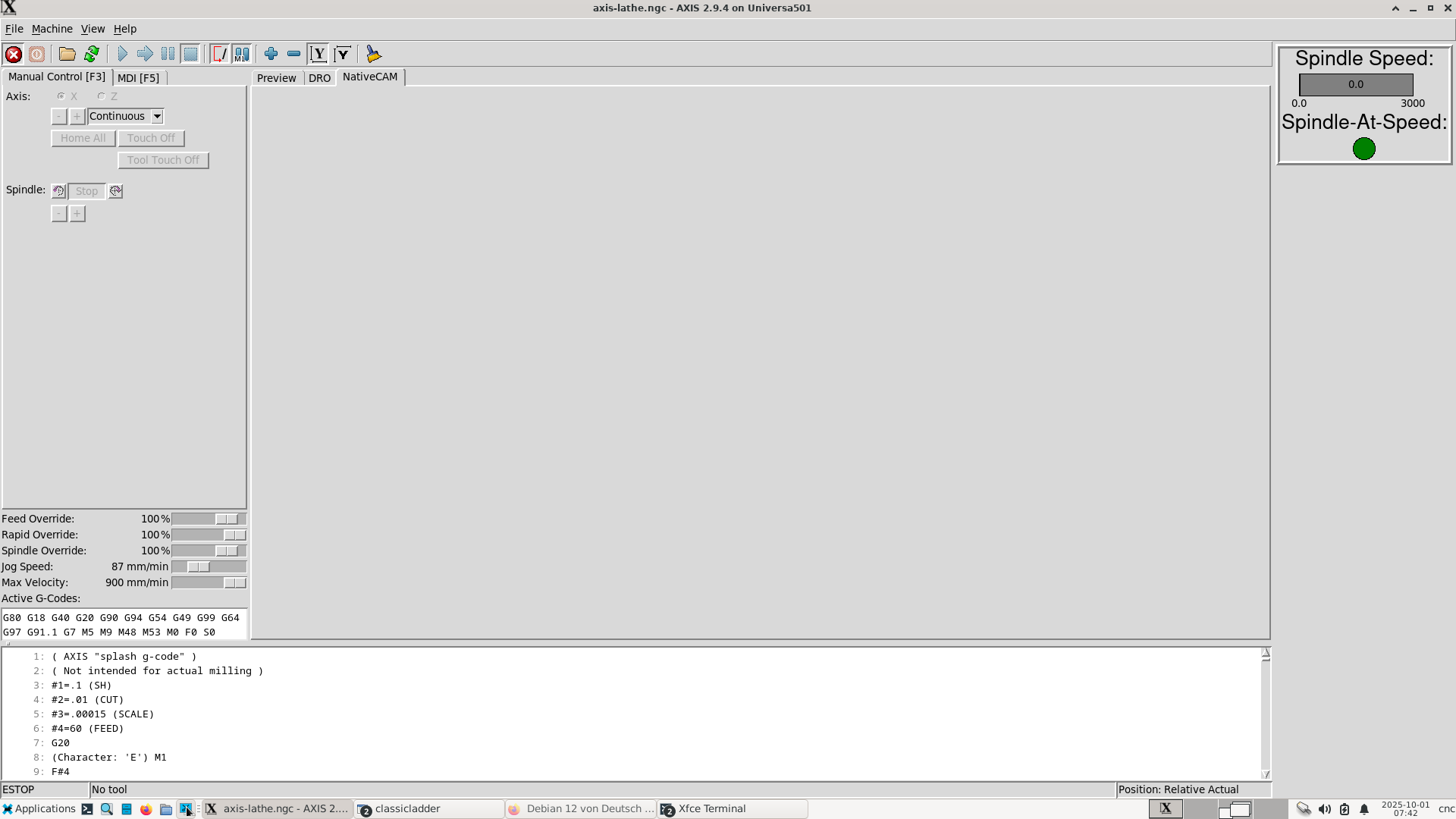
Thanks for reply. I just tried it, and the NativeCam tab remains completely empty.
Last edit: 1 year 1 month ago by BigDo.
Please Log in or Create an account to join the conversation.
- BigDo
- Offline
- Senior Member
-
Less
More
- Posts: 58
- Thank you received: 8
1 year 1 month ago #335655
by BigDo
Replied by BigDo on topic Nativecam running on 2.9.4 almost so close
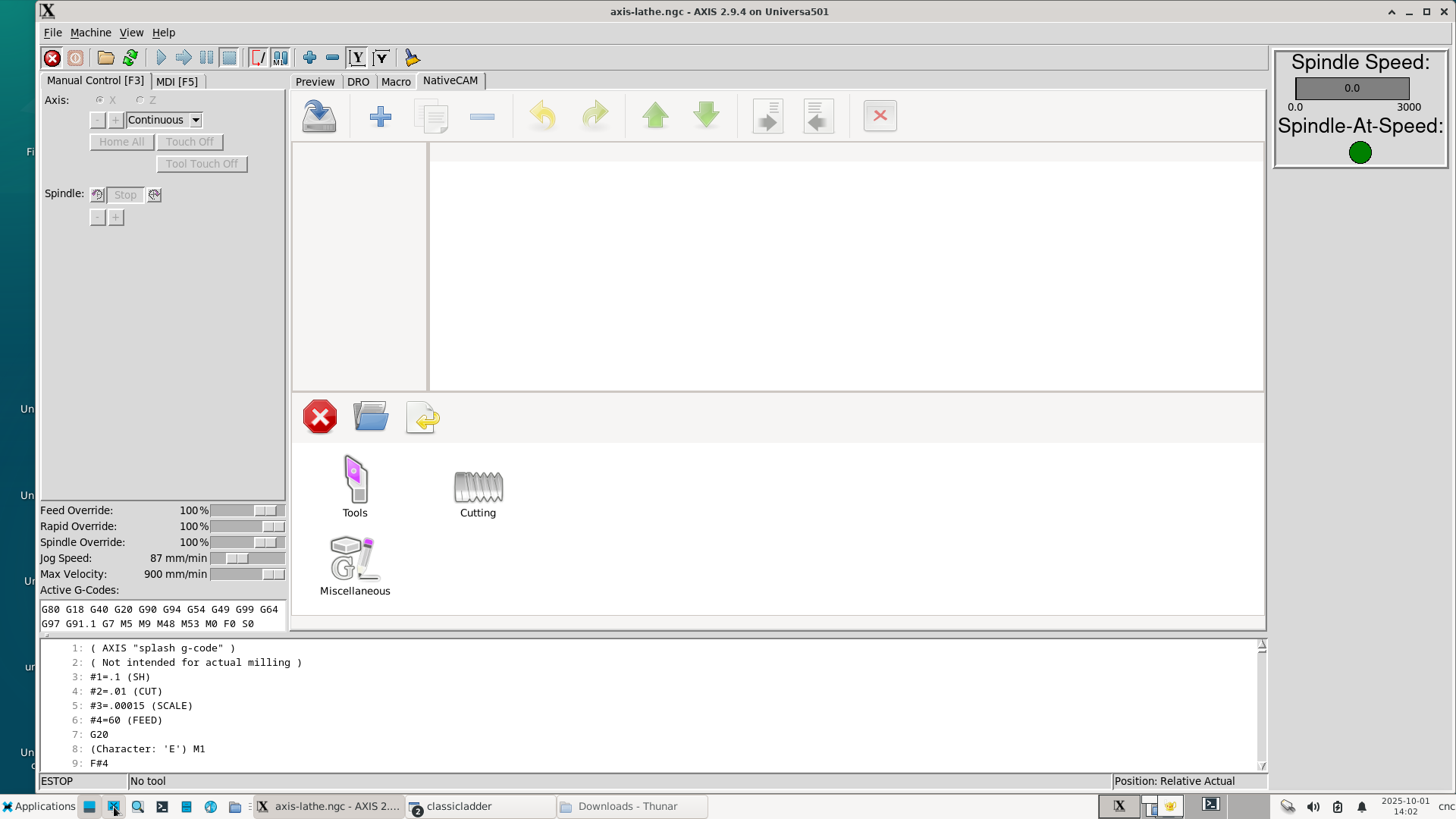
I completely reinstalled Linux with linuxcnc in English but the result remains the same.
Please Log in or Create an account to join the conversation.
- BigDo
- Offline
- Senior Member
-
Less
More
- Posts: 58
- Thank you received: 8
1 year 1 month ago - 1 year 1 month ago #335695
by BigDo
Replied by BigDo on topic Nativecam running on 2.9.4 almost so close
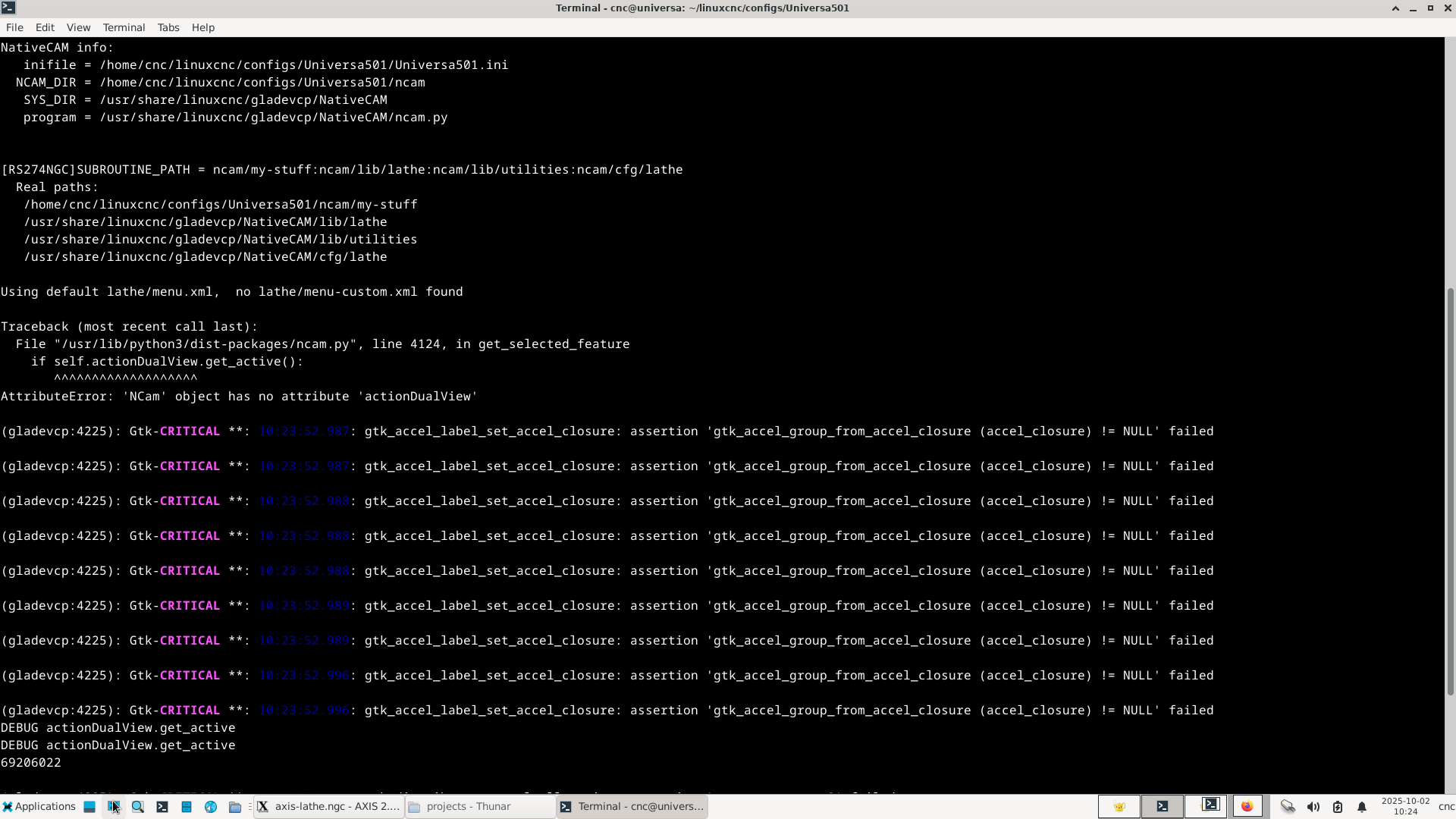
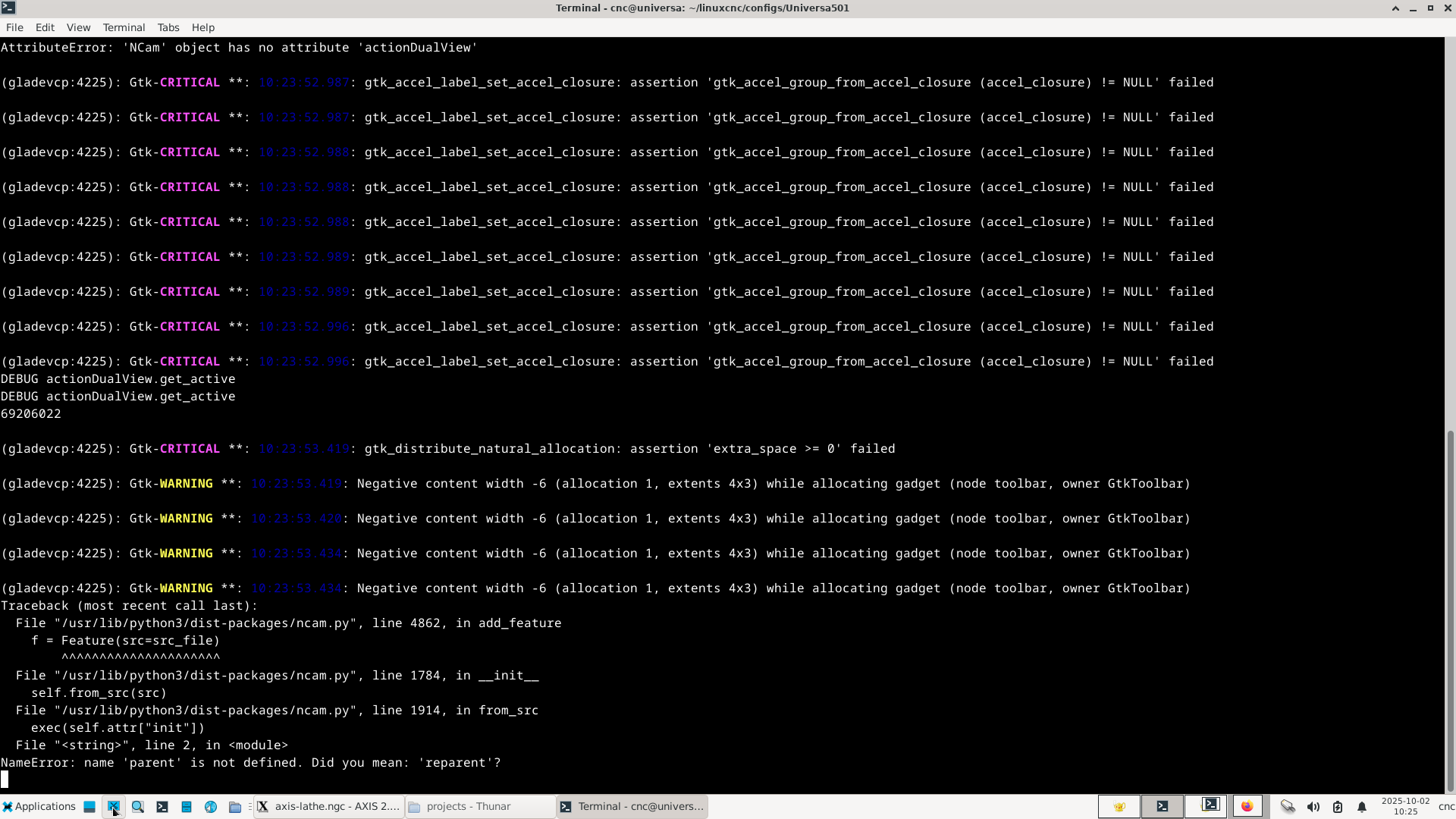
Giovanni, the default_template.xml file was missing. I used your file from the other thread and now the menu and workspace appear, but I can't add a tool change. The following error message appears when I start linuxcnc in the terminal.I looked at the tool-change.cfg, and it says version=1.15, while the other cfgs say version=1.14.And one more point: in an old default_template.xml from 2019, there are two sections:
1. workpeace
2. tool-change
1. workpeace
2. tool-change
Last edit: 1 year 1 month ago by BigDo.
Please Log in or Create an account to join the conversation.
- BigDo
- Offline
- Senior Member
-
Less
More
- Posts: 58
- Thank you received: 8
1 year 1 month ago - 1 year 4 weeks ago #335712
by BigDo
Replied by BigDo on topic Nativecam running on 2.9.4 almost so close
I think something is wrong with these 2 cfg files
turning.cfg
tool-change.cfg
both don't work, the rest seems ok
File "/usr/lib/python3/dist-packages/ncam.py", line 1914, in from_src
exec(self.attr["init"])
File "<string>", line 2, in <module> <<<<<<<<<<<<<<<<<<<<< Which module??
NameError: name 'parent' is not defined. Did you mean: 'reparent'?
Only in this files, "parent" is used.
I deleted these blocks with "parent" as a test, and it worked. However, I don't know what the potential effects might be; I'm not familiar with this.
Last edit: 1 year 4 weeks ago by BigDo.
Please Log in or Create an account to join the conversation.
- Giovanni
- Offline
- Senior Member
-
Less
More
- Posts: 50
- Thank you received: 29
1 year 4 weeks ago #335797
by Giovanni
Replied by Giovanni on topic Nativecam running on 2.9.4 almost so close
Please look at:
forum.linuxcnc.org/nativecam/53492-nativ...-9-3?start=90#332430
Maybe it solves your problem.
forum.linuxcnc.org/nativecam/53492-nativ...-9-3?start=90#332430
Maybe it solves your problem.
The following user(s) said Thank You: BigDo
Please Log in or Create an account to join the conversation.
Time to create page: 1.004 seconds