

- Posts: 457
- Thank you received: 124
NativeCAM is Features renamed
9 years 5 months ago #92785
by FernV
Replied by FernV on topic NativeCAM is Features renamed
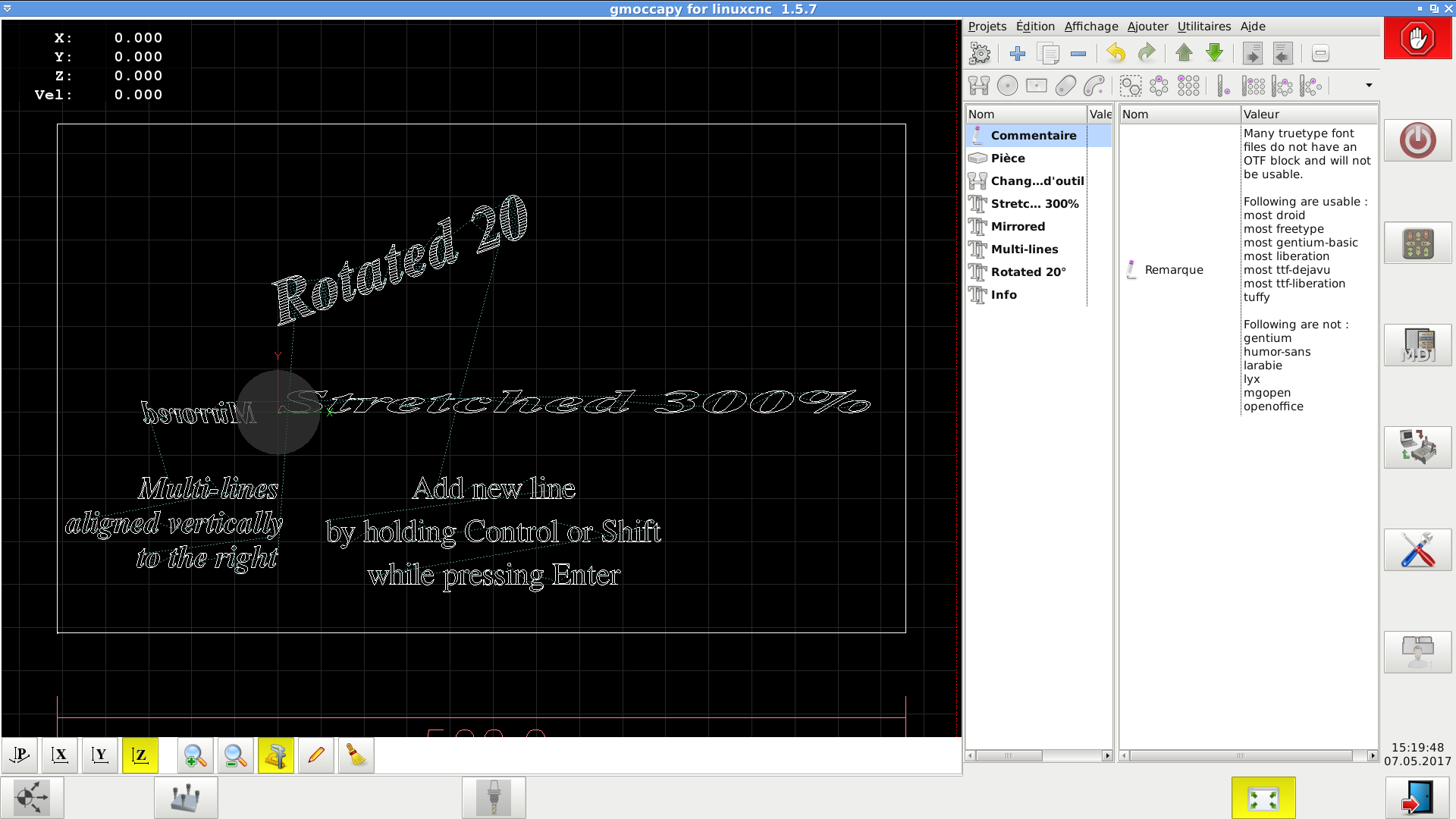
TrueType font engraving has been added with an example
Regards
Fern
Regards
Fern
The following user(s) said Thank You: tommylight
Please Log in or Create an account to join the conversation.

9 years 5 months ago #92790
by grump
Replied by grump on topic NativeCAM is Features renamed
Some great facilities and tools to use but I can't get it to install and stay working
I have been playing for days to the extent I am reinstalling Linuxcnc to refresh the whole damn system and try again.
When I did manage to get it running embedded it wouldn't work with an error of my machine not switched on, switch on and refresh, it was only giving me demo's.
Clearer and updated installation instructions are required I am getting nowhere wiyh this and would really like to use it.
What happened to the .deb package?
Please Log in or Create an account to join the conversation.
9 years 5 months ago #92795
by FernV
Run everything in a terminal and pay attention to what you see. Post what is displayed on your screen if you suspect it shows a problem, it will help me help you.
$ linuxcnc_var all
When available, expected system directories are:
LINUXCNC_AUX_GLADEVCP=/usr/share/linuxcnc/aux_gladevcp
LINUXCNC_AUX_EXAMPLES=/usr/share/linuxcnc/aux_examples
Only pre-release version can use the deb package until release of version 2.9
Regards
Fern
Replied by FernV on topic NativeCAM is Features renamed
You should not have to reinstall LinuxCNC but I would like to know what version you allready have, what is your os, what python version and is python-lxml installed. Have you cloned the latest version of NativeCAM (the one updated today)?grump wrote: ... I can't get it to install and stay working
I have been playing for days to the extent I am reinstalling Linuxcnc to refresh the whole damn system and try again.
Run everything in a terminal and pay attention to what you see. Post what is displayed on your screen if you suspect it shows a problem, it will help me help you.
To see if your lcnc version can use the deb package, run this script :grump wrote: What happened to the .deb package?
$ linuxcnc_var all
When available, expected system directories are:
LINUXCNC_AUX_GLADEVCP=/usr/share/linuxcnc/aux_gladevcp
LINUXCNC_AUX_EXAMPLES=/usr/share/linuxcnc/aux_examples
Only pre-release version can use the deb package until release of version 2.9
Regards
Fern
Please Log in or Create an account to join the conversation.
9 years 5 months ago #92806
by grump
Replied by grump on topic NativeCAM is Features renamed
cncuser@debian:~$ linuxcnc_var all
LINUXCNCVERSION=2.8.0-pre1-3020-g71d5334
LINUXCNC_AUX_GLADEVCP=/usr/share/linuxcnc/aux_gladevcp
LINUXCNC_AUX_EXAMPLES=/usr/share/linuxcnc/aux_examples
REALTIME=/etc/init.d/realtime
RTS=uspace
HALLIB_DIR=/usr/share/linuxcnc/hallib
cncuser@debian:~$
Hasn't installed anything, so where is the .deb?
python-lxml is already the newest version (3.7.1-1).
NativeCam-master -17-May-07 20:26
cncuser@debian:~$ lscpu
Architecture: x86_64
CPU op-mode(s): 32-bit, 64-bit
Byte Order: Little Endian
CPU(s): 4
On-line CPU(s) list: 0-3
Thread(s) per core: 2
Core(s) per socket: 2
Socket(s): 1
NUMA node(s): 1
Vendor ID: GenuineIntel
CPU family: 6
Model: 61
Model name: Intel(R) Core(TM) i3-5005U CPU @ 2.00GHz
Stepping: 4
CPU MHz: 1900.756
CPU max MHz: 1900.0000
CPU min MHz: 500.0000
BogoMIPS: 3990.72
Virtualization: VT-x
L1d cache: 32K
L1i cache: 32K
L2 cache: 256K
L3 cache: 3072K
NUMA node0 CPU(s): 0-3
cncuser@debian:~$ cat /proc/version
Linux version 4.9.0-2-rt-amd64 (debian-kernel@lists.debian.org) (gcc version 6.3.0 20170321 (Debian 6.3.0-11) ) #1 SMP PREEMPT RT Debian 4.9.18-1 (2017-03-30)
cncuser@debian:~$
cncuser@debian:~$ lsb_release -a
No LSB modules are available.
Distributor ID: Debian
Description: Debian GNU/Linux 9.0 (stretch)
Release: 9.0
Codename: stretch
Is it me?
I still can't follow the outdated instructructins.
Please Log in or Create an account to join the conversation.
9 years 5 months ago #92816
by FernV
Replied by FernV on topic NativeCAM is Features renamed
Hi
Since you have a pre-release version, it can use a deb. If it is listed in the selector, you can use it but I do not think it would be the latest version
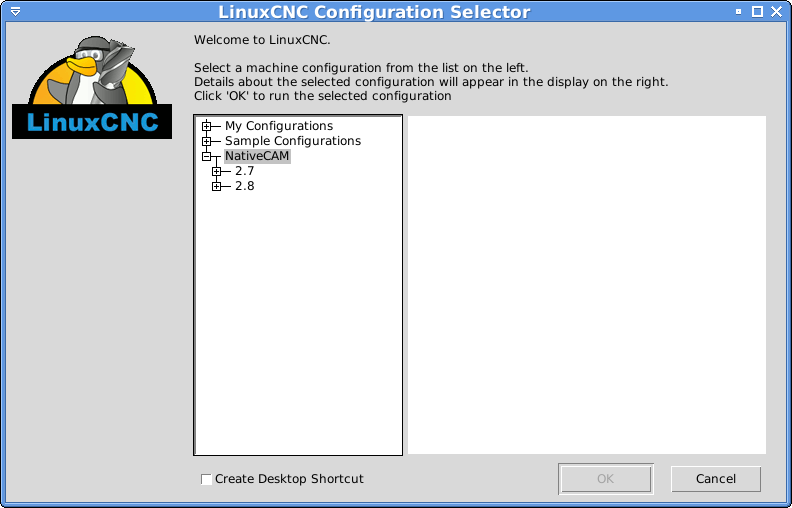
You can easily create your own deb with these commands :
open a terminal in NativeCAM/debian sub-dir
$ ./makedeb.sh
answer 'y' then Enter
$ cd ../..
$ sudo dpkg -i nativecam_0.1.1_all.deb
That is all
Now go to the sub-directory of your ini file
$ ncam -i your_ini_filename.ini
You should now have ncam stand-alone and see everything
$ linuxcnc your_ini_filename.ini
unless you have some other gladevcp config allready in this file, everything should work fine
I still have to clarify how the deb is distributed
Regards
Fern
Since you have a pre-release version, it can use a deb. If it is listed in the selector, you can use it but I do not think it would be the latest version
You can easily create your own deb with these commands :
open a terminal in NativeCAM/debian sub-dir
$ ./makedeb.sh
answer 'y' then Enter
$ cd ../..
$ sudo dpkg -i nativecam_0.1.1_all.deb
That is all
Now go to the sub-directory of your ini file
$ ncam -i your_ini_filename.ini
You should now have ncam stand-alone and see everything
$ linuxcnc your_ini_filename.ini
unless you have some other gladevcp config allready in this file, everything should work fine
I still have to clarify how the deb is distributed
Regards
Fern
Please Log in or Create an account to join the conversation.
9 years 5 months ago #92822
by grump
Replied by grump on topic NativeCAM is Features renamed
You must be seeing this through someone else's eyes cos it sure ain't mine.
I have a fresh install this morning and there is no NativeCam option anywhere in my configs.
I don't want to go down the route of creating my own deb only to find it don't work when finished.
I would just like to download the zip fie and follow some easy install steps, which I am sure if they were made available many others would do the same.
Please Log in or Create an account to join the conversation.
Time to create page: 0.193 seconds