
- Posts: 2203
- Thank you received: 486
Getting HALCMD working with PP 2.04
- Clive S
- Topic Author
- Offline
- Platinum Member
-

Less
More
8 years 6 months ago #109885
by Clive S
Getting HALCMD working with PP 2.04 was created by Clive S
In PP 2 in the MDI window typing ADMIN HALMETER works fine but ADMIN HALCMD -KF does not work, any ideas?
Also how to get a root terminal up with PathPilot. has all this been disabled in this version of PP.
I am starting PP from the desktop.
Also how to get a root terminal up with PathPilot. has all this been disabled in this version of PP.
I am starting PP from the desktop.
Please Log in or Create an account to join the conversation.
- smgvbest
- Offline
- Elite Member
-

Less
More
- Posts: 311
- Thank you received: 51
8 years 6 months ago #109889
by smgvbest
Replied by smgvbest on topic Getting HALCMD working with PP 2.04
I do not believe PP takes options.
it won't recognize the -kf
what exactly does PP return when you do type the command? what about messages in the logs
PP interprets the command then passes it on
ADMIN HALCMD SHOW works for example
ADMIN HLACMD -K SHOW does not
you'd have to edit the python code to make it work
it won't recognize the -kf
what exactly does PP return when you do type the command? what about messages in the logs
PP interprets the command then passes it on
ADMIN HALCMD SHOW works for example
ADMIN HLACMD -K SHOW does not
you'd have to edit the python code to make it work
Please Log in or Create an account to join the conversation.
- Stigoe
- Offline
- Senior Member
-

Less
More
- Posts: 60
- Thank you received: 8
8 years 6 months ago #109891
by Stigoe
Replied by Stigoe on topic Getting HALCMD working with PP 2.04
Are you starting it from a launcher or from a terminal? I haven't upgraded to 2.0.4 yet (I'm still on 2.0.2), but in 2.0.2 it works when you start PP from a terminal. After you have started it from a terminal and entered "ADMIN HALCMD -KF" in the MDI window, use Alt-Tab to switch to the terminal you started PP from and it should show "halcmd:".Clive s wrote: In PP 2 in the MDI window typing ADMIN HALMETER works fine but ADMIN HALCMD -KF does not work, any ideas?
Also how to get a root terminal up with PathPilot. has all this been disabled in this version of PP.
I am starting PP from the desktop.
Please Log in or Create an account to join the conversation.
- emptyhb
- Offline
- Junior Member
-

Less
More
- Posts: 25
- Thank you received: 2
8 years 6 months ago - 8 years 6 months ago #109892
by emptyhb
Replied by emptyhb on topic Getting HALCMD working with PP 2.04
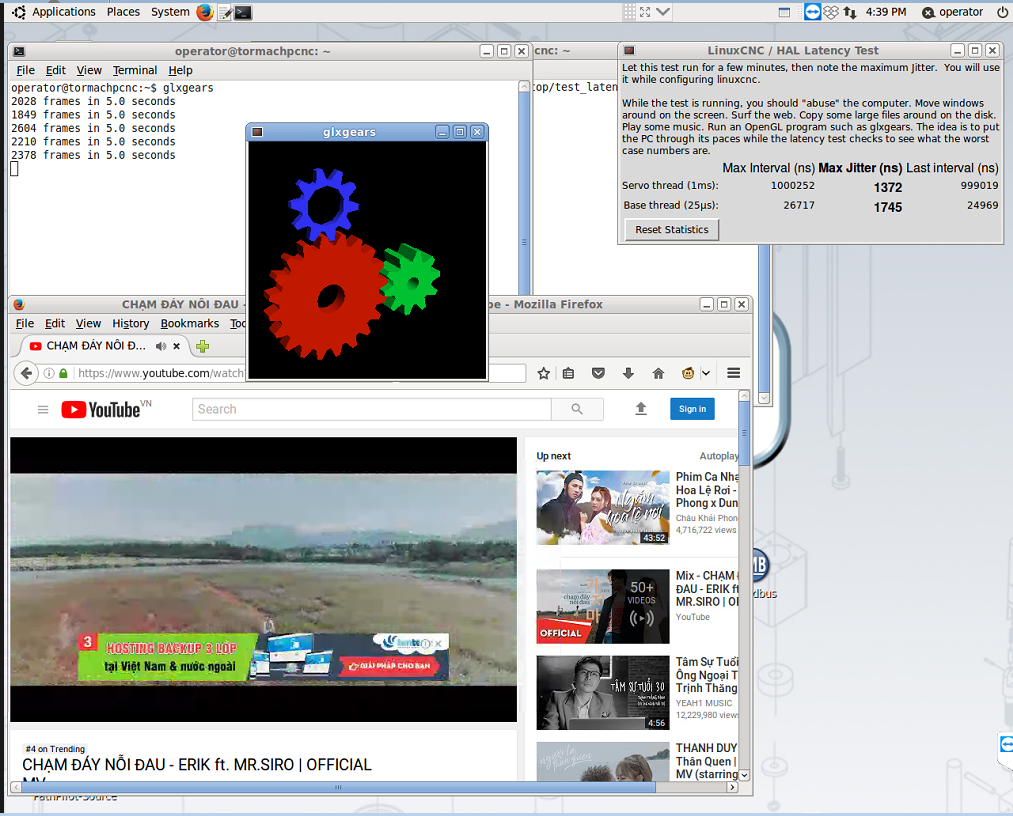
is It working ?, i'm going back to 10.04 Lucid because it give me better latency and i don't owner mesa ethernet card so no need Preempt RT kernel.

Last edit: 8 years 6 months ago by emptyhb.
Please Log in or Create an account to join the conversation.
- Clive S
- Topic Author
- Offline
- Platinum Member
-
Less
More
- Posts: 2203
- Thank you received: 486
8 years 6 months ago #109894
by Clive S
Replied by Clive S on topic Getting HALCMD working with PP 2.04
Many thanks for the replies.
@smgvbest. When I type ADMIN HALCMD SHOW in the MDI nothing happens (and nothing in status) But in the log file it clearly shows the pins etc. I have sent you an email via the forum but not sure if that works.
@Stigoe I am starting from a launcher from the desktop I don't think there is much difference in 2.02-2.04. When it is started you can use Alt-Tab to get to a terminal but it is the one that shows up in the logs. Typing "halcmd show " does nothing.
How would I start a root terminal and launch PP from there.
I am trying to connect 3 mpg's onto a 7i85s to the P2 on the 5i25 (I have the correct bit file and the encoder on the spindle is working fine) Post here forum.linuxcnc.org/38-general-linuxcnc-q...ing-a-mpg-to-a-7i85s
I am doing the alterations in a custom hal.
Please Log in or Create an account to join the conversation.
- Stigoe
- Offline
- Senior Member
-
Less
More
- Posts: 60
- Thank you received: 8
8 years 6 months ago - 8 years 6 months ago #109895
by Stigoe
Edit: When you get "halcmd:" in the terminal, you can type "show", "parameters" or "save" or whatever else you would type and you will get what you are looking for. All the results from your commands will end up in pathpilotlog.txt in ~/gcode/logfiles.
Replied by Stigoe on topic Getting HALCMD working with PP 2.04
You don't need to start as root. Just start a terminal and type "./operator_login" (from the home folder, without the quotes) and press Enter. This starts PP and you can follow what I wrote in my previous post.Clive s wrote: How would I start a root terminal and launch PP from there.
Edit: When you get "halcmd:" in the terminal, you can type "show", "parameters" or "save" or whatever else you would type and you will get what you are looking for. All the results from your commands will end up in pathpilotlog.txt in ~/gcode/logfiles.
Last edit: 8 years 6 months ago by Stigoe.
The following user(s) said Thank You: Clive S
Please Log in or Create an account to join the conversation.
- Clive S
- Topic Author
- Offline
- Platinum Member
-
Less
More
- Posts: 2203
- Thank you received: 486
8 years 6 months ago #109897
by Clive S
Replied by Clive S on topic Getting HALCMD working with PP 2.04
@Stigoe Many thanks yes that works. Are you able to help with the mpg setup I am trying to do:)
Please Log in or Create an account to join the conversation.
- Stigoe
- Offline
- Senior Member
-
Less
More
- Posts: 60
- Thank you received: 8
8 years 6 months ago #109898
by Stigoe
Replied by Stigoe on topic Getting HALCMD working with PP 2.04
Sorry, but I don't have this pendant and I don't know that much about modifying hal-files.
Please Log in or Create an account to join the conversation.
Time to create page: 0.247 seconds