THCAD-10 + hypertherm 45 (nonXP)

More
9 years 3 weeks ago #100019 by robertspark
Yes, connect it to the shield pin of the thcad-10

Please Log in or Create an account to join the conversation.
More
9 years 3 weeks ago #100023 by andypugh
Generally the advice is to ground the shield at only one end.

Please Log in or Create an account to join the conversation.

More
9 years 3 weeks ago #100025 by rodw
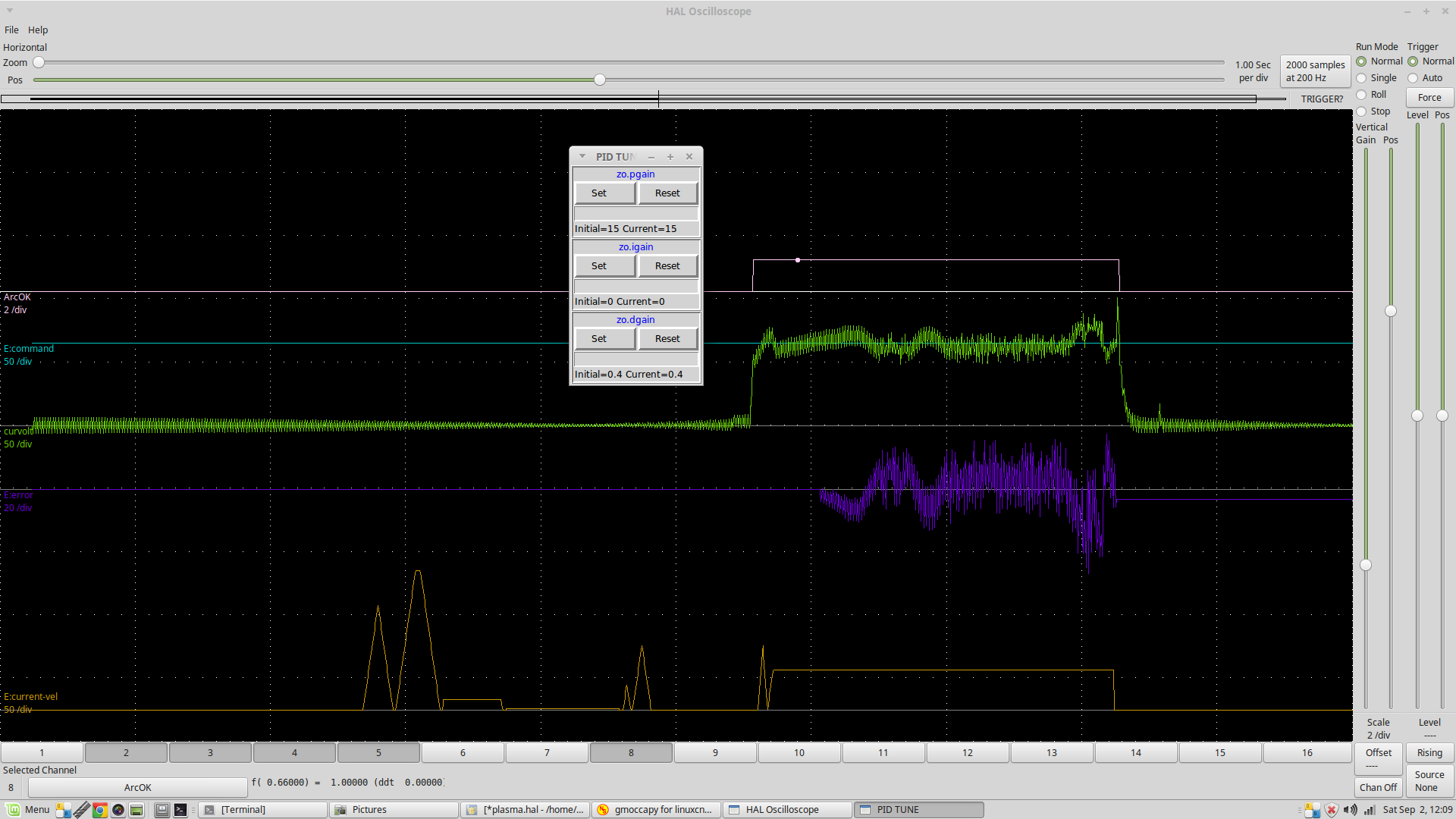
Just hook it up and see what happens. Its not an electrical signal so you are not going to blow something up. Use halscope to see how clean the divided voltage signal is in a live cut

If you get a noisy signal something like this rather than the clean plots published earlier on this thread, then you have a noise issue.


If noisy try disconnecting the drain wire from the THCAD and see if it improves so the cable screen is only connected at the plasma end.

You can see that the noise shows up on 0 volts so just connecting things up and powering up your plasma cutter without cutting is probably all you need to do initially to find out if it is likely to be a problem.

Please Log in or Create an account to join the conversation.

More
9 years 3 weeks ago #100038 by cruzinone
thanks to all.

Please Log in or Create an account to join the conversation.

More
8 years 8 months ago #105745 by kb8wmc
On my brother's plasma table after completing the first cut, the torch does not raise high enough to do touch off for the second cut and I get an error that the Z axis would exceed negative limits on attempt to touch off for next cut...

We are using JT's touch off subroutine, the only change being the distance for the touch off (1.25")...Also using JT's post-processor in sheet cam...

The one thing to note is that when making the gcode in sheet cam and when then viewed in linuxcnc, there are two different elevations the objects to be cut are placed on...I have posted questions in the sheet cam forum related to this but as yet no responses...

Any suggestions will be appreciated...

Thanks in advance

Please Log in or Create an account to join the conversation.

More
8 years 8 months ago #105763 by rodw
It is possible that you are losing steps on the Z axis (eg your velocity and acceleration is too high).

More likely it is software.

I would start at the beginning and write some gcode by hand that does something simple that works. Once you are certain it is all working as expected, then look at the sheetcam generated g code to see what its doing wrong. Then edit the sheetcam post processor to modify the sheetcam post processor file so it does what you want.

Please Log in or Create an account to join the conversation.

Moderators: snowgoer540
Time to create page: 0.203 seconds
Powered by Kunena Forum
