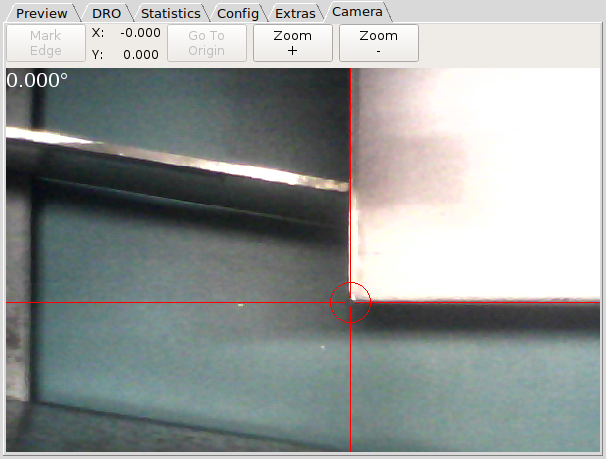
I have been playing around with a Qtvcp camera view tab embedded in Axis and Gmoccapy and with the help of Chris Morley I mangaged to get it working pretty well for touching off X and Y and also setting the rotation of the coordinate system.
Camera View:
The camera needs to be attached firmly and it is wise to spend the time adjusting it so the crosshairs point to the same place when Z is at the top of travel and also at the bottom of travel. Make sure that the crosshairs are aligned properly with the X and Y axes.
Install any dependencies required for Qtvcp (it is supported by default in the new LinuxCNC Buster ISO).
The attached file needs to be copied to the machines config directory.
Edit the machines ini file by adding these lines to the end of the [DISPLAY] section:
The Mark Edge button and the Goto Origin button will have their names changed to Set Origin and Set 0
o Rotate depending on what function they are able to perform.
To touch off a sheet at an angle:
To touch off at a zero degree angle with the torch as the origin point:
To touch off at a zero degree angle using the current origin point:
To zoom: