- Posts: 1004
- Thank you received: 449


Please Log in or Create an account to join the conversation.
see now these interesting session ... about streaming interrupt for sure have 2 different causes: 1- usb .... 2-camera buffer .... in my experience sometime needs to create a buffer of image to use when stream go down ..... but better was use qv4l2 aka videoforlinux, for discover driveable pin of camera .... on videoforlinux you can try play with various options for check best setup of your camera .... normally auto exposure, auto white balance and other "auto" parameter when present they have a big impact on the fluidity of acquisition.... after that you have a realtime system and you use a lot of resources to acquire data at high speed with a non-priority IRQ.... you are better off using a camera with low resolution... on openCV side, after discover the right parameter better is to fix it on code using properOut of curiosity I had a go at it and got it mostly working with 2.9 on a recent Bookworm installation.
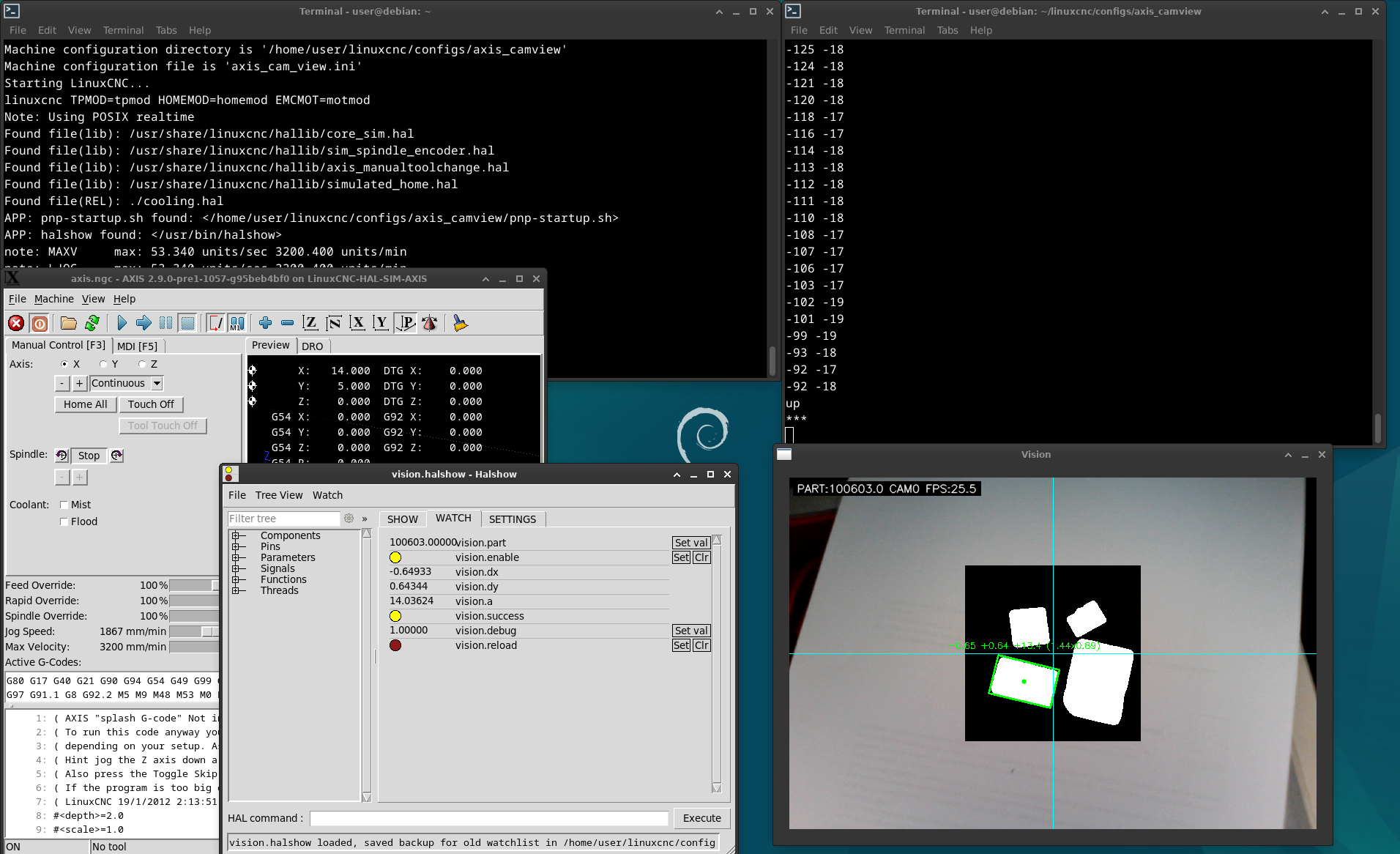
Here is a sim config:
I was struggling to get the usb camera stream working and ended up installing a bunch of stuff that turned out to be irrelevant but you will probably need this:
sudo apt install qv4l2
To try it out:
1. open a terminal and go to
/home/user/linuxcnc/configs/axis_camview/
2. run the vision app
$ python3 pnp.py
this should open a window and show a live stream of your usb cam.
If you don't then you may have to adjust the video device number in the brackets in line 271 in 'pnp.py'
self.cam = cv.VideoCapture(0)
once that works, open another terminal and run
$ linuxcnc
then choose the 'axis_camview' config.
Some notes:
I don't know much about opencv and even less about gtk so pnp.py will likely need some more work. Sometimes the stream breaks when loading pnp.py or when starting the linuxcnc config. Also exiting the vision app seems a bit iffy, I usually need to hit CTRL+c a few times and then ENTER a few times.
Setting 'vision'debug' to 0 in halshow will hide the edge finding debug window.
To test I used a SD-card and good lighting with a ring light. The vision app seems to be looking for a certain format of rectangle.
I use a usb web cam with 720x480 resolution. Depending on your camera you may need to adjust 'pnp.py' in the following lines:
300 self.cam.set(cv.CAP_PROP_FRAME_WIDTH, 720)
301 self.cam.set(cv.CAP_PROP_FRAME_HEIGHT, 480)
418 frame = cv.warpPerspective(frame, M, (720, 480))
pnp.py is made to handle two cameras (bottom, top). Since I only have the one camera I had to disable the second camera by commenting line 383 and adding line 384
383 #if p.cam == 0:
384 if True:
Good luck.
Please Log in or Create an account to join the conversation.
Please Log in or Create an account to join the conversation.
Please Log in or Create an account to join the conversation.


Please Log in or Create an account to join the conversation.
Please Log in or Create an account to join the conversation.