Rack Tool Changer

More
1 year 8 months ago #320723 by Lcvette
Replied by Lcvette on topic Rack Tool Changer
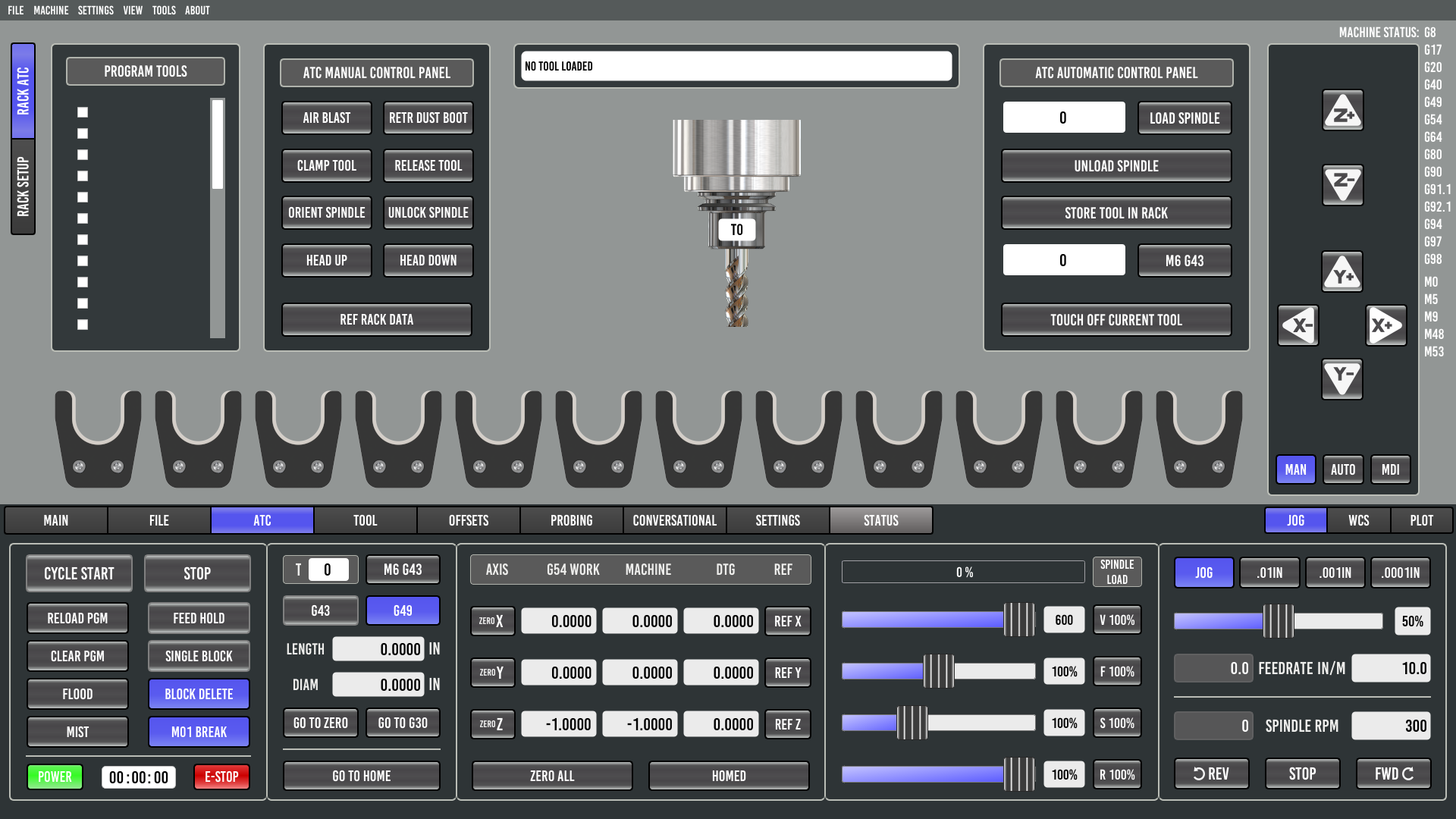
in probe basic the user parameters you enter for things like probing and tool setting etc are stored in the var file and then can be called upon in subroutines/macros. in this regard probe basic will have a user setup page where you can enter in parameters that would determine rack location (along X axis or along Y axis), axis row centerline position, pocket spacing, number of pockets, pickup height, clearance height, special considerations such as air blast activation, dust boot clearance motion activation, tool touch off options etc.

I spent some time last night and will spend some more time this morning working on adding multiple atc options in the ini to load either not atc tab, carousel atc tab or rack atc tab. i got most of that sorted last night but want to refine it a bit and then i will start work on the actual rack graphics and setup page and subroutines.

Please Log in or Create an account to join the conversation.
More
1 year 8 months ago #320748 by Martin.L
Replied by Martin.L on topic Rack Tool Changer
Nice! If you need someone to play with it I'm here

Please Log in or Create an account to join the conversation.

More
1 year 8 months ago - 1 year 8 months ago #320778 by Lcvette
Replied by Lcvette on topic Rack Tool Changer
still work in progress, but taking shape!


Last edit: 1 year 8 months ago by Lcvette.
The following user(s) said Thank You: Marc_P, tommylight, onceloved, jjdege, Unlogic, Martin.L

Please Log in or Create an account to join the conversation.

More
1 year 8 months ago #320780 by Martin.L
Replied by Martin.L on topic Rack Tool Changer
Top! If you need any vector or image I can draw it for you

Please Log in or Create an account to join the conversation.

More
1 year 8 months ago #321020 by yoshimitsuspeed
Replied by yoshimitsuspeed on topic Rack Tool Changer
This is Summer from Facebook.
I am still reading and researching everything I need to know to get my ATC and rack toolchanger setup.
I installed PB but the instructions suggest having your machine as set up as possible before converting over to PB. I have basically everything I want set up on the machine aside from ATC and that is all set up on the hardware and electrical side so the only things left to do are to get automatic toolchanges set up and my tool setter doing what I want to set tool offsets for the racked tools.

I am stoked to see this all being developed right now and I like that there are some things like being able to set up tool positions in the UI and things like that.
So I'm thinking maybe I should just do the switchover.

In a previous post you said the parameters are saved in the .var file. I am still learning all this but I assume this means they are stored per typical standards in a way where any typical or other UI documentation, examples, etc, will apply, and or is UI independent correct? This just kind of gives a parameter box in the UI to enter information that I would otherwise be entering in the .var file directly yeah?

Please Log in or Create an account to join the conversation.

More
1 year 8 months ago #321046 by Martin.L
Replied by Martin.L on topic Rack Tool Changer
This is a post that clarified a lot of stuff about this topic

www.forum.linuxcnc.org/12-milling/42241-...yder-cnc-mill-router

BTW I had success sending a tool number on the main window of PB, it runs the subroutine m6_tool_call_main_panel.ngc that you should edit whith your atc position.
Don't know if this is the way to do it, something tells me it's not

Please Log in or Create an account to join the conversation.

Moderators: KCJ, Lcvette
Time to create page: 0.072 seconds
Powered by Kunena Forum
