Probe Basic Errors after successfully probing

More
7 months 2 weeks ago #344336 by kello711
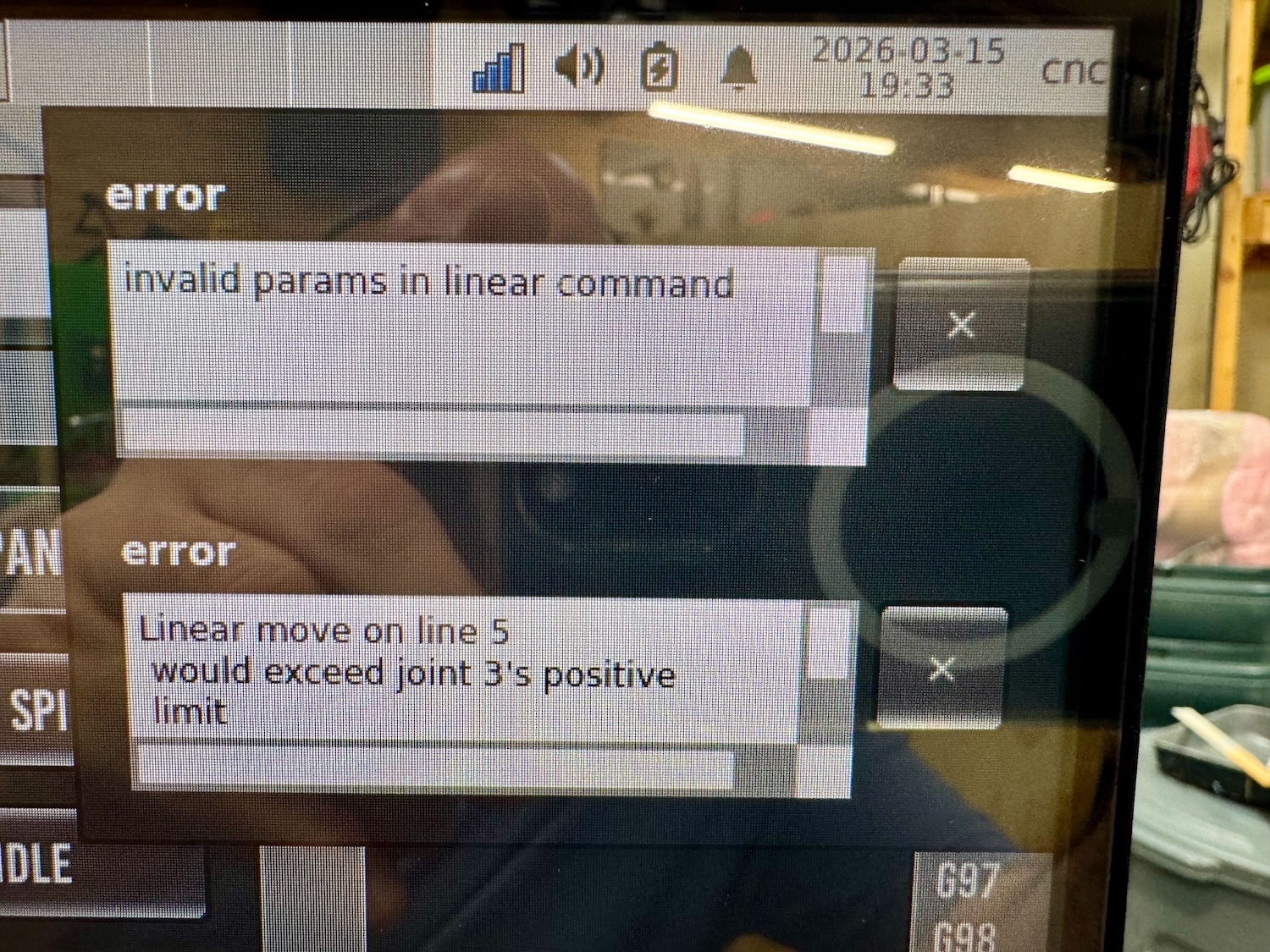
I'm not sure how to remedy the errors (also attached).

Invalid params in linear command
 Linear move on line 5 would exceed joint 3's positive limit

This occurs after running a surfacing from the conversational tab. I ran the gcode and stopped it to make adjustments to the positions and then run again. The only remedy seemed to re-probe with 3d touch probe and then reload the cutting tool. This seems excessive and not sure how to fix for the future.

Please Log in or Create an account to join the conversation.
More
7 months 2 weeks ago #344371 by Lcvette
what is your machine setup like regarding tool offsets?

Please Log in or Create an account to join the conversation.

More
7 months 2 weeks ago #344377 by kello711

what is your machine setup like regarding tool offsets?
My machine overall is a router style setup with a 30 in x 30 in work area. My spoil board is ~24 in x24 in. The spoil board corner is not at (0,0), well inside the machine soft limits. My tool table only has Z offset and Diameter. After probing the corner of the spoil board, the G54 offsets were: X=5.0161, Y=1.1693, and Z=-7.4953. Z probe Z offset is 2.3607 and cutting tool Z offset was 1.8513. 
Code:
T1   P1   D+0.125000 Z+3.566440 ; 1/8 end mill Sample Tool T2   P2   D+0.062500 Z+0.100000 ; 1/16 end mill Sample Tool T3   P3   D+0.201000 Z+1.273000 ; #7 tap drill Sample Tool T4   P0   D+0.236200 Z+3.688692 ; 6mm DLC End MILL (DSA1F-D6.0-L22) T5   P0   D+0.196900 ; 5mm DriLL T6   P0   D+0.255900 ; 6.5mm dRILL T10  P0   Z+3.791137 ; 6MM COUNTER BORE T11  P0   D+0.984000 Z+2.056925 ; BAP - EAP300r (C12-25-80-3T) T99  P99  D+0.078500 Z+2.285087 ; 3d Probe T100 P0   ; SPINDLE NOSE

Please Log in or Create an account to join the conversation.

More
7 months 2 weeks ago #344379 by Lcvette
i just tried to replicate your warning, but i was able t stop and make adjustments and report without running into any of those error pop up. those are actually linuxcnc statement stating that your entered parameters would cause an over travel event, are you certain the parameters you entered would be tool paths within the constrained machine motion envelope?

Please Log in or Create an account to join the conversation.

More
7 months 2 weeks ago #344440 by kello711
It actually happened again last night. Off of a fresh start of Probe Basic, I probed the tool with the tool setter and hit Go to Zero and got the errors. I wasn't able to replicate it again though after clearing the G54 offsets that were previously stored. It's hard to remember what caused the issue when it happens unexpectedly. I'm sure I'm missing something.

Please Log in or Create an account to join the conversation.

More
7 months 2 weeks ago #344443 by Lcvette
Where is your zero home in z

Please Log in or Create an account to join the conversation.

Moderators: KCJ, Lcvette
Time to create page: 0.135 seconds
Powered by Kunena Forum
