
Probe Basic - user tabs/buttons/etc not appearing
- spumco
- Offline
- Platinum Member
-

Less
More
- Posts: 2180
- Thank you received: 905
23 Aug 2026 16:34 #348938
by spumco
Probe Basic - user tabs/buttons/etc not appearing was created by spumco
(LCNC 2.9.8, new APT develop installation of Probe Basic)
Trying to get all the user buttons, ATC buttons, user tabs, etc to show up and I'm struggling. PB starts up ok.
Edited INI file:
Copied all the template folders to my config folder.
Edited the copied template UI files slightly so I could see if 'my' versions were loading, but left them named 'template_user_nnn..."
Started PB and no user main/sidebar tabs were present. User button area was empty/blank, as was the ATC user button area.
Is there something else I have to edit? Any of the .py files need paths or file renaming?
Trying to get all the user buttons, ATC buttons, user tabs, etc to show up and I'm struggling. PB starts up ok.
Edited INI file:
ATC_TAB_DISPLAY                 = 1
USER_BUTTONS_PATH               = /home/mill/linuxcnc/configs/MILL_ETH_1.3/probe_basic/user_buttons/
USER_TABS_PATH                  = /home/mill/linuxcnc/configs/MILL_ETH_1.3/probe_basic/user_tabs/
USER_ATC_BUTTONS_PATH           = /home/mill/linuxcnc/configs/MILL_ETH_1.3/probe_basic/user_atc_buttons/
USER_DROS_PATH                  = /home/mill/linuxcnc/configs/MILL_ETH_1.3/probe_basic/user_dro_display/
DRO_DISPLAY                     = xyza
KEYBOARD_JOG                    = false
Copied all the template folders to my config folder.
Edited the copied template UI files slightly so I could see if 'my' versions were loading, but left them named 'template_user_nnn..."
Started PB and no user main/sidebar tabs were present. User button area was empty/blank, as was the ATC user button area.
Is there something else I have to edit? Any of the .py files need paths or file renaming?
Please Log in or Create an account to join the conversation.
- spumco
- Offline
- Platinum Member
-
Less
More
- Posts: 2180
- Thank you received: 905
23 Aug 2026 22:48 #348947
by spumco
Replied by spumco on topic Probe Basic - user tabs/buttons/etc not appearing
Got things working, badly.
Turns out the sub-folders have to be named the same as the .ui files.
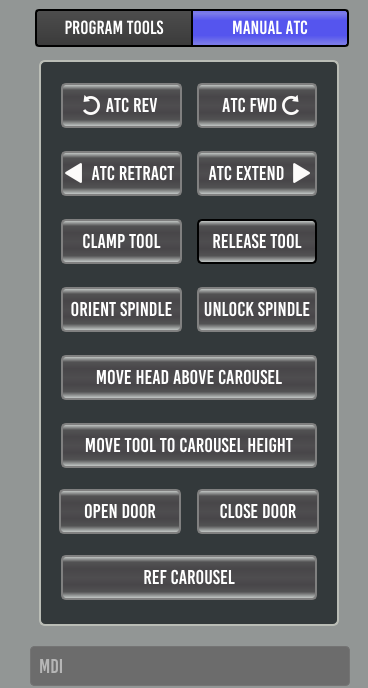
And the user_atc_buttons MUST remain 'template_user_atc_buttons' as that seems to be hard-coded somewhere - maybe in probe_basic.py
Next problems:
Turns out the sub-folders have to be named the same as the .ui files.
And the user_atc_buttons MUST remain 'template_user_atc_buttons' as that seems to be hard-coded somewhere - maybe in probe_basic.py
Next problems:
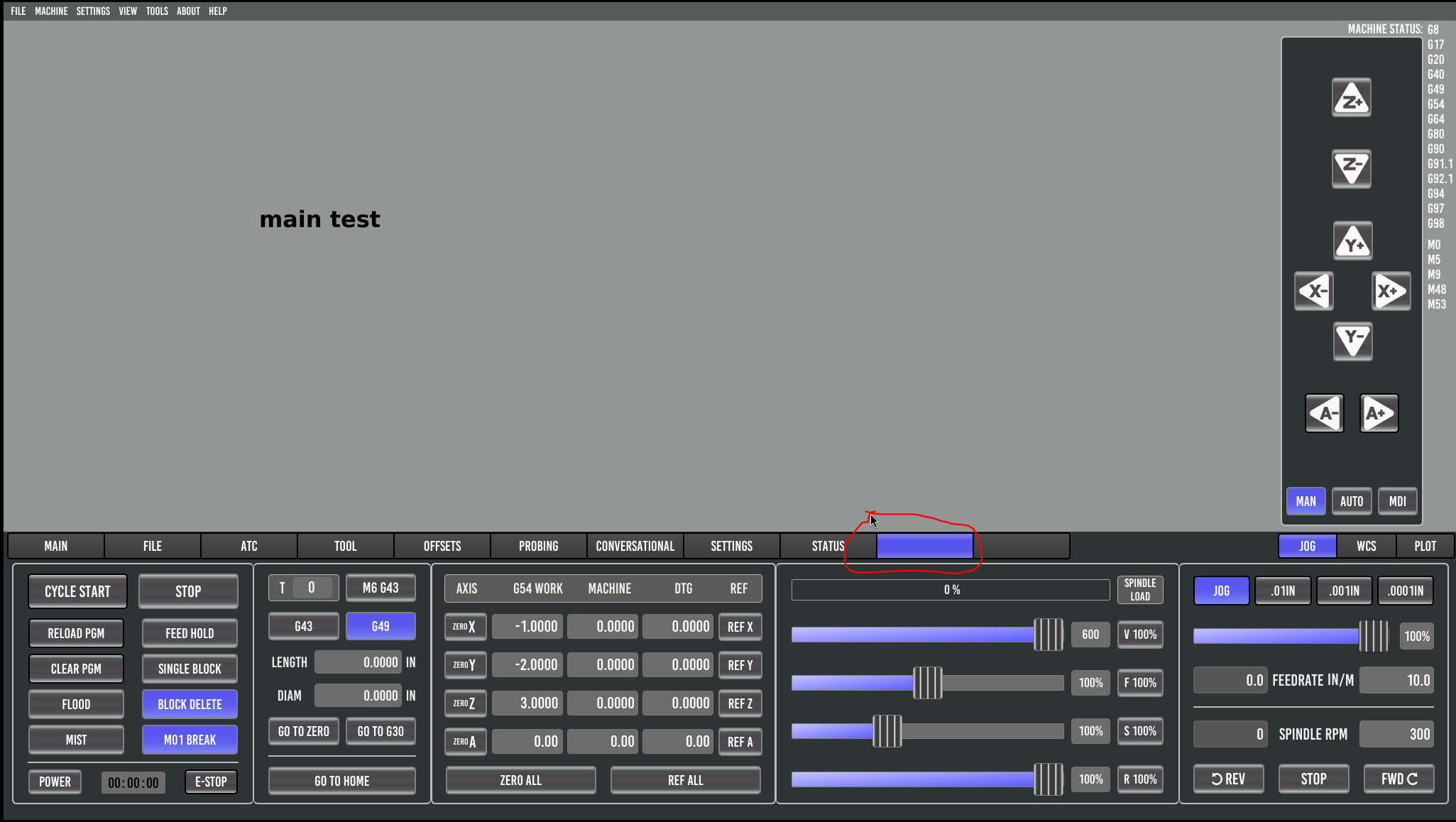
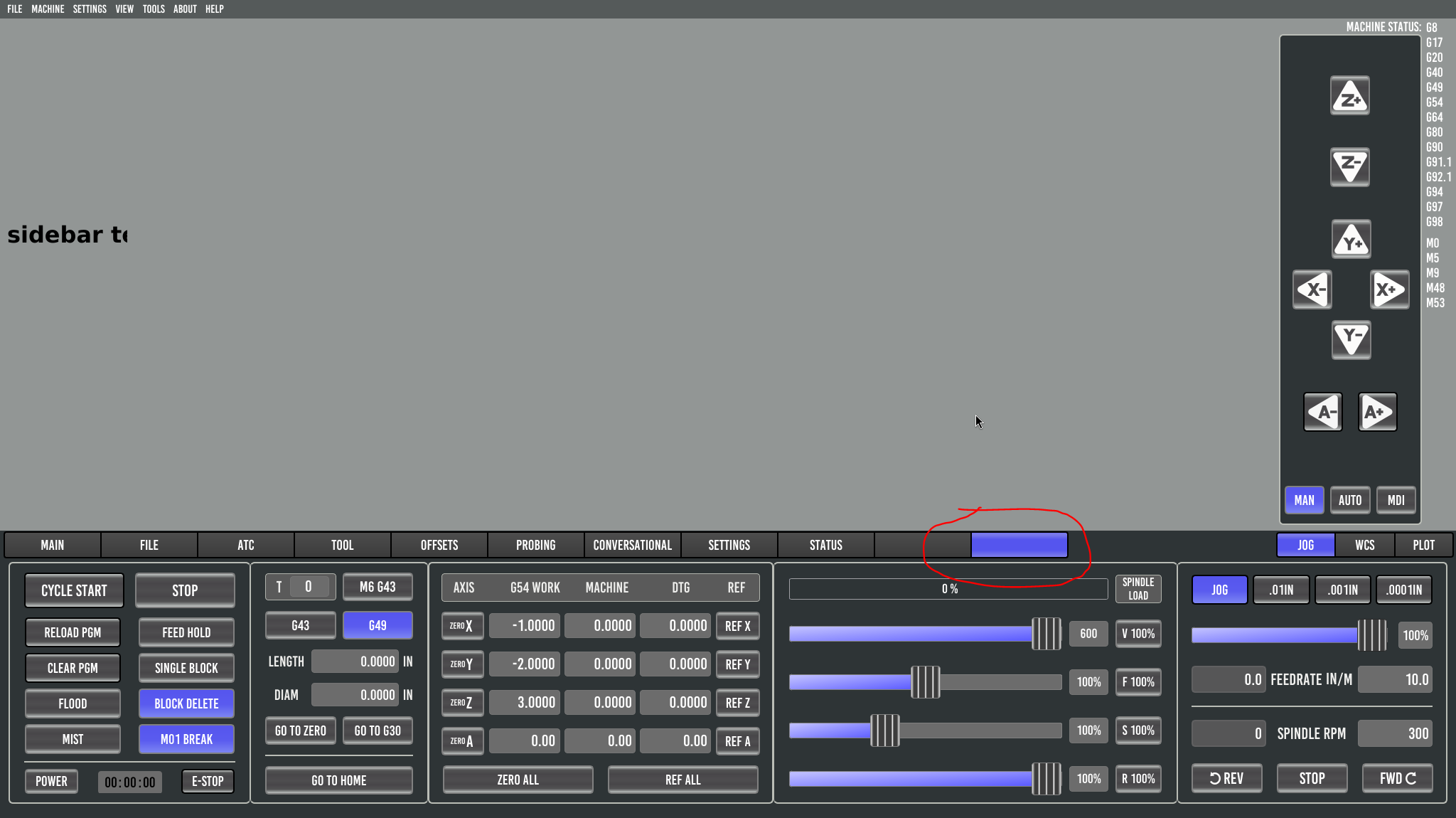
- Sidebar tab is appearing in the main window
- Neither user tabs (main or sidebar) are labeled
Please Log in or Create an account to join the conversation.
- Unlogic
- Offline
- Elite Member
-

Less
More
- Posts: 257
- Thank you received: 128
26 Aug 2026 21:40 #349030
by Unlogic
Replied by Unlogic on topic Probe Basic - user tabs/buttons/etc not appearing
I made a post regarding this thread in the QtPyVCP channel on Matrix and got a reply that it seems to be a bug in the latest version.
Please Log in or Create an account to join the conversation.
- Lcvette
-

- Offline
- Moderator
-

Less
More
- Posts: 1682
- Thank you received: 784
26 Aug 2026 21:43 #349031
by Lcvette
Replied by Lcvette on topic Probe Basic - user tabs/buttons/etc not appearing
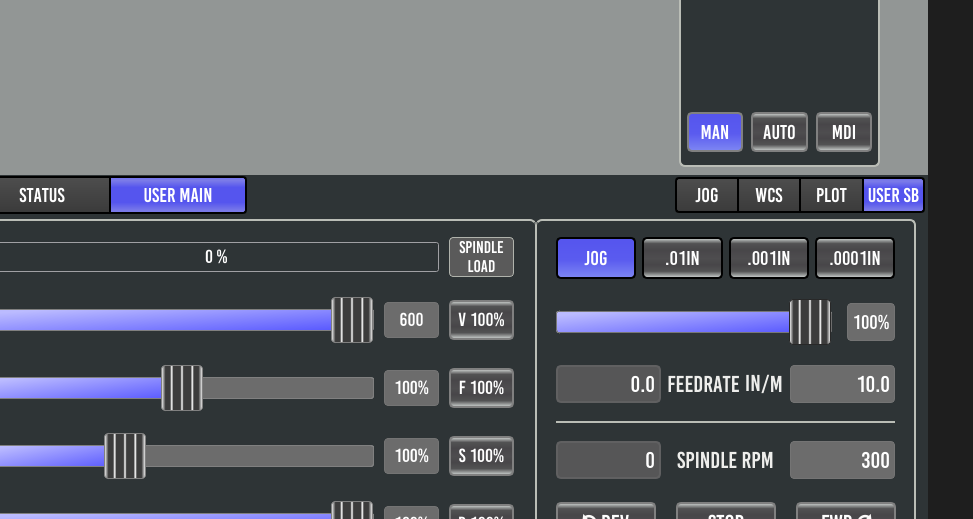
I think i have this resolved now and will be pushing out shortly today was a porting breakage that got missed one some other fixes.the object name user_main and user_sb this property determine the name displayed in the ui for the tab button text. so if you name it spumco_sb it will display SPUMCO SB in the ui.
The following user(s) said Thank You: spumco
Please Log in or Create an account to join the conversation.
- Lcvette
-
- Offline
- Moderator
-
Less
More
- Posts: 1682
- Thank you received: 784
26 Aug 2026 21:51 #349032
by Lcvette
Replied by Lcvette on topic Probe Basic - user tabs/buttons/etc not appearing
tested here on sim and everything is now working as it should be again! thanks for bringing it up to my attention both of you!
The following user(s) said Thank You: spumco, Unlogic
Please Log in or Create an account to join the conversation.
- spumco
- Offline
- Platinum Member
-
Less
More
- Posts: 2180
- Thank you received: 905
27 Aug 2026 02:30 #349034
by spumco
Replied by spumco on topic Probe Basic - user tabs/buttons/etc not appearing
That did the trick, thanks.
The following user(s) said Thank You: Lcvette, Unlogic
Please Log in or Create an account to join the conversation.
- Lcvette
-
- Offline
- Moderator
-
Less
More
- Posts: 1682
- Thank you received: 784
27 Aug 2026 14:01 #349050
by Lcvette
Replied by Lcvette on topic Probe Basic - user tabs/buttons/etc not appearing
awesome glad you are back up and running!
Please Log in or Create an account to join the conversation.
Moderators: KCJ, Lcvette
Time to create page: 0.164 seconds