I want to use QTAxis, is it meant to be used?

More
2 years 5 months ago #300642 by hachi
@cmorley I've created github.com/LinuxCNC/linuxcnc/pull/2977 because I think this change could be good for people in general (not just my customized machine)

I tested edit mode and get what I think is the right behavior from it (maximizes to window and shrink back down again)

Resizing the window seems to have reasonable behavior, the size of the splitters are implicitly saved by the preferences it seems.

There is an open question of whether things should be collapsible or not, right now the gcode_editor splitter is collapsible, but the other is not. Let me know if you want me to change this, or if you want me to just ditch the PR because you don't want it.

Thank you for all your help on this.

Please Log in or Create an account to join the conversation.
More
2 years 5 months ago #300660 by hachi
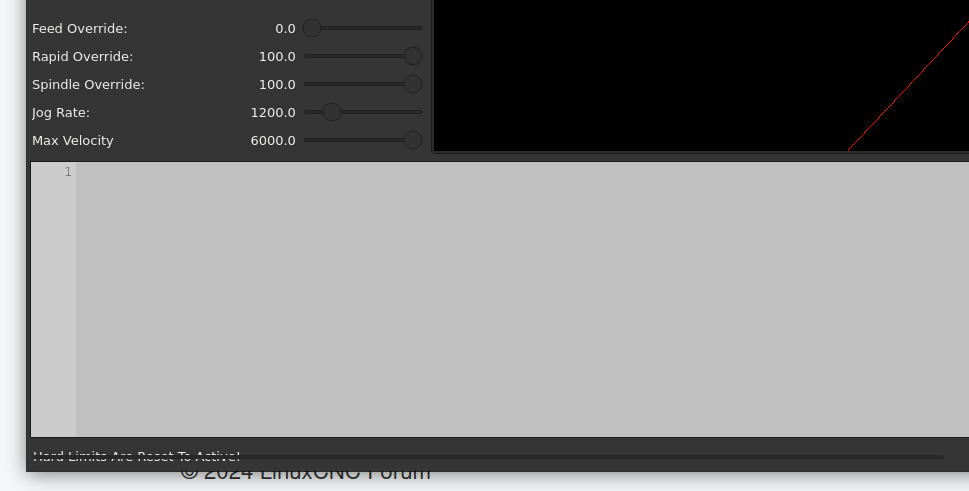
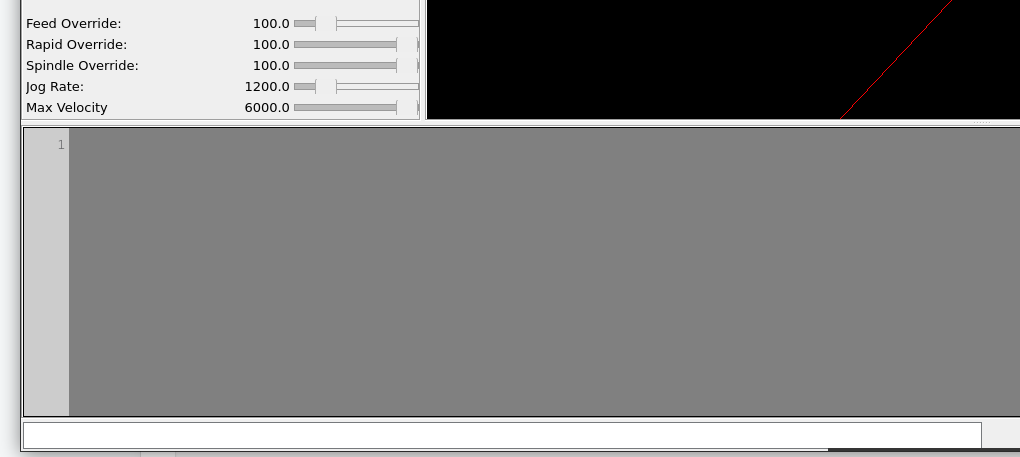
There is something rendering on my machine in front of the status bar.

It is visible in 2.6.2, master, and my splitter branch

It looks different based on what theme I am using:


Do you have any idea what it is? or how I could identify it?

Please Log in or Create an account to join the conversation.
More
2 years 5 months ago #300760 by hachi
Ah, it's a progress bar that is somehow covering messages, I wonder if that's supposed to render under for some reason.

Please Log in or Create an account to join the conversation.

More
2 years 5 months ago #300761 by hachi

Ah, it's a progress bar that is somehow covering messages, I wonder if that's supposed to render under for some reason.
 
For future readers, a fix for this is qtaxis_handler.py in make_progressbar change addWidget to addPermanentWidget, which will move the progress bar off of the text section of the status bar, and permanently install it in the right side.
The following user(s) said Thank You: tommylight

Please Log in or Create an account to join the conversation.

More
2 years 5 months ago #300799 by cmorley
The temporary status messages are supposed to override the progressbar.
This was to let the status message have the most length possible.
I don't think it render properly on all systems.

You are missing two signals to make the progress bar work.
one from gcode_editor to self.percentCompleted
one from gcode_graphics to self.percentLoaded
These are added in designer and if you move the wrong things they get disconnected.

I see they are missing from the the 2.9 version too.
I like your changes and will incorporate them shortly.

Chris

Please Log in or Create an account to join the conversation.

More
2 years 5 months ago - 2 years 5 months ago #300885 by hachi
Thank you for fixing the progress bar.

Can you check on your machine if the progress bar is full width of your screen, because on mine no matter what size I make the window and in all the themes I've tried it only takes up 50% of the width of the status bar.

If that is the case, I would suggest switching it to addPermanentWidget because you won't get any extra space for the progress bar normally, but you can make it so both the status bar text and the progress bar are visible at the same time then.

Or maybe there's something missing in the .qss to define the width of the bar. I dunno.

Thank you for merging my splitter changes.

I've also created github.com/LinuxCNC/linuxcnc/pull/2981 for you, to clean up some print calls in qtaxis_handler.py
Never mind that, you took care of it in master.
Last edit: 2 years 5 months ago by hachi. Reason: Strikeout a dead PR

Please Log in or Create an account to join the conversation.

Moderators: cmorley
Time to create page: 0.064 seconds
Powered by Kunena Forum
