linuxcnc 2.9.2 (live) on the intel n100 cpu

More
1 year 11 months ago - 1 year 11 months ago #314508 by rebelx
As a PS: I am currently running LinuxCNC 2.10 on Debian 13 (both pre-release versions). Although XFCE is the de facto standard Desktop Environment for LinuxCNC, in my experience KDE nowadays performs slightly better with lower latencies. Gnome, Cinnamon and others are usually worse.
As for latencies: please do not be too obsessed with low latency numbers. Only when you are using old style software based step generation or encoder counting, latency (base thread max jitter) can be a critical factor. When using MESA cards and similar solutions, only the servo thread max jitter is relevant and keeping that below 100us is usually good practice. I always keep it below 50us and never encounter any problems. Even without  full BIOS optimization it should be possible to have a very acceptable performance already on this N100 mini-PC. 
Last edit: 1 year 11 months ago by rebelx.
The following user(s) said Thank You: tommylight

Please Log in or Create an account to join the conversation.
More
1 year 10 months ago #317016 by itsbrian
Adding my results since this is the most popular thread for 'LinuxCNC N100' on Google Search.

Hardware
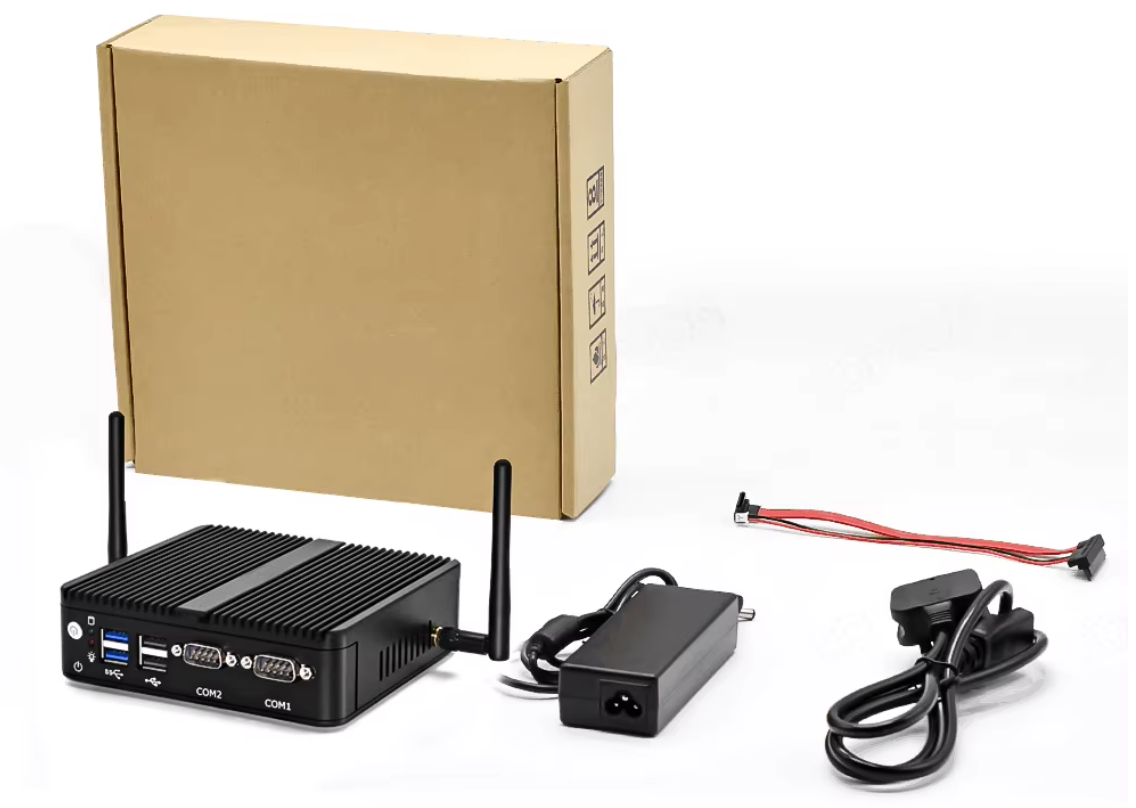
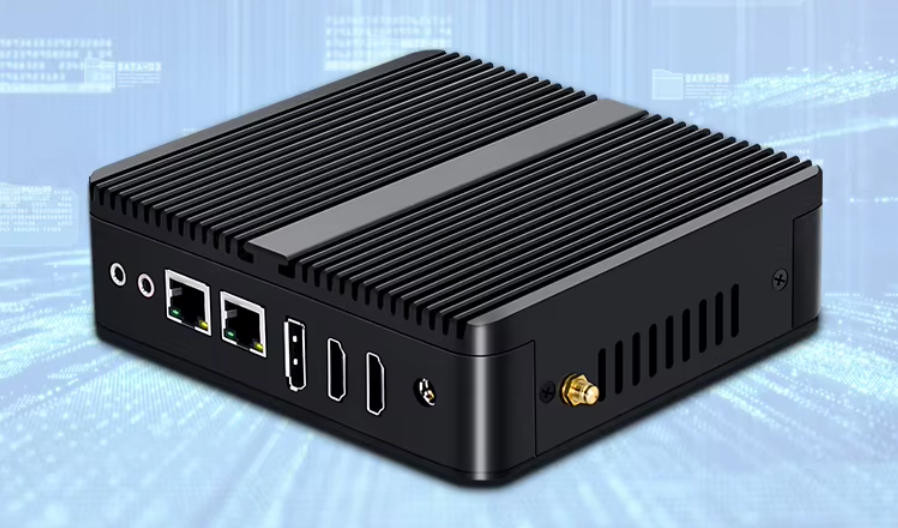
  • PC: Topton 12th Gen Fanless Mini Computer Alder Lake N100 Quad Core Dual LAN 2 Industrial PC
  • Vendor: Topton Direct Store on AliExpress
  • Specs: 8GB DDR4, 128GB NVMe, WiFi, BT
  • Price: $142.60 total after some Black Friday discounts
  • Reason:
    • Old PC gave out due to overheat from dust / woodchips
    • Wanted new and cheap PC compared to the old/used stuff I've been always using.
    • I wanted an out the box, dual NIC device so that I can remote into it from my network and also have it connected to the Mesa Card. I knew about this chipset due to it being popular in the homelab space for those that run their own router (pfSense, OPNsense) since most devices that use this chipset have multiple NICs. Seeing this thread pop up in the search and the low latency results made it an easy choice for me.
    • Fanless, hopefully this prevents overheat in future as it'll be easier for me to clean. Having it now in an easily accessible area due to its small form factor will also help with that.
Latency test command
Code:
latency-histogram --nobase --sbinsize 1000 --show

Results
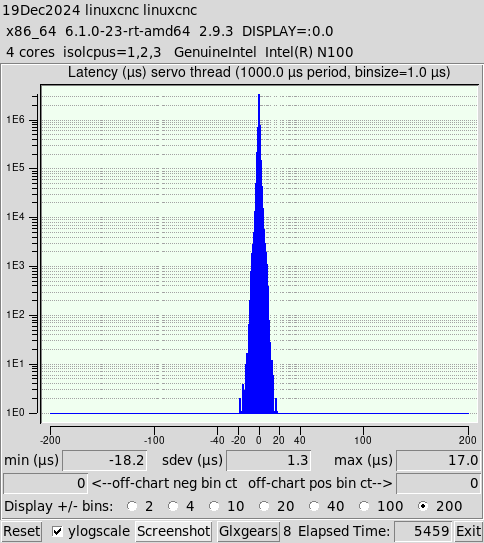
Lowest Latency Settings - 17.0 microseconds (μs) max
  • Test was run on an actual install of LinuxCNC 2.9.3 ISO image (not Live CD)
  • The following BIOS settings were Disabled
    • C-States
    • Virtualization
    • *Speed Shift
    • Speed Step
    • Race to Halt
  • isolcpus=1,2,3
  • *Stress tested single core by running
    Code:
    yes > /dev/null
  • glxgears x 8
Notes
  • *Disabling Speed Shift gave me the best results by far, but made PC basically unusable for multi-tasking. I was going to have multiple YouTube videos playing, but trying to load it was unbearable so I decided just to stress test the CPU using the command line. With Speed Shift enabled made the PC great for multi-tasking but my latency increased to a steady 50 μs running glxgears x 8 and 2 Youtube videos. I don't intend on using this PC for anything else besides LinuxCNC, but it is cool to know I can multi-task on it while it is running as 50 μs suitable with a Mesa card.
  • Live CD proportionally gets worse results by about ~15 μs. The same test above got me 30 μs.
  • I was not able to install LinuxCNC 2.8.4 image due to a lot of driver issues. I was hoping to do a brainless PC swap, but I guess this gave me reason to upgrade.
 

Overall this is a cool little device, see attachments for pics. My biggest worry is buying a PC from an unknown OEM and future BIOS support. I guess we'll see if this stands the test of time. Otherwise, I am going back to my old, go-to, decommissioned Enterprise PCs.

Please Log in or Create an account to join the conversation.

More
1 year 10 months ago #317018 by PCW
Did you try isolcpus=3

isolcpus 1,2,3 leaves only one CPU for non-realtime tasks so
would likely be painfully slow...

Please Log in or Create an account to join the conversation.
More
1 year 10 months ago - 1 year 10 months ago #317042 by rebelx
I ran many tests on my N100 system with the latest official LinuxCNC distro (2.9.3), using the KDE Plasma desktop with Wayland, and these were the latency test results of the different Grub kernel parameter settings, while running two YouTube videos, 8 glxgears, and playing around with the system:

quiet isolcpus=0,1         max servo thread jitter= 46.7us
quiet isolcpus=2,3         max servo thread jitter= 14.6us   - Youtube playback interrupted
quiet isolcpus=1,2,3      max servo thread jitter= 11.3us   - Youtube playback severely interrupted
quiet isolcpus=3            max servo thread jitter= 24.5us

quiet irqaffinity=0 isolcpus=0,1         max servo thread jitter= 152.2us
quiet irqaffinity=0 isolcpus=2,3         max servo thread jitter= 17.5us   - Youtube playback somewhat interrupted
quiet irqaffinity=0 isolcpus=1,2,3      max servo thread jitter= 6.0us     - Youtube playback severely interrupted
quiet irqaffinity=0 isolcpus=3            max servo thread jitter= 13.7us

This last option gave me the best overall results. A responsive system and very decent latency. However, I noticed a few times a complete system freeze..... Oops..... It seems to me this is related to KDE and/or Wayland. I did some quick tests under XFCE, and the latency results really look quite different. I will do more extensive testing within the next few days with XFCE, and post the results here. I will also test with using the irqbalance daemon instead of using irqaffinity=0 parameter, which thus far gave me mixed but interesting results.
 
Last edit: 1 year 10 months ago by rebelx.

Please Log in or Create an account to join the conversation.
More
1 year 10 months ago #317111 by itsbrian

Did you try isolcpus=3

isolcpus 1,2,3 leaves only one CPU for non-realtime tasks so
would likely be painfully slow...
Funny enough, isolcpus=3 and all the BIOS settings disabled I mentioned in my previous post is the final setup I'm going with. It holds steady at low 20μs and am able to multitask fine.

One thing I want to mention though is I was curious what Macanix and gambaf meant in this thread about mozmck's irq affinity hack being necessary. I see what they are talking about now when I started testing the Mesa card. All the issues mentioned in mozmck's thread is what I ran into along with some other threads, but it is running great now after applying the script!

If this thing had a built in parallel port, I think this would be a great, modern LinuxCNC device!

Please Log in or Create an account to join the conversation.

More
1 year 10 months ago #317224 by rodw
The network drivers are not real time so delays can ocurr when syncing with a real time thread. Telling the network drivers to use the same core as the Linuxcnc real time core (3 in this case) using CPU affinity, is a well established work around for this by those in the RT community but relatively new to Linuxcnc.

Also don't forget to disable energy efficient Ethernet.

Please Log in or Create an account to join the conversation.

Time to create page: 0.281 seconds
Powered by Kunena Forum
