
Spindle encoder configuration (with G76 threading command and Mesa 7i96s)
- slowpoke
- Offline
- Elite Member
-

Less
More
- Posts: 224
- Thank you received: 28
06 Apr 2026 21:38 - 06 Apr 2026 21:40 #345244
by slowpoke
Replied by slowpoke on topic Spindle encoder configuration (with G76 threading command and Mesa 7i96s)
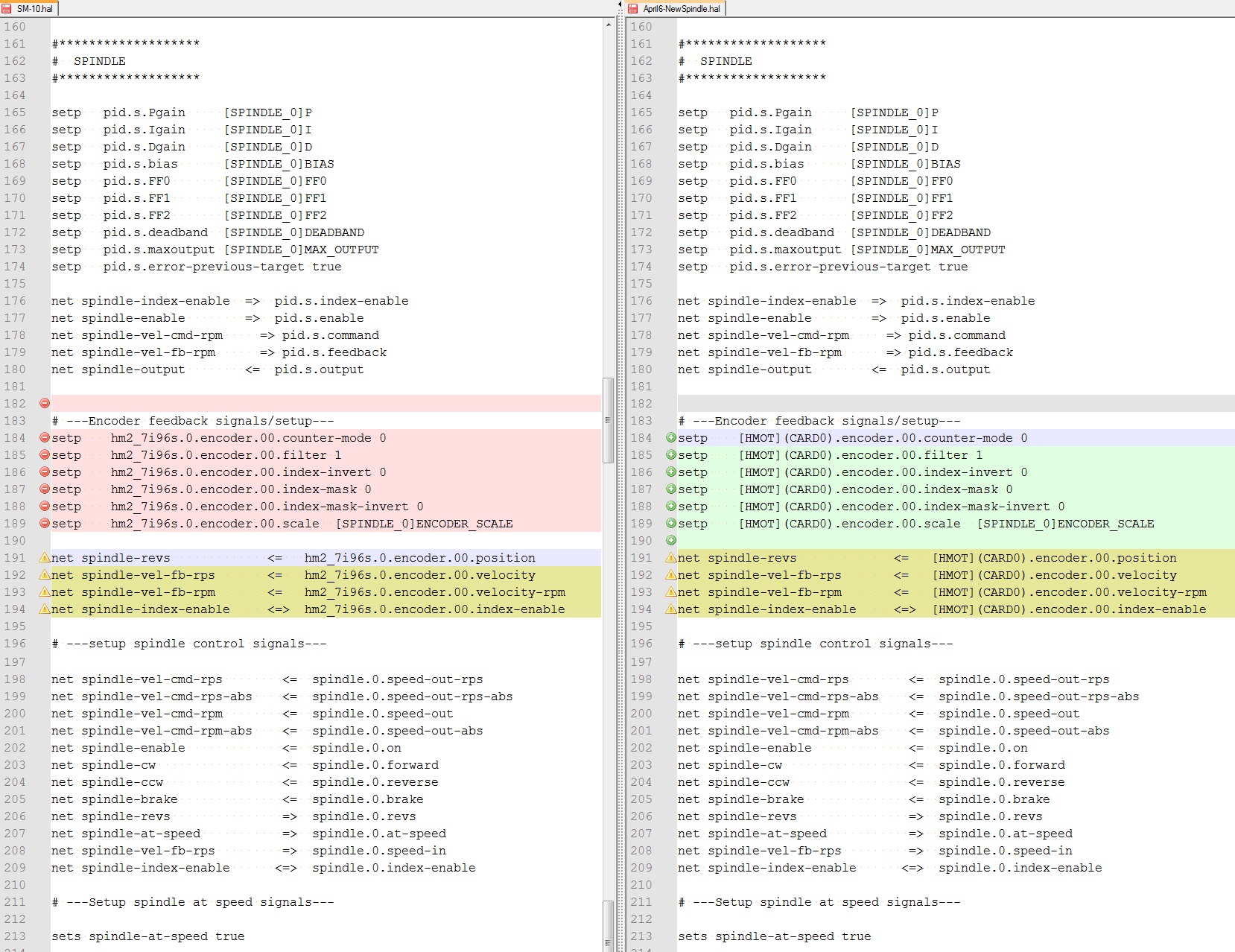
I made a new configuration using pncconf and compared the spindle & encoder 0 section.
I don't see anything that's different, other than naming conventions (see attached)
I have a quadrature spindle encoder connected encoder (0) input. A & B
I now also have a 1PPR signal, connected to the encoder.0. index pin.
In Halshow
- spindle.0.revs counts up as expected when the spindle is rotated forward
- spindle.0.speed-in appears correct
- spindle.0.index-enable shows disabled
In my SM-10.hal file I have:
net spindle-index-enable <=> spindle.0.index-enable
IF I comment out this line, I can then enable spindle.0.index-enable manually in Halshow, that makes no difference when trying to open the file below (same error)
Regardless when I try to open the following 2 line G76 program I get the following error: "Chosen spindle(0) not turning in G76"
Program:
G0 X0.45
G76 P0.0625 Z-0.5 I -0.005 J 0.008 K 0.0503
What does the error message actually mean and/or what is Linux missing that it needs?
It has the quadrature encoder signals and it has the index pulse, that I can see toggle as the magnet passes the sensor once per rev,
The revs counter is counting up 1 per rev.
I don't see anything that's different, other than naming conventions (see attached)
I have a quadrature spindle encoder connected encoder (0) input. A & B
I now also have a 1PPR signal, connected to the encoder.0. index pin.
In Halshow
- spindle.0.revs counts up as expected when the spindle is rotated forward
- spindle.0.speed-in appears correct
- spindle.0.index-enable shows disabled
In my SM-10.hal file I have:
net spindle-index-enable <=> spindle.0.index-enable
IF I comment out this line, I can then enable spindle.0.index-enable manually in Halshow, that makes no difference when trying to open the file below (same error)
Regardless when I try to open the following 2 line G76 program I get the following error: "Chosen spindle(0) not turning in G76"
Program:
G0 X0.45
G76 P0.0625 Z-0.5 I -0.005 J 0.008 K 0.0503
What does the error message actually mean and/or what is Linux missing that it needs?
It has the quadrature encoder signals and it has the index pulse, that I can see toggle as the magnet passes the sensor once per rev,
The revs counter is counting up 1 per rev.
Last edit: 06 Apr 2026 21:40 by slowpoke.
Please Log in or Create an account to join the conversation.
- PCW
-

- Offline
- Moderator
-

Less
More
- Posts: 18093
- Thank you received: 5325
06 Apr 2026 21:55 - 06 Apr 2026 22:05 #345245
by PCW
Replied by PCW on topic Spindle encoder configuration (with G76 threading command and Mesa 7i96s)
is spindle.0.at-speed true?
Also does the index work?
Test by (either in halshow or with halcmd -kf)
sets spindle-index-enable true
watch spindle-index-enable in halshow
it should go high with the sets command and then low when you rotate
the spindle past the index position.
Also does the index work?
Test by (either in halshow or with halcmd -kf)
sets spindle-index-enable true
watch spindle-index-enable in halshow
it should go high with the sets command and then low when you rotate
the spindle past the index position.
Last edit: 06 Apr 2026 22:05 by PCW.
Please Log in or Create an account to join the conversation.
- slowpoke
- Offline
- Elite Member
-
Less
More
- Posts: 224
- Thank you received: 28
07 Apr 2026 18:42 - 08 Apr 2026 10:50 #345287
by slowpoke
Some progress, but still not quite there.
The error I was receiving ("Chosen spindle(0) not turning in G76") when I tried opening my gcode file was occurring because I did not have a M03 (start spindle command), because I start my spindle manually. So now the program opens and runs, just not correctly.
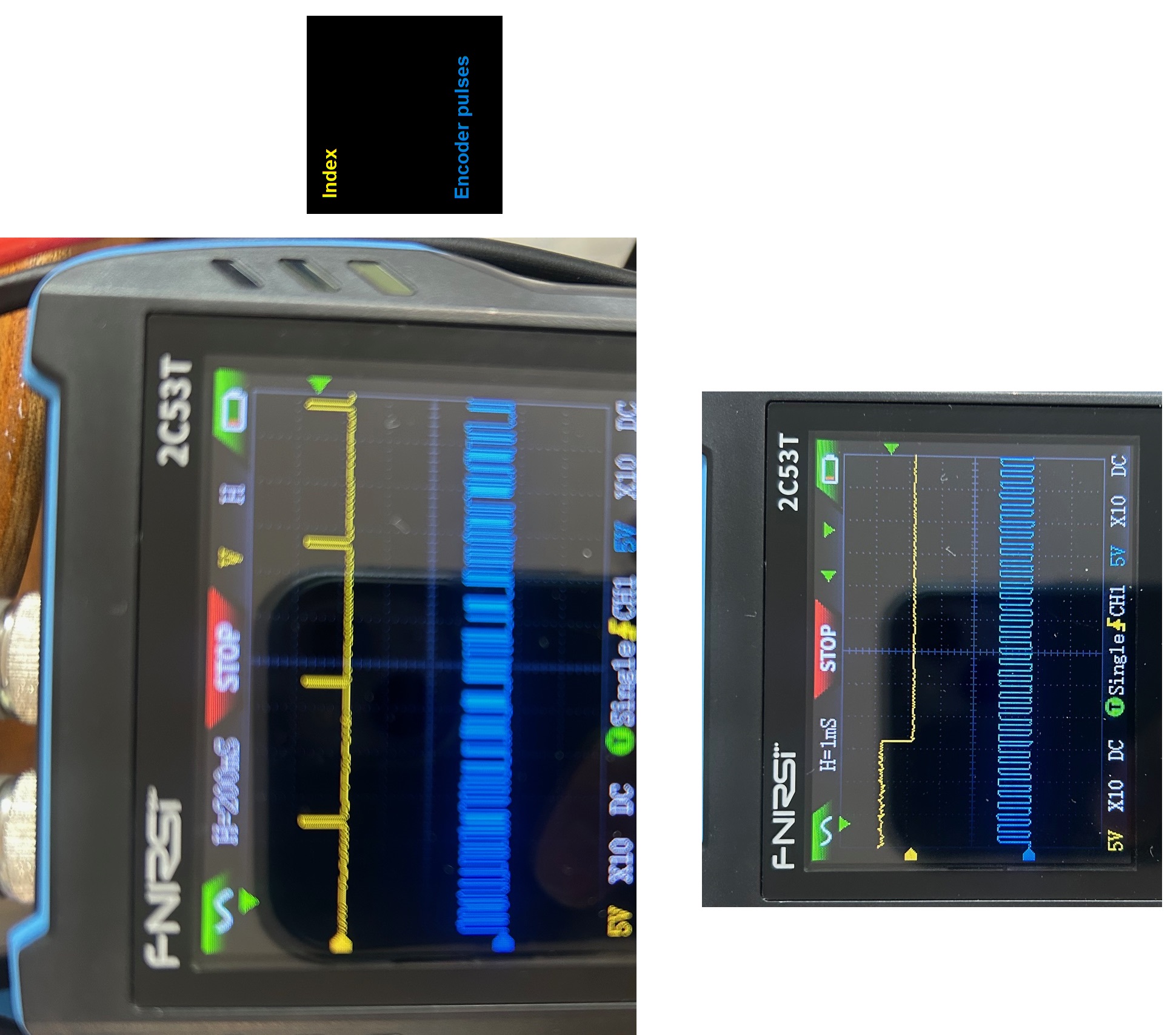
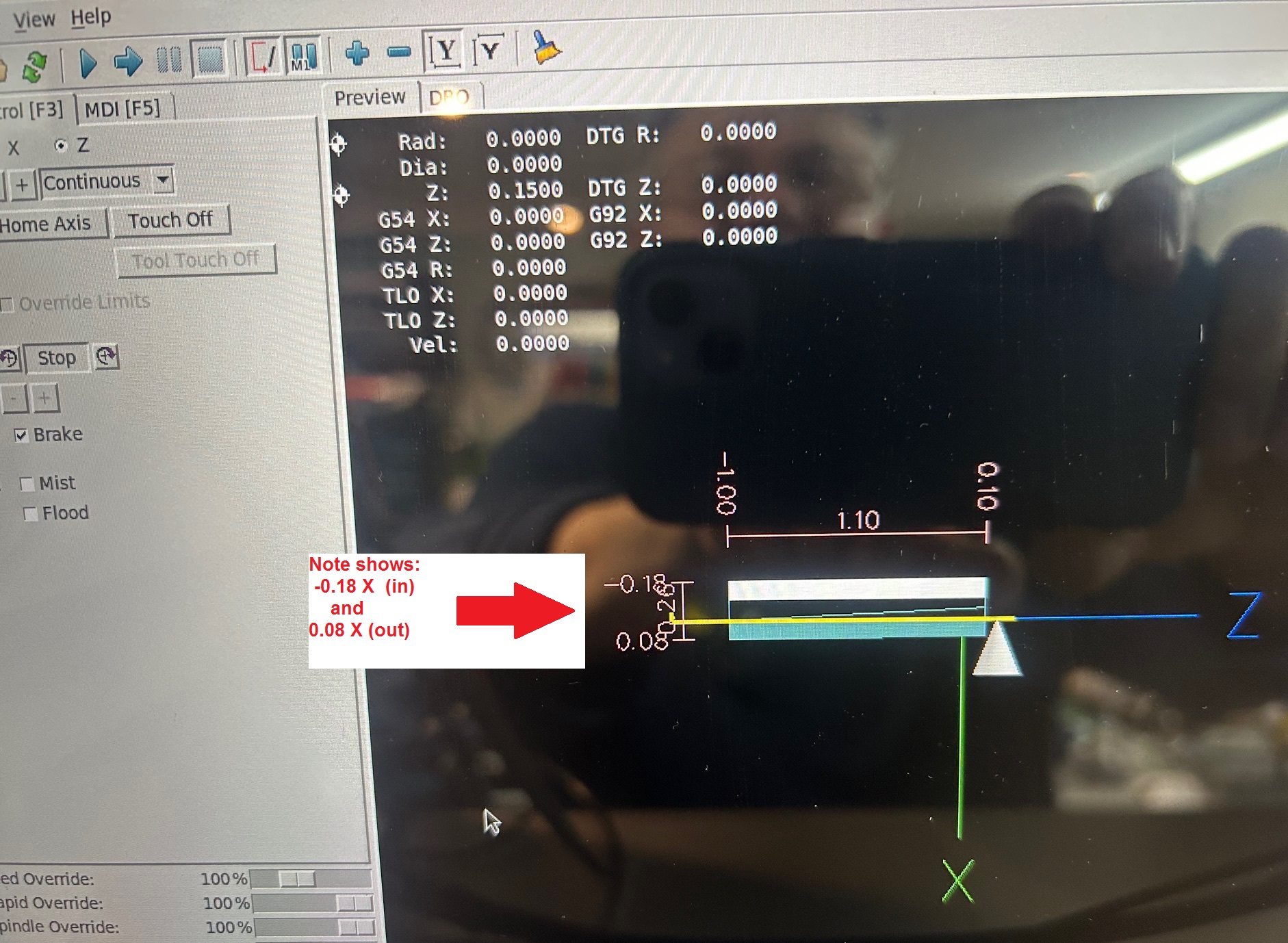
I scoped with an actual scope the index signal as well as the other spindle quadrature signals and they are as expected (not sure on the polarity of the index pulse. It is low for most of a spindle rotation, with a brief blip high once per revolution.The program now runs, however it cuts and retracts in the wrong direction (X wise). It seems that the G76 command thinks more negative X is towards the center of the spindle center line and more positive is out and away from the spindle centreline.Even the graphic, shows -X towards the centerline ie. a deeper cut is more negative X), please see attached. Interestingly the animated graphic, shows the correct motion with a slow cut to the left then retracting out for the non-cutting return Z movement in the real world -X direction (labeled as positive X in the graphic), and then cutting progressively deeper (real world X, graphic more negative X) on each pass..ngc file is as follows:
(huge 1.25 x 7 coarse external thread)
S100 M3
G90
G0 x-0.002 Z0.1G76 P0.1429 Z-1.0 I-0.0876 J0.005 K 0.0876G0 X -0.05 Z 0.1
M5
M30
Answers to your questions:
1) is spindle.0.at-speed true? Yes because it's hard set in HAL (sets spindle-at-speed true)
2) Also does the index work? Yes, it is low for most of the revolution, and blips high momentarily as the magnet passes,See scope capture.
Test by (either in halshow or with halcmd -kf)
3) set spindle-index-enable true watch spindle-index-enable in halshow it should go high with the sets command and then low when you rotate the spindle past the index position. It does exactly that.
I think at this point I just need to resolve the backwards X movement.
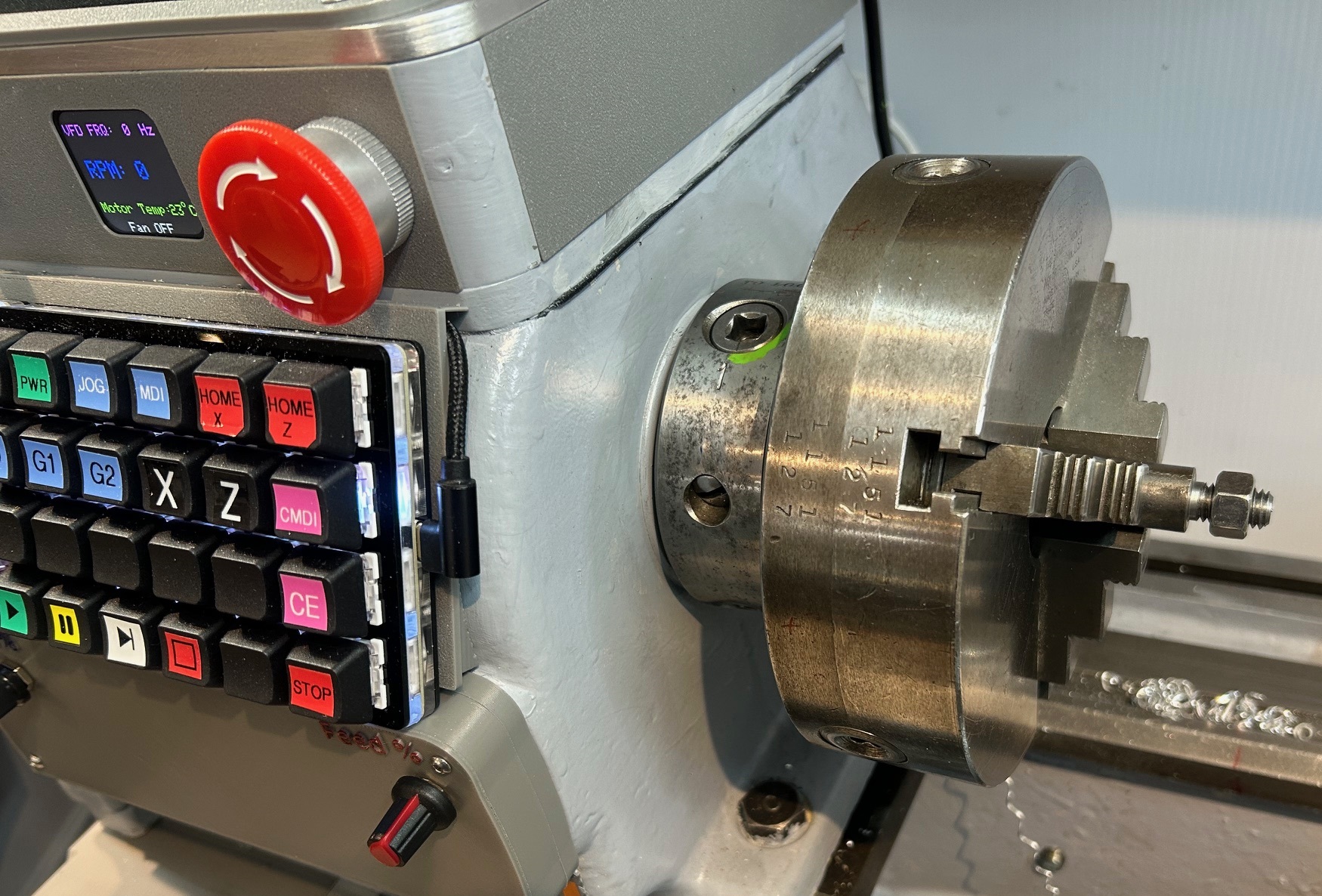
I also noticed that when I use the cursor keys to jog the X-axis, they are backwards for the X-axis. Up arrow moved the cross slide down and visa versa.
If I flip the polarity of the X scale value in the ini file, the cursor keys are correct, but the actual cross slide move backwards.
Same thing if I flip the direction of rotation in the servo software, I can get the cursor keys correct, but the actual direction is backwards.
As expected flipping both gets me back to where I started.
I'm not sure if the backwards cursor keys have any correlation with the G76 working backwards for X but seems like there might be a link?
If I change the sign of the "I" term from negative to positive (which should change from external to internal thread mode), the program correctly cuts the thread, The graphic representation in axis shows an internal thread being cut, but the actual action is external resulting in a perfect thread.
Replied by slowpoke on topic Spindle encoder configuration (with G76 threading command and Mesa 7i96s)
is spindle.0.at-speed true?Also does the index work?Test by (either in halshow or with halcmd -kf)sets spindle-index-enable truewatch spindle-index-enable in halshowit should go high with the sets command and then low when you rotatethe spindle past the index position.
Some progress, but still not quite there.
The error I was receiving ("Chosen spindle(0) not turning in G76") when I tried opening my gcode file was occurring because I did not have a M03 (start spindle command), because I start my spindle manually. So now the program opens and runs, just not correctly.
I scoped with an actual scope the index signal as well as the other spindle quadrature signals and they are as expected (not sure on the polarity of the index pulse. It is low for most of a spindle rotation, with a brief blip high once per revolution.The program now runs, however it cuts and retracts in the wrong direction (X wise). It seems that the G76 command thinks more negative X is towards the center of the spindle center line and more positive is out and away from the spindle centreline.Even the graphic, shows -X towards the centerline ie. a deeper cut is more negative X), please see attached. Interestingly the animated graphic, shows the correct motion with a slow cut to the left then retracting out for the non-cutting return Z movement in the real world -X direction (labeled as positive X in the graphic), and then cutting progressively deeper (real world X, graphic more negative X) on each pass..ngc file is as follows:
(huge 1.25 x 7 coarse external thread)
S100 M3
G90
G0 x-0.002 Z0.1G76 P0.1429 Z-1.0 I-0.0876 J0.005 K 0.0876G0 X -0.05 Z 0.1
M5
M30
Answers to your questions:
1) is spindle.0.at-speed true? Yes because it's hard set in HAL (sets spindle-at-speed true)
2) Also does the index work? Yes, it is low for most of the revolution, and blips high momentarily as the magnet passes,See scope capture.
Test by (either in halshow or with halcmd -kf)
3) set spindle-index-enable true watch spindle-index-enable in halshow it should go high with the sets command and then low when you rotate the spindle past the index position. It does exactly that.
I think at this point I just need to resolve the backwards X movement.
I also noticed that when I use the cursor keys to jog the X-axis, they are backwards for the X-axis. Up arrow moved the cross slide down and visa versa.
If I flip the polarity of the X scale value in the ini file, the cursor keys are correct, but the actual cross slide move backwards.
Same thing if I flip the direction of rotation in the servo software, I can get the cursor keys correct, but the actual direction is backwards.
As expected flipping both gets me back to where I started.
I'm not sure if the backwards cursor keys have any correlation with the G76 working backwards for X but seems like there might be a link?
If I change the sign of the "I" term from negative to positive (which should change from external to internal thread mode), the program correctly cuts the thread, The graphic representation in axis shows an internal thread being cut, but the actual action is external resulting in a perfect thread.
Last edit: 08 Apr 2026 10:50 by slowpoke.
Please Log in or Create an account to join the conversation.
Time to create page: 0.095 seconds