Duplomatic BSV N 160 Werkzeugwechsler / Turret

More
6 years 7 months ago #162143 by Gommiswald
Great! And thanks a lot. I'll try next friday.

I am not so used in Linux and in Compilation. Is that the exact syntax to write in the terminal, as you have written above? And where have I to put in the duplo.comp, so Linux can find the file?

And for the complete pdf - is that the original manual of Duplomatic? If so, then I have it already.

I have seen your Duplomatic on youtube. My disc is a little bit different and I use the VDI 30 tools.

Kind regards
Daniel

Please Log in or Create an account to join the conversation.

More
6 years 7 months ago #162228 by bruno2626
There are 2 different documents. Mine (find on the net) has 32 pages and some mechanical diagrams if it is necessary to disassemble.
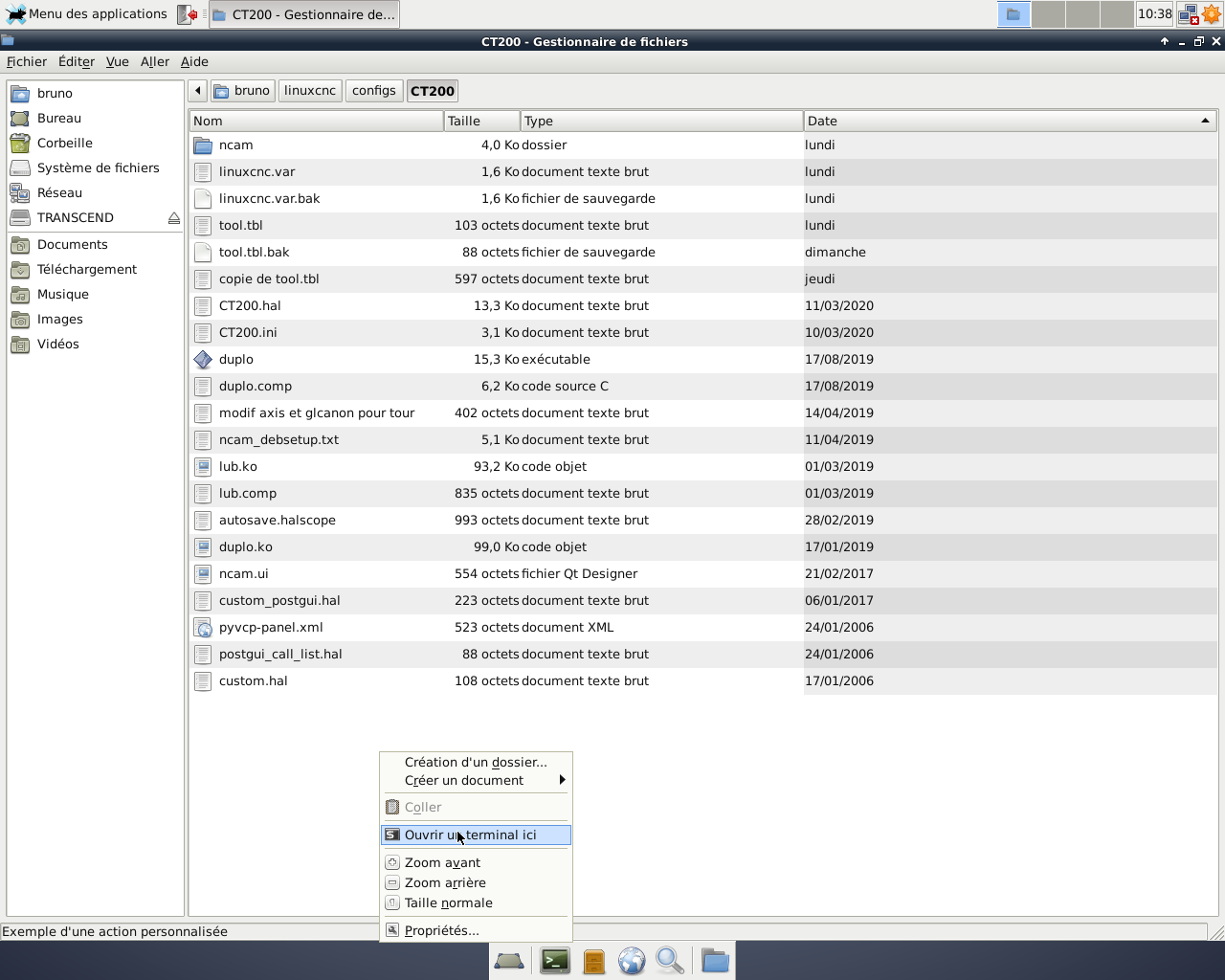
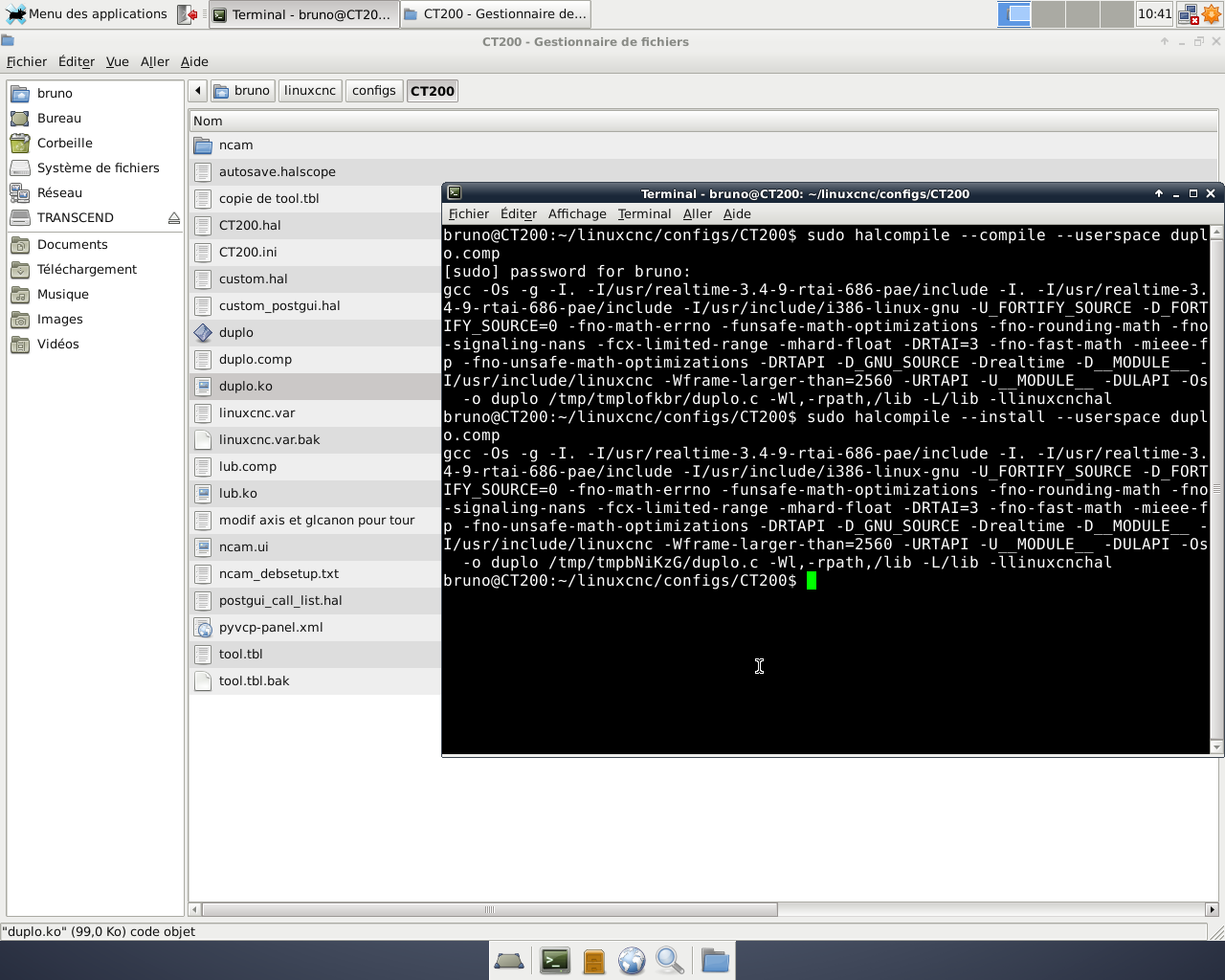
Duplo.comp have to be in the same folder as the rest. Right click in the folder to open a terminal. It's the exact syntax. You have just to adapt the hal file to your Mesa card (and of course the input and outup pins).
I also use VDI 30 tools.

Bruno.
The following user(s) said Thank You: Gommiswald

Please Log in or Create an account to join the conversation.

More
6 years 7 months ago #162282 by Gommiswald
Bonsoir Bruno

Thanks again. I think it worked with the compilation and installation of Duplo.comp.

I see, that you have a Duplomatic with 12 tools. My Duplo has only 8 places. Do you think, that it matters and that the duplo.comp has to be changed?

Best regards
Daniel

Please Log in or Create an account to join the conversation.

More
6 years 7 months ago - 6 years 7 months ago #162289 by bruno2626
I think you will have to check the state of the bit signals compared to the table (page 16 of your document).
Maybe you should modify duplo.comp (and compile and install again), in "case 0":
Code:
{ case 0: /* stable sur la currentduplonumber attente ... si demande changement state = 1 */ brake = 1 ; if (toolchange) { if (( currentduplonumber != newtoolnumber ) && ( newtoolnumber != 0)) { toolchanged = 0 ; brake = 0 ; state = 1 ; start = currentduplonumber ; courseCW = 0 ; while ( start != newtoolnumber ) { start += 1 ; courseCW += 1 ; if( start == 9) start = 1 ; } start = currentduplonumber ; courseCCW = 0 ; while ( start != newtoolnumber ) { start += -1 ; courseCCW += 1 ; if( start == 0 ) start = 8 ; } if ( courseCW <= courseCCW ) /* le parcour 1 2 3 est le plus court ou équivalent sens CW */ { sensCW = 1 ; sensCCW = 0 ; if ( newtoolnumber == 1 ) beforenewpos = 8 ; else (beforenewpos = (newtoolnumber - 1)) ; } else { sensCW = 0 ; sensCCW = 1 ; if ( newtoolnumber == 8 ) beforenewpos = 1 ; else (beforenewpos = (newtoolnumber + 1)) ; } } } else toolchanged = 0 ; break;

On my lathe, the contactors for rotating the turret in both directions are too large to be controlled directly by my 7i77. I used small relays which were already in the machine cabinet but initially not used.

Bruno

Last edit: 6 years 7 months ago by bruno2626.

Please Log in or Create an account to join the conversation.

More
6 years 7 months ago #162291 by Gommiswald
The bit signals are the same, but only used until 8. And thanks for the text for duplo.comp. I will change it.

Sorry when I ask again because of compilation. When I made that with halcompile, then I get I entry in /usr/bin with name duplo. And that is all. Is that correct or have I to copy manually the duplo.comp in specific directory? Maybe to /usr/lib/linuxcnc/modules. Maybe you can take a look at your directories.

Daniel

Please Log in or Create an account to join the conversation.

More
6 years 7 months ago #162335 by bruno2626
Hi,
Sorry for my poor English, I am French. I'm not sure I understood your problem.
Here are two screenshots.
Duplo.comp can be in the same folder as your current config (with the hal and ini files).

Please Log in or Create an account to join the conversation.

Time to create page: 0.073 seconds
Powered by Kunena Forum