
Considering a Full Rewire on a Working Schaublin 125 CNC
- RotarySMP
-

- Offline
- Platinum Member
-

Less
More
- Posts: 1635
- Thank you received: 595
27 Feb 2026 17:26 #343615
by RotarySMP
Replied by RotarySMP on topic Considering a Full Rewire on a Working Schaublin 125 CNC
Is it possible that you have ended up with the wrong firmware flashed? I looked back and the last one I saw you mention was 7i92 plus 2x 7i85. Sounds okay, but maybe Peter can confirm that?
Please Log in or Create an account to join the conversation.
- Dudelbert
- Offline
- Senior Member
-

Less
More
- Posts: 79
- Thank you received: 20
27 Feb 2026 17:40 #343618
by Dudelbert
Replied by Dudelbert on topic Considering a Full Rewire on a Working Schaublin 125 CNC
I rechecked it multiple times myself. According to --readhmid, it should be fine. In the end,
I gave up and purchased a 7i97T. That should solve all the current problems and all it cost is money
That is the card I use in my mill. It has one Smart Serial port, and I will need two (for the 7i73 and one 7i85). I plan to build this small board from Talla83 (github.com/talla83/RS422-SmartSerial-Adapter
), but for starting out, the I/O on the 7i97T itself should be sufficient to get most of the machine running.
I gave up and purchased a 7i97T. That should solve all the current problems and all it cost is money
That is the card I use in my mill. It has one Smart Serial port, and I will need two (for the 7i73 and one 7i85). I plan to build this small board from Talla83 (github.com/talla83/RS422-SmartSerial-Adapter
), but for starting out, the I/O on the 7i97T itself should be sufficient to get most of the machine running.
Please Log in or Create an account to join the conversation.
- RotarySMP
-
- Offline
- Platinum Member
-
Less
More
- Posts: 1635
- Thank you received: 595
27 Feb 2026 22:05 - 27 Feb 2026 22:54 #343624
by RotarySMP
Replied by RotarySMP on topic Considering a Full Rewire on a Working Schaublin 125 CNC
Oh, I already ordered some of those board from JCLPCB years ago. I can send you a couple.
Last edit: 27 Feb 2026 22:54 by RotarySMP.
The following user(s) said Thank You: Dudelbert
Please Log in or Create an account to join the conversation.
- Dudelbert
- Offline
- Senior Member
-
Less
More
- Posts: 79
- Thank you received: 20
27 Feb 2026 22:13 #343625
by Dudelbert
Replied by Dudelbert on topic Considering a Full Rewire on a Working Schaublin 125 CNC
Thank you for the offer, but I already ordered them, and I suspect that postage for you would probably be more than the €4 for five pieces delivered from the other side of the planet. I still don’t understand how these prices are possible.
Please Log in or Create an account to join the conversation.
- Dudelbert
- Offline
- Senior Member
-
Less
More
- Posts: 79
- Thank you received: 20
24 Mar 2026 16:03 #344676
by Dudelbert
Replied by Dudelbert on topic Considering a Full Rewire on a Working Schaublin 125 CNC
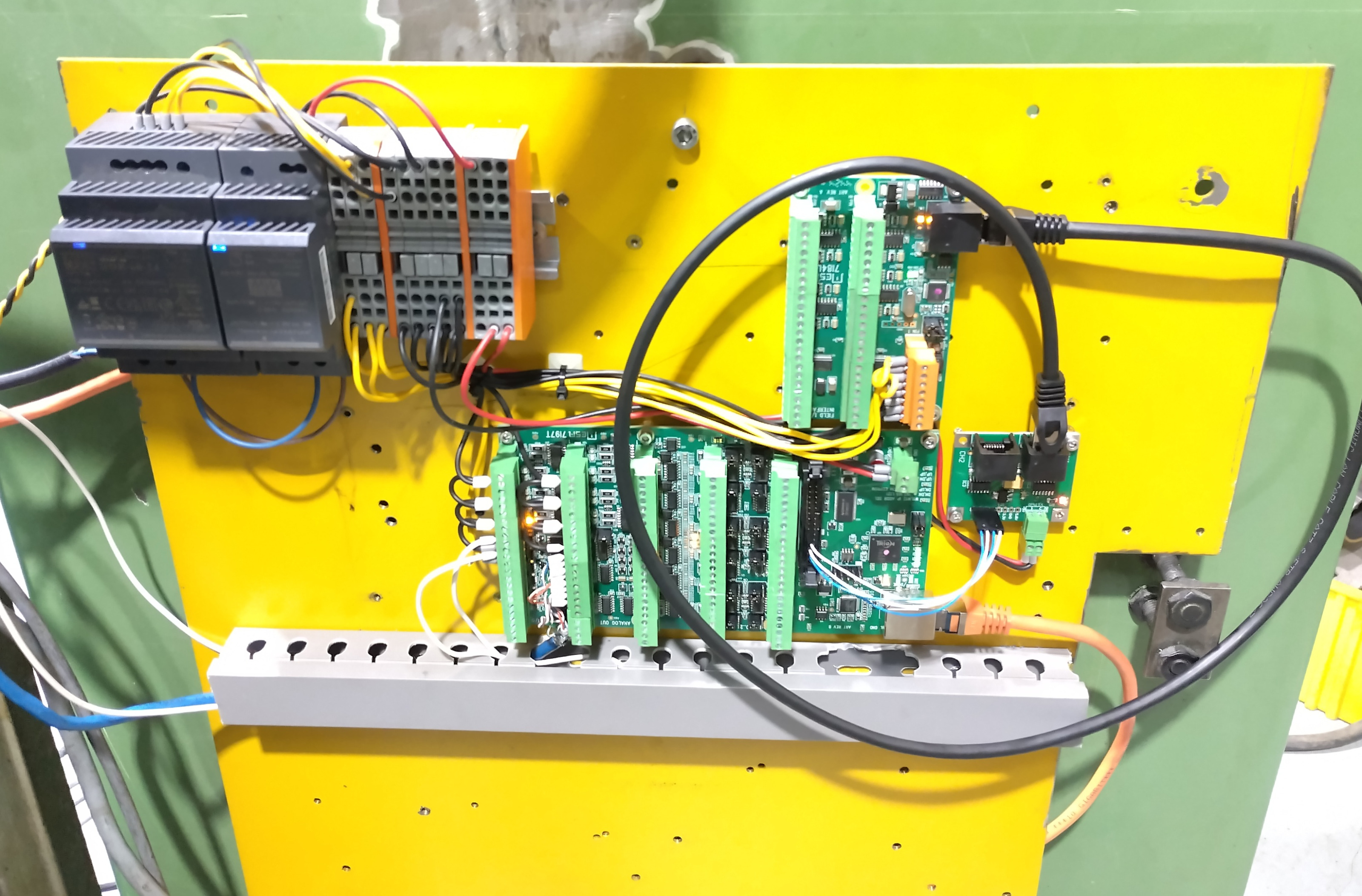
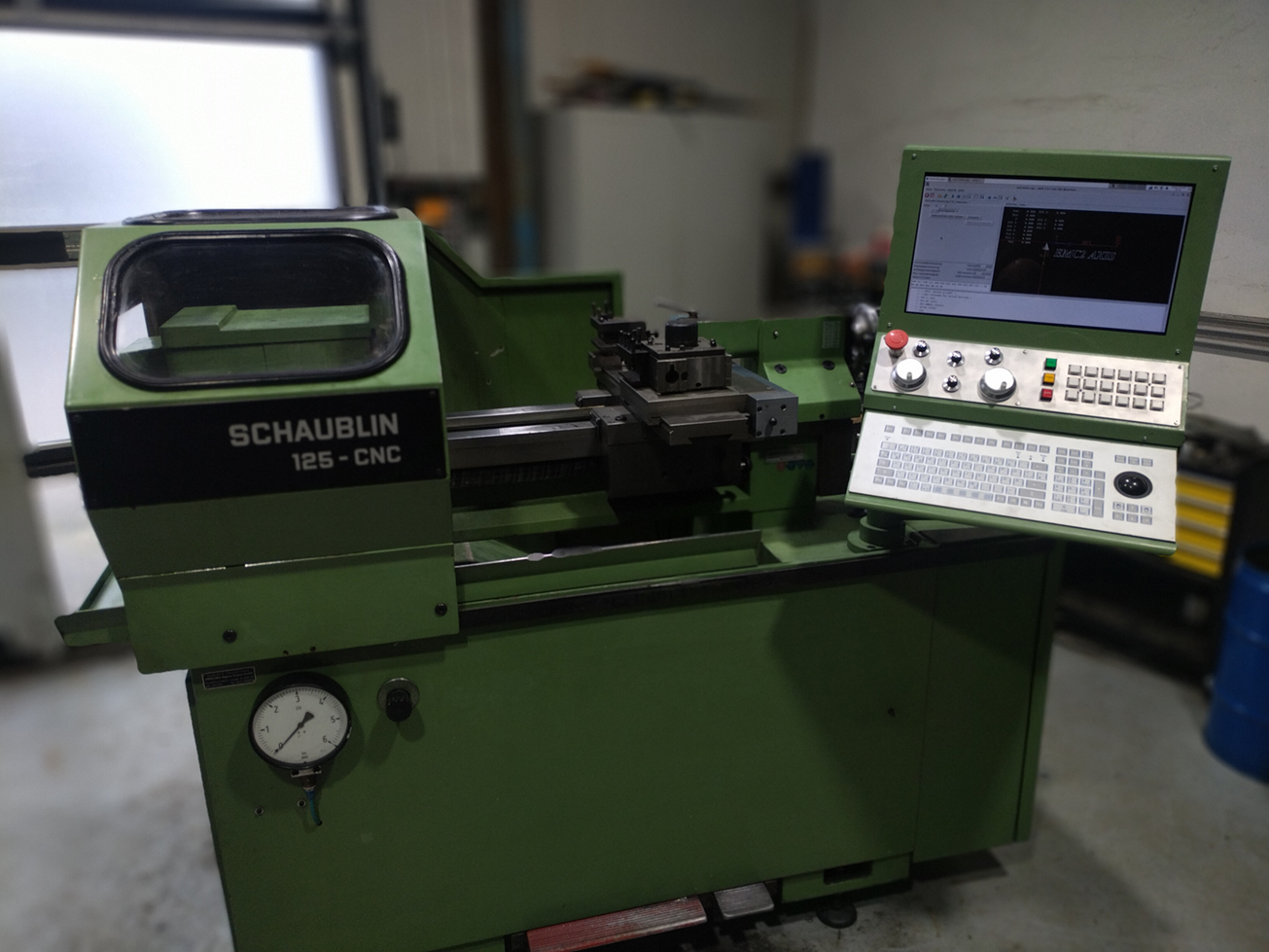
Hi, I have a bit of an update: I have the SSboard from Talla83 assembled and running now. (Thanks Mark for sending parts for that.)
The 7i97T works fine, and the setup is much cleaner now.
I also have the control panel and all the stuff in it connected to the 7i73. It’s not really used in the HAL yet, but according to HAL Show everything seems fine. And I have a basic E-stop chain running.So I think there is not a lot stopping me from starting to connect the axis driver and spindle. So hopefully there will be some movement in the near future.
The 7i97T works fine, and the setup is much cleaner now.
I also have the control panel and all the stuff in it connected to the 7i73. It’s not really used in the HAL yet, but according to HAL Show everything seems fine. And I have a basic E-stop chain running.So I think there is not a lot stopping me from starting to connect the axis driver and spindle. So hopefully there will be some movement in the near future.
The following user(s) said Thank You: tommylight
Please Log in or Create an account to join the conversation.
- Dudelbert
- Offline
- Senior Member
-
Less
More
- Posts: 79
- Thank you received: 20
05 Apr 2026 16:04 - 05 Apr 2026 16:05 #345202
by Dudelbert
Replied by Dudelbert on topic Considering a Full Rewire on a Working Schaublin 125 CNC
Hi,
I did manage to get the first chips today.
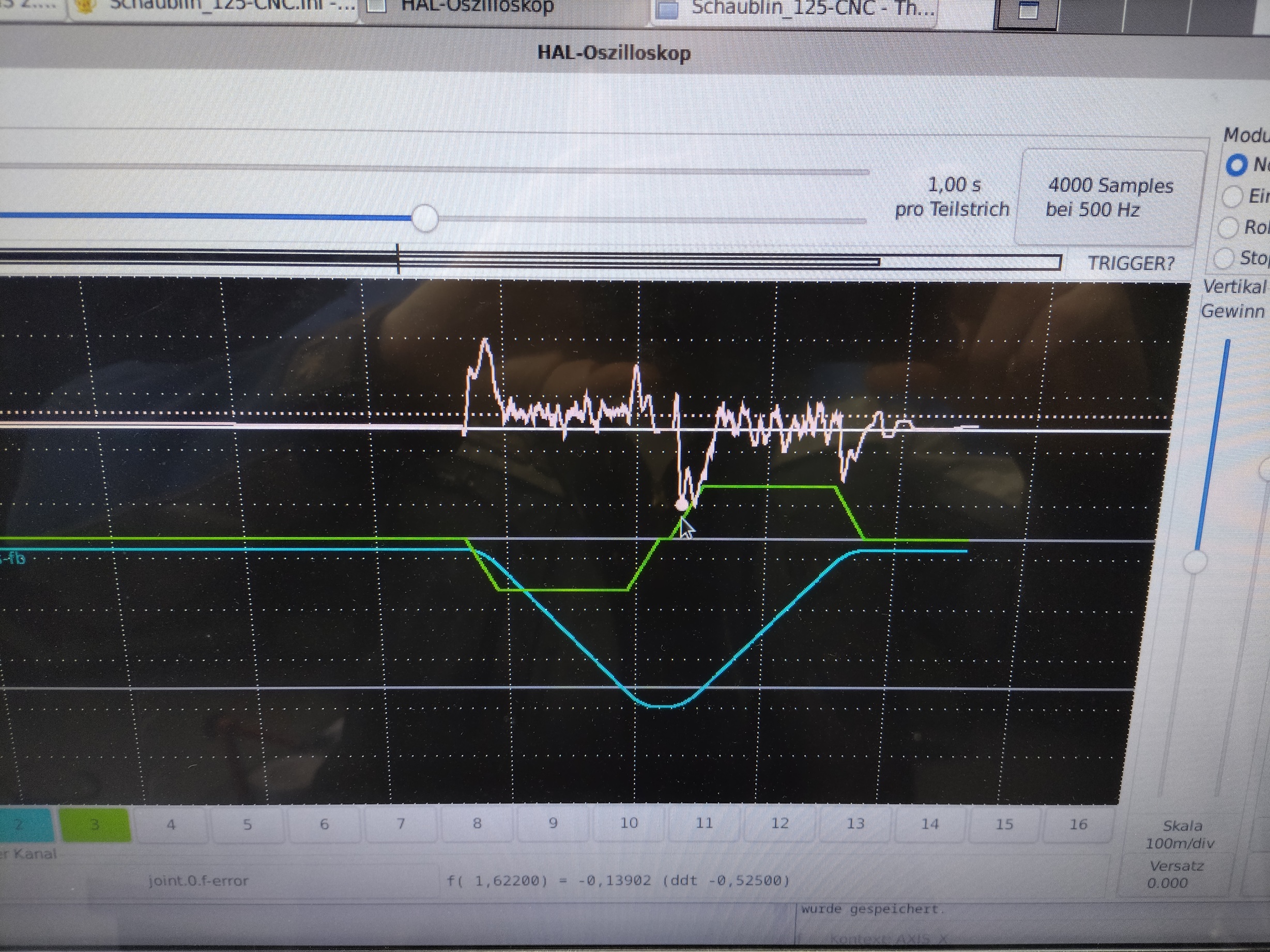
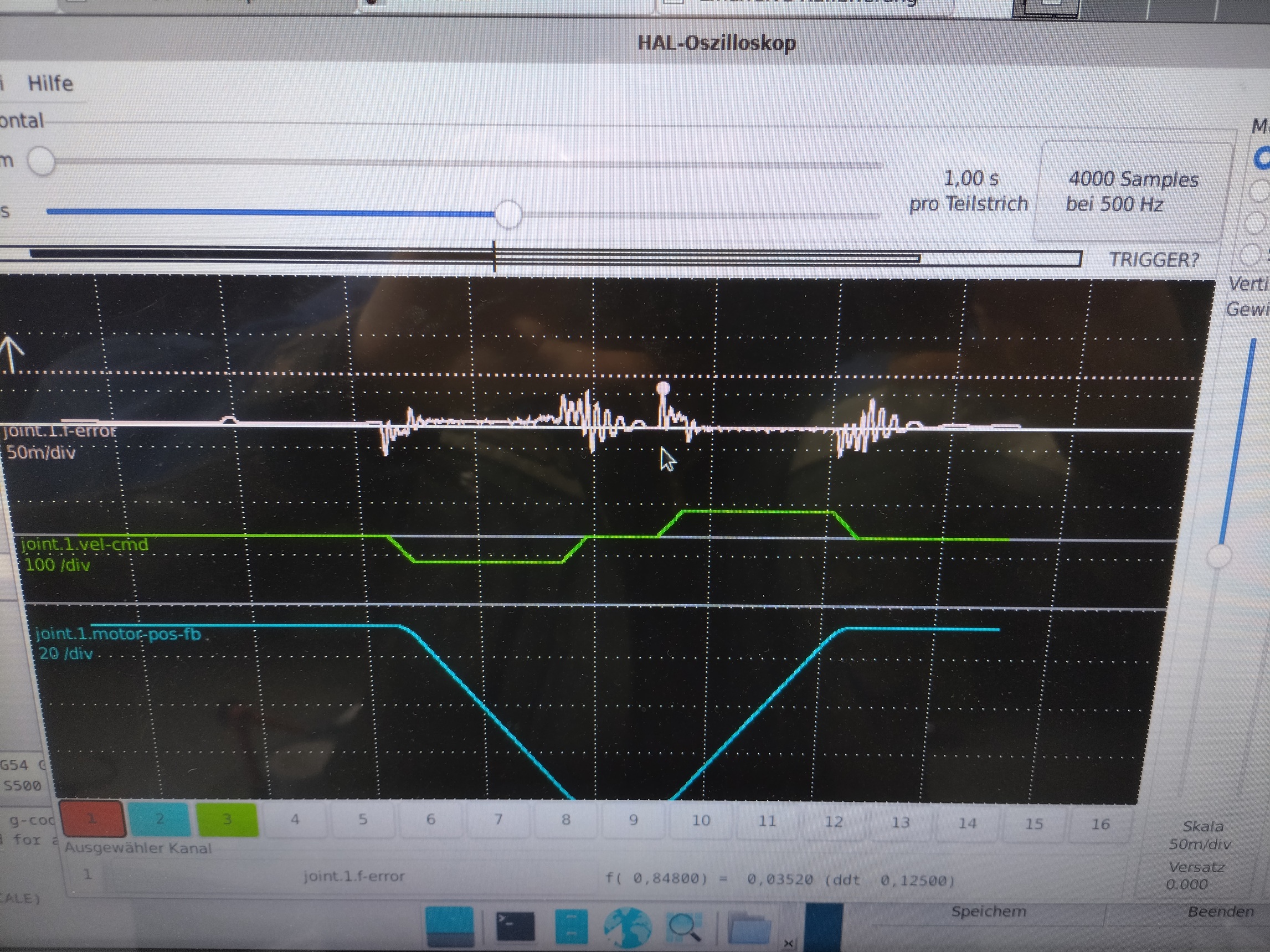
Tuning on the Z axis looks actually fine. On X I still have a bit more work to do, but for now it is fine.
I almost managed to kill my spindle motor. I’m still not fully understanding the function of these Dahlander motors. I had 1U, 1V, 1W and 2U, 2V, 2W switched around and thought that these would be equivalent, and still looking at the diagram on Wikipedia for example, it looks to me as if it should be. I assume it has to do with the winding direction of the separate phases.
The motor was slow and heated up significantly. I hope it has not permanently damaged the motor. Now, having it connected correctly, it sounds really nice and quieter than I would expect.
The picture of the part looks a little bit nicer in person, and the feed and speed were just by ear.Now I will try getting the variator to be used as well. Let’s see how that will go.
I did manage to get the first chips today.
Tuning on the Z axis looks actually fine. On X I still have a bit more work to do, but for now it is fine.
I almost managed to kill my spindle motor. I’m still not fully understanding the function of these Dahlander motors. I had 1U, 1V, 1W and 2U, 2V, 2W switched around and thought that these would be equivalent, and still looking at the diagram on Wikipedia for example, it looks to me as if it should be. I assume it has to do with the winding direction of the separate phases.
The motor was slow and heated up significantly. I hope it has not permanently damaged the motor. Now, having it connected correctly, it sounds really nice and quieter than I would expect.
The picture of the part looks a little bit nicer in person, and the feed and speed were just by ear.Now I will try getting the variator to be used as well. Let’s see how that will go.
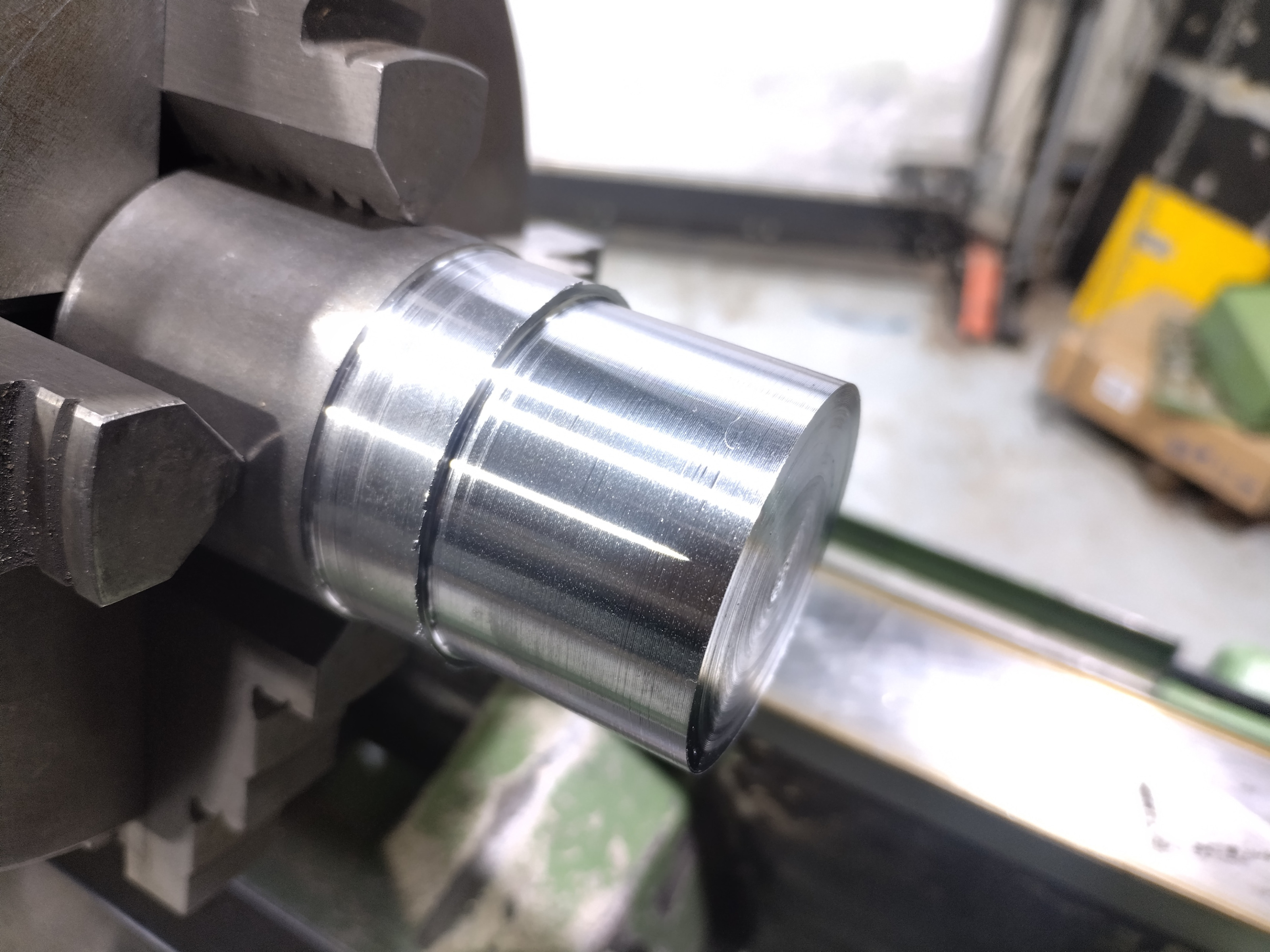
Last edit: 05 Apr 2026 16:05 by Dudelbert.
Please Log in or Create an account to join the conversation.
- reboots
- Offline
- New Member
-

Less
More
- Posts: 8
- Thank you received: 3
05 Apr 2026 16:23 #345203
by reboots
Replied by reboots on topic Considering a Full Rewire on a Working Schaublin 125 CNC
It sounds like you've got it figured out, but this page was helpful for wiring the Dahlander motor in my Deckel mill:
electronics.stackexchange.com/questions/...ings-troubleshooting
Essentially for low speed, 1U, 1V, 1W are powered while 2U, 2V, 2W are left unconnected. For high speed, 2U, 2V, 2W are powered while 1U, 1V, 1W are shorted together.
Apologies if this was covered earlier in the thread.
electronics.stackexchange.com/questions/...ings-troubleshooting
Essentially for low speed, 1U, 1V, 1W are powered while 2U, 2V, 2W are left unconnected. For high speed, 2U, 2V, 2W are powered while 1U, 1V, 1W are shorted together.
Apologies if this was covered earlier in the thread.
The following user(s) said Thank You: Dudelbert
Please Log in or Create an account to join the conversation.
- Dudelbert
- Offline
- Senior Member
-
Less
More
- Posts: 79
- Thank you received: 20
06 Apr 2026 15:29 - 06 Apr 2026 15:33 #345228
by Dudelbert
Replied by Dudelbert on topic Considering a Full Rewire on a Working Schaublin 125 CNC
Today I worked on the variator.
I think I have a nice way to automate it.
The variator is set by an AC motor and has end stops at its extremes, but no way to know the current gear ratio. I have the hardware set up so the two contactors for “Go Faster” and “Go Slower” cannot be on at the same time, and they cannot be active while the corresponding end stop is triggered.
I use one of the analog outputs of the VFD to get the VFD frequency into the 7i84.
My basic idea is to use the variator to try holding the frequency of the spindle motor close to 50 Hz. The spindle PID would not be aware of this, I mean it would see the result, but the variator control and spindle PID are separate systems.
I have trouble getting the spindle PID stable even without introducing this extra error. If anyone has a rule of thumb on how to tune a spindle, I would be all ears. But I wanted to try the variator stuff anyway.
And I think it is working. I built a simple bang-bang controller, setting faster if the frequency is under a threshold and slower if it is over another. Both are reset when they cross over 50 Hz. This seems to work fine.
With how unstable the PID is at the moment, this does not really find its sweet spot, but I think the concept is sound.
I attached my current HAL and INI. This is mostly gathered from various examples. If you find any mistakes or inaccuracies that may bite me later, I would be happy about critique. The variator stuff is at the end of the custom.hal.
Thanks for reading, and happy Easter to you all.
I think I have a nice way to automate it.
The variator is set by an AC motor and has end stops at its extremes, but no way to know the current gear ratio. I have the hardware set up so the two contactors for “Go Faster” and “Go Slower” cannot be on at the same time, and they cannot be active while the corresponding end stop is triggered.
I use one of the analog outputs of the VFD to get the VFD frequency into the 7i84.
My basic idea is to use the variator to try holding the frequency of the spindle motor close to 50 Hz. The spindle PID would not be aware of this, I mean it would see the result, but the variator control and spindle PID are separate systems.
I have trouble getting the spindle PID stable even without introducing this extra error. If anyone has a rule of thumb on how to tune a spindle, I would be all ears. But I wanted to try the variator stuff anyway.
And I think it is working. I built a simple bang-bang controller, setting faster if the frequency is under a threshold and slower if it is over another. Both are reset when they cross over 50 Hz. This seems to work fine.
With how unstable the PID is at the moment, this does not really find its sweet spot, but I think the concept is sound.
I attached my current HAL and INI. This is mostly gathered from various examples. If you find any mistakes or inaccuracies that may bite me later, I would be happy about critique. The variator stuff is at the end of the custom.hal.
Thanks for reading, and happy Easter to you all.
Last edit: 06 Apr 2026 15:33 by Dudelbert.
The following user(s) said Thank You: RotarySMP
Please Log in or Create an account to join the conversation.
- RotarySMP
-
- Offline
- Platinum Member
-
Less
More
- Posts: 1635
- Thank you received: 595
06 Apr 2026 17:27 #345238
by RotarySMP
Replied by RotarySMP on topic Considering a Full Rewire on a Working Schaublin 125 CNC
I am working on a similar solution, but want to do it as a comp, since I got my comp for the turret working this weekend.
Gear ratio can be inferred from spindle speed / commanded voltage, corrected to frequency, corrected to RPM. (You are a step ahead of me there, with your vfd frequency out put).
I expect we will need a constantly changing set of PID settings, as the inertia varies over the entire speed range.
I always wondered whether the back gear can change gear with the spindle running, but it would be pretty pointless, given the huge 6.5:1 spindle speed change, so I will only trigger it stationary.
Cheers,
Mark
Gear ratio can be inferred from spindle speed / commanded voltage, corrected to frequency, corrected to RPM. (You are a step ahead of me there, with your vfd frequency out put).
I expect we will need a constantly changing set of PID settings, as the inertia varies over the entire speed range.
I always wondered whether the back gear can change gear with the spindle running, but it would be pretty pointless, given the huge 6.5:1 spindle speed change, so I will only trigger it stationary.
Cheers,
Mark
Please Log in or Create an account to join the conversation.
- Dudelbert
- Offline
- Senior Member
-
Less
More
- Posts: 79
- Thank you received: 20
06 Apr 2026 17:51 #345240
by Dudelbert
Replied by Dudelbert on topic Considering a Full Rewire on a Working Schaublin 125 CNC
Good to hear that you managed to get your toolchanger working.
I would hope that the PID settings can be constant. I did think that the error term can be scaled.
We know the state of the backgear and the output (spindle encoder). With the analog output, we can have at least a good estimate of the motor RPM. So back-calculating the ratio of the variator should be possible, at least to a degree.
If we scale the error term with the overall transmission ratio and tune the PID at that state, it should give reasonably good behavior over the whole range, wouldn’t it? I am not sure of this. Doing this would give a wonky error at startup (estimating the variator would take a few rotations, I think), but it should be fine before the spindle is fully started up, I think.
But I may have an error in my thinking. Control theory is not my strong suit.
I would hope that the PID settings can be constant. I did think that the error term can be scaled.
We know the state of the backgear and the output (spindle encoder). With the analog output, we can have at least a good estimate of the motor RPM. So back-calculating the ratio of the variator should be possible, at least to a degree.
If we scale the error term with the overall transmission ratio and tune the PID at that state, it should give reasonably good behavior over the whole range, wouldn’t it? I am not sure of this. Doing this would give a wonky error at startup (estimating the variator would take a few rotations, I think), but it should be fine before the spindle is fully started up, I think.
But I may have an error in my thinking. Control theory is not my strong suit.
Please Log in or Create an account to join the conversation.
Moderators: piasdom
Time to create page: 0.163 seconds