
Testers wanted: LinuxCNC on Dynomotion KFLOP and Kogna
- Dynomotion
-
 Topic Author
- Away
- New Member
-

Less
More
- Posts: 4
- Thank you received: 4
22 Oct 2026 11:27 #350411
by Dynomotion
Testers wanted: LinuxCNC on Dynomotion KFLOP and Kogna was created by Dynomotion
Hi everyone,
We're looking for testers for a new LinuxCNC interface to Dynomotion's KFLOP (USB) and Kogna (Ethernet) motion controllers.
LinuxCNC's G-code interpreter and user interfaces (AXIS, gmoccapy) drive our third-order, jerk-limited trajectory planner (TP3), with velocity, acceleration and jerk limits per axis or per actuator. Motion execution and servo control run on the controller, so the PC needs no realtime kernel. It installs as its own LinuxCNC build in your home folder, beside any LinuxCNC you already have: LinuxCNC 2.10 built from source with four small patches, its realtime motion module replaced by a userspace one that talks to the controller. Initialization and machine functions are C programs on the controller, and a simulation mode runs without hardware.
Demo, LinuxCNC in Debian inside VirtualBox on a Windows PC:
(Please set quality to 1080p for better viewing)
Getting started: the QuickStart covers the VM, the install, the controller firmware and the first runs; on a Debian 13 PC the same install script should do it without the VM. The source is TomKerekes/KMotionX on GitHub , and FEATURES.md lists what works and what does not yet.
This is under development, and we would like to hear how it does on different machines and configurations. Please post in this thread, successes as well as problems: which controller, what you were doing, any error messages and the relevant configuration files, and install.log for installation problems.
Thanks for helping us test it!
Tom Kerekes
Dynomotion, Inc.
We're looking for testers for a new LinuxCNC interface to Dynomotion's KFLOP (USB) and Kogna (Ethernet) motion controllers.
LinuxCNC's G-code interpreter and user interfaces (AXIS, gmoccapy) drive our third-order, jerk-limited trajectory planner (TP3), with velocity, acceleration and jerk limits per axis or per actuator. Motion execution and servo control run on the controller, so the PC needs no realtime kernel. It installs as its own LinuxCNC build in your home folder, beside any LinuxCNC you already have: LinuxCNC 2.10 built from source with four small patches, its realtime motion module replaced by a userspace one that talks to the controller. Initialization and machine functions are C programs on the controller, and a simulation mode runs without hardware.
Demo, LinuxCNC in Debian inside VirtualBox on a Windows PC:
(Please set quality to 1080p for better viewing)
Getting started: the QuickStart covers the VM, the install, the controller firmware and the first runs; on a Debian 13 PC the same install script should do it without the VM. The source is TomKerekes/KMotionX on GitHub , and FEATURES.md lists what works and what does not yet.
This is under development, and we would like to hear how it does on different machines and configurations. Please post in this thread, successes as well as problems: which controller, what you were doing, any error messages and the relevant configuration files, and install.log for installation problems.
Thanks for helping us test it!
Tom Kerekes
Dynomotion, Inc.
The following user(s) said Thank You: tommylight, COFHAL
Please Log in or Create an account to join the conversation.
- Dynomotion
-
Topic Author
- Away
- New Member
-
Less
More
- Posts: 4
- Thank you received: 4
11 Nov 2026 10:43 - 11 Nov 2026 11:07 #350610
by Dynomotion
Replied by Dynomotion on topic Testers wanted: LinuxCNC on Dynomotion KFLOP and Kogna
For existing Dynomotion KMotionCNC Users there is now a migration tool that can mostly convert a KMotionCNC configuration into a LinuxCNC configuration.
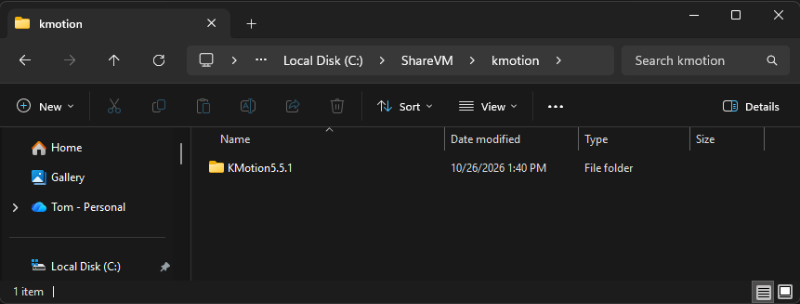
The Debian VB has a shared folder with Windows. Copy your KMotion installation to that folder. If your configuration references files outside of the installation folder copy those folders also. It is normally C:\ShareVM\kmotion
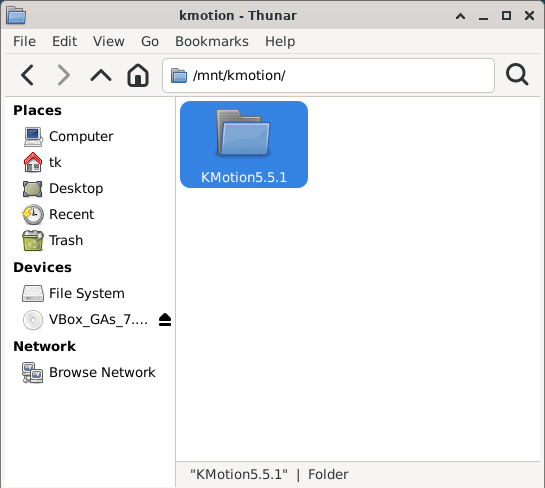
In Linux it is normally /mnt/kmotion
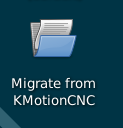
There is a desktop icon in Linux for the migration tool
Run the migration tool and it should find the configuration to convert. If there is more than one found it will ask you to choose. It wlll also ask for a name for the configuration. Here we entered TK
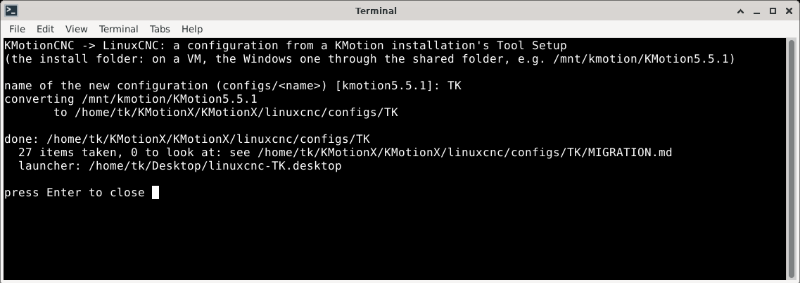
In this case the LinuxCNC Configuration is placed at /home/tk/KMotionX/KMotionX/linuxcnc/configs/TK/
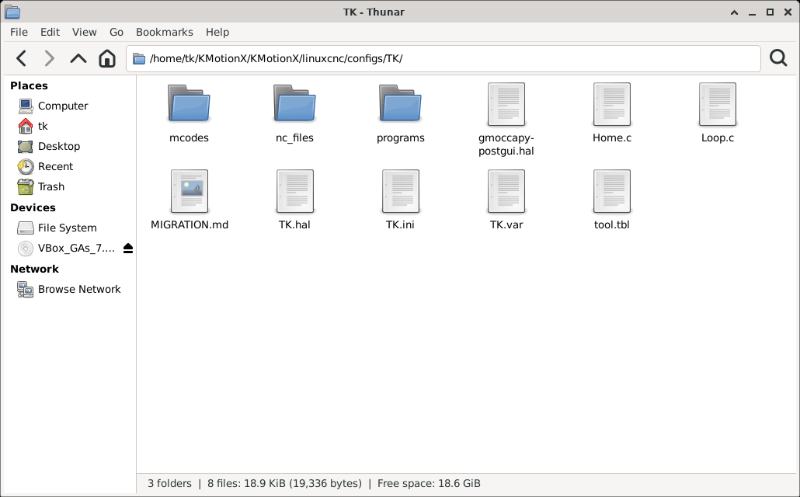
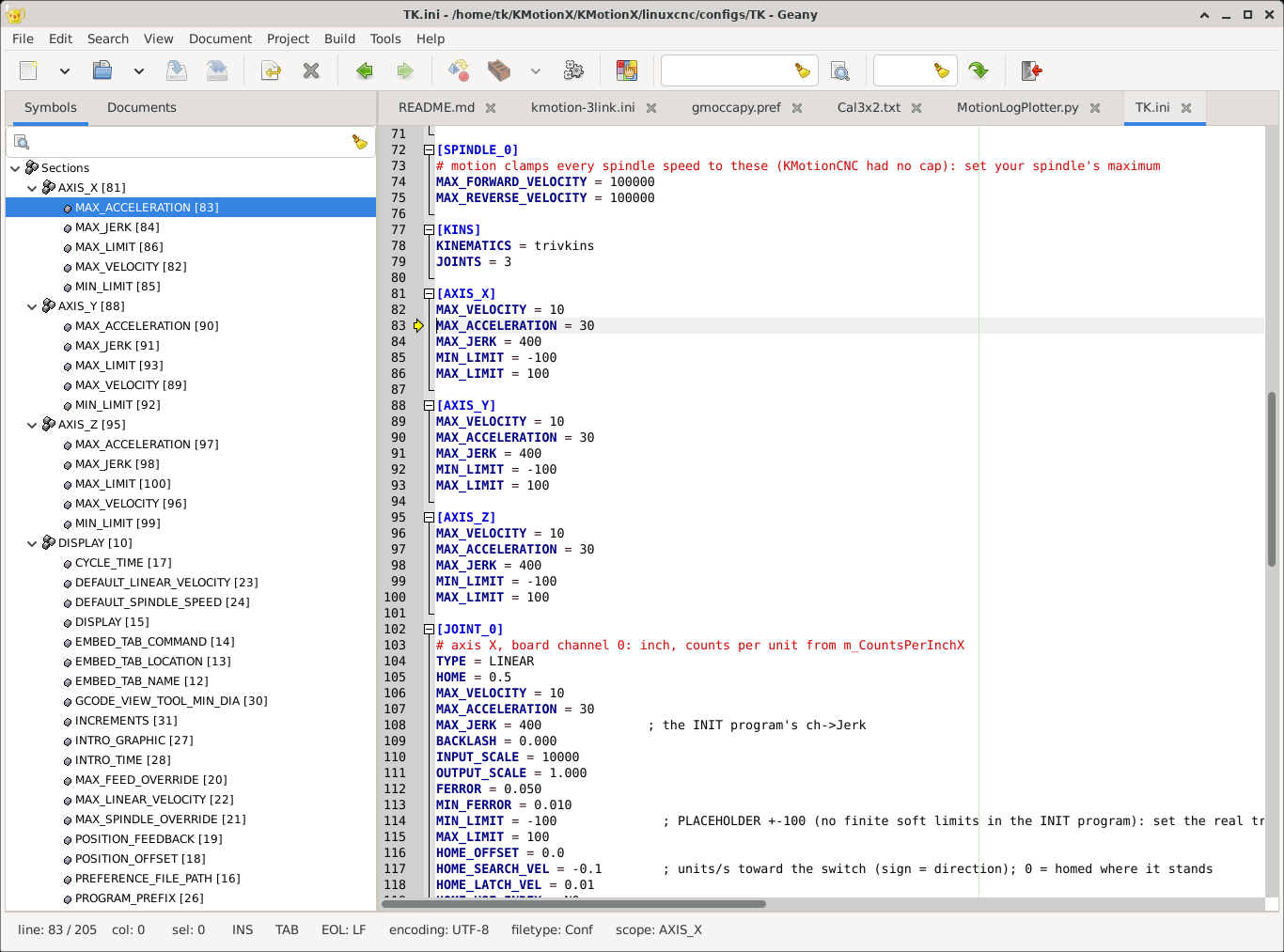
Note that the KMotionCNC settings such as X Acceleration has been migrated into the ini file
A Desktop Icon will be created to run LinuxCNC with the new Configuration
See Video (Set Quality for 1080p or higher for best viewing)
The Debian VB has a shared folder with Windows. Copy your KMotion installation to that folder. If your configuration references files outside of the installation folder copy those folders also. It is normally C:\ShareVM\kmotion
In Linux it is normally /mnt/kmotion
There is a desktop icon in Linux for the migration tool
Run the migration tool and it should find the configuration to convert. If there is more than one found it will ask you to choose. It wlll also ask for a name for the configuration. Here we entered TK
In this case the LinuxCNC Configuration is placed at /home/tk/KMotionX/KMotionX/linuxcnc/configs/TK/
Note that the KMotionCNC settings such as X Acceleration has been migrated into the ini file
A Desktop Icon will be created to run LinuxCNC with the new Configuration
See Video (Set Quality for 1080p or higher for best viewing)
Attachments:
Last edit: 11 Nov 2026 11:07 by Dynomotion. Reason: Wrong image
The following user(s) said Thank You: tommylight
Please Log in or Create an account to join the conversation.
- Dynomotion
-
Topic Author
- Away
- New Member
-
Less
More
- Posts: 4
- Thank you received: 4
11 Nov 2026 11:17 - 11 Nov 2026 12:11 #350612
by Dynomotion
Replied by Dynomotion on topic Testers wanted: LinuxCNC on Dynomotion KFLOP and Kogna
LinuxCNC on KMotion from a USB stick
A ready-made Debian 13 system with LinuxCNC, the KMotion motion module, the KMotion tool and KMotionXCNC already installed. Start a PC from the stick and it runs: nothing is installed on the PC and its disk is not touched. The stick can keep your settings and machine configuration from one start to the next, and the same stick can install the system onto the PC's disk if you decide to.
For a KFLOP (USB) or a Kogna (Ethernet). No real-time kernel is needed: the board does the real time.
What you need
A ready-made Debian 13 system with LinuxCNC, the KMotion motion module, the KMotion tool and KMotionXCNC already installed. Start a PC from the stick and it runs: nothing is installed on the PC and its disk is not touched. The stick can keep your settings and machine configuration from one start to the next, and the same stick can install the system onto the PC's disk if you decide to.
For a KFLOP (USB) or a Kogna (Ethernet). No real-time kernel is needed: the board does the real time.
What you need
- A 64-bit PC (Intel or AMD) with 4 GB of memory or more; 8 GB is comfortable.
- USB stick: 8 GB runs it; 16 GB or more to keep changes (32 GB if you will also update the software on it). A USB 3 stick in a USB 3 port makes a large difference in speed.
- The image, about 4.5 GB:
dynomotion.com/Software/LinuxCNC/
(kmotion-linuxcnc-<date>.iso and kmotion-linuxcnc-<date>.iso.sha256 beside it).
Full Instructions here
Last edit: 11 Nov 2026 12:11 by Dynomotion. Reason: fix link
Please Log in or Create an account to join the conversation.
- Dynomotion
-
Topic Author
- Away
- New Member
-
Less
More
- Posts: 4
- Thank you received: 4
14 Nov 2026 16:46 #350696
by Dynomotion
Replied by Dynomotion on topic Testers wanted: LinuxCNC on Dynomotion KFLOP and Kogna
Carl (long time Dynomotion User and retrofitter)'s 5x5 dual spindle router
The following user(s) said Thank You: tommylight
Please Log in or Create an account to join the conversation.
Moderators: PCW, jmelson
Time to create page: 0.211 seconds