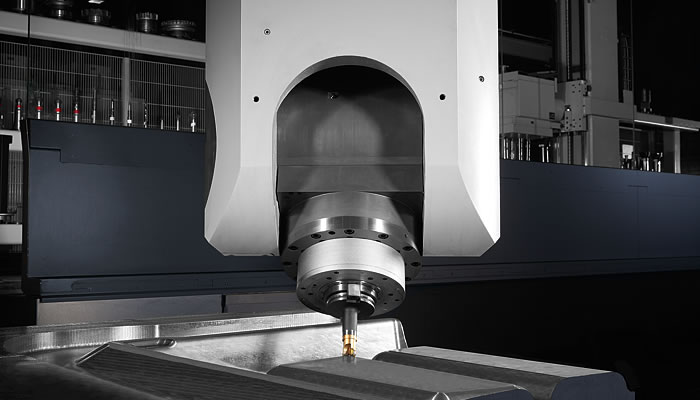
Looking at the 5axis.ini in the bridgemill config should give some information as to what is required:
Code:
[EMC]
VERSION = 1.1
MACHINE = Sim-5Axis Bridge Mill (xyzbcw)
DEBUG = 0
[DISPLAY]
GEOMETRY = XYZCBW
OPEN_FILE = ./5axisgui.ngc
INCREMENTS = 10 mm, 1 mm, .1 mm
JOG_AXES = XYZC
GEOMETRY = XYZCBW
DISPLAY = axis
CYCLE_TIME = 0.200
POSITION_OFFSET = RELATIVE
POSITION_FEEDBACK = ACTUAL
MAX_FEED_OVERRIDE = 2.0
PROGRAM_PREFIX = ../../nc_files/
INTRO_GRAPHIC = linuxcnc.gif
INTRO_TIME = 5
TOOL_EDITOR = tooledit z diam
#EDITOR = gedit
PYVCP = 5axis.xml
[RS274NGC]
SUBROUTINE_PATH = ./remap_subs
HAL_PIN_VARS = 1
REMAP = M428 modalgroup=10 ngc=428remap
REMAP = M429 modalgroup=10 ngc=429remap
REMAP = M430 modalgroup=10 ngc=430remap
PARAMETER_FILE = 5axis.var
[EMCMOT]
EMCMOT = motmod
COMM_TIMEOUT = 1.0
SERVO_PERIOD = 1000000
[TASK]
TASK = milltask
CYCLE_TIME = 0.010
[HAL]
HALUI = halui
HALFILE = LIB:basic_sim.tcl
HALFILE = 5axisgui.hal
HALCMD = net :kinstype-select <= motion.analog-out-03 => motion.switchkins-type
POSTGUI_HALFILE = 5axis_postgui.hal
[HALUI]
# M428:bridgemill (kinstype==0 startupDEFAULT)
# M429:identity kins (kinstype==1)
# M430:userk kins (kinstype==2)
MDI_COMMAND = M428
MDI_COMMAND = M429
MDI_COMMAND = M430
[TRAJ]
COORDINATES = XYZBCWY
LINEAR_UNITS = mm
ANGULAR_UNITS = degree
MAX_ANGULAR_VELOCITY = 360.0
DEFAULT_LINEAR_VELOCITY = 200.0
MAX_LINEAR_VELOCITY = 346.0
MAX_LINEAR_ACCELERATION = 800.0
DEFAULT_LINEAR_ACCELERATION = 800.0
MAX_ANGULAR_VELOCITY = 360
[EMCIO]
EMCIO = io
CYCLE_TIME = 0.100
TOOL_TABLE = 5axis.tbl
[KINS]
# Note: Supported coordinates are XYZBCW but the W coordinate
# motion is incorporated into the X,Y,Z axes.
# Use of the W coordinate requires a joint (5)
# in order to allow display of W values.
# Use immediate homing for this joint (JOINT_5)
# Note: 5axiskins is misnomer
# (xyzbcw uses 6 joints)
# (xyzbcwy uses 7 joints)
# xyzbcw
# type0:5axiskins, type1:identity, type2:userk
# x:joint0,y:joint1,z:joint2,b:joint3,c:joint4,w:joint5
# JOINTS = 6
# KINEMATICS = 5axiskins
# illustraed below is complex example with duplicate
# coord letters for y, 7 joints total):
# type0:5axiskins, type1:identity, type2:userk
# x:joint0
# y:joint1 AND joint6
# z:joint2
# b:joint3
# c:joint4
# w:joint5
JOINTS = 7
KINEMATICS = 5axiskins coordinates=xyzbcwy
[AXIS_X]
MIN_LIMIT = -500
MAX_LIMIT = 500
MAX_VELOCITY = 200
MAX_ACCELERATION = 800
[AXIS_Y]
MIN_LIMIT = -500
MAX_LIMIT = 500
MAX_VELOCITY = 200
MAX_ACCELERATION = 800
[AXIS_Z]
MIN_LIMIT = -500
MAX_LIMIT = 100
MAX_VELOCITY = 200
MAX_ACCELERATION = 800
# B is one-to-one to JOINT_3
[AXIS_B]
MIN_LIMIT = -120
MAX_LIMIT = 120
MAX_VELOCITY = 60
MAX_ACCELERATION = 200
# C is one-to-one to JOINT_4
[AXIS_C]
MIN_LIMIT = -36000
MAX_LIMIT = 36000
MAX_VELOCITY = 60
MAX_ACCELERATION = 200
# W motion is incorporated in Z motion
# but a joint (JOINT_5) must be configured
# to support display of W values
[AXIS_W]
MIN_LIMIT = -100
MAX_LIMIT = 500
MAX_VELOCITY = 200
MAX_ACCELERATION = 800
[JOINT_0]
TYPE = LINEAR
MAX_VELOCITY = 200
MAX_ACCELERATION = 800
MIN_LIMIT = -500
MAX_LIMIT = 500
HOME_SEARCH_VEL = 0
HOME_SEQUENCE = 0
[JOINT_1]
TYPE = LINEAR
MAX_VELOCITY = 200
MAX_ACCELERATION = 800
MIN_LIMIT = -500
MAX_LIMIT = 500
HOME_SEARCH_VEL = 0
HOME_SEQUENCE = -1
# joints 1 and 6 used for y
[JOINT_6]
TYPE = LINEAR
MAX_VELOCITY = 200
MAX_ACCELERATION = 800
MIN_LIMIT = -500
MAX_LIMIT = 500
HOME_SEARCH_VEL = 0
HOME_SEQUENCE = -1
[JOINT_2]
TYPE = LINEAR
MAX_VELOCITY = 200
MAX_ACCELERATION = 800
MIN_LIMIT = -500
MAX_LIMIT = 100
HOME_SEARCH_VEL = 0
HOME_SEQUENCE = 0
[JOINT_3]
TYPE = ANGULAR
MAX_VELOCITY = 60
MAX_ACCELERATION = 200
MIN_LIMIT = -120
MAX_LIMIT = 120
HOME_SEARCH_VEL = 0
HOME_SEQUENCE = 0
[JOINT_4]
TYPE = ANGULAR
MAX_VELOCITY = 60
MAX_ACCELERATION = 200
MIN_LIMIT = -36000
MAX_LIMIT = 36000
HOME_SEARCH_VEL = 0
HOME_SEQUENCE = 0
# immediate homing for JOINT_5 (w coordinate)
[JOINT_5]
TYPE = LINEAR
MIN_LIMIT = -100
MAX_LIMIT = 500
MAX_VELOCITY = 200
MAX_ACCELERATION = 800
HOME_SEARCH_VEL = 0
HOME_SEQUENCE = 0
Looks like you will have to add the W axis to the config and use
KINEMATICS = 5axiskins coordinates=xyzbcwy
Note that the simulation config uses a gantry for Y so you might have to change
coordinates = xyzbcw
Do you already have a config for your machine? If so please post your ini files.