Neverending problems with Linux

More
2 years 7 months ago - 2 years 7 months ago #296126 by Mecanix
Ah. "Access to Everyone". Nice one. Always wondered why I never managed to get a windows share folder to ever work, neither prompt for creds. In my case I always needed to create that 'shared folder' on the linux hdd and use samba's 777 (fwiw I use a drive letter map to it in windows). Can be accessed both ends that way...

As if nobody has access (rolleyes) @windows
Last edit: 2 years 7 months ago by Mecanix.
The following user(s) said Thank You: denhen89

Please Log in or Create an account to join the conversation.

More
2 years 7 months ago - 2 years 7 months ago #296127 by denhen89
As i wrote earlier, "I did everything as in the tutorials" when it comes to the settings on the windows pc, and i am sure this step was not mentioned, otherwise i would have done it already. Good to know that i might help other to get it to work.
The last time i did such server things between 2 windows pc was about 20 years ago.
PS: in my case its only important to share files from the windows pc to the Linux pcs in my workshop, so it is perfect as it is right now.
I will go now down to my workshop and do the same thing on the lathe pc and then i check also how to have create a shortcut to that shared folder permanently, without typing the username+address everytime i want to access that folder. 
Last edit: 2 years 7 months ago by denhen89.

Please Log in or Create an account to join the conversation.
More
2 years 7 months ago #296129 by Mecanix
Yeah that samba 777 share method on the linux hdd side eradicate credentials (werks for a shortcut, mapped drive, whatever). Don't ask me how to get it done from the windows side... only the MS BitGod knows his shit.

Access to Everybody was a long mystery though, thanks for clearing that up.
The following user(s) said Thank You: denhen89

Please Log in or Create an account to join the conversation.

More
2 years 7 months ago #296131 by denhen89
Good to know that i could help also somehow:)
I just created a link/shortcut on my linux desktop, so i just need to click it and the shared folder opens up.

Once again, thank you guys, you helped me a lot.
Now i go to do the same for my Lathe pc.
Have a nice Sunday!
The following user(s) said Thank You: Mecanix

Please Log in or Create an account to join the conversation.

More
2 years 7 months ago - 2 years 7 months ago #296137 by denhen89
Okay it would be too nice. I have to have a problem on my lathe Linux pc.
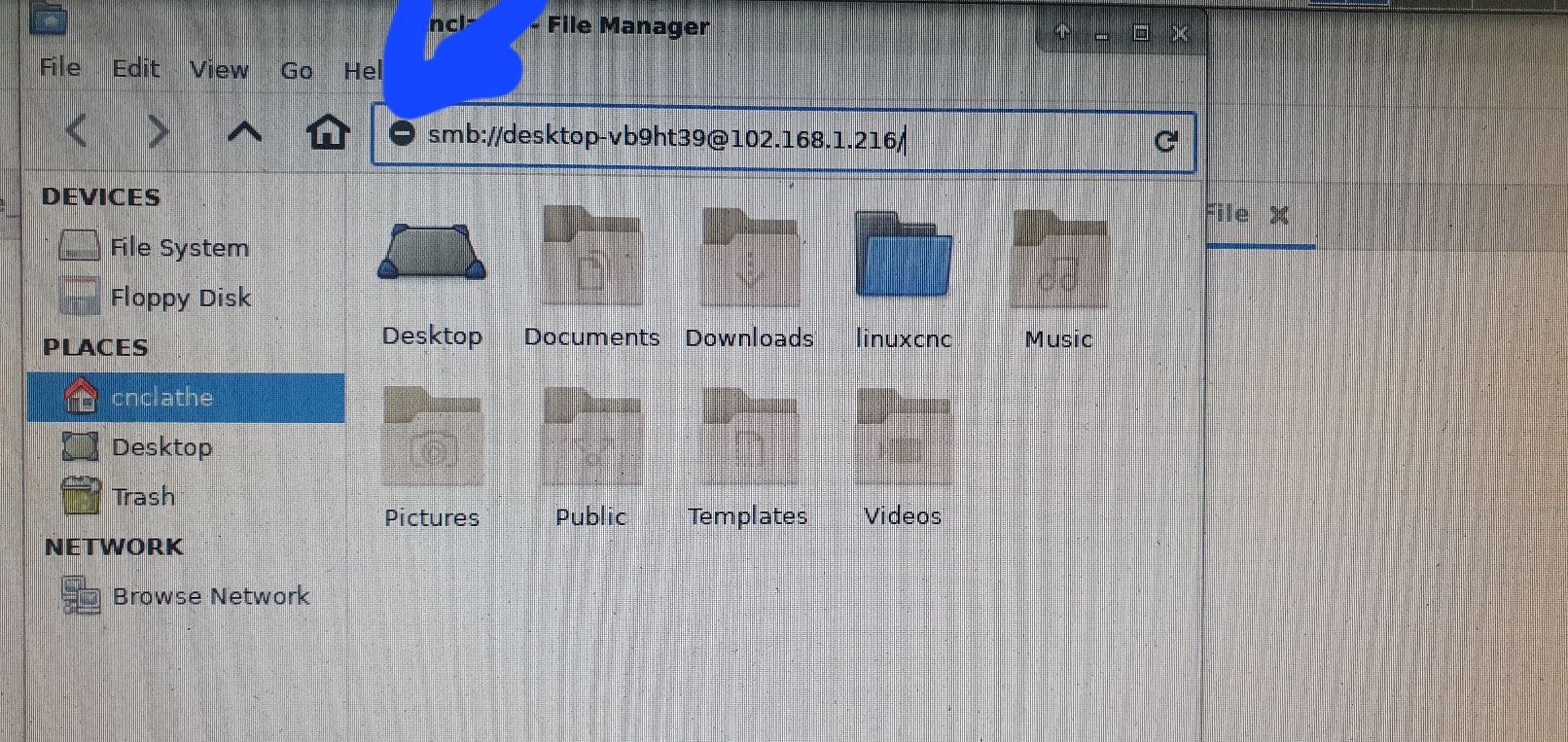
It seems that the thunar file manager cannot use links or so.
as soon as I enter smb: and // i get the icon that shows that the link is not allowed next to the link (with link I mean the windows username and ip)
I did already "sudo apt-get install samba" in the terminal.

update: I did this from here  superuser.com/questions/1645590/thunar-cannot-browse-network and now I can enter the link and I get the password pupop. I enter the correct password but shortly after

I get "Failed to open file system. Failed to  retrieve share list from server: no route to host"

I will continue, maybe I get it done somehow:)
Last edit: 2 years 7 months ago by denhen89.

Please Log in or Create an account to join the conversation.

More
2 years 7 months ago #296142 by denhen89
Everything is working now.
I had to unplug a couple of LAN cables and reorder them and i somehow managed to unplug the windows lan cable thinking it was a unused one.
Stupid mistake.
File sharing is working and i am super happy.
Thanks and nice sunday, once more.

Please Log in or Create an account to join the conversation.

Time to create page: 0.181 seconds
Powered by Kunena Forum
