- Posts: 25
- Thank you received: 0

user@linuxcnc:~$ sudo cat /proc/ioports | grep parportlspci -v
sudo cat /proc/ioports | grep parport
ls /dev/parport*
these commands
Please Log in or Create an account to join the conversation.

It seems you don't have a parallel port at all.
lspci -v
sudo cat /proc/ioports | grep parport
ls /dev/parport*
these commands
user@linuxcnc:~$ sudo cat /proc/ioports | grep parport
[sudo] password for user:
Sorry, try again.
[sudo] password for user:
user@linuxcnc:~$ ls /dev/parport*
ls: cannot access '/dev/parport*': No such file or directory
This is what i get after enter the password, nothing happen
Please Log in or Create an account to join the conversation.
I have a old PC donated by school and I have a parallel port connected to PC with a USB adapter. Since this PC doesnt have a parallel port connection.
lspci -v
sudo cat /proc/ioports | grep parport
ls /dev/parport*
these commands
user@linuxcnc:~$ sudo cat /proc/ioports | grep parport
[sudo] password for user:
Sorry, try again.
[sudo] password for user:
user@linuxcnc:~$ ls /dev/parport*
ls: cannot access '/dev/parport*': No such file or directory
This is what i get after enter the password, nothing happen
It seems you don't have a parallel port at all.
Are you using an old computer with onboard parallel port or did you have to add a PCI card?
Please Log in or Create an account to join the conversation.
and I did try using the parallel port tester but i got this
lspci -v
sudo cat /proc/ioports | grep parport
ls /dev/parport*
these commands
user@linuxcnc:~$ sudo cat /proc/ioports | grep parport
[sudo] password for user:
Sorry, try again.
[sudo] password for user:
user@linuxcnc:~$ ls /dev/parport*
ls: cannot access '/dev/parport*': No such file or directory
This is what i get after enter the password, nothing happen
It seems you don't have a parallel port at all.
Are you using an old computer with onboard parallel port or a new computer with PCI card?
Please Log in or Create an account to join the conversation.
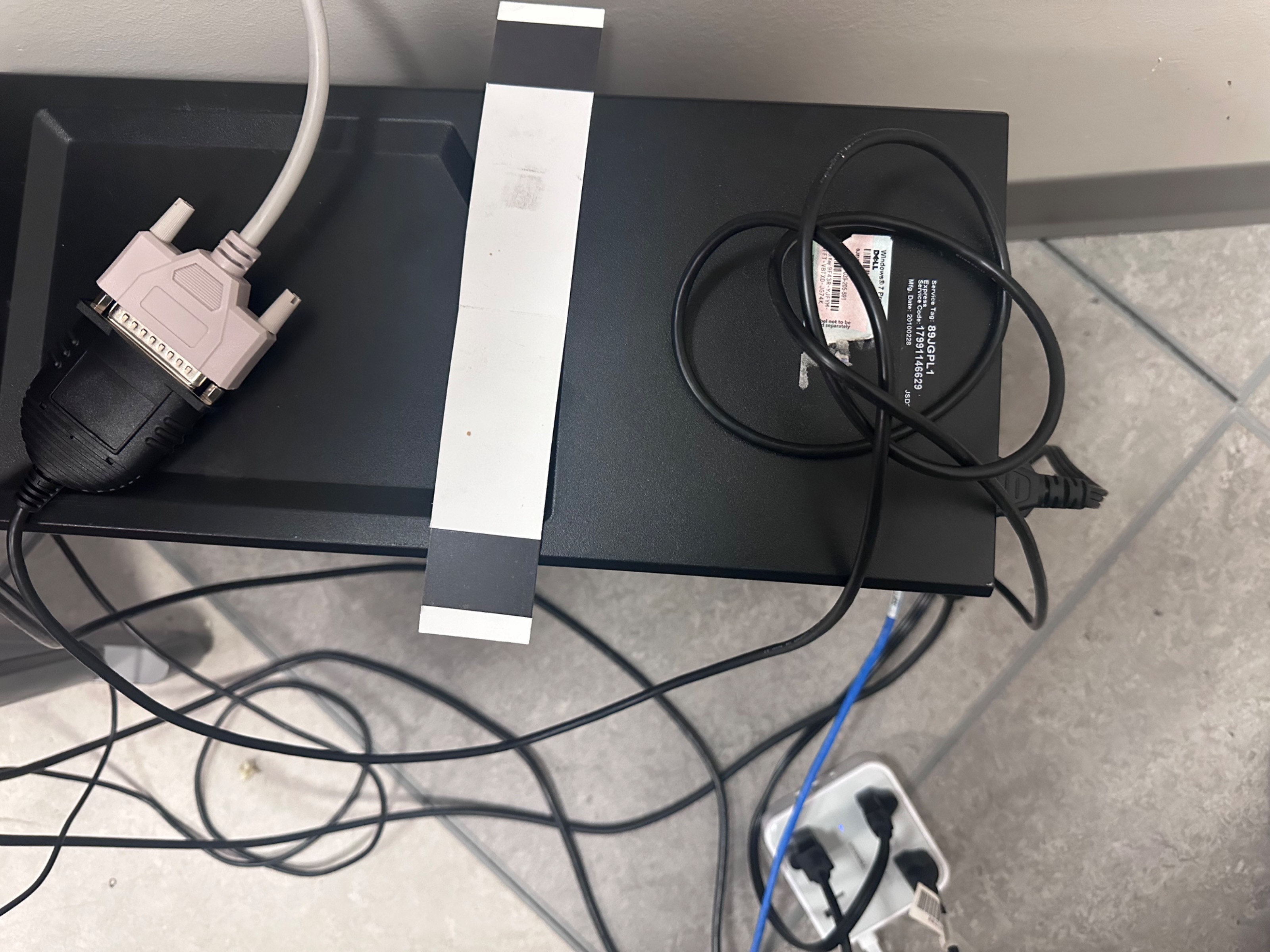
This is the connection. Parallel port from bob, port to usb adapter, adapter to pc
lspci -v
sudo cat /proc/ioports | grep parport
ls /dev/parport*
these commands
user@linuxcnc:~$ sudo cat /proc/ioports | grep parport
[sudo] password for user:
Sorry, try again.
[sudo] password for user:
user@linuxcnc:~$ ls /dev/parport*
ls: cannot access '/dev/parport*': No such file or directory
This is what i get after enter the password, nothing happen
It seems you don't have a parallel port at all.
Are you using an old computer with onboard parallel port or did you have to add a PCI card?
I have a old PC donated by school and I have a parallel port connected to PC with a USB adapter. Since this PC doesnt have a parallel port connection.
Please Log in or Create an account to join the conversation.
Please Log in or Create an account to join the conversation.