
program exceeds machine maximum
- farmer_mike
- Offline
- New Member
-

Less
More
- Posts: 17
- Thank you received: 1
19 Nov 2025 05:06 - 19 Nov 2025 05:10 #338705
by farmer_mike
program exceeds machine maximum was created by farmer_mike
Hi, this is my first post outside of the Ethercat section.
I'm getting beat up by a z axis travel limitation, although I did somehow get the program to run once. My understanding of the problem is that my g54 is in the wrong spot.
Fusion 360 says the max Z height is 0.6", so I moved my Z axis almost all the way up, then set the G54 Z position to 0.6". I did have the program run once, but then I stopped the program. When I go to re run the program I keep getting the same z axis error.
I've attached some phone pictures.
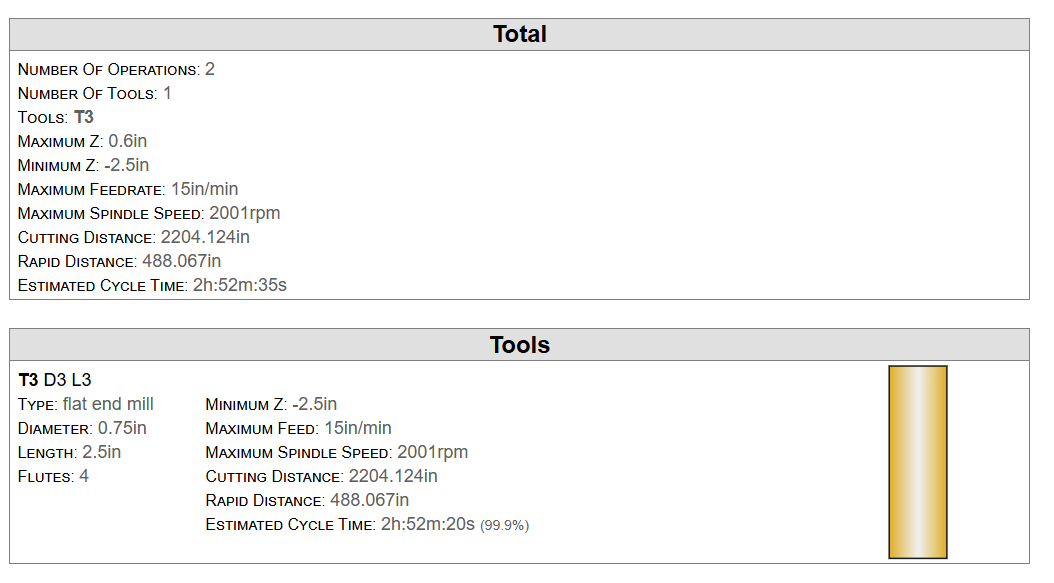
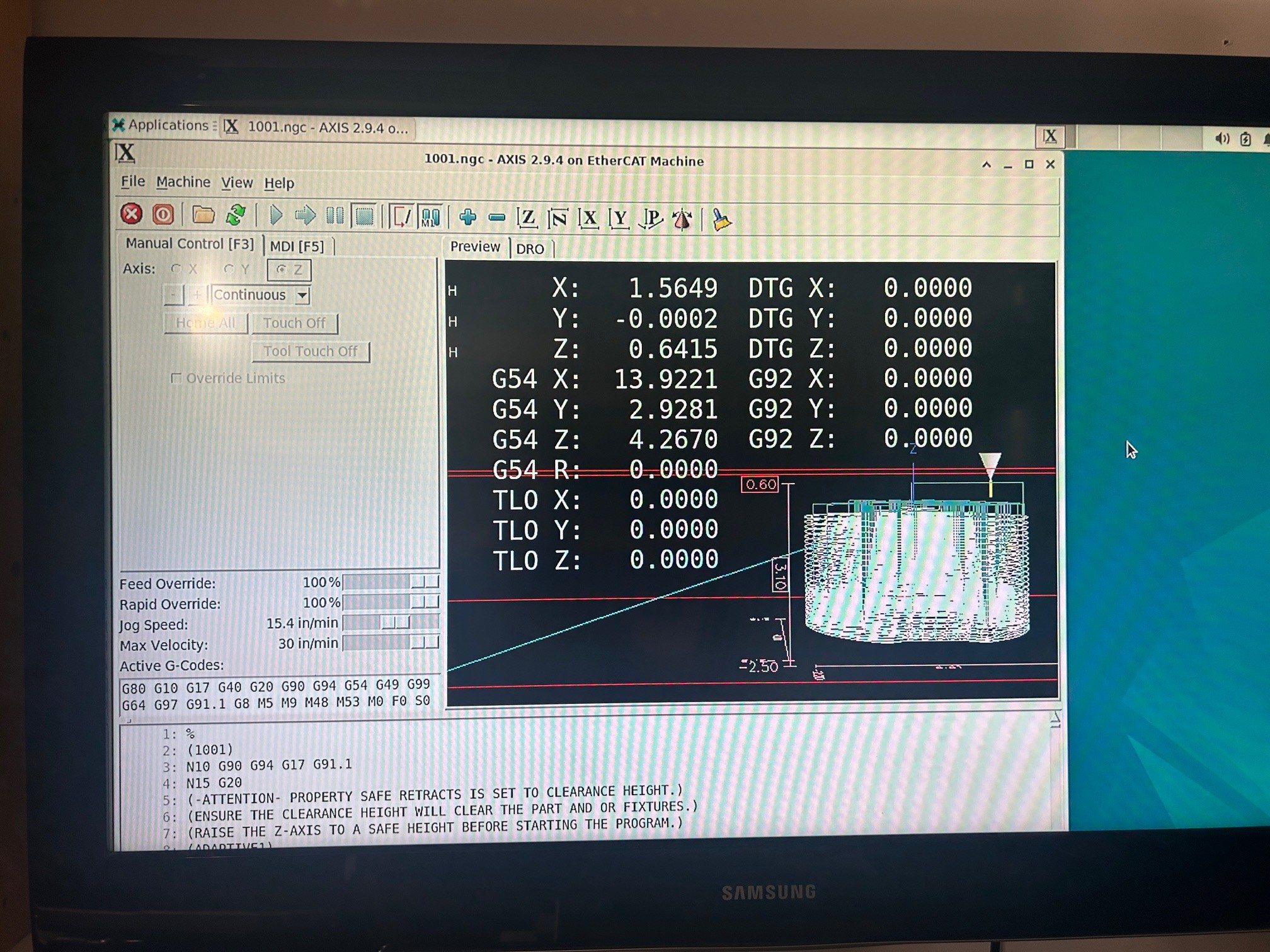
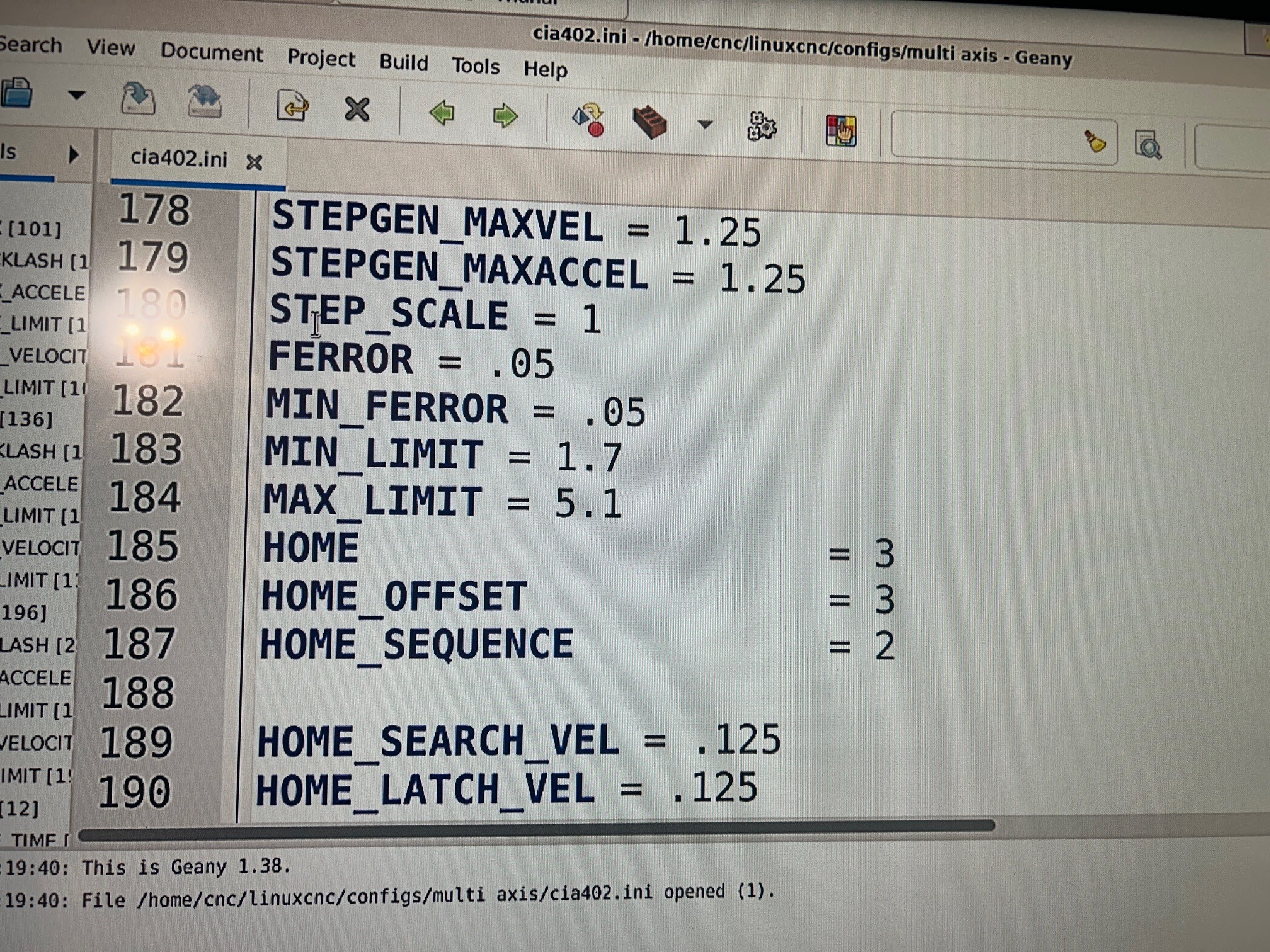
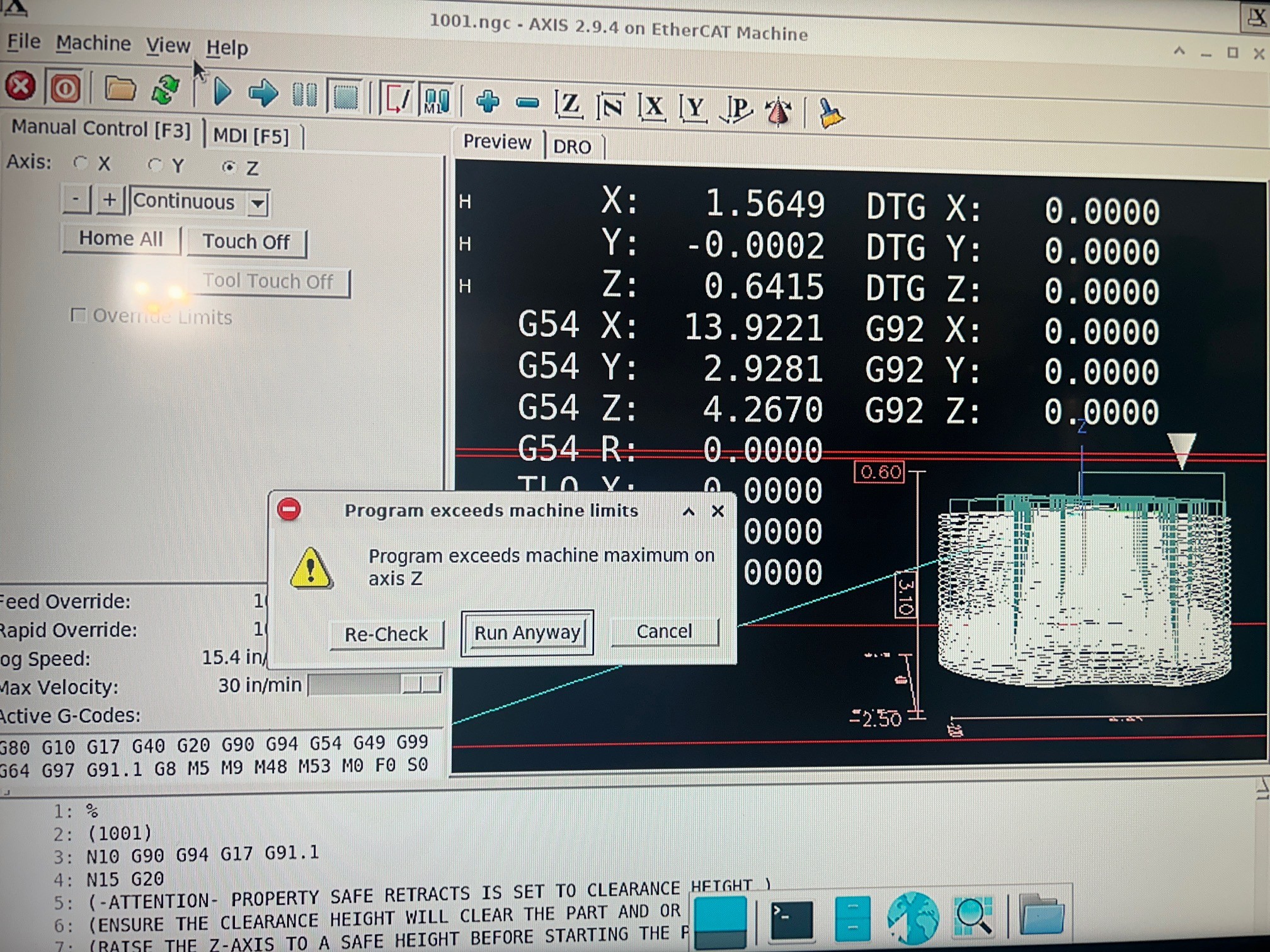
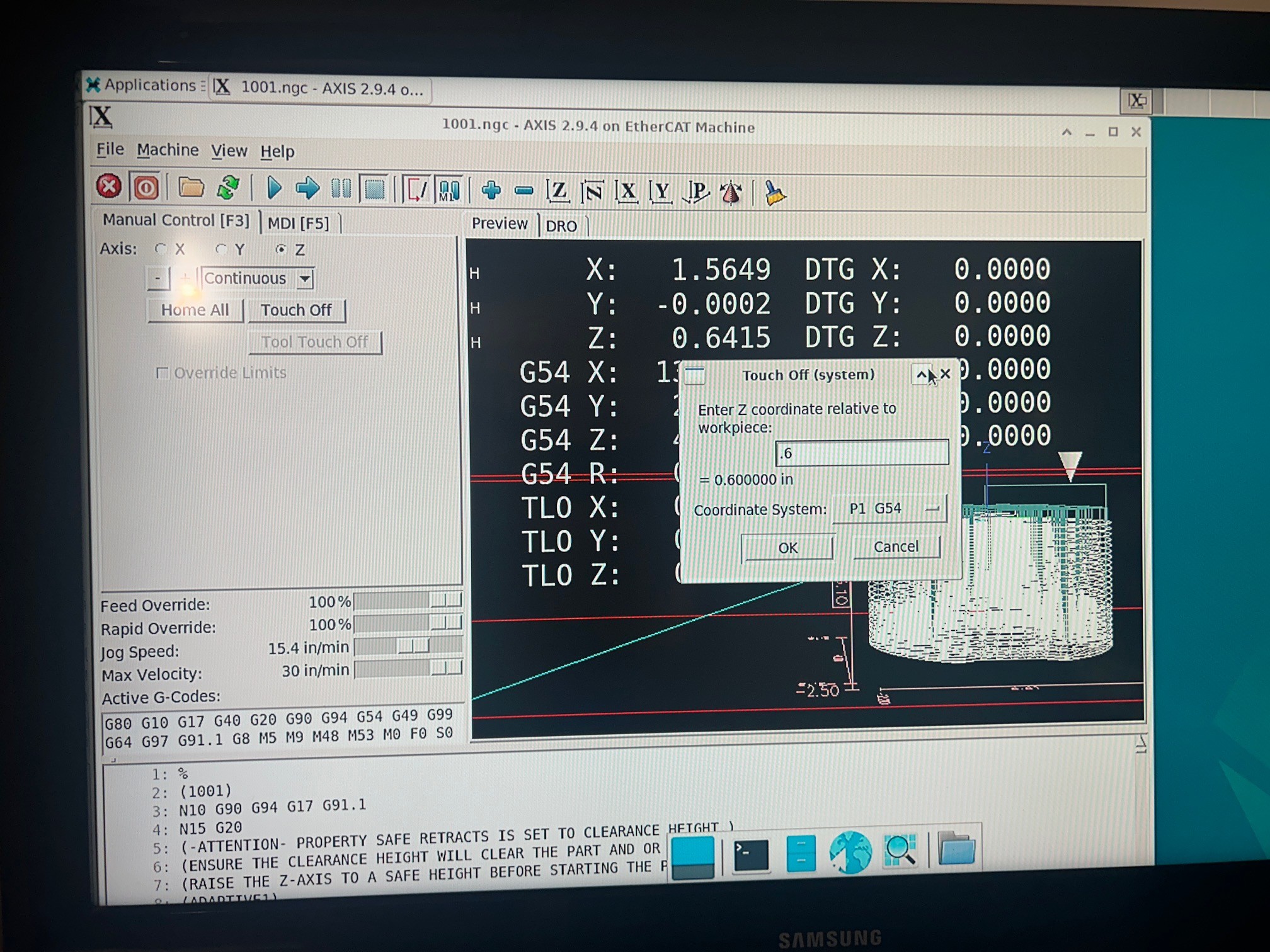
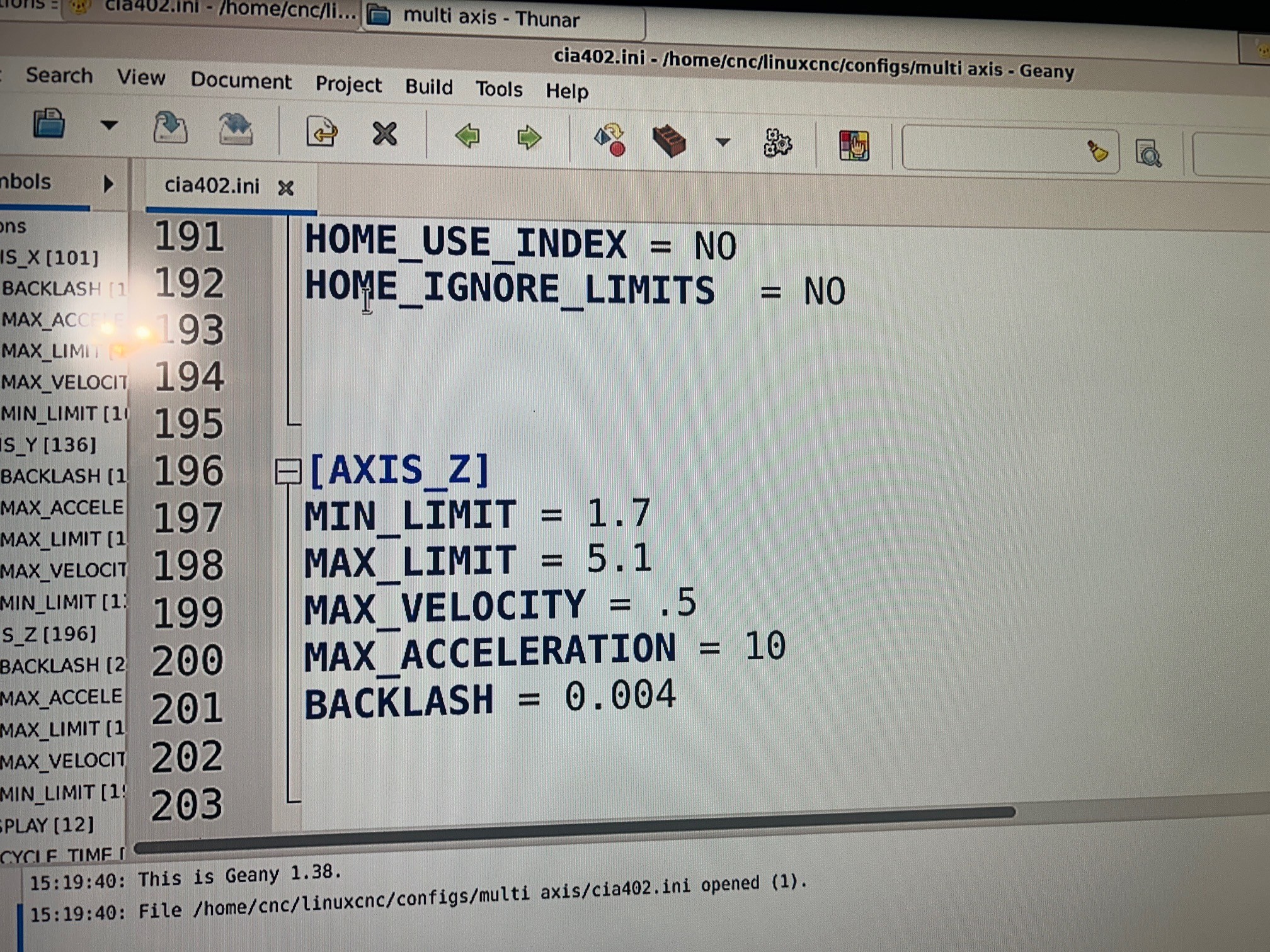
I'm getting beat up by a z axis travel limitation, although I did somehow get the program to run once. My understanding of the problem is that my g54 is in the wrong spot.
Fusion 360 says the max Z height is 0.6", so I moved my Z axis almost all the way up, then set the G54 Z position to 0.6". I did have the program run once, but then I stopped the program. When I go to re run the program I keep getting the same z axis error.
I've attached some phone pictures.
Attachments:
Last edit: 19 Nov 2025 05:10 by farmer_mike. Reason: duplicated all the pictures
Please Log in or Create an account to join the conversation.
- unknown
- Offline
- Platinum Member
-

Less
More
- Posts: 888
- Thank you received: 325
19 Nov 2025 06:26 #338707
by unknown
Replied by unknown on topic program exceeds machine maximum
I have my MAX-Z-LIMIT set at 20mm & MIN-Z-LIMIT set at -255
Usually when I run a program, as I set home and stuff like that manually I'd home to a mark on the column, then bring the tool down to a height of 6.35mm above the stock, set by a pin, touch off at that height. Which sets the Z zero on the stock.
Usually when I run a program, as I set home and stuff like that manually I'd home to a mark on the column, then bring the tool down to a height of 6.35mm above the stock, set by a pin, touch off at that height. Which sets the Z zero on the stock.
Please Log in or Create an account to join the conversation.
- tommylight
-

- Away
- Moderator
-

Less
More
- Posts: 21901
- Thank you received: 7465
19 Nov 2025 16:01 #338735
by tommylight
Replied by tommylight on topic program exceeds machine maximum
Almost all CAM software expects the Z axis maximum at 0 or theirin, while the minimum is set at -200 or whatever the Z travel is, you have that reversed in the ini file.
Please Log in or Create an account to join the conversation.
- farmer_mike
- Offline
- New Member
-
Less
More
- Posts: 17
- Thank you received: 1
23 Nov 2025 00:33 #339014
by farmer_mike
Replied by farmer_mike on topic program exceeds machine maximum
I got the program running.
I’ll have to sit down with some math and figure out the WHY, but the HOW is I set g54 z to two extreme values and worked my way inside those values until I didn’t get either a negative error or a positive error.
I think the final value was 3.75 or something.
I believe the required z travel for my program is just inside the soft limits.
thanks for all the help. It’s nice to be making chips.
I’ll have to sit down with some math and figure out the WHY, but the HOW is I set g54 z to two extreme values and worked my way inside those values until I didn’t get either a negative error or a positive error.
I think the final value was 3.75 or something.
I believe the required z travel for my program is just inside the soft limits.
thanks for all the help. It’s nice to be making chips.
The following user(s) said Thank You: tommylight
Please Log in or Create an account to join the conversation.
Time to create page: 0.267 seconds