
Can't read gcode text in dark mode when editing.
- TheTinkeringMechanic1
- Offline
- Senior Member
-

Less
More
- Posts: 52
- Thank you received: 3
02 May 2026 01:14 #346089
by TheTinkeringMechanic1
Can't read gcode text in dark mode when editing. was created by TheTinkeringMechanic1
I'm having an issue that I couldn't find a solution that worked. I prefer Adwaita Dark theme. Everything is fine that is when I go to edit a gcode file in linuxcnc, the text highlight washes out the text. See image:
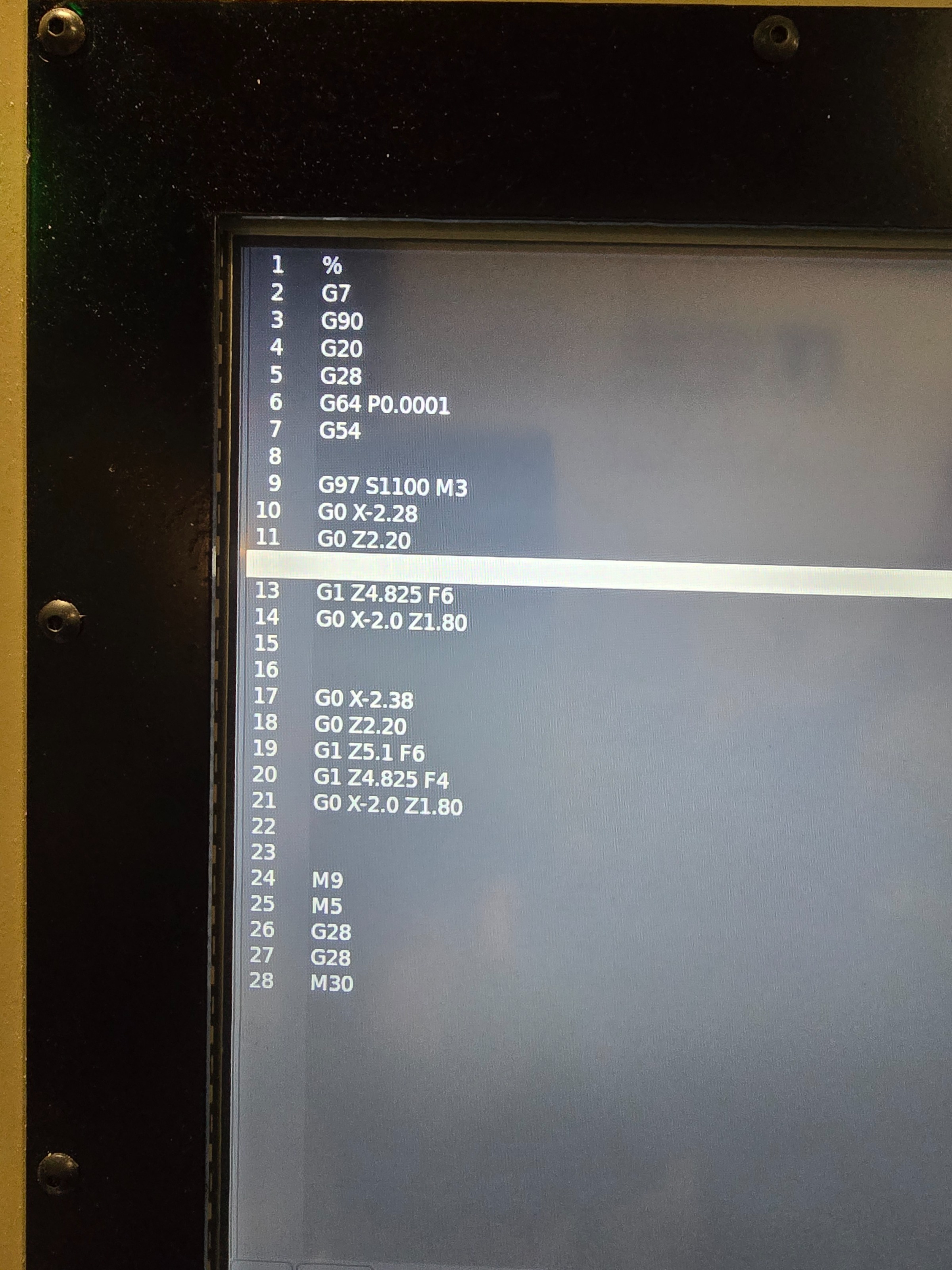
During my search I have found a script to add to the user command file, it just seems to crash when it tries to load. I have attempted to change the editor in the INI from gedit to mousepad, heck, I can actually leave it blank and it still changes nothing. I have changed the theme to use the system settings, still no change. The only way I can get this to where I can read the highlighted text is to change out of dark theme which isn't ideal. I'm sure there's a solution, I just haven't found one that works. Anyone else find a fix for this?
During my search I have found a script to add to the user command file, it just seems to crash when it tries to load. I have attempted to change the editor in the INI from gedit to mousepad, heck, I can actually leave it blank and it still changes nothing. I have changed the theme to use the system settings, still no change. The only way I can get this to where I can read the highlighted text is to change out of dark theme which isn't ideal. I'm sure there's a solution, I just haven't found one that works. Anyone else find a fix for this?
Attachments:
Please Log in or Create an account to join the conversation.
- tommylight
-

- Away
- Moderator
-

Less
More
- Posts: 21528
- Thank you received: 7338
02 May 2026 01:22 #346090
by tommylight
Replied by tommylight on topic Can't read gcode text in dark mode when editing.
1. that is not a LinuxCNC issue, so Debian forums are a much better place to ask
2. i had the same issue on Linux Mint when using the included dark themes, but 22.3 added new dark themes that fixed the issue.
3. you can try fine tuning colors for the dark theme, for text mainly as that worked on Mint so should also work on Debian.
2. i had the same issue on Linux Mint when using the included dark themes, but 22.3 added new dark themes that fixed the issue.
3. you can try fine tuning colors for the dark theme, for text mainly as that worked on Mint so should also work on Debian.
Please Log in or Create an account to join the conversation.
- TheTinkeringMechanic1
- Offline
- Senior Member
-
Less
More
- Posts: 52
- Thank you received: 3
02 May 2026 01:29 #346091
by TheTinkeringMechanic1
Replied by TheTinkeringMechanic1 on topic Can't read gcode text in dark mode when editing.
Changing any of the colors in Debian settings has no effect on the editor in linuxcnc. That's why I'm here.
Please Log in or Create an account to join the conversation.
- tommylight
-
- Away
- Moderator
-
Less
More
- Posts: 21528
- Thank you received: 7338
02 May 2026 01:46 #346093
by tommylight
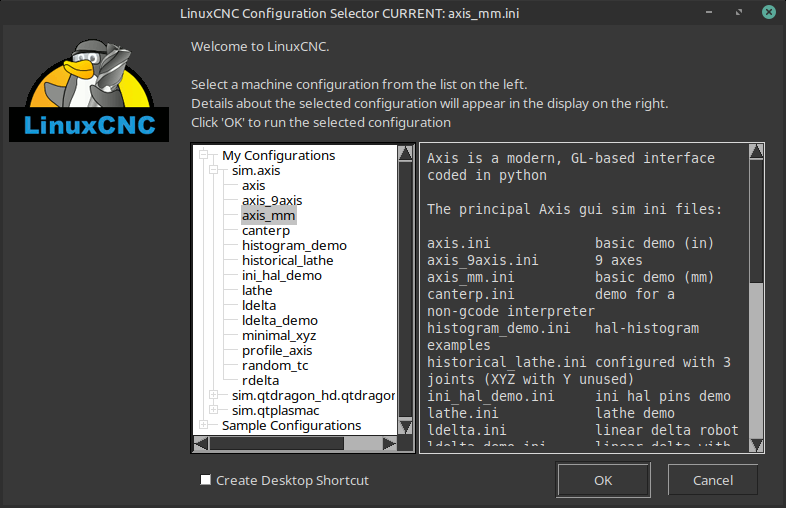
This is on Mint 22.3 with Mint-L-dark theme, notice the text on the left is clearly visible, on any other black theme no text can be seen there.
And this is not limited to LinuxCNC, many other programs i use daily had the same issue before so i had to revert to bright themes when using them.
What GUI are you using?
I know Axis can be modified, and so can the QT versions.
You can also try to install Mint themes in Debian, or Ubuntu themes. See also Ubuntu Studio as they do have some very nice themes, but forgot what they use as DE.
Replied by tommylight on topic Can't read gcode text in dark mode when editing.
This is on Mint 22.3 with Mint-L-dark theme, notice the text on the left is clearly visible, on any other black theme no text can be seen there.
And this is not limited to LinuxCNC, many other programs i use daily had the same issue before so i had to revert to bright themes when using them.
What GUI are you using?
I know Axis can be modified, and so can the QT versions.
You can also try to install Mint themes in Debian, or Ubuntu themes. See also Ubuntu Studio as they do have some very nice themes, but forgot what they use as DE.
Attachments:
Please Log in or Create an account to join the conversation.
Time to create page: 0.121 seconds