

(superseeded) Linuxcnc on Linux Mint 19.3 quick and easy installation

More
7 years 2 weeks ago #148034 by tommylight
Start Linuxcnc from the meny and choose whatever config, it will ask to save it so say yes, it makes the Linuxcnc folder in the home directory, inside there should be the config folder so copy your config there.
The following user(s) said Thank You: pmconsulting

Please Log in or Create an account to join the conversation.

More
7 years 5 days ago - 7 years 5 days ago #148921 by Samuelx
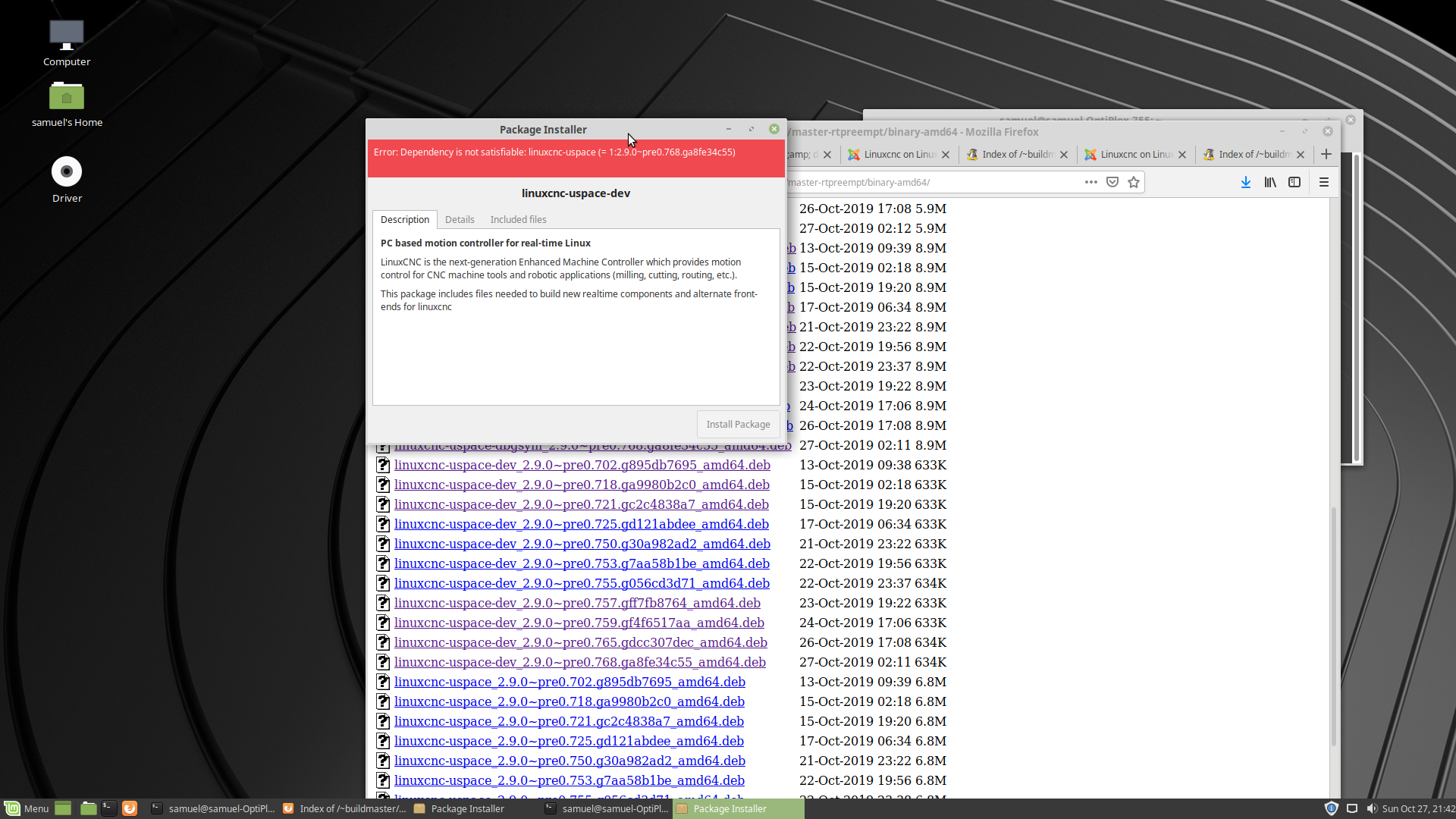
Sorry, got it work, my mistake
clicked wrong packets
/linuxcnc-uspace-dev_2.9.0~pre0.768.ga8fe34c55_amd64.deb
Last edit: 7 years 5 days ago by Samuelx.
The following user(s) said Thank You: tommylight

Please Log in or Create an account to join the conversation.
More
7 years 5 days ago #148929 by tommylight

Samuelx wrote: Sorry, got it work, my mistake
clicked wrong packets
/linuxcnc-uspace-dev_2.9.0~pre0.768.ga8fe34c55_amd64.deb

Nice!

Please Log in or Create an account to join the conversation.

More
7 years 1 day ago - 7 years 1 day ago #149248 by Nitram
Thanks for everyone's input on this, I have found the above is really a very easy pathway to get a system going for LinuxCNC.

One thing which may assist, in my situation, I had very slow boot times with the 4.16.12-rt5-kona-rt_amd64 kernel.

Using the 4.14.28-rt23-kona-rt_amd64 from the same page resolved this.

Latency testing results are unchanged.
Last edit: 7 years 1 day ago by Nitram.
The following user(s) said Thank You: tommylight

Please Log in or Create an account to join the conversation.

More
7 years 1 day ago #149268 by tommylight

Nitram wrote: One thing which may assist, in my situation, I had very slow boot times with the 4.16.12-rt5-kona-rt_amd64 kernel.

Using the 4.14.28-rt23-kona-rt_amd64 from the same page resolved this.

I did notice that, and the same thing with all RT kernels i compiled lately, but this has a bit better latency on same hardware.
Thank you for reporting your findings.

Please Log in or Create an account to join the conversation.

More
7 years 1 day ago - 7 years 1 day ago #149271 by Elco
Thanks for this solution, I managed to Install LinuxCNC on a new Linux Mint 19.2 installation, now identifying itself as Linux lab-CNC 4.16.12-rt5-kona-rt #1 SMP PREEMPT RT.

To develop G-code programs, I'd like to install a sim version on my laptop, which also runs Linux Mint 19.2
I downloaded

buildbot.linuxcnc.org/~buildmaster/dists...0.g6acbabd_amd64.deb

but the installer gave an error message: dependency is not satisfyable: libboost-python 1.49.0

As a Linux beginner I don't know yet how to proceed. Should I make buildmaster a ppa, download another version, or first find the mission python parts?

UPDATE: I installed the PREEMPT (not the sim) version on standard Linux Mint 19.2 No errors, works well for offline G-code testing
Thanks for help.
Last edit: 7 years 1 day ago by Elco.

Please Log in or Create an account to join the conversation.

Time to create page: 0.115 seconds
Powered by Kunena Forum