
Debian 12 - Bookworm Live installer ISO for linuxcnc (x86_64)

More
3 years 1 month ago #280954 by rodw
Thanks for the feedback.
It seems the lack of a mirror made the installer look on the USB for packages that were not included in the installer as they are not part of linuxcnc's core.
You should have been asked to pick a mirror from a list during the install

I think I should have told you to do 
sudo apt updadte
sudo apt upgrade
As the very first step
Yes its expected that this upgrades linuxcnc  to the latest build of linuxcnc by this buildbot  buildbot2.highlab.com/

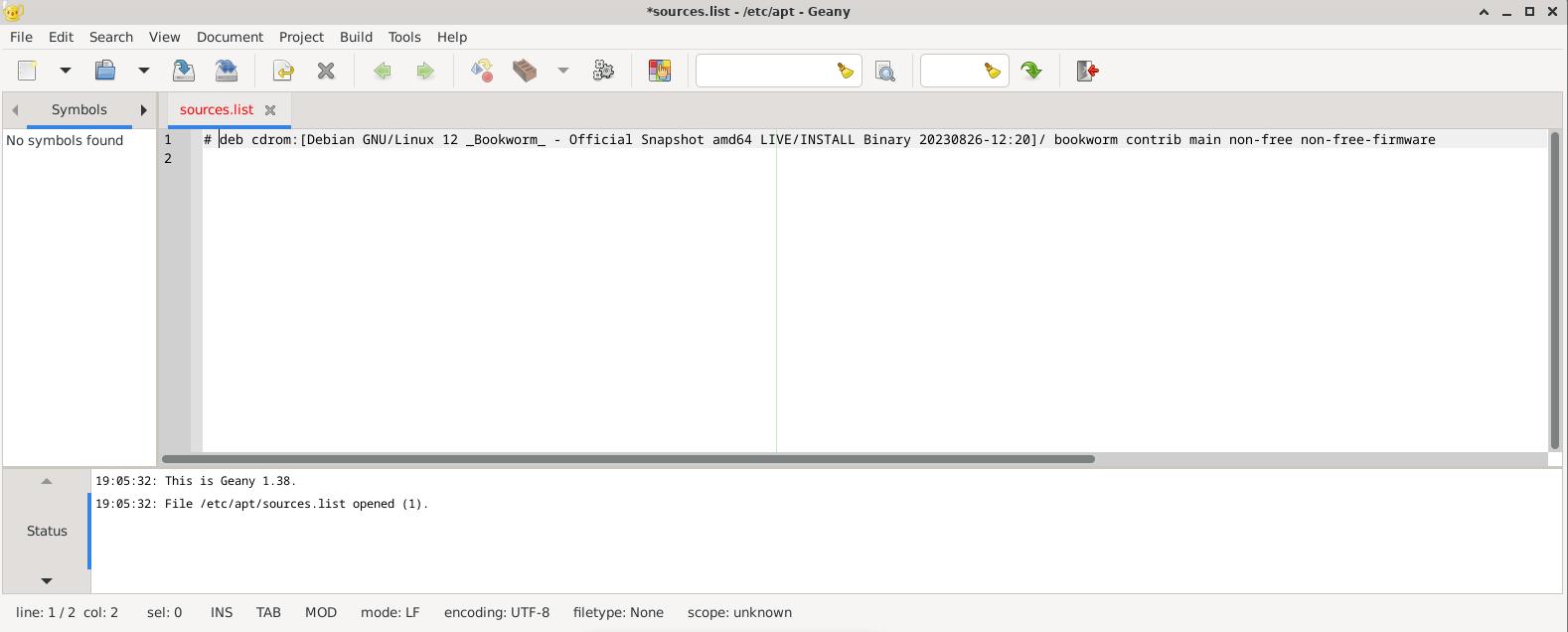
Could you edit sources.list
sudo geany /etc/apt/sources.list
And comment out with a # any lines that  includes dvd or cd and do the update/upgrade process
Also ensure each line starting with deb  have non-free non-free-firmware on them as per the screen dump on the last post

then do the update/upgrade step and try again.
 

Please Log in or Create an account to join the conversation.
More
3 years 1 month ago #280963 by rubes
thanx for the reply.
the etc/apt/sources.list file has only one line in it;
 
I commented it out and reran update it tells me all packages are up to date
and then upgrade also shows 0 upgraded.
presumably because they upgraded during my previous session?

Also, I should have mentioned that I burned the ISO to a DVD rather than a USB since I didnt have a big enough USB handy.

I'll start over and try again tomorrow, but there was no option to select a mirror during the install. after it failed connecting initially, it had an option to select a different mirror, but it was just a blank field and I have no idea how to enter a mirror location.
 

Please Log in or Create an account to join the conversation.
More
3 years 1 month ago #280965 by tommylight

Also, I should have mentioned that I burned the ISO to a DVD rather than a USB since I didnt have a big enough USB handy.
 
DVD? What is that?
:)
Just kidding, i still have plenty of those, like hundreds.
-
It should not matter if it is from DVD or USB, should work the same.

Please Log in or Create an account to join the conversation.

More
3 years 1 month ago #280966 by rodw
Something went wrong inthe installer, possibly because you have burnt to a DVD please replace th econtents of sources.list with:
Code:
#deb cdrom:[Debian GNU/Linux 12.1.0 _Bookworm_ - Official amd64 NETINST with firmware 20230722-10:48]/ bookworm main non-free-firmware deb http://deb.debian.org/debian/ bookworm main non-free-firmware non-free deb-src http://deb.debian.org/debian/ bookworm main non-free-firmware non-free deb http://security.debian.org/debian-security bookworm-security main non-free-firmware non-free deb-src http://security.debian.org/debian-security bookworm-security main non-free-firmware non-free # bookworm-updates, to get updates before a point release is made; # see https://www.debian.org/doc/manuals/debian-reference/ch02.en.html#_updates_and_backports deb http://deb.debian.org/debian/ bookworm-updates main non-free-firmware non-free deb-src http://deb.debian.org/debian/ bookworm-updates main non-free-firmware non-free # This system was installed using small removable media # (e.g. netinst, live or single CD). The matching "deb cdrom" # entries were disabled at the end of the installation process. # For information about how to configure apt package sources, # see the sources.list(5) manual.

then
Code:
sudo apt update sudo apt upgrade
This is the default as shown in the earlier screen dump
Do this and you should be good.

Please Log in or Create an account to join the conversation.

More
3 years 1 month ago - 3 years 1 month ago #280967 by rodw
Its possible a regression in the current image where it omits non-free-firmware prevented your network NIC from getting the correct firmware to enable it
Becasue you saw it upgrade linuxcnc, it seems you do have a network connection now.

You can see the comments in the file explain what it does at the end of the installation. Maybe it does not copy the correct values over to the live system if there is no internet available
Last edit: 3 years 1 month ago by rodw.

Please Log in or Create an account to join the conversation.

More
3 years 1 month ago #280971 by rubes

Also, I should have mentioned that I burned the ISO to a DVD rather than a USB since I didnt have a big enough USB handy.
 
DVD? What is that?
:)
Just kidding, i still have plenty of those, like hundreds.
-
It should not matter if it is from DVD or USB, should work the same.
The following user(s) said Thank You: tommylight

Please Log in or Create an account to join the conversation.

Time to create page: 0.537 seconds
Powered by Kunena Forum