
LinuxCNC on Linux Mint Debian Edition 6
- tommylight
-
 Topic Author
- Away
- Moderator
-

Less
More
3 years 3 weeks ago #282714
by tommylight
Replied by tommylight on topic LinuxCNC on Linux Mint Debian Edition 6
Really glad.
The following user(s) said Thank You: my1987toyota
Please Log in or Create an account to join the conversation.

3 years 1 day ago #284241
by bkt
Replied by bkt on topic LinuxCNC on Linux Mint Debian Edition 6
sorry I got really backwards....but by doing this did I install an rt, preempt or normal kernel?regardswww.linuxmint.com/edition.php?id=308
-
Download, install, update, upgrade, then[/code][/code]Code:sudo apt install linuxcnc-uspace - If you also need development stuff [code]sudo apt install linuxcnc-uspace-dev - If you need mesaflash to flash firmware for Mesa boards [code]sudo apt install mesaflash - Linux Mint Debian Edition was always much slower than the normal Mint, this time it is a bit faster! :) That is a nice surprise, took 9 seconds to boot from Grub Menu to full Desktop on an old Lenovo 93 something, with RT kernel, no less! Me happy! :)
Please Log in or Create an account to join the conversation.
- tommylight
-
Topic Author
- Away
- Moderator
-
3 years 1 day ago #284242
by tommylight
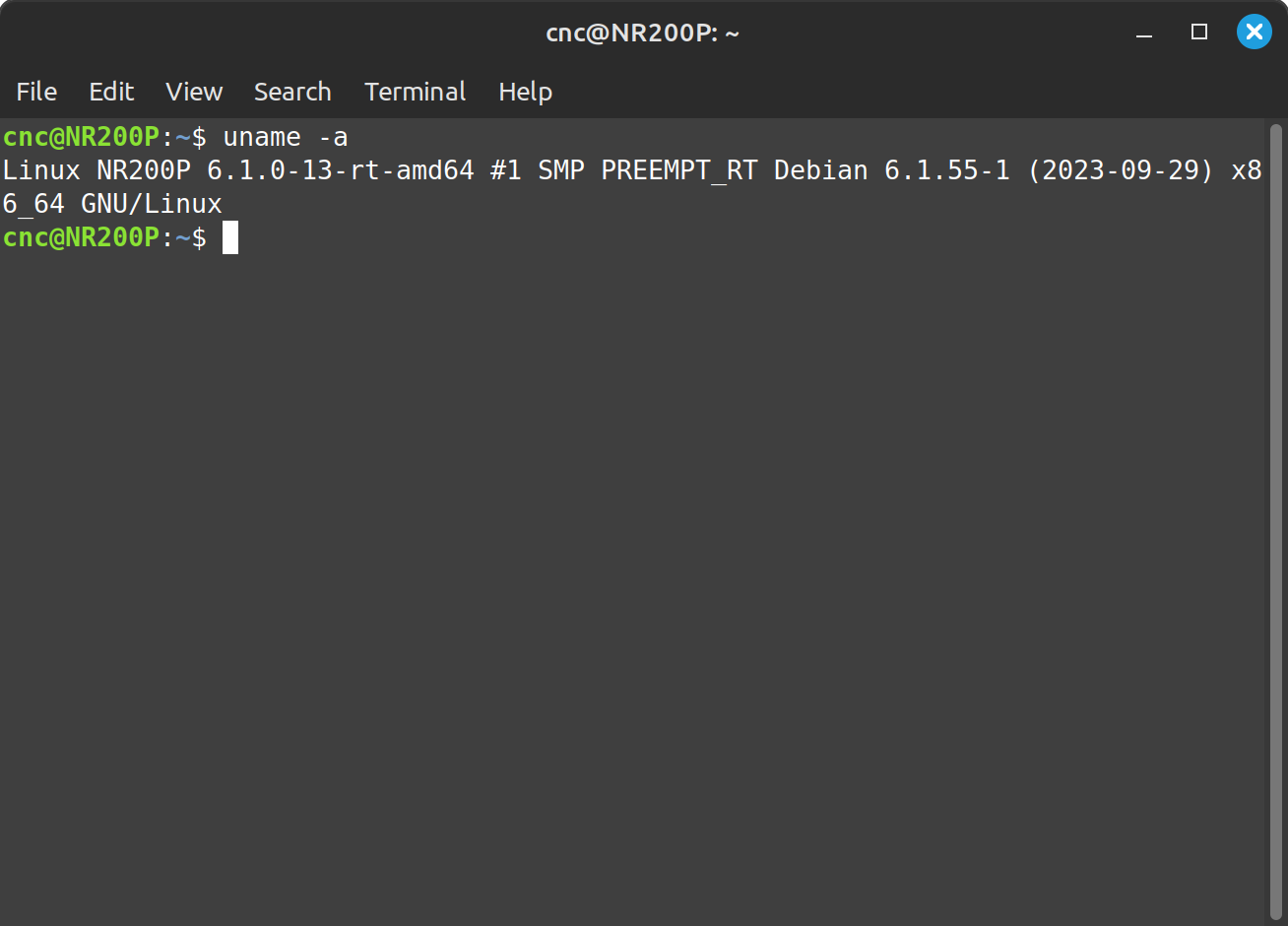
Replied by tommylight on topic LinuxCNC on Linux Mint Debian Edition 6
The following user(s) said Thank You: bkt
Please Log in or Create an account to join the conversation.
2 years 11 months ago #285935
by bkt
regards
Replied by bkt on topic LinuxCNC on Linux Mint Debian Edition 6
And there area way to install ethercat with apt ... or need the usual dowload of iegh file and install ethercat glue?
regards
Please Log in or Create an account to join the conversation.

2 years 11 months ago #285938
by rodw
This is all set up for you in the official debian bookworm version
try this
Then run the apt install commands in my ethercat sticky.
Replied by rodw on topic LinuxCNC on Linux Mint Debian Edition 6
Yes, there is as etherlabmaster now maintain their own third party repository which includes the linuxcnc driver.
And there area way to install ethercat with apt ... or need the usual dowload of iegh file and install ethercat glue?
regards
This is all set up for you in the official debian bookworm version
try this
Code:
echo "Install ethercat repository"
sudo mkdir -p /usr/local/share/keyrings/
wget -O- https://build.opensuse.org/projects/science:EtherLab/signing_keys/download?kind=gpg | gpg --dearmor | sudo dd of=/etc/apt/trusted.gpg.d/science_EtherLab.gpg
tee -a /etc/apt/sources.list.d/ighvh.sources > /dev/null <<EOT
Types: deb
Signed-By: /etc/apt/trusted.gpg.d/science_EtherLab.gpg
Suites: ./
URIs: http://download.opensuse.org/repositories/science:/EtherLab/Debian_12/
EOT
Then run the apt install commands in my ethercat sticky.
The following user(s) said Thank You: tommylight, bkt
Please Log in or Create an account to join the conversation.
2 years 7 months ago #295511
by bkt
Replied by bkt on topic LinuxCNC on Linux Mint Debian Edition 6
so finally I try to use LMDE 6 .... I have a little bit time .... I try to install new 2.9.2 ..... first problem .... long list of fix broken dependancy ..... but problematic one is these:
think no one appreciate a downgrtade of library .... how can fix these?
Code:
systemd : Depends: libsystemd-shared (= 252.22-1~deb12u1) but version 252.12-1~deb12u1 is about to be installed
think no one appreciate a downgrtade of library .... how can fix these?
Please Log in or Create an account to join the conversation.
Time to create page: 0.164 seconds