- Posts: 101
- Thank you received: 11

FernV wrote:
tome wrote: This error comes up in the terminal where I start Axis:
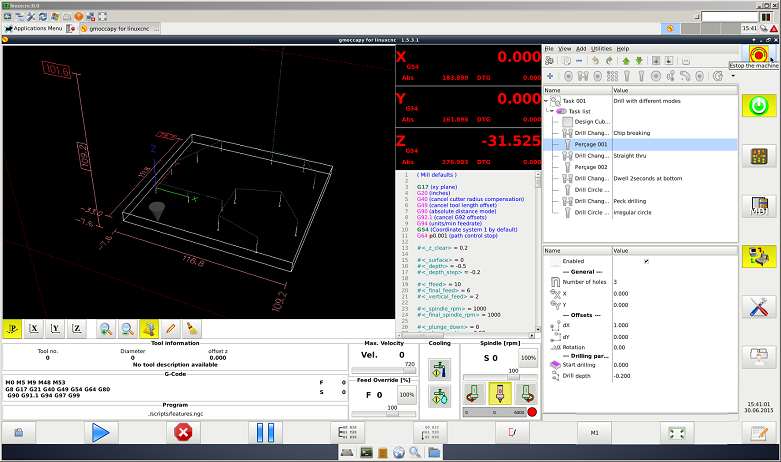
emc/task/emctask.cc 389: interp_error: Unable to open file <./scripts/features.ngc>
Unable to open file <./scripts/features.ngc>
can't open ./scripts/features.ngc
I thought this was solved. Check your lathe.ini file to see where PROGRAM_PREFIX points. It can be a relative path to this file or absolute. Also you may try opening features before LinuxCNC.
FernV wrote:
tome wrote: PPPS:
If I select Lathe thread i get a G-Code error in features.ngc dialog that says:
Near line 54 of
/home/tom/linuxcnc-features/FernV.../scripts/features.ngc:
Spindle not turning in G76
I did not review lathe routines that I did not write like this one but I found some code was missing. I corrected that and pushed to git but it does not show although git on my computer says files are up to date. The file is ini/lathe/thread-adv.ini but if you want to correct it here how to do it simply :
1- in features do Add -> Threading -> Thread
2- in the table view select and right click on Lathe thread ??? or use Utilities Menu and select "Edit current feature" (it will open the file in your editor)
3- go at the end and replace everything after
[PARAM_FEED]
name = Feed
type = string
icon = icons/tool-feed.png
tool_tip = Feed
value = #<_global_feed>
with
[PARAM_SPINDLE]
name = Spindle Speed
type = int
icon = spindle.png
tool_tip = Spindle speed
value = 400
[CALL]
content =
#<p> = [#param_p]
#<k> = [#param_k]
G0 X#<_global_rappid>
G0 X[#param_x0]
G0 Z[#param_z0]
S#param_spindle M3
G76 P[#param_p] Z[#param_z] I[#param_i] J[#param_j] R[#param_r] K[#param_k] Q[#param_q] H[#param_h] E[#param_e] L[#param_l]
4- save the file
5- in features delete Lathe thread ???
6- reload it with Add -> Threading -> Thread
7- set params to have threads that are OK
Regards
Fern
Please Log in or Create an account to join the conversation.
Please Log in or Create an account to join the conversation.
FernV wrote: Hi Tom
Can you post the ini file you are using when starting linuxcnc ?
Regards
Fern
Please Log in or Create an account to join the conversation.
Please Log in or Create an account to join the conversation.
Please Log in or Create an account to join the conversation.
Please Log in or Create an account to join the conversation.