
- User Interfaces
- Other User Interfaces
- QtPyVCP
- 30 Second timeout before opening and E-Stop button not clicking...
30 Second timeout before opening and E-Stop button not clicking...
- susan-parker
- Offline
- New Member
-

Less
More
- Posts: 13
- Thank you received: 6
31 Mar 2026 19:16 #345002
by susan-parker
Replied by susan-parker on topic 30 Second timeout before opening and E-Stop button not clicking...
So installed a new Debian 12 Bookworm Linux on a new SSD exactly as per instructions here:
kcjengr.github.io/probe_basic/probe_basi...develop_install.html
... and I cannot install LinuxCNC because:
dpkg: dependency problems prevent configuration of linuxcnc-uspace:
linuxcnc-uspace depends on libboost-python1.74.0 (>= 1.74.0+ds1); however:
Package libboost-python1.74.0 is not installed.
linuxcnc-uspace depends on libboost-python1.74.0-py311; however:
Package libboost-python1.74.0-py311 is not installed.
linuxcnc-uspace depends on libgpiod2 (>= 1.5.1); however:
Package libgpiod2 is not installed.
linuxcnc-uspace depends on libmodbus5 (>= 3.1.4); however:
Package libmodbus5 is not installed.
... etc
I have been round this loop before, which is why I installed the combined Bookwork and LinuxCNC package; but then Probe basic doesn't work.
kcjengr.github.io/probe_basic/probe_basi...develop_install.html
... and I cannot install LinuxCNC because:
dpkg: dependency problems prevent configuration of linuxcnc-uspace:
linuxcnc-uspace depends on libboost-python1.74.0 (>= 1.74.0+ds1); however:
Package libboost-python1.74.0 is not installed.
linuxcnc-uspace depends on libboost-python1.74.0-py311; however:
Package libboost-python1.74.0-py311 is not installed.
linuxcnc-uspace depends on libgpiod2 (>= 1.5.1); however:
Package libgpiod2 is not installed.
linuxcnc-uspace depends on libmodbus5 (>= 3.1.4); however:
Package libmodbus5 is not installed.
... etc
I have been round this loop before, which is why I installed the combined Bookwork and LinuxCNC package; but then Probe basic doesn't work.
Please Log in or Create an account to join the conversation.
- Lcvette
-

- Offline
- Moderator
-

Less
More
- Posts: 1679
- Thank you received: 782
31 Mar 2026 19:28 #345004
by Lcvette
Replied by Lcvette on topic 30 Second timeout before opening and E-Stop button not clicking...
If the sim runs probe basic works. Your mqchine configuration was wrong.
As i stated in the fb group. You can i stall the deb with gdebi instead of using dpkg and it will find the missing dependencies. You seem to be making this much more difficult than it needs to be.
Once installed, run the probale basic sinulation from the Linuxcnc application chooser. That tells you definitively if the installation is correct. You should be able to run probasic take it out of e-stop select power Hit The ref all button and watch the Sim work if you can do this the installation is correct.
Now your actual EMCO configuration is wrong it needs to be fixed that will never run the way it is until you go through the machine configuration section of the docs in the pro basic documentation website and make sure that your machine configuration is set up correctly.
As i stated in the fb group. You can i stall the deb with gdebi instead of using dpkg and it will find the missing dependencies. You seem to be making this much more difficult than it needs to be.
Once installed, run the probale basic sinulation from the Linuxcnc application chooser. That tells you definitively if the installation is correct. You should be able to run probasic take it out of e-stop select power Hit The ref all button and watch the Sim work if you can do this the installation is correct.
Now your actual EMCO configuration is wrong it needs to be fixed that will never run the way it is until you go through the machine configuration section of the docs in the pro basic documentation website and make sure that your machine configuration is set up correctly.
Please Log in or Create an account to join the conversation.
- susan-parker
- Offline
- New Member
-
Less
More
- Posts: 13
- Thank you received: 6
31 Mar 2026 20:14 #345010
by susan-parker
Replied by susan-parker on topic 30 Second timeout before opening and E-Stop button not clicking...
Used gdebi to install dependencies stuff, then dpkg worked... now have LinuxCNC installed.
I am trying to follow instructions as presented, but there is a lot of stuff to get up to speed on and it is difficult (for me) to remember all the various bit n' pieces and in shuffling things around I have probably confused myself - hence the clean install and going back from basics to walk though the installation process from scratch.
This restart is meant to simplify the process, rather than just spinning my wheels.
I will do the Probe-Basic stuff tomorrow... as it's getting later here in the UK and it's time to shut down for the night
Thanks for the time and help, it is appreciated.
I am trying to follow instructions as presented, but there is a lot of stuff to get up to speed on and it is difficult (for me) to remember all the various bit n' pieces and in shuffling things around I have probably confused myself - hence the clean install and going back from basics to walk though the installation process from scratch.
This restart is meant to simplify the process, rather than just spinning my wheels.
I will do the Probe-Basic stuff tomorrow... as it's getting later here in the UK and it's time to shut down for the night
Thanks for the time and help, it is appreciated.
The following user(s) said Thank You: tommylight
Please Log in or Create an account to join the conversation.
- Lcvette
-
- Offline
- Moderator
-
Less
More
- Posts: 1679
- Thank you received: 782
05 Apr 2026 23:14 #345215
by Lcvette
Replied by Lcvette on topic 30 Second timeout before opening and E-Stop button not clicking...
Glad you got it sorted out! Enjoy!!
Please Log in or Create an account to join the conversation.
- susan-parker
- Offline
- New Member
-
Less
More
- Posts: 13
- Thank you received: 6
08 Apr 2026 14:06 #345322
by susan-parker
Replied by susan-parker on topic 30 Second timeout before opening and E-Stop button not clicking...
Thanks
Just to tidy up this thread, here is a pic of my working PB Lathe setup...
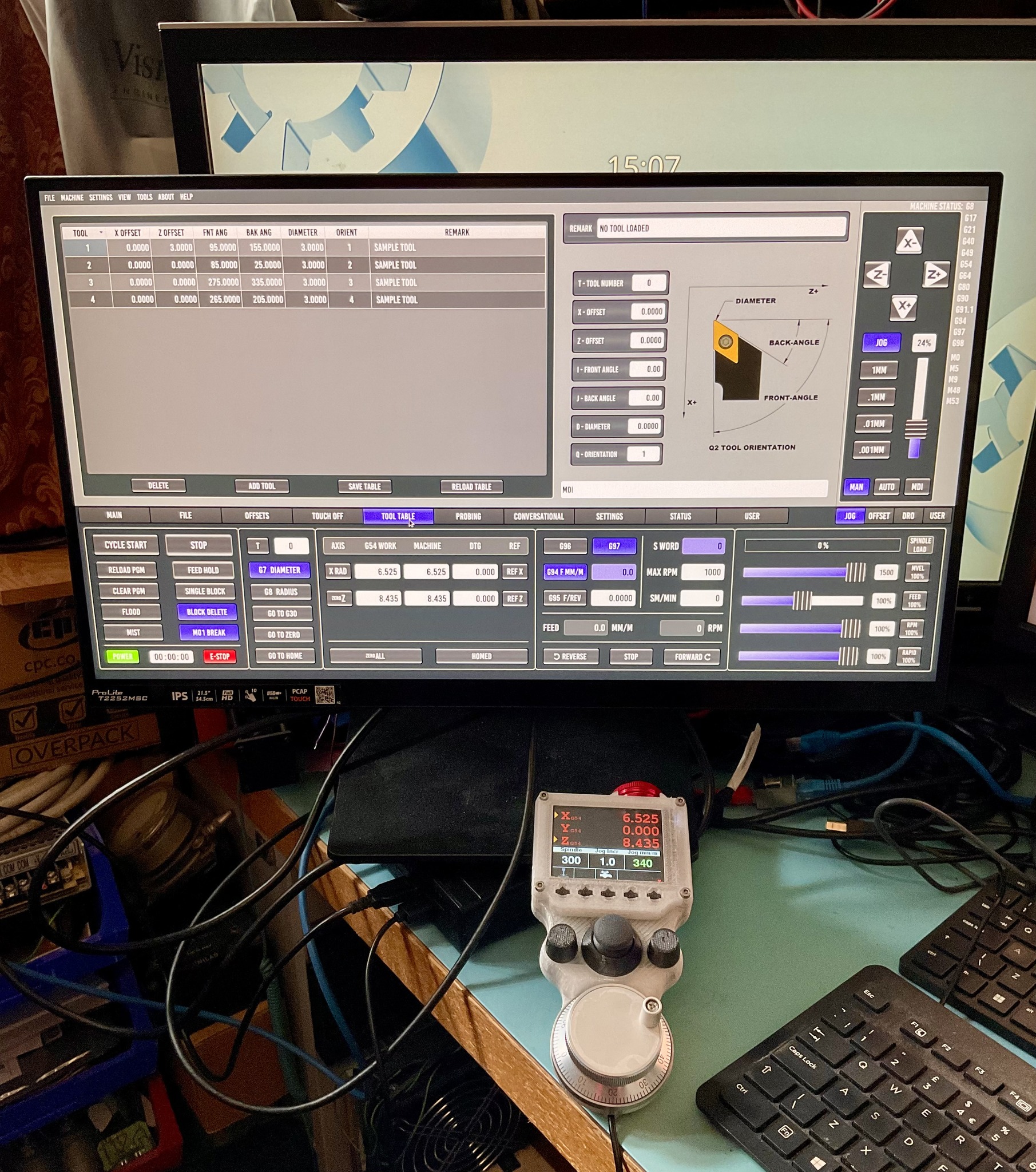
Just to tidy up this thread, here is a pic of my working PB Lathe setup...
Attachments:
The following user(s) said Thank You: tommylight, Clive S, Lcvette
Please Log in or Create an account to join the conversation.
- Lcvette
-
- Offline
- Moderator
-
Less
More
- Posts: 1679
- Thank you received: 782
14 Apr 2026 01:13 #345512
by Lcvette
Replied by Lcvette on topic 30 Second timeout before opening and E-Stop button not clicking...
You can set the overrides so you can go both ways while running, the settings are in the ini file, check the Sims for reference.
The following user(s) said Thank You: susan-parker
Please Log in or Create an account to join the conversation.
Moderators: KCJ, Lcvette
- User Interfaces
- Other User Interfaces
- QtPyVCP
- 30 Second timeout before opening and E-Stop button not clicking...
Time to create page: 0.244 seconds