Repository:
github.com/peter-pan08/LatheEasyStep
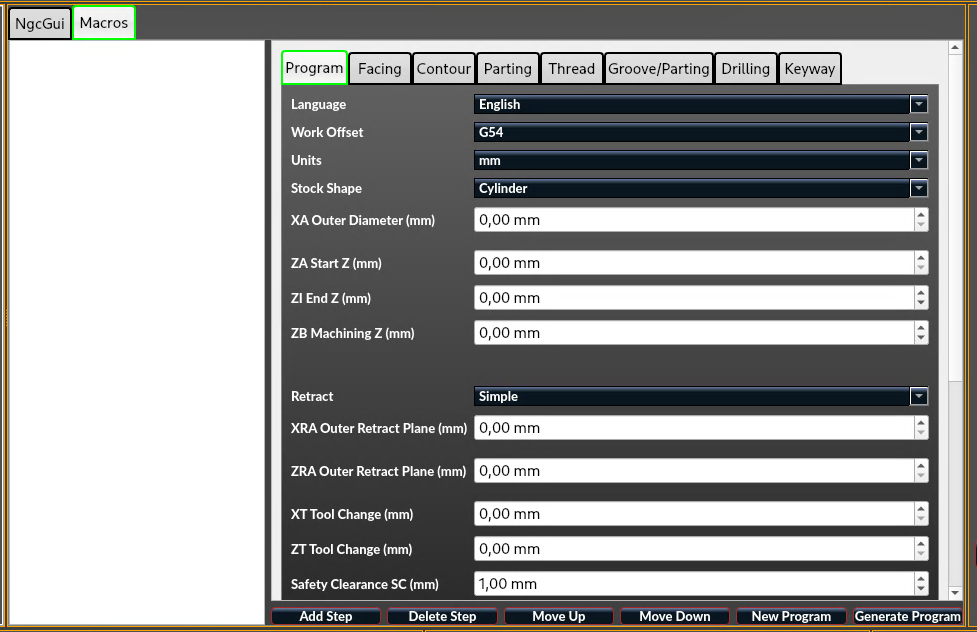
LatheEasyStep is an experimental QtVCP panel for LinuxCNC that enables step-by-step conversational lathe programming directly at the machine — without external CAM software.The goal is fast, safe, and practical programming for typical workshop jobs.PurposeLatheEasyStep is designed for:
- Programming simple to medium turning operations directly at the machine
- Repetitive standard jobs (facing, contouring, grooving, drilling, threading, roughing)
- A workflow-focused approach:
Enter parameters → Verify preview → Generate G-code
It aims to bring an industrial-style conversational workflow to LinuxCNC.Current Feature SetProgram Structure
- Program header with stock/workpiece parameters
(diameters, lengths, units, safety values)
- Step-based program building with sortable operation list
- Save/load for single steps and full programs
- Bilingual UI (DE/EN)
Supported Operations
- Facing
- Contour
- Groove / parting-style operations
- Drilling
- Threading
- Roughing (material removal)
- Keyway (macro-based)
Preview & Visualization
- Live X/Z preview including reference geometry
- Dedicated chuck safety zone visualization (color-coded with legend)
Safety & Motion Logic (Core Focus)
- Context-aware retract/free-travel behavior per operation
- Material-aware retract decisions
- Extended chuck / no-go safety parameters:
- Chuck size
- Workpiece type
- Clamping mode
- Chuck profile
- Machine/workshop profile presets for faster setup
Project Status
- Experimental
- Actively developed
- Designed for real machine workflows
- Iterative improvements based on practical use
Known Limitations
- Not a full CAM replacement
- Complex freeform geometry is intentionally limited
- Machine-specific adaptation may be required
Target Direction
- Fast conversational programming at the machine
- Clear and understandable geometry visualization
- Safer default behavior for common turning tasks
- Continuous refinement driven by community feedback
Feedback WelcomeIf you test it, helpful reports include:
- Brief machine/configuration info
- Reproducible steps
- Expected vs. actual behavior
- Optional screenshots, preview images, or G-code snippets