
beta bulleri for retrofit?
- Masiwood123
-
 Topic Author
- Offline
- Platinum Member
-

Less
More
- Posts: 423
- Thank you received: 93
09 Nov 2025 18:28 #338123
by Masiwood123
Replied by Masiwood123 on topic beta bulleri for retrofit?
The following user(s) said Thank You: tommylight
Please Log in or Create an account to join the conversation.
- tommylight
-

- Offline
- Moderator
-

Less
More
- Posts: 21980
- Thank you received: 7480
10 Nov 2025 02:55 #338131
by tommylight
Replied by tommylight on topic beta bulleri for retrofit?
Take some pictures of the remaining wiring and post them here, maybe we can help figure out what they do.
The following user(s) said Thank You: Masiwood123
Please Log in or Create an account to join the conversation.
- Masiwood123
-
Topic Author
- Offline
- Platinum Member
-
Less
More
- Posts: 423
- Thank you received: 93
10 Nov 2025 10:22 #338138
by Masiwood123
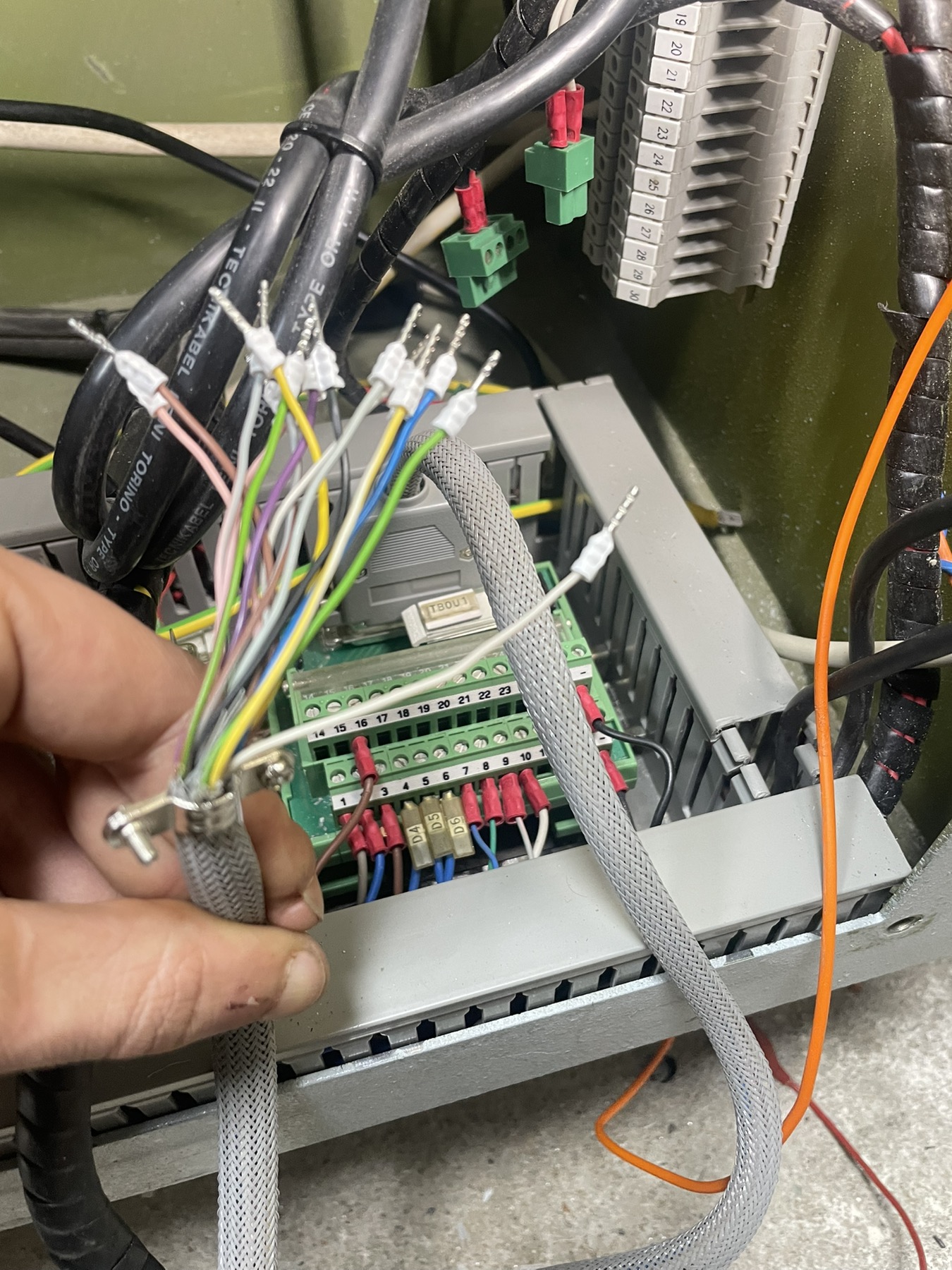
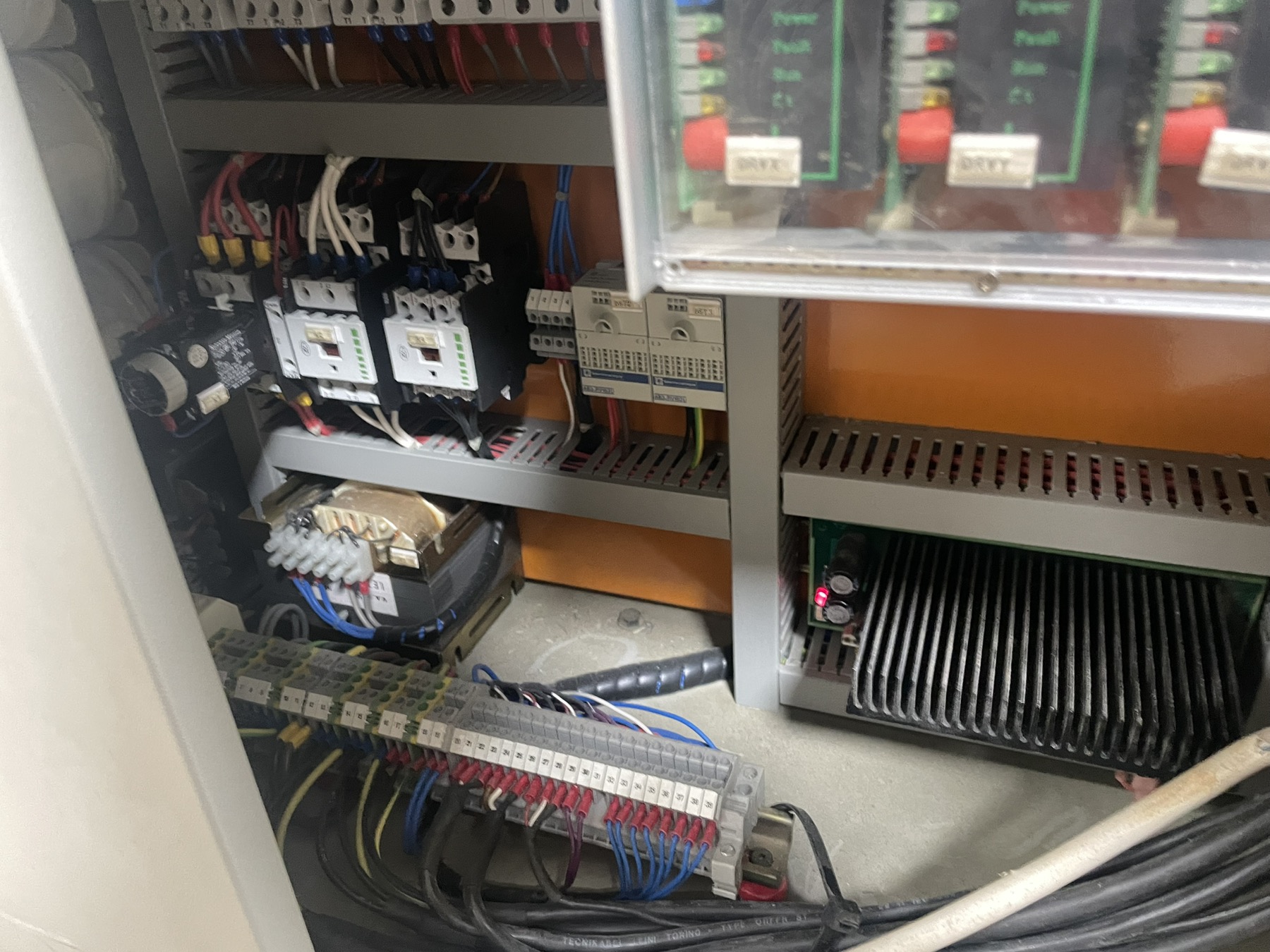
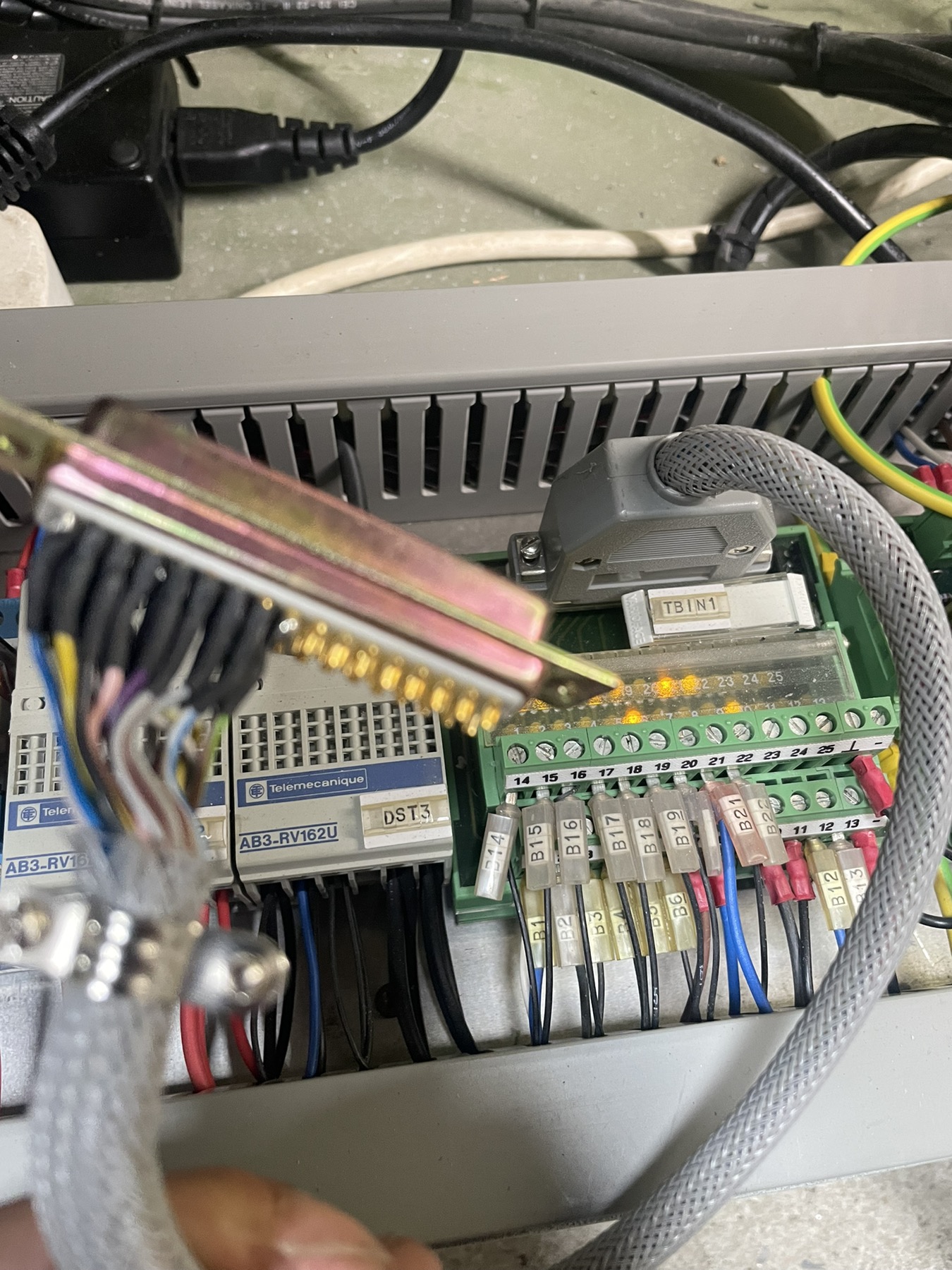
Thanks, I'm on the way to a solution for the drivers, what's left of the cables is clear to me, and the rest are: analog +-10v signals, one 25pin input cable, which are partly connected as soon as the machine is turned on, and partly I realized which ones are for homing and for inductive sensors from the tool. and this 25 pin output cable remains, there are a total of about 10 outputs, my plan is to activate them all manually, together, by hand out of 7i77card, to see what will happen on the other side of the machine where this TB3 (see schematic) terminal block is. the cable from the pendant remained, that is, the one from external buttons to the controller, I mean jog, feed override, spindle override, axis select, step select, estop. I will have to find a way to activate the K1 switch, it turns on the drivers, but also to connect the estop to turn it off. My question is, do I need analog inputs for the pendant later, or could a configuration be made using buttons and potentiometers that would support mpg, potentiometers and buttons with digital inputs?
Replied by Masiwood123 on topic beta bulleri for retrofit?
Thanks, I'm on the way to a solution for the drivers, what's left of the cables is clear to me, and the rest are: analog +-10v signals, one 25pin input cable, which are partly connected as soon as the machine is turned on, and partly I realized which ones are for homing and for inductive sensors from the tool. and this 25 pin output cable remains, there are a total of about 10 outputs, my plan is to activate them all manually, together, by hand out of 7i77card, to see what will happen on the other side of the machine where this TB3 (see schematic) terminal block is. the cable from the pendant remained, that is, the one from external buttons to the controller, I mean jog, feed override, spindle override, axis select, step select, estop. I will have to find a way to activate the K1 switch, it turns on the drivers, but also to connect the estop to turn it off. My question is, do I need analog inputs for the pendant later, or could a configuration be made using buttons and potentiometers that would support mpg, potentiometers and buttons with digital inputs?
Attachments:
Please Log in or Create an account to join the conversation.
- tommylight
-
- Offline
- Moderator
-
Less
More
- Posts: 21980
- Thank you received: 7480
11 Nov 2025 16:38 #338195
by tommylight
Replied by tommylight on topic beta bulleri for retrofit?
Pots do not work with digital inputs, but encoders do, so given enough space the pots can be switched for encoders.
For rough analog, Mesa 7i77 has 4 analog inputs (in0-in3) when set in mode 2, you can try that and see if it is usable for you.
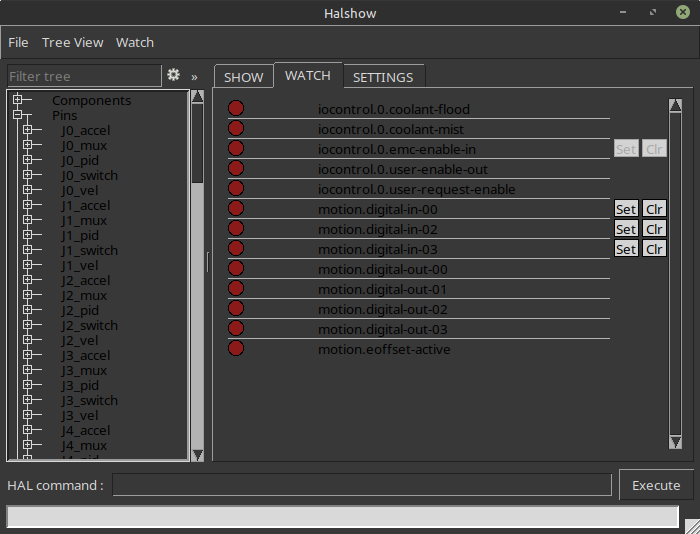
For outputs, 2.10 (or Master) has a nice feature where you can toggle inputs and outputs from the "show hal configuration" menu, so add the Mesa outputs by assigning some random names to pins, then use the above to toggle on and off outputs by clicking on SET or clear, as shown bellow:
For rough analog, Mesa 7i77 has 4 analog inputs (in0-in3) when set in mode 2, you can try that and see if it is usable for you.
For outputs, 2.10 (or Master) has a nice feature where you can toggle inputs and outputs from the "show hal configuration" menu, so add the Mesa outputs by assigning some random names to pins, then use the above to toggle on and off outputs by clicking on SET or clear, as shown bellow:
Attachments:
The following user(s) said Thank You: Masiwood123
Please Log in or Create an account to join the conversation.
- Masiwood123
-
Topic Author
- Offline
- Platinum Member
-
Less
More
- Posts: 423
- Thank you received: 93
11 Nov 2025 18:08 #338201
by Masiwood123
Replied by Masiwood123 on topic beta bulleri for retrofit?
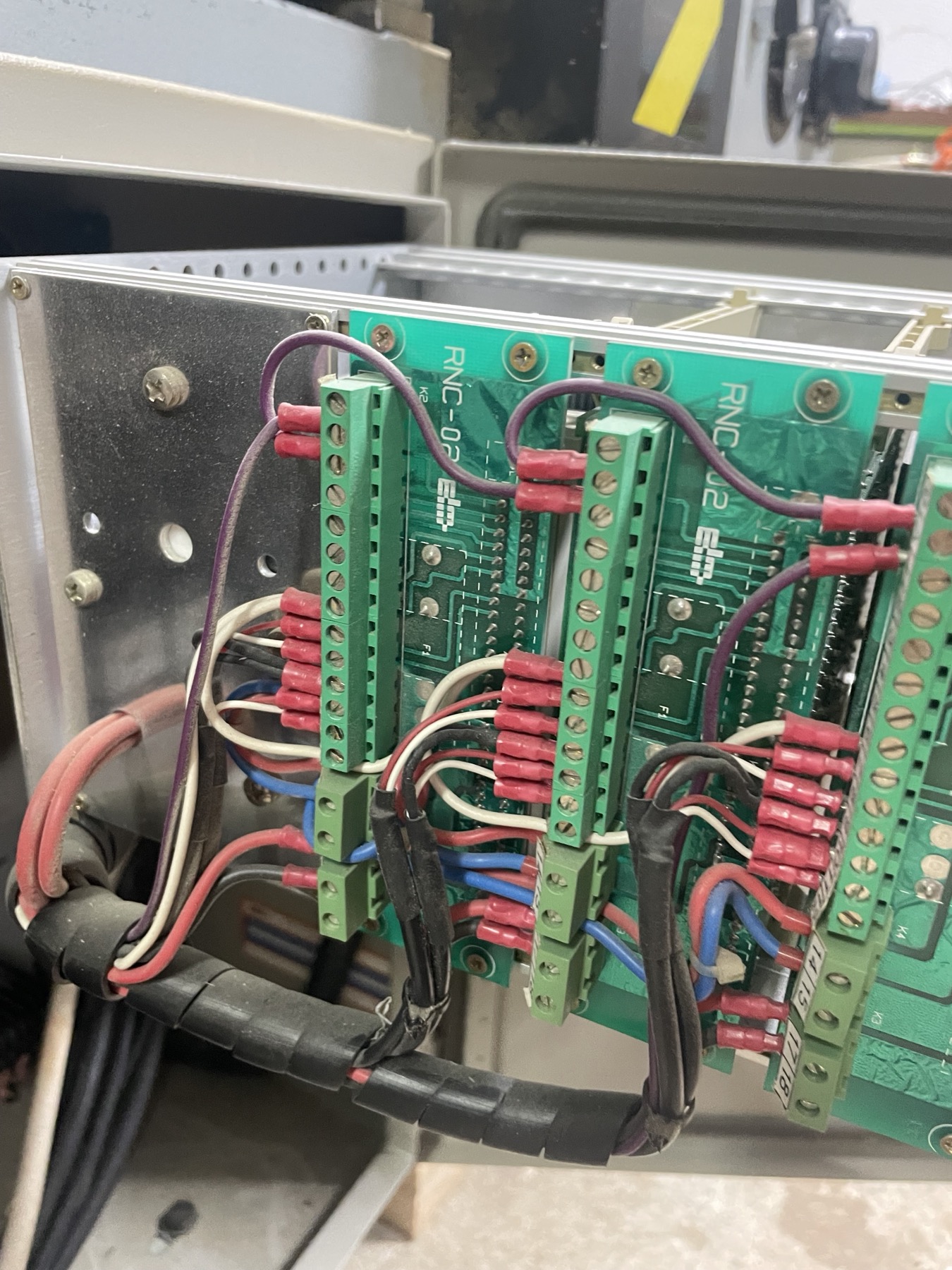
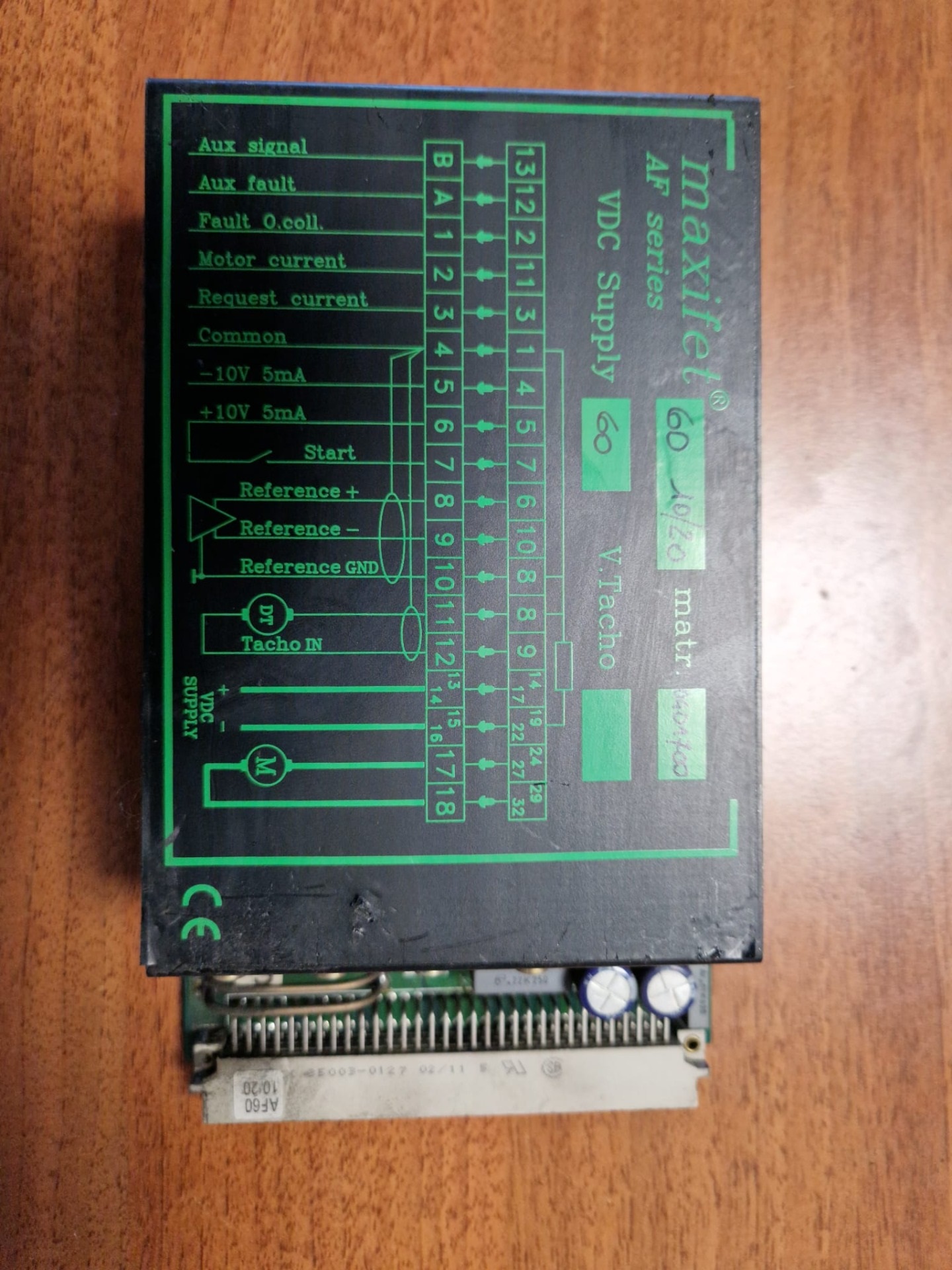
thank you very much for the answer, it will certainly help me later, now i have come to the conclusion that I could destroy the drivers by bringing 24v for enabling, it did not occur to me that the old controller gives 10v on that output, otherwise they are all 24vdc. and now here in the picture you can see these white wires, they are connected to enable on pin 7, however, the pin 6 from the driver just gives 10v and then I managed to short-circuit to pin 7 and the drivers are enabled, however, I still need to understand the estop chain so that the switch that supplies power to the drivers would stick, when I turn it on manually, the axes slide slightly to one side, maybe mm/min, I assume that the offset on the trimmer is not well adjusted, But, when all that I did it via the Mesa 7i77 card, i installed enable and brought the wires for the analog signal of the axis, when i start linuxcnc machine F2 axis move a little and stop(joint following error) (I will have to try to tune the motors first or maybe I should try to turn the analog wires ref and ref-?
Attachments:
Please Log in or Create an account to join the conversation.
- Masiwood123
-
Topic Author
- Offline
- Platinum Member
-
Less
More
- Posts: 423
- Thank you received: 93
11 Nov 2025 18:15 #338204
by Masiwood123
Replied by Masiwood123 on topic beta bulleri for retrofit?
i will make short video what is all about that problem later.
Please Log in or Create an account to join the conversation.
- Masiwood123
-
Topic Author
- Offline
- Platinum Member
-
Less
More
- Posts: 423
- Thank you received: 93
11 Nov 2025 20:12 #338209
by Masiwood123
watch both videos, I think the following is motor tuning, connecting the home switch, and again I have a problem with the keyboard, the velocity changes when jogging, I need to find Tommylight's post on how to solve it. thanks:)
Replied by Masiwood123 on topic beta bulleri for retrofit?
watch both videos, I think the following is motor tuning, connecting the home switch, and again I have a problem with the keyboard, the velocity changes when jogging, I need to find Tommylight's post on how to solve it. thanks:)
Please Log in or Create an account to join the conversation.
- Masiwood123
-
Topic Author
- Offline
- Platinum Member
-
Less
More
- Posts: 423
- Thank you received: 93
11 Nov 2025 20:14 - 11 Nov 2025 20:24 #338210
by Masiwood123
Replied by Masiwood123 on topic beta bulleri for retrofit?
Last edit: 11 Nov 2025 20:24 by Masiwood123.
Please Log in or Create an account to join the conversation.
- Masiwood123
-
Topic Author
- Offline
- Platinum Member
-
Less
More
- Posts: 423
- Thank you received: 93
11 Nov 2025 20:25 - 11 Nov 2025 20:26 #338212
by Masiwood123
Replied by Masiwood123 on topic beta bulleri for retrofit?
Last edit: 11 Nov 2025 20:26 by Masiwood123.
Please Log in or Create an account to join the conversation.
- tommylight
-
- Offline
- Moderator
-
Less
More
- Posts: 21980
- Thank you received: 7480
11 Nov 2025 21:29 #338217
by tommylight
Replied by tommylight on topic beta bulleri for retrofit?
Try jogging with on screen buttons, does it still jerk?
The wire you connected 24V is the machine enable, so it goes to Mesa 7i77 output, while the other wire should go to input as machine is ready. Does the other pin come from the ON/START/GREEN button?
Tuning does not seem OK, but it is very nice that you can jog at low speed, try increasing the speed gradually and see this for further instructions:
forum.linuxcnc.org/10-advanced-configura...ning-detailed-how-to
The wire you connected 24V is the machine enable, so it goes to Mesa 7i77 output, while the other wire should go to input as machine is ready. Does the other pin come from the ON/START/GREEN button?
Tuning does not seem OK, but it is very nice that you can jog at low speed, try increasing the speed gradually and see this for further instructions:
forum.linuxcnc.org/10-advanced-configura...ning-detailed-how-to
The following user(s) said Thank You: Masiwood123
Please Log in or Create an account to join the conversation.
Time to create page: 3.262 seconds