Cad/Cam software for Linux

More
4 years 2 months ago #250243 by mgm
Replied by mgm on topic Cad/Cam software for Linux
I still have 18.04 on my company computer.
I am currently updating my debian10 to Python 3.9 in my VM. Will try it then with Debian!

Please Log in or Create an account to join the conversation.
More
4 years 2 months ago - 4 years 2 months ago #250244 by mgm
Replied by mgm on topic Cad/Cam software for Linux
I now have my debian10 in my VM on Python3.9.1.
Now that I have reinstalled some things and I still have
no matching distribution found for pyqt5-qt5 =5.15.2 (from pyqt5)
at the inatalation of 'viaconstructor' I ran out of memory in the VM.

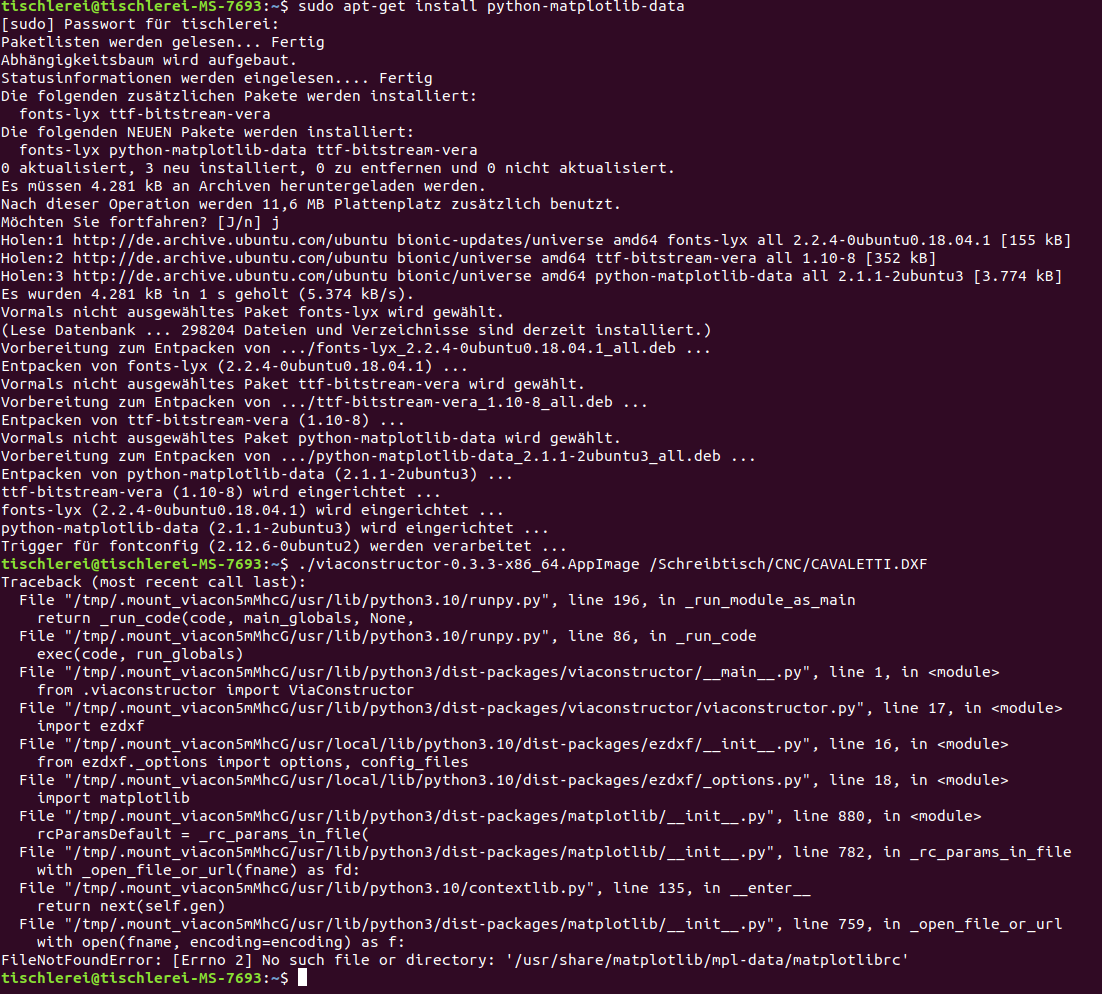
The last suggestion with:
apt-get install python-matplotlib-data
does not work either ...
 

I must be out of my depth with this!!!

I just do not understand where the problem lies ...
Last edit: 4 years 2 months ago by mgm.

Please Log in or Create an account to join the conversation.

More
4 years 2 months ago #250249 by tommylight
Any time i get the missing QT5 stuff i use PhillC's QT installer included with LinuxCNC, it works always:
forum.linuxcnc.org/qtvcp/38414-installing-qtvcp
The following user(s) said Thank You: seuchato

Please Log in or Create an account to join the conversation.

More
4 years 2 months ago - 4 years 2 months ago #250254 by mgm
Replied by mgm on topic Cad/Cam software for Linux
I have the directory from:

qtvcp/designer/install_script

NOT on my computer
Last edit: 4 years 2 months ago by mgm.

Please Log in or Create an account to join the conversation.

More
4 years 2 months ago #250256 by tommylight
There are two paths on that tutorial, did you try both?
How did you install LinuxCNC?

Please Log in or Create an account to join the conversation.

More
4 years 2 months ago #250257 by mgm
Replied by mgm on topic Cad/Cam software for Linux
yes I have tried both
installed with the ISO 2.8.1 and update to 2.8.3
it runs in a VM

Please Log in or Create an account to join the conversation.

Time to create page: 0.318 seconds
Powered by Kunena Forum
