Successfully configured with stepconf: but +Y-axis "stutters" running G-code

More
4 years 6 months ago - 4 years 6 months ago #240156 by clunc
I repeated the install with the steps and decisions I had taken the first time.

It has failed again. 

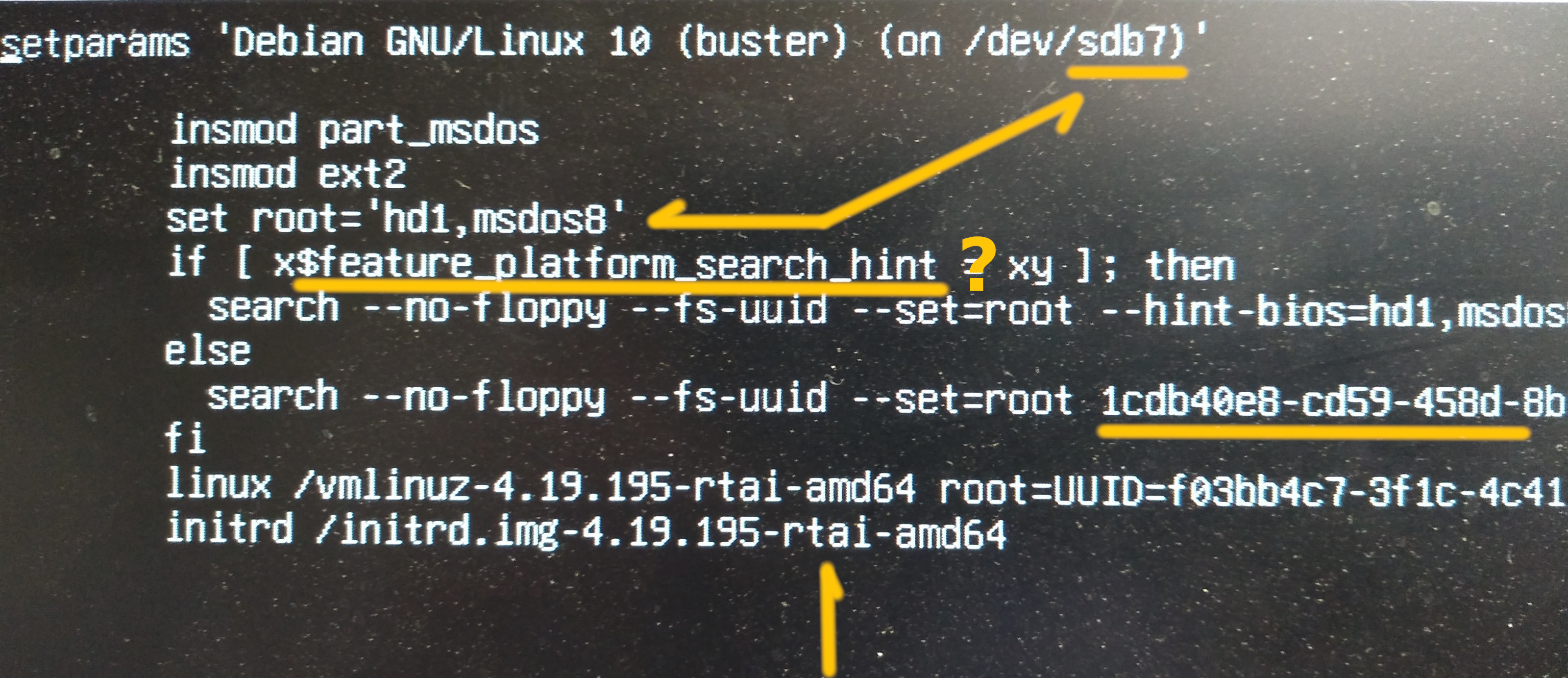
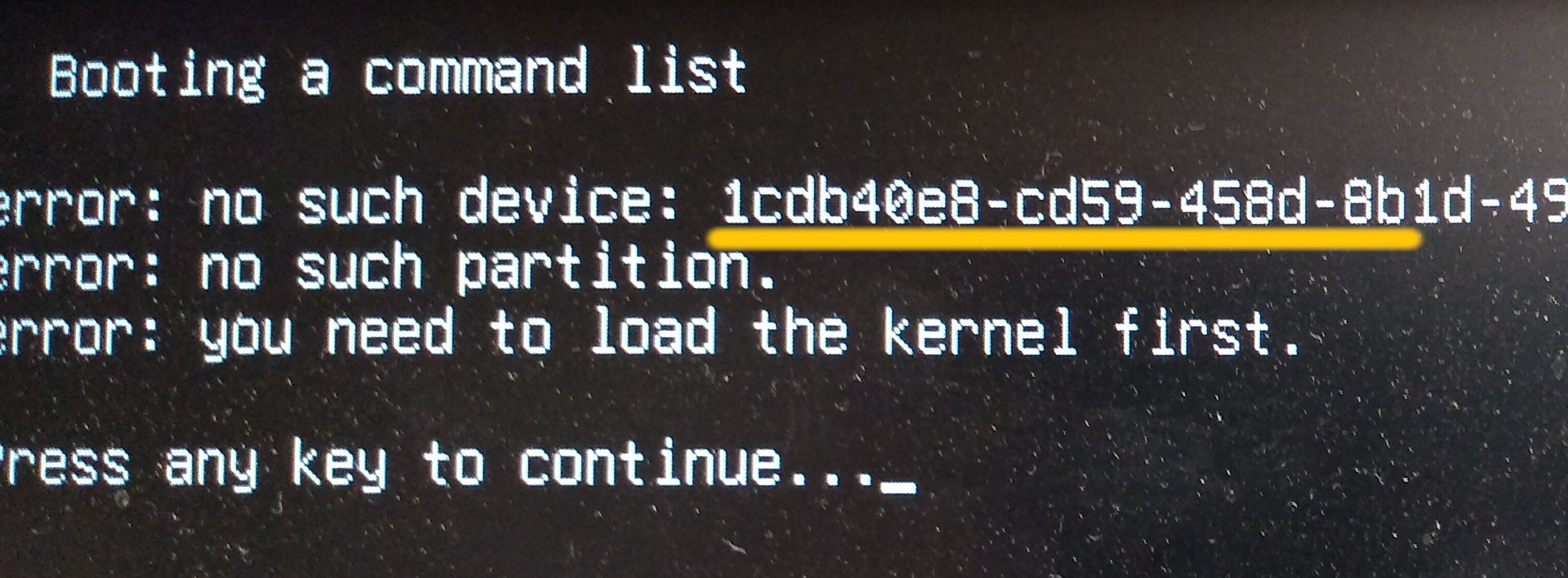
I've attached a pic of the boot entry in grub for the Debian 10 os on drive /dev/sdb7 (hd1; msdos) and for the subsequent "partition not found" error message when that entry is selected.

Note the peculiarity in the grub entry referring to an 'rtai' image.  Note also in that pic the long hex number which is referenced in the second.  Once again, I called for both the /boot and the /root partitions (sdb7/sdb8) to be formatted. 

The reference to the long-hex in the second screen leads me to believe I should have somehow enabled the option signified by a '?' on the first screen.

Bizarre.
Last edit: 4 years 6 months ago by clunc. Reason: correct order of attachments.

Please Log in or Create an account to join the conversation.
More
4 years 6 months ago #240158 by andypugh
I am confused now. Is this a standard Debian 10 installer or the dodgy one that I made?

Please Log in or Create an account to join the conversation.
More
4 years 6 months ago #240159 by clunc
re: $feature_platform_search_hint [is a dead-end; that's not the problem]

askubuntu.com/questions/833220/where-is-...-cfg/1177035#1177035

"The list of features is maintained as features global variable in normal/main.c. feature_platform_search_hint has been available since GRUB 2.00 (released 2012). So the conditional code checking for this feature is pointless in all modern Linux distributions."

Please Log in or Create an account to join the conversation.

More
4 years 6 months ago #240197 by clunc
I was able to get Debian to boot by first booting the Mint partition and re-running:
sudo grub-mkconfig -o /boot/grub/grub.cfg
sudo grub-install /dev/sdb # the drive with the Debian partitions

I don't think it mattered where I put the grub-install; the important thing was that the grub.cfg needed to have the correct references, and it doesn't appear that the LinuxCNC live disk was getting those right, perhaps because the partitions were extended, not primaries.

So, I can boot Debian and uname confirmed it has the 4.19 -rt- kernel so I'm on to installing the -rtai- kernel.

Please Log in or Create an account to join the conversation.
More
4 years 6 months ago #240204 by clunc
Successfully installed the 4.19 RTAI kernel. Confirmed by uname.

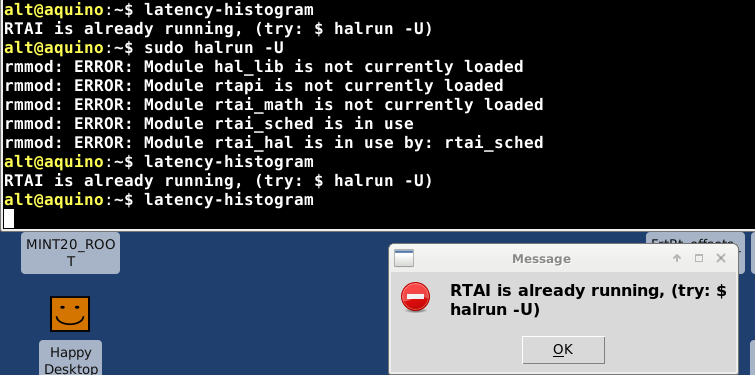
Both latency-test and latency-histogram throw errors.

Screenshots attached.
(latency-test's reads:
insmod: ERROR: could not insert module /usr/realtime-4.19.195-rtai-amd64/modules/rtai_hal.ko: File exists
)
(latency-histogram's reads:
RTAI is already running, (try: $ halrun -U)
)
(but $ sudo halrun -U complains:
rmmod: ERROR: Module hal_lib is not currently loaded
rmmod: ERROR: Module rtapi is not currently loaded
rmmod: ERROR: Module rtai_math is not currently loaded
rmmod: ERROR: Module rtai_sched is in use
rmmod: ERROR: Module rtai_hal is in use by rtai_sched
)

I did attempt to launch latency-histogram while latency-test was running (but hung), possibly explaining the former's complaint and advice to run 'halrun -U', but running it even as root did not solve the problem.

I have no insights about how to go about resolving this.  Can you advise where to start?

Thank you.
 

Please Log in or Create an account to join the conversation.

More
4 years 6 months ago #240236 by andypugh

I have no insights about how to go about resolving this. 
 
The only reliable way to recover from this "File exists" problem is to reboot. It means that something has trued to start realtime and crashed without exiting cleanly. 

But you should never get this issue after a clean start unless you have loaded LinuxCNC or the latency test. 

Try the RTAI-provided tests:

First calibrate: sudo /usr/realtime-4.19.195-rtai-amd64/calibration/run
Then run the text-mode latency test: sudo /usr/realtime-4.19.195-rtai-amd64/testsuite/run 
 
The following user(s) said Thank You: clunc

Please Log in or Create an account to join the conversation.

Time to create page: 0.168 seconds
Powered by Kunena Forum
