NativeCAM is Features renamed

More
9 years 3 months ago - 9 years 3 months ago #95614 by eFalegname
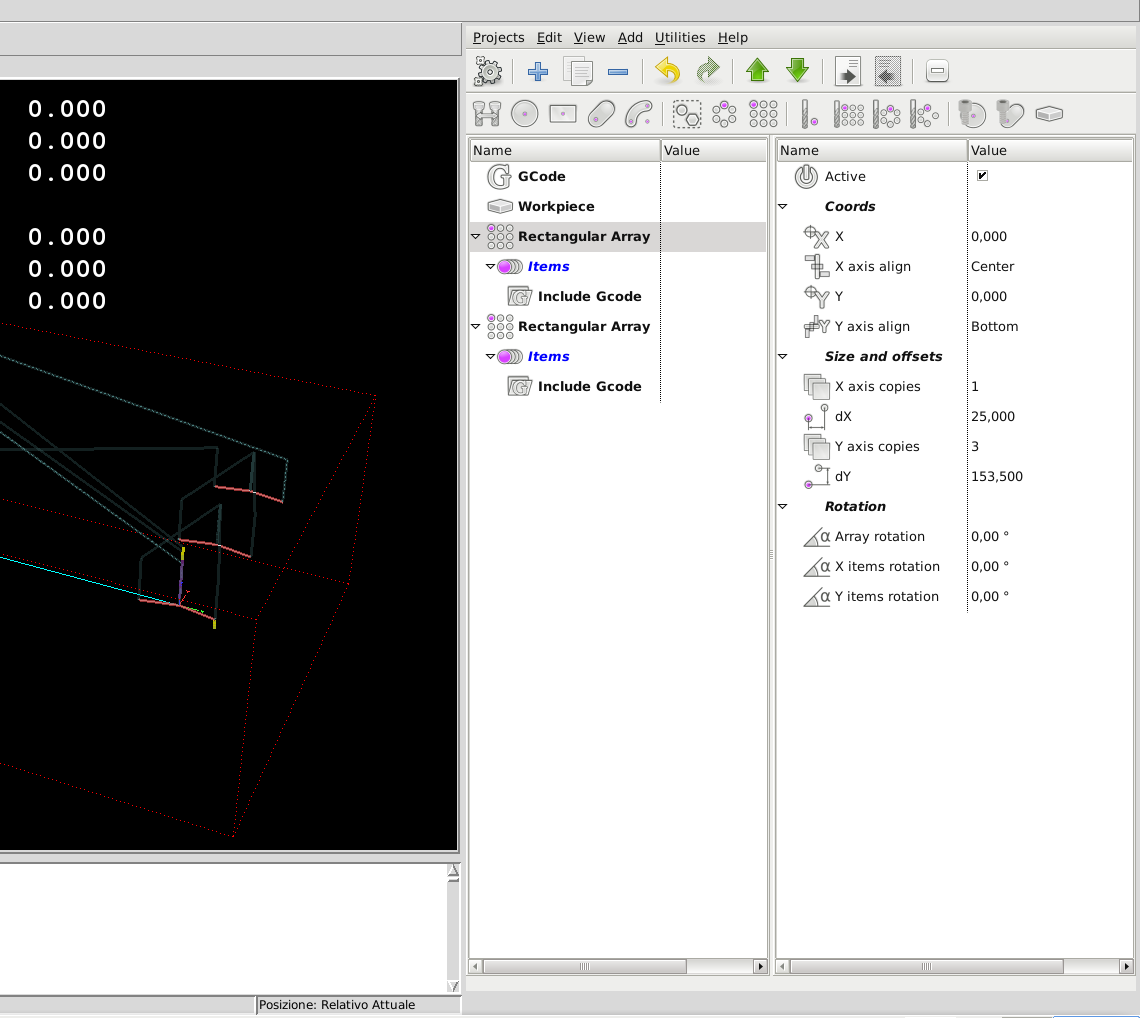
updated: When the Gcode file is compiled with Native CAM the error is not reproducible, but when the Gcode file is included in the NativeCAM array, the error is always repeated in the last tool change.
What do you think Fern, maybe I have a problem with my macro M6 or there is someone else who has had this situation?
Last edit: 9 years 3 months ago by eFalegname.

Please Log in or Create an account to join the conversation.
More
9 years 3 months ago #95617 by FernV
Replied by FernV on topic NativeCAM is Features renamed

eFalegname wrote: updated: When the Gcode file is compiled with Native CAM the error is not reproducible, but when the Gcode file is included in the NativeCAM array, the error is always repeated in the last tool change.
What do you think Fern, maybe I have a problem with my macro M6 or there is someone else who has had this situation?

Is your tool change in the included file and repeatable ? What if it was out like in 'Tool Change' but if you use more than one cutter, you might have to split your file

Fern

Please Log in or Create an account to join the conversation.
More
9 years 3 months ago - 9 years 3 months ago #95620 by eFalegname
Yes, my toolchange is in the first line of each included Gcode.
Ex:
Project-

File Attachment:

File Name: Arrays.xml
File Size:23.53 KB

First included Gcode-

File Attachment:

File Name: ARRAYPROVE.ngc
File Size:45 B

Second included Gcode-

File Attachment:

File Name: ARRAYPROVE2.ngc
File Size:45 B
Last edit: 9 years 3 months ago by eFalegname.

Please Log in or Create an account to join the conversation.
More
9 years 3 months ago - 9 years 3 months ago #95637 by FernV
Replied by FernV on topic NativeCAM is Features renamed
Hi Floris,

Though 't3 m6' is called on each loop (3 times on each Array) I do not think this is the problem.
Maybe it is the fact that you end ARRAYPROVE.ngc with 'g0 z2' but I was unable to clearly identify it.
So I created a project that does the same and I would like you to try it.

A few screenshots (many parameters have been hidden for clarity) and explanation how I did it.
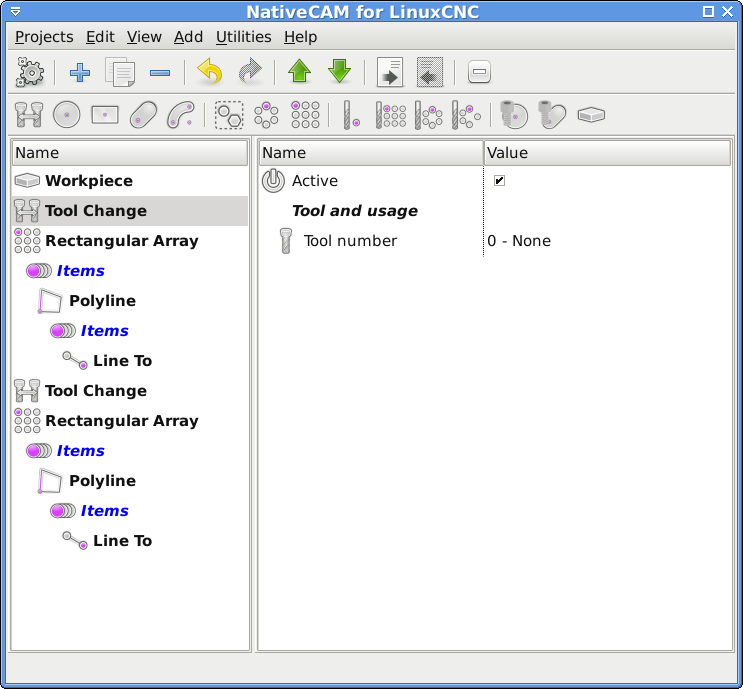
I inserted a 'Tool Change' and select tool number


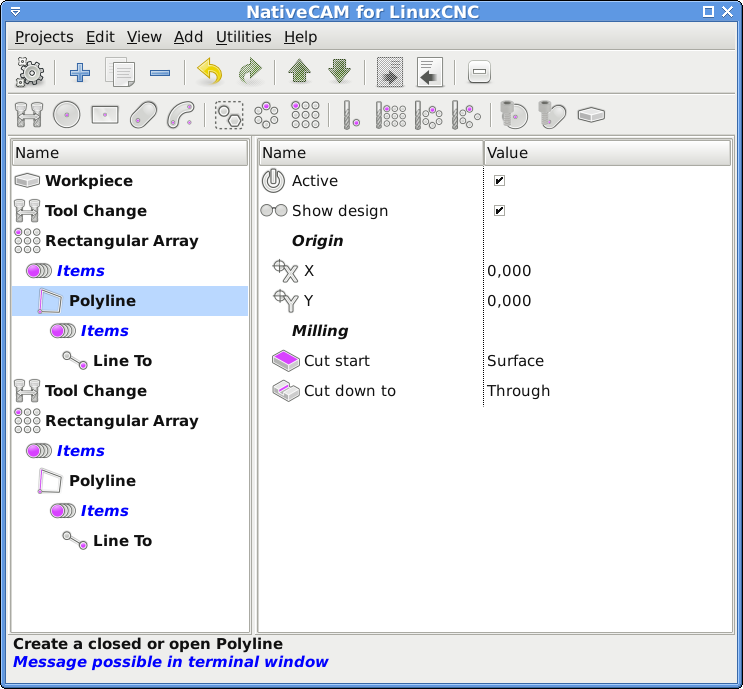
There is no change with the 'Rectangular Array' but I added a 'Polyline' instead of inserting a file since we only want to cut a simple line. I setted the starting point / Origin and the Milling options are up to you.


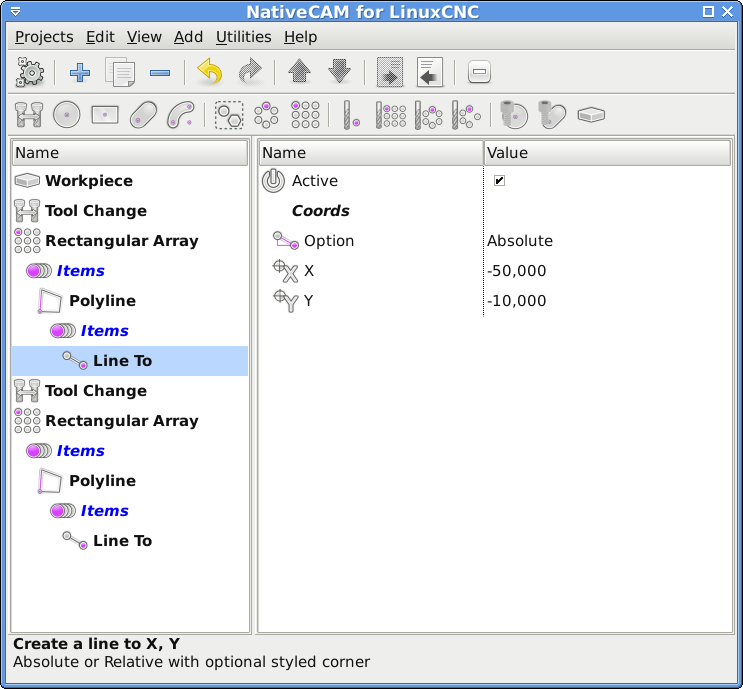
I added a 'Line To' and setted the end Coords


I duplicated the 'Tool Change' and moved down the last place. Tool number should be 31.
However even if you have a special macro to change the tool, 'Tool Change' should work fine since it calls 'T#param_dnum M6' if and only if mounted tool is not #param_dnum

I duplicated the 'Rectangular Array' and moved to last position and changed the X Coord of the 'Line To' to 50
Note the 'Polylines' are not closed.

Please tell me if it still cause the same situation so I can have a better understanding of the problem.
I will continue trying to find if the 'g0 z2' is the culprit or not

File Attachment:

File Name: Arrays.xml
File Size:66.25 KB


Fern

P.S. If your pre-amble has G54, you do not have to insert it with 'GCode', it is automatically inserted.
Last edit: 9 years 3 months ago by FernV.

Please Log in or Create an account to join the conversation.
More
9 years 3 months ago - 9 years 3 months ago #95691 by eFalegname
Hi Fern,
I'm sorry to be unable to test your file at this time I'm very busy with some backlogs, as soon as I'll run the file you sent me I'll post the results here, however I think the problem only appears on the last "included gcode" file of the array with the tool change on its first lines.
Thank you!
Floris
Last edit: 9 years 3 months ago by eFalegname.

Please Log in or Create an account to join the conversation.

More
9 years 3 months ago #95695 by FernV
Replied by FernV on topic NativeCAM is Features renamed

eFalegname wrote: ...I think the problem only appears on the last "included gcode" file of the array with the tool change on its first lines.


Floris,

To make sure that 'm6' is executed only once, modify the first line of your included files like this
Code:
o100 if [#5400 NE 3] t3 m6 o100 endif

and
Code:
o100 if [#5400 NE 31] t31 m6 o100 endif

Fern

Please Log in or Create an account to join the conversation.

Time to create page: 0.505 seconds
Powered by Kunena Forum
