Probe Basic ATC Setup Problems

More
2 years 9 months ago #292086 by Lcvette

Thanks for the answer!
What I meant with the "T0 M6"  is that the "store_tool_in_carousel.ngc" subroutine calls a "T0 M6".
I tried to test out if my subroutine modifications caused a problem, so I replaced everything with the stock subroutines that work in the sim and tried the simplest case:
T0 is in the spindle and I call a "T0 M6". 
All I changed was a PRINT statement to see if the program executes the right "if" statement.

 
I would expect that upon calling "T0 M6" the toolchange.ngc file checks if the selected tool is already in the spindle and, if so, exits the subroutine.
But the execution starts and then never ends. The subroutine never Exits. Looking at the log, the Variables are correct and the if statement successfully checked that the tool is already in the spindle but the endsub doesn't get executed for some reason.
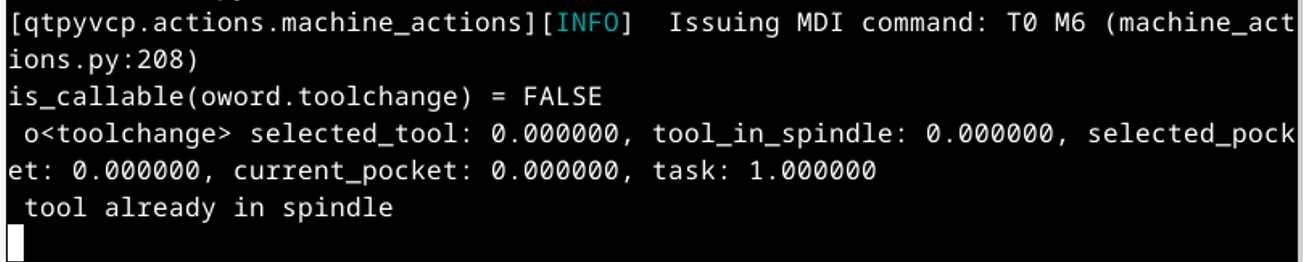
 
It just gets stuck here and I don't understand why.

I am sure you are right and it's some kind of problem with my config but I can't figure out what. I even made a new machine config with minimal features but I still get the same problem.

You mentioned that my error Date is cut off. What exactly do you mean and how do I get more debug data? 
ok i see what you are referring too, its not stuck, there is simply not a print command which would trigger a debug message.  for example you added one and if you look at the ends of the subs you will see there is a print command for debugging, but in o140 if statement there is not a print comand to show the iffstatement was true and the endsub command given, but this does not mean its stuck, simply that its not printing because a print command is not there.  if you want to add a print command simply copy from the end of the sub and place ebtween the endsub line and if statement like so:
Code:
o140 if [#<selected_tool> EQ #<tool_in_spindle>] ; checks if tool in the spindle is same as requested     (PRINT, o<toolchange> endsub)     o<toolchange> endsub [1] M2 o140 endif
The following user(s) said Thank You: PeterSi

Please Log in or Create an account to join the conversation.
More
2 years 9 months ago #292096 by PeterSi
Ah, I see. That makes sense, thanks for the explanation.
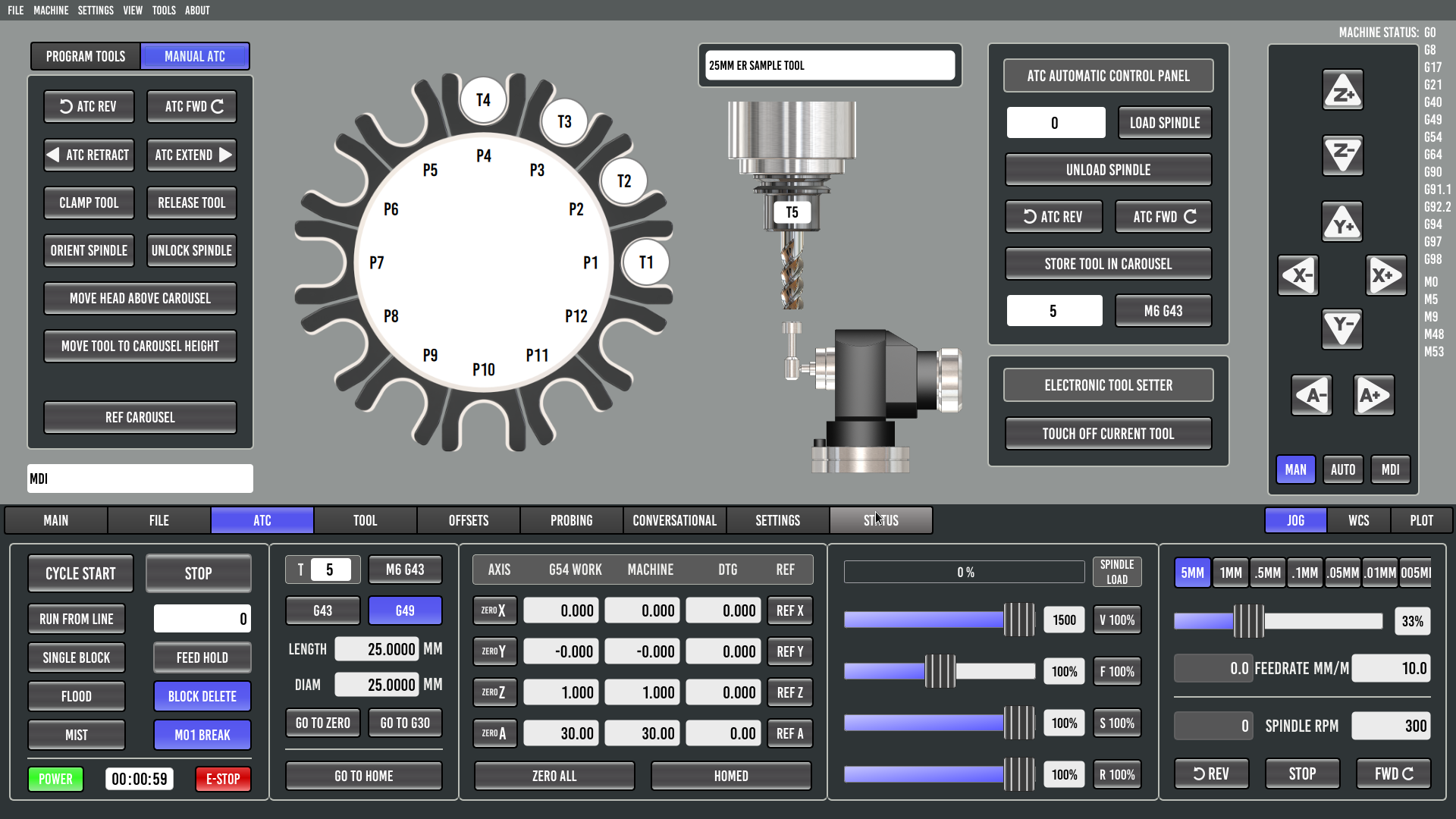
Maybe I wasn't clear when saying it was "stuck". My problem is, that the "cycle" or the execution of the subroutine never ends.
In the last example the toolchange subroutine enters the if statement o140 and then should end the "cycle" with M2. But that doesn't happen. The cycle keeps running doing nothing until I manually stop it with the "Stop" button.

Please Log in or Create an account to join the conversation.

More
2 years 9 months ago #292103 by Lcvette
what evidence are you using to support the fact that it is running and not ending?  in your above example where it states tool already in spindle this is proof that it is ending the sub and triggering the if statement as true.  you will get no further acknowledgement from the temrinal without adding the print statement showing endsub.

now if you mean your task is unresolved and the buttons in the ui are grayed out, then you may have another item from the subroutine running without closing.  do you have programmable coolant set to 0 to deactivate it?

what other items are being triggered in your toolchange macros? show any differences from the sim to give us a starting point to help you torubleshoot.
The following user(s) said Thank You: PeterSi

Please Log in or Create an account to join the conversation.

More
2 years 9 months ago #292127 by PeterSi
Ok, what I  mean is, that the task is unresolved and the buttons in the UI are grayed out. So the machine doesn't go back to idle. Sorry, for not being clear about that.
The programmable coolant is set to 0 to deactivate it. 
To try and find the source of the problem I replaced the entire subroutine folder with the original, unmodified subroutines. The Python folder is also unmodified. I am aware that the toolchange won't work because my hardware is different, that's why I used "T0 M6" with no tool in the spindle to test because that should work anyway. (right?)
The only files different from the Sim, as far as I can tell, are my .hal, .ini and the probe_basic_postgui.hal.
I attached these. This is my simplified new config that I am testing with. The original files are attached to the original post. But both have the same issue.

Please correct me if I am wrong, but if I do the last test, calling "T0 M6" with no tool in the spindle and the toolchange.ngc file jumps into o140 to end the sub, the machine should return to Idle. And that works in the Sim. So what is happening between the toolchange.ngc ending and the machine going back to idle?

Also one side Question: Is it normal, that the log says that for example, the oword.toolchange is not callable despite executing it right afterward?

Please Log in or Create an account to join the conversation.
More
2 years 7 months ago #295137 by Lcvette
is this state because it is in auto mode from triggering a program maybe?? does changing to manual mode ungray your buttons? calling t0 m6 with atc and empty pockets might be an issue as there are 0's in the var file for all of the empty pockets. this is why when unloading the spindle M61 Q0 is used to unload the spindle rather than M6. you are assigning t0 to the spindle rather than calling for a toolchange to fetch t0. maybe this is the issue?

Please Log in or Create an account to join the conversation.

More
2 years 7 months ago #295503 by PeterSi
Calling a toolchange puts the machine into MIDI mode in which it stays until I manually press the Stop button.
I don't think that specifically tool 0 is the problem here. To illustrate I made this test:
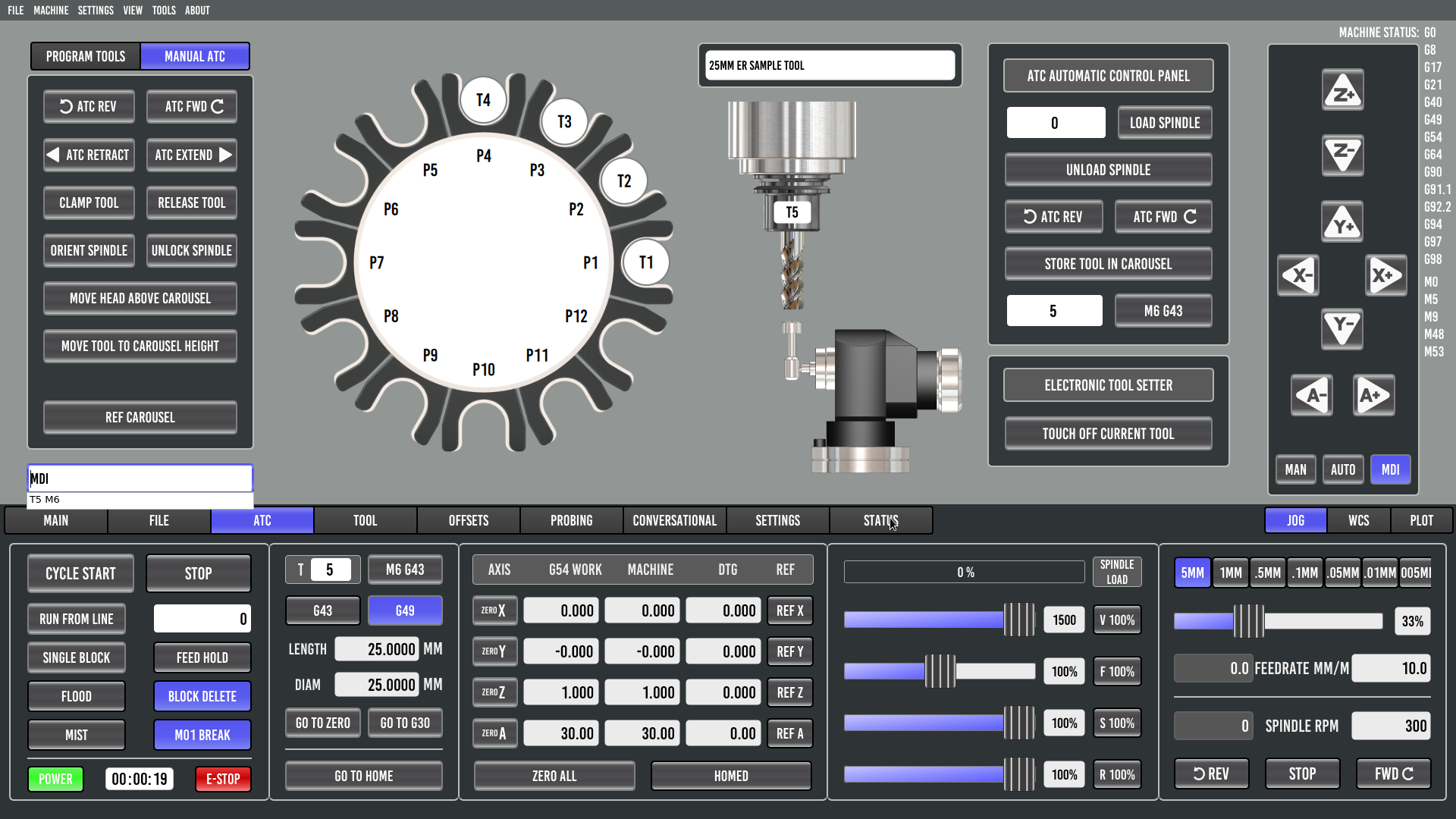
This screenshot is the machine in idle with both tools and empty pockets in the ATC. The spindle is loaded with tool 5.
 

The subroutines are all default with the only modification being this print statement in the toolchange subroutine.
 

I now call "T5 M6" and I expect, that the toolchange subroutine checks if the requested tool is the same as in the spindle and then exits the subroutine and my machine goes back to idle.
The log shows that this is the case:
 

But my machine doesn't go back to idle. It keeps running and the program timer keeps counting the elapsed time until I manually stop the machine.
 

And I get basically the same problem if I use the "store tool in carousel" button or any other kind of toolchange. The machine never returns to the idle state. 
 

Please Log in or Create an account to join the conversation.

Moderators: KCJ, Lcvette
Time to create page: 0.067 seconds
Powered by Kunena Forum
