
(Solved) Probe Basic - HAL pins not being created
- Lcvette
-

- Away
- Moderator
-

Less
More
- Posts: 1670
- Thank you received: 779
09 Sep 2026 23:43 #349522
by Lcvette
Replied by Lcvette on topic (Solved) Probe Basic - HAL pins not being created
for reference here are the already linuxcnc exposed status items:
linuxcnc.org/docs/html/config/python-interface.html
linuxcnc.org/docs/html/config/python-interface.html
Please Log in or Create an account to join the conversation.
- spumco
- Away
- Platinum Member
-

Less
More
- Posts: 2162
- Thank you received: 894
10 Sep 2026 00:34 #349524
by spumco
Replied by spumco on topic (Solved) Probe Basic - HAL pins not being created
As I said earlier, the LED was just a first attempt. When that didn't work out, I realized a label that acted like an LED could do double-duty and save screen space.
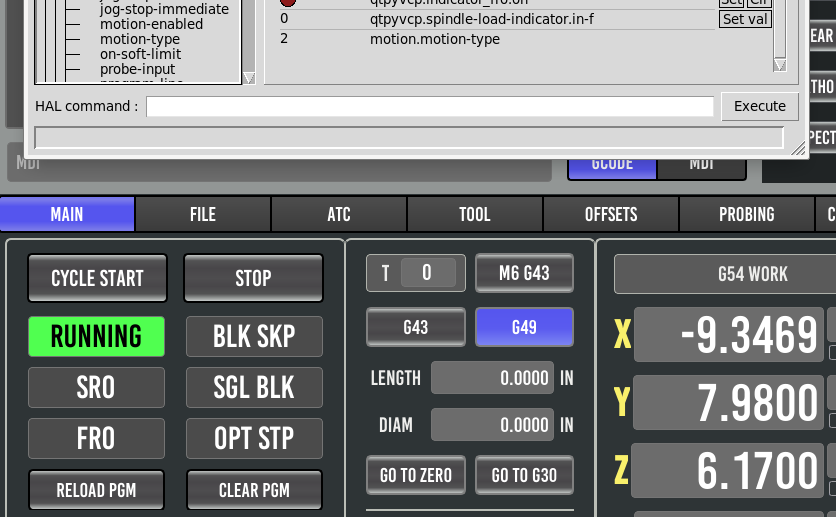
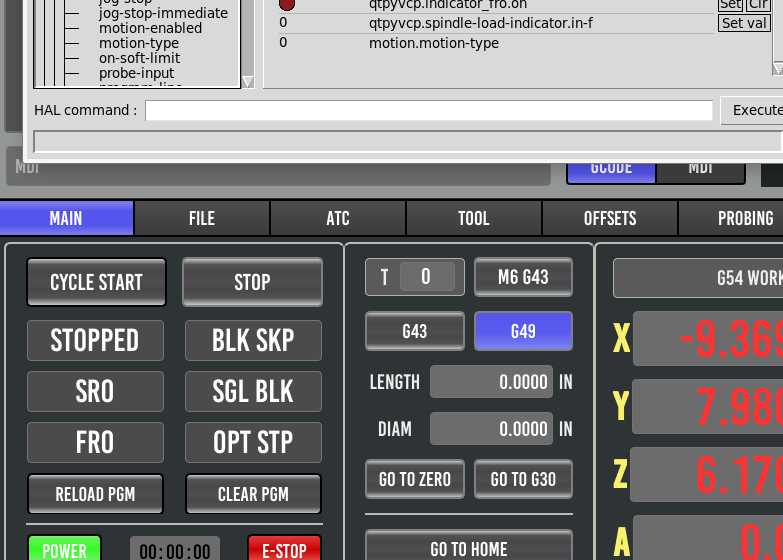
Just so we're on the same page, here are two screenshots of what I've got after Claude created new .py and .qss files
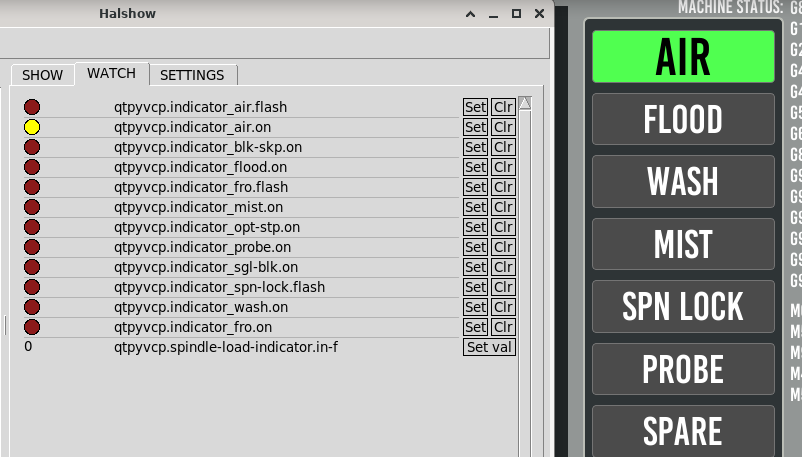
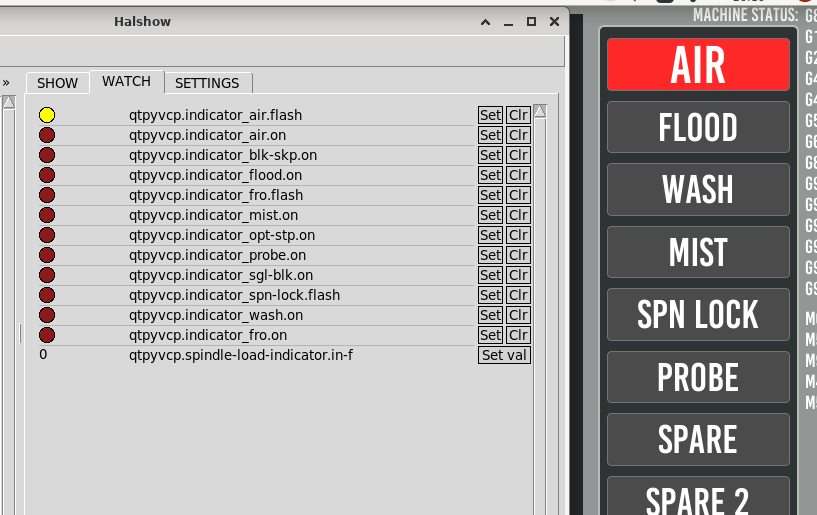
The red one is actually blinking, but you get the idea.
I'm not completely sure about the architecture, but it looks like that python file creates two hal pins per Qlabel instance. And links the label to a .qss setting via the standard Qt Qlabel's dynamic settings. Screenshot of the dynamic properties:
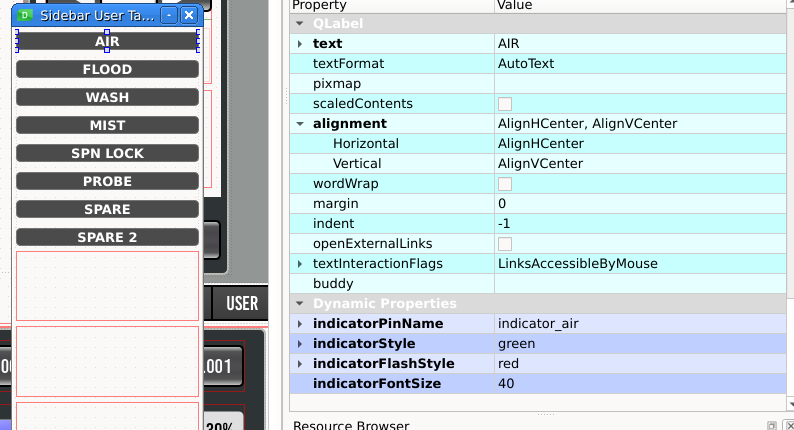
The rest of the indicators follow the same process. Two hal pins are created per label, I link one of the pins in post-gui, set the dynamic properties to a color, and they all work.
I've attached the files in case you're interested in what's backstage. And I think the status_tab.py was also modified - and is what I'm not supposed to touch (auto-updated when probe_basic.ui is open).
The above is what I was trying to do with HalLabel widget rules, but couldn't.
Just so we're on the same page, here are two screenshots of what I've got after Claude created new .py and .qss files
The red one is actually blinking, but you get the idea.
I'm not completely sure about the architecture, but it looks like that python file creates two hal pins per Qlabel instance. And links the label to a .qss setting via the standard Qt Qlabel's dynamic settings. Screenshot of the dynamic properties:
The rest of the indicators follow the same process. Two hal pins are created per label, I link one of the pins in post-gui, set the dynamic properties to a color, and they all work.
I've attached the files in case you're interested in what's backstage. And I think the status_tab.py was also modified - and is what I'm not supposed to touch (auto-updated when probe_basic.ui is open).
The above is what I was trying to do with HalLabel widget rules, but couldn't.
Please Log in or Create an account to join the conversation.
- Lcvette
-
- Away
- Moderator
-
Less
More
- Posts: 1670
- Thank you received: 779
10 Sep 2026 00:42 - 10 Sep 2026 00:43 #349525
by Lcvette
Replied by Lcvette on topic (Solved) Probe Basic - HAL pins not being created
Ok I see now, did you try just using a halbutton? If you just wanted color change I think that would work and be simple. Have to check, but I believe they are bidirectional.
Last edit: 10 Sep 2026 00:43 by Lcvette.
Please Log in or Create an account to join the conversation.
- spumco
- Away
- Platinum Member
-
Less
More
- Posts: 2162
- Thank you received: 894
10 Sep 2026 00:51 #349526
by spumco
Replied by spumco on topic (Solved) Probe Basic - HAL pins not being created
No, it didn't occur to me to use a button as an indicator. And I didn't want an on-screen button or control widget.Ok I see now, did you try just using a halbutton? If you just wanted color change I think that would work and be simple. Have to check, but I believe they are bidirectional.
Please Log in or Create an account to join the conversation.
- Lcvette
-
- Away
- Moderator
-
Less
More
- Posts: 1670
- Thank you received: 779
10 Sep 2026 01:19 #349527
by Lcvette
Replied by Lcvette on topic (Solved) Probe Basic - HAL pins not being created
doesn't have to be, you can give it no focus, im tinklering with it now just about have it and it is pretty easy with no code changes and making more of them would be way faster and not require code changes for each instance
Please Log in or Create an account to join the conversation.
- Lcvette
-
- Away
- Moderator
-
Less
More
- Posts: 1670
- Thank you received: 779
10 Sep 2026 01:29 - 10 Sep 2026 01:33 #349528
by Lcvette
Replied by Lcvette on topic (Solved) Probe Basic - HAL pins not being created
ok yeah this is what you want to do it is much cleaner with no code changes to hack it up, this is existing hal code and the button itself is none functional in the ui essentially becomes a label, you cannot click it or select it or do anything bu observe it physically.
you then just add your net in postgui.hal file and your off to the races!
here is the stylesheet used:
you then just add your net in postgui.hal file and your off to the races!
here is the stylesheet used:
QPushButton {
    color: white;
    border-color: black;
    border-style: solid;
    border-radius: 5px;
    border-width: 1px;
    background: green;
    font-family: "Probe Basic Bebas Mono";
    font-size: 15pt;
}

QPushButton:checked {
    background: red;
}


and for reference here is the simple net to the hal test_button:
# *** Probe graphic simulation trigger push probe tip ***
net probe-in => qtpyvcp.probe-in.out
net probe-in <= qtpyvcp.probe-led.on
net probe-in => qtpyvcp.test_button.check
Last edit: 10 Sep 2026 01:33 by Lcvette.
The following user(s) said Thank You: spumco
Please Log in or Create an account to join the conversation.
- spumco
- Away
- Platinum Member
-
Less
More
- Posts: 2162
- Thank you received: 894
10 Sep 2026 01:45 #349529
by spumco
Replied by spumco on topic (Solved) Probe Basic - HAL pins not being created
That's really slick!
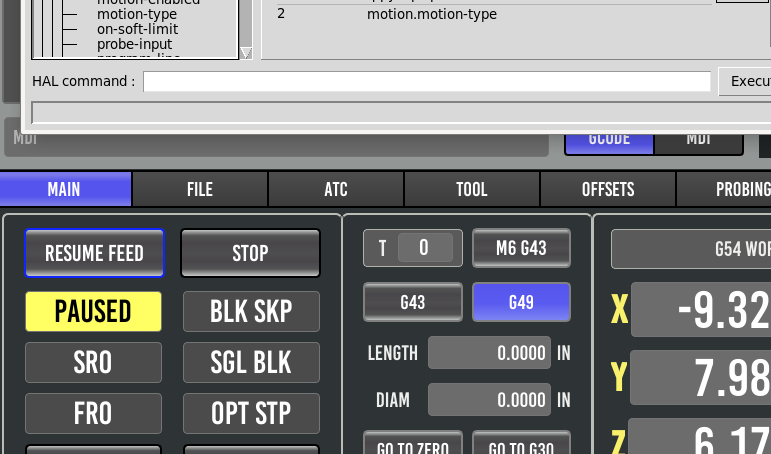
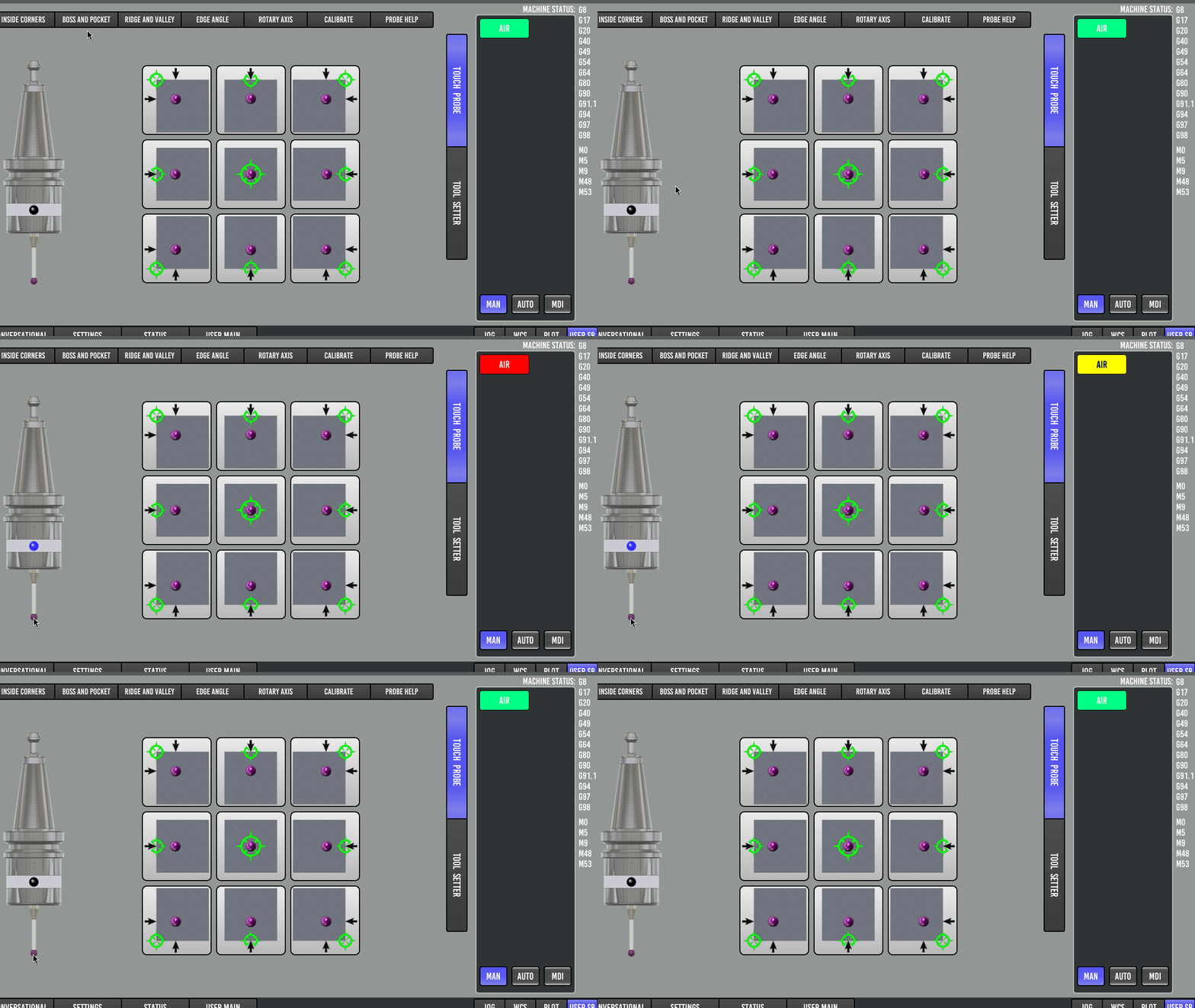
Any thoughts on the three-state label I mentioned?
PAUSED state is blinking.
Any thoughts on the three-state label I mentioned?
PAUSED state is blinking.
Please Log in or Create an account to join the conversation.
- Lcvette
-
- Away
- Moderator
-
Less
More
- Posts: 1670
- Thank you received: 779
10 Sep 2026 01:48 #349530
by Lcvette
Replied by Lcvette on topic (Solved) Probe Basic - HAL pins not being created
and i am adding a flashing property to button widgets because thats a good idea..
Attachments:
Please Log in or Create an account to join the conversation.
- Lcvette
-
- Away
- Moderator
-
Less
More
- Posts: 1670
- Thank you received: 779
10 Sep 2026 01:50 #349531
by Lcvette
Replied by Lcvette on topic (Solved) Probe Basic - HAL pins not being created
there is no 3 states only on off because you only have on and off hal output and this can only use a single hal reader
Please Log in or Create an account to join the conversation.
- Lcvette
-
- Away
- Moderator
-
Less
More
- Posts: 1670
- Thank you received: 779
10 Sep 2026 01:51 #349532
by Lcvette
Replied by Lcvette on topic (Solved) Probe Basic - HAL pins not being created
just an fyi why are you destroying the format and look of the ui.. your better than that!
Please Log in or Create an account to join the conversation.
Moderators: KCJ, Lcvette
Time to create page: 0.252 seconds