
Sample Qtvcp Screens


3 years 9 months ago #262761
by rodw
Replied by rodw on topic Sample Qtvcp Screens
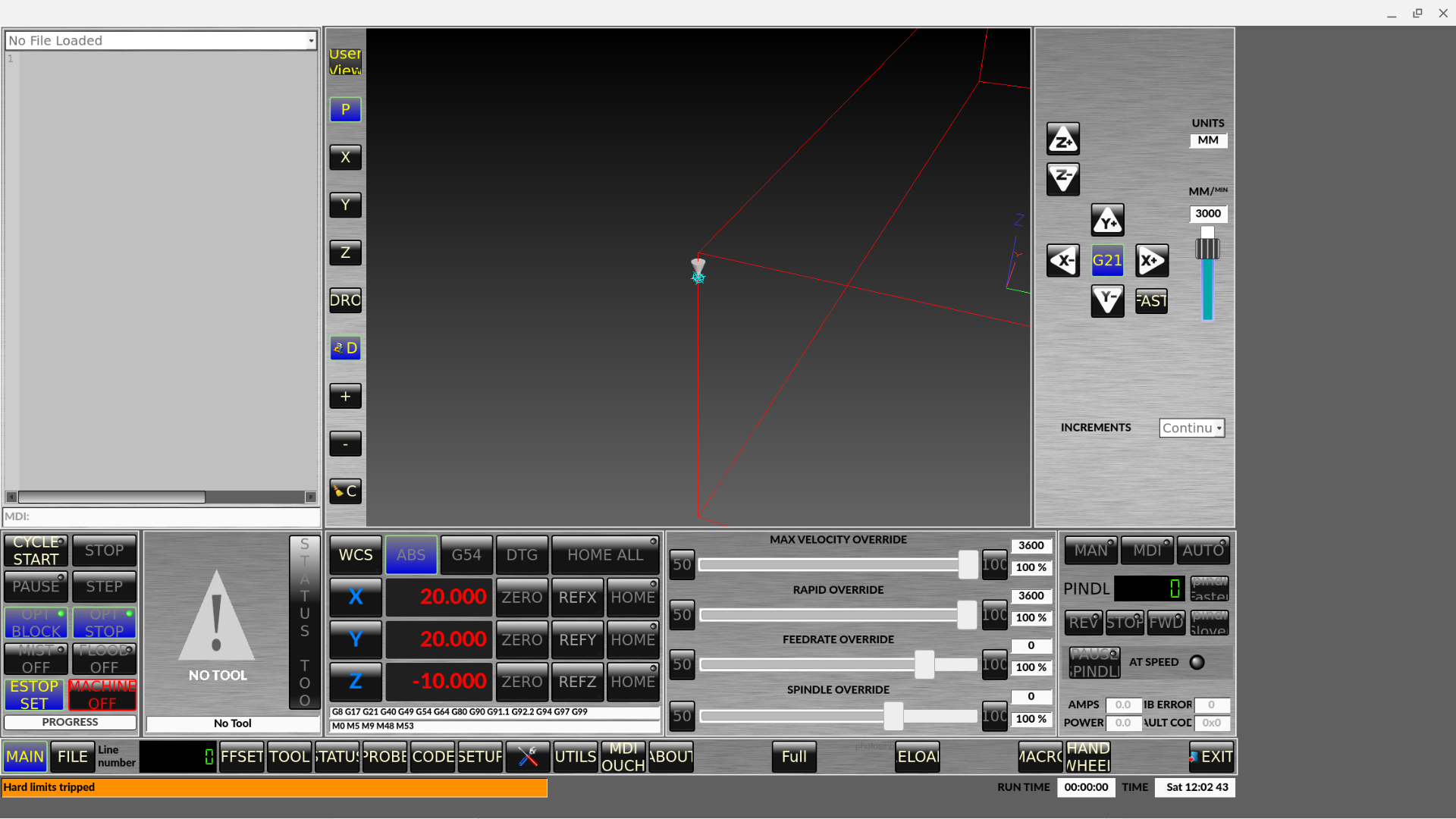
When I instlaled woodpecker 1536 x 868 the other day, I got no styles.
now I get the screen formatted way bigger than the physical screen, even if I changed the display to full hd
I deleted prefs and var files,
But its now styled but still oversized
Any ideas?

now I get the screen formatted way bigger than the physical screen, even if I changed the display to full hd
I deleted prefs and var files,
But its now styled but still oversized
Any ideas?
Please Log in or Create an account to join the conversation.
3 years 9 months ago #262764
by rodw
Replied by rodw on topic Sample Qtvcp Screens
recloned from scratch and updated the prefs file to use my home folder. The styles are now OK but its still oversized...
Please Log in or Create an account to join the conversation.
3 years 9 months ago - 3 years 9 months ago #262770
by hottabich
Replied by hottabich on topic Sample Qtvcp Screens
Unzip the archive to the linuxcnc/configs folder. Place style files and woodpecker.qrc with replacement at usr/share/qtvcp/screen/woodpecker, you will be able to switch styles from settings tab. The size changes to F10(min), F11(max). In the woodpecker_xyza.ini file, remove -f from the DISPLAY section.


Last edit: 3 years 9 months ago by hottabich.
Please Log in or Create an account to join the conversation.

3 years 9 months ago #263039
by cmorley
Replied by cmorley on topic Sample Qtvcp Screens
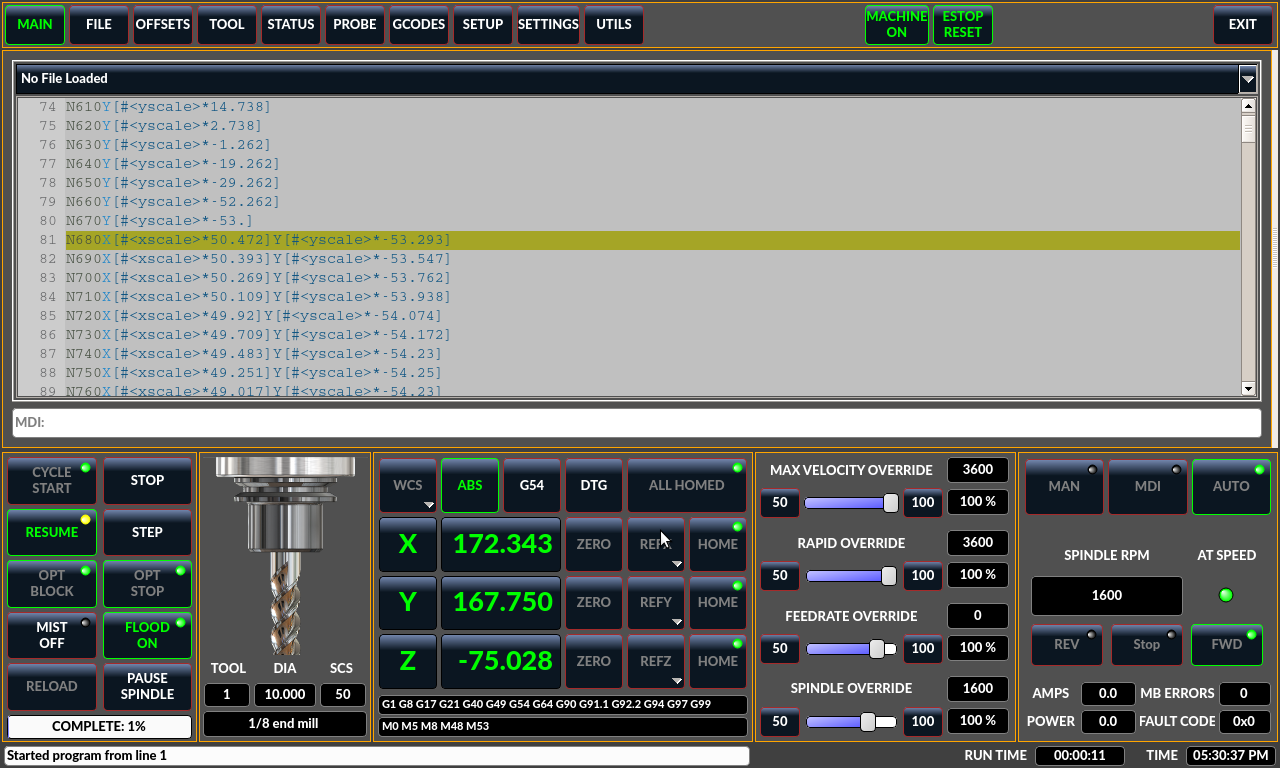
I modified qtdragon to add a qsplitter (the white line) between the gcode display and the gcode plotter.
You can adjust the split to some degree or completely pick one or the other.
If someone wants to test I can post the file.
I think it might be good enough to make standard - opinions?

You can adjust the split to some degree or completely pick one or the other.
If someone wants to test I can post the file.
I think it might be good enough to make standard - opinions?
The following user(s) said Thank You: tommylight
Please Log in or Create an account to join the conversation.
3 years 9 months ago #263040
by cmorley
Replied by cmorley on topic Sample Qtvcp Screens
Here is with it split to full gcode.
Please Log in or Create an account to join the conversation.
3 years 9 months ago #263041
by rodw
I did delete prefs file
This is a chromebook so might be a bit odd.
Replied by rodw on topic Sample Qtvcp Screens
Seems to not be resizing horizintally, The sreen @1536x834 kooked squashed, but on 1080p, the resizing stuff might need some workUnzip the archive to the linuxcnc/configs folder. Place style files and woodpecker.qrc with replacement at usr/share/qtvcp/screen/woodpecker, you will be able to switch styles from settings tab. The size changes to F10(min), F11(max). In the woodpecker_xyza.ini file, remove -f from the DISPLAY section.
I did delete prefs file
This is a chromebook so might be a bit odd.
Please Log in or Create an account to join the conversation.
Moderators: cmorley
Time to create page: 0.073 seconds