Hi Travis,
I saw that you are developing a new GUI. It doesn't need to start the X service, it sounds great. But I can't start it.
As you said, I issued "make install", executed "cp config_example.ini /etc/Xmotion/config.ini", and used "DISPLAY = Xmotion" in linuxcnc ini. I wrote a script to execute my "linuxcnc ini"
Then I started it on the virtual TTY using the ROOT user. I set the display environment variable "export DISPLAY=:0.0" and executed "xhost +". The startup message looks fine, but I don't see the Xmotion screen. The entire screen is fixed, and the mouse and keyboard are also unresponsive and cannot be switched to other TTY. Do you know how to solve this problem?
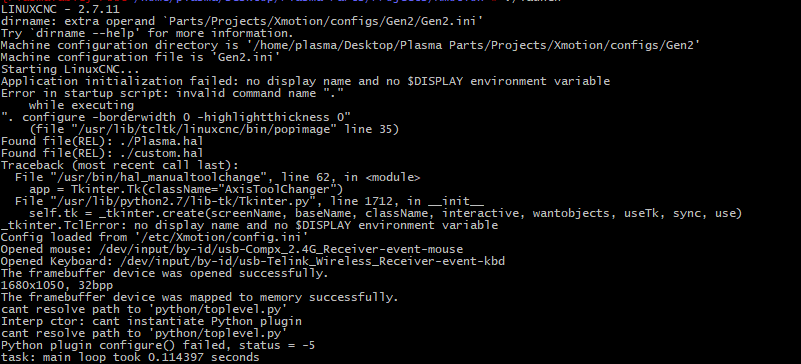
This is the information for the entire splash screen:
Code:
david@debian:~$ export DISPLAY=:0.0
david@debian:~$ xhost +
access control disabled, clients can connect from any host
david@debian:~$ sudo su
root@debian:/home/david# xhost +
access control disabled, clients can connect from any host
root@debian:/home/david# ./launch
LINUXCNC - 2.7.14
Machine configuration directory is '/home/david/linuxcnc/configs/my-mill'
Machine configuration file is 'my-mill.ini'
Starting LinuxCNC...
Found file(REL): ./my-mill.hal
Found file(REL): ./custom.hal
Config loaded from '/etc/Xmotion/config.ini'
Finding Mouse devices!
Found Device: /dev/input/by-id/usb-18f8_USB_GAMING_MOUSE-event-mouse
Opened device!
Finding Keyboard devices!
Found Device: /dev/input/by-id/usb-18f8_USB_GAMING_MOUSE-if01-event-kbd
Opened device!
Found Device: /dev/input/by-id/usb-18f8_USB_GAMING_MOUSE-event-kbd
Opened device!
The framebuffer device was opened successfully.
1920x1080, 32bpp
The framebuffer device was mapped to memory successfully.
task: main loop took 0.110140 seconds
Thanks,
David