gladevcp catalog, and other questions

More
3 years 9 months ago #263404 by blazini36
So I've sort of figured out my problem getting the vcps to work on Manjaro. I'm not a programmer, I probably won't explain it right....I had to get my buddy on the phone to figure this out.....

Manjaro defaults to zsh rather than bash. Even though there is a bash shebang in the RIP script Manjaro is still doing something with zsh. I actually had to type in bash to get a bash shell, then source the RIP script, not just run it. I was trying to source it before but it was just crashing the terminal. So.....
Code:
$ bash $ cd ~/linuxcnc/scripts/ $ source rip-environment

Is really all I had to do outside of what the docs say
The following user(s) said Thank You: cmorley

Please Log in or Create an account to join the conversation.

More
3 years 2 months ago #277608 by jcdammeyer
I realize this is a bit of a drift from the original poster working inside Linux but a google search for the missing gladevcp error led me here.
Running WIN-10 I can go here and download the glade IDE.
sourceforge.net/projects/gladewin32/

Running the installed application I get this:
 

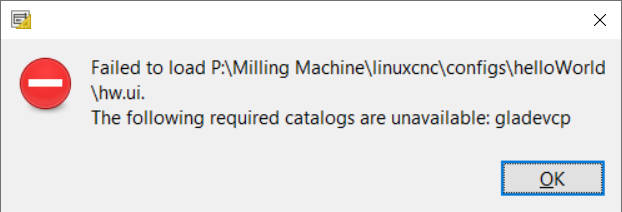
Then when I load hw.ui I get the following error:
 

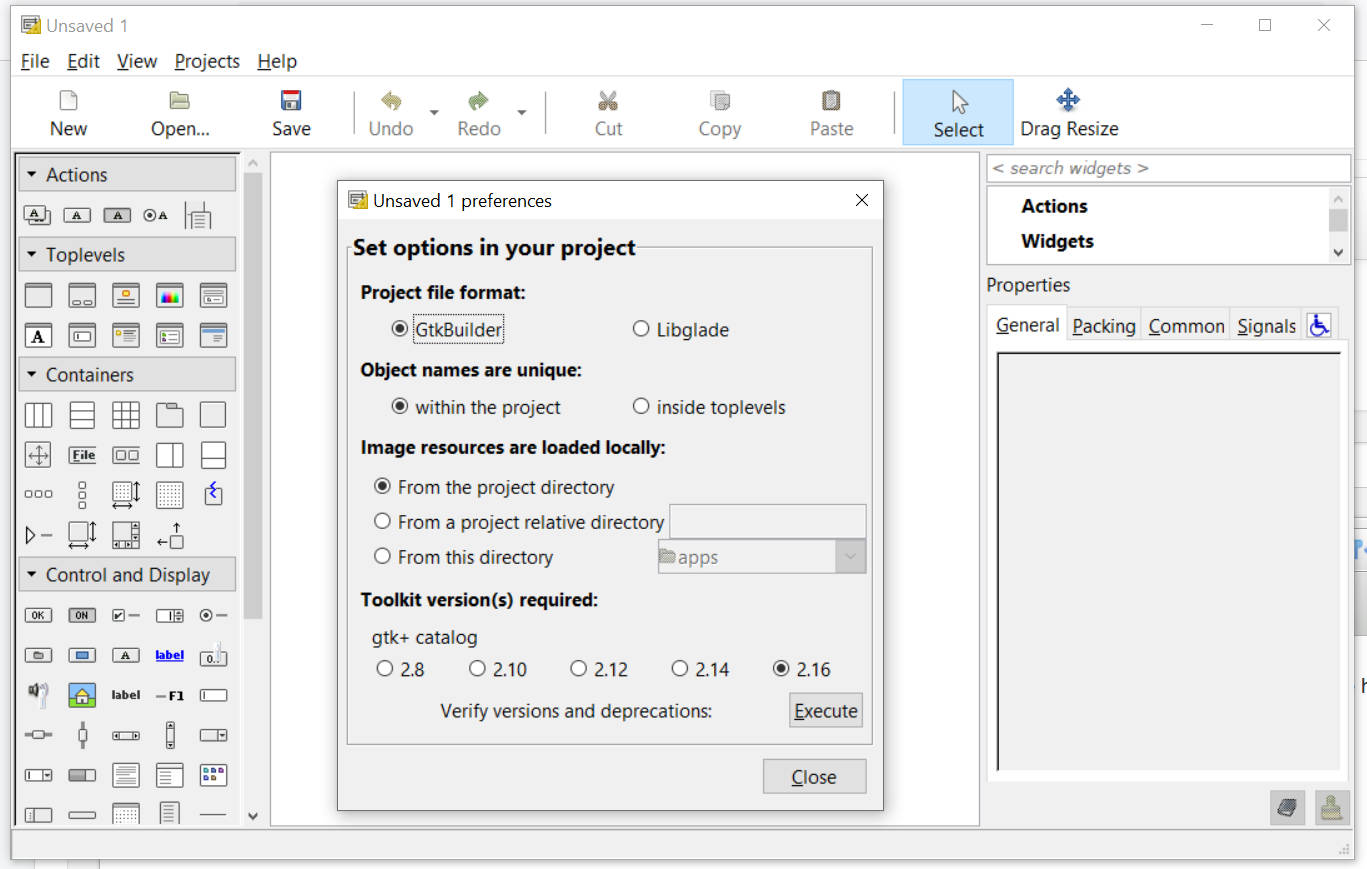
So looking at the IDE options I can go to Edit | Preferences and bring up that dialog show in the first screen grab.  There's the ability to put in the path to the icons.   But not a heck of a lot of other options. 
On top of that, other than in a comment in the .ui file there's nothing that explicitly states that gladevcp even needs to be included.

So if we look other IDEs be it Arduino, Delphi, MPLAB from Microchip, CodeWarrier etc. etc. etc. there's nothing like a C program with include files or project options that can be set up to state where gladevcp is.  Or for that matter what gladevcp is.

How do I tell the Glade IDE how to find this?

Please Log in or Create an account to join the conversation.
More
3 years 2 months ago #277609 by blazini36
the gladevcp catalog isn't just an icon or a library, you actually have to source parts of linuxcnc or actually have it running to use gladevcp in glade-gtk2. That UI file you are trying to open is just a button and an led so I'm not sure what exactly you're trying to do with it but I don't think you will get very far unless you have LinuxCNC 2.8 or less on that same machine.

Please Log in or Create an account to join the conversation.
More
3 years 2 months ago #277616 by jcdammeyer
Thank you for your prompt response.
It looks like I was in error thinking that
<!-- interface-requires gladevcp 0.0 -->
<!-- interface-naming-policy project-wide -->
was a comment. Removing these two lines allowed the hal.ui to load into the glade IDE. It then displays a box but doesn't show the button and LED.

In either case that's not the point. If the Glade IDE requires a 'catalog' then what I'm asking is how to tell the Glade IDE where the 'catalog' is for linux CNC and what it consists of.

I can pull over any folders I need from the Raspberry Pi4 that can run LinuxCNC. And BTW, it throws up the same error when I run Glade on it.

So my question remains the same. The Glade IDE screen designer requires a path to a folder or set of folders in order to be able to load the icons and appropriate HAL connections.

So where are they for the 'simple' example hal.ui. If it can't figure out how to show the items described in the hal.ui then it certainly can't do the AXIS screen.

Please Log in or Create an account to join the conversation.

More
3 years 2 months ago #277652 by blazini36

Thank you for your prompt response.
It looks like I was in error thinking that
<!-- interface-requires gladevcp 0.0 -->
<!-- interface-naming-policy project-wide -->
was a comment. Removing these two lines allowed the hal.ui to load into the glade IDE. It then displays a box but doesn't show the button and LED.

In either case that's not the point. If the Glade IDE requires a 'catalog' then what I'm asking is how to tell the Glade IDE where the 'catalog' is for linux CNC and what it consists of.

I can pull over any folders I need from the Raspberry Pi4 that can run LinuxCNC. And BTW, it throws up the same error when I run Glade on it.

So my question remains the same. The Glade IDE screen designer requires a path to a folder or set of folders in order to be able to load the icons and appropriate HAL connections.

So where are they for the 'simple' example hal.ui. If it can't figure out how to show the items described in the hal.ui then it certainly can't do the AXIS screen.
 

You're not listening, there is no path for you to set. The gladevcp widgets need the Linuxcnc environment to load. Once the LinuxCNC environment is loaded glade can open a file and show gladevcp widgets.

You can't pull folders over to your windows PC from your Pi, it won't work. If you have a dev version of linuxcnc 2.8 or less installed on the pi then the pi itself will have glade-gtk2 installed and IT can open that file

Please Log in or Create an account to join the conversation.

More
3 years 2 months ago #277660 by jcdammeyer
Thank you for your response but I found it rather insulting.

Rather than call me stupid with "You're not listening," I'd rather you just:
1. Acknowledge you have no idea how to link to a catalog.
2. Have no idea how to create catalog
3. Have no idea where to find that information or even what a catalog is since you didn't post any links.

I'd like to be able to do more than follow steps blindly typing in commands with no information as to why this command or that parameter.

Your answer was typical of the reasons I get from others as to why they aren't interested in Linux or LinuxCNC to accomplish what they want. People get tired of the implication that they are dumb.

Please Log in or Create an account to join the conversation.

Moderators: HansU
Time to create page: 0.126 seconds
Powered by Kunena Forum
