gladevcp catalog, and other questions

More
3 years 2 months ago #277663 by blazini36

Thank you for your response but I found it rather insulting.

Rather than call me stupid with "You're not listening," I'd rather you just:
1. Acknowledge you have no idea how to link to a catalog.
2. Have no idea how to create catalog
3. Have no idea where to find that information or even what a catalog is since you didn't post any links.

I'd like to be able to do more than follow steps blindly typing in commands with no information as to why this command or that parameter.

Your answer was typical of the reasons I get from others as to why they aren't interested in Linux or LinuxCNC to accomplish what they want. People get tired of the implication that they are dumb.
 
Lol I think I recall your user name from the MK group.....you were a troll there too.

Nobody called you stupid, you are trying to use a catalog that is ancient to do something you didn't bother to describe. I told you exactly what you need to do but you are insisting that all you have to do is "link a catalog"....OK have fun with that.

I didn't give you any commands to "blindly type", I told you the gladeVCP widgets require the LinuxCNC ENVIRONMENT to be available as the widget actions are woven through it. I didn't write GladeVCP, but I've used it enough to be able to tell you exactly what I told you. The problem is you don't like the answer because it's not convenient to you......well I'm sorry for that, stick to Mach.

Please Log in or Create an account to join the conversation.

More
3 years 2 months ago #277667 by rodw

Thank you for your response but I found it rather insulting.

Rather than call me stupid with "You're not listening," I'd rather you just:
1. Acknowledge you have no idea how to link to a catalog.
2. Have no idea how to create catalog
3. Have no idea where to find that information or even what a catalog is since you didn't post any links.

I'd like to be able to do more than follow steps blindly typing in commands with no information as to why this command or that parameter.

Your answer was typical of the reasons I get from others as to why they aren't interested in Linux or LinuxCNC to accomplish what they want. People get tired of the implication that they are dumb.
Nobody said anybody was dumb. That was your perception.
In case you have not noticed, Windows and Linux are two totally different operating systems so their programs are  not interchangable.
Some Linuxcnc users might find it insulting  that you even want to try to work with the application on a Windows box.
If you must work with your Pi from Windows, install xrdp on your Pi and log into it using rdp from the windows box.
Or grab another SSD and dual boot your PC into windows or Linux using the boot menu
The following user(s) said Thank You: blazini36

Please Log in or Create an account to join the conversation.
More
3 years 2 months ago #277671 by jcdammeyer
The stand alone program "Glade" creates XML format files that are generally saved with a .ui or .glade suffix.  As such they can let a user create a frame, add panels, buttons, and other graphical objects, set the sizes and links to what to do when that button is clicked or the text is entered into a field or the spin buttun up/down is clicked.   This Glade program is available for Windows and Linux and likely also Macs.

That's not any different from say Lazarus (Free Pascal) which has the philosophy write once, compile anywhere to create applications with panels, buttons, and other graphical objects.  Or Embarcadero Delphi which has the added feature of being able to also target Mac, Tablets, Iphones, Windows etc. 
The 'form' they create isn't an XML file but still contains similar information. 

If you have experience in writing applications with these tools then you will understand what I mean.  For example, I have run this application on Windows, A beagleBone running Linux and also MachineKit, my PC running LinuxCNC for the mill and a Raspberrry Pi without any changes in the source code.  The Pascal is translated from the C command line program provided by Jon Elson.


All I was originally asking for was the ability to edit an existing glade file with the ultimate goal of resizing some of the buttons with embedded .png files so that the entire PSNG screen specified for 1024x768 would fit on a 1200x800 LCD touch screen.  When Glase failed to open the psng.glade file on the Raspberry Pi running LinuxCNC (as I've just been rudely told to do but had already tried) I decided to take a step backwards and create something simple from the Glade Demo files like the provided helloWorld demo.  And since Glade was available for Windows I thought I'd start there.
 

Please Log in or Create an account to join the conversation.
More
3 years 2 months ago #277676 by jcdammeyer
Justin,
'Troll' here again.
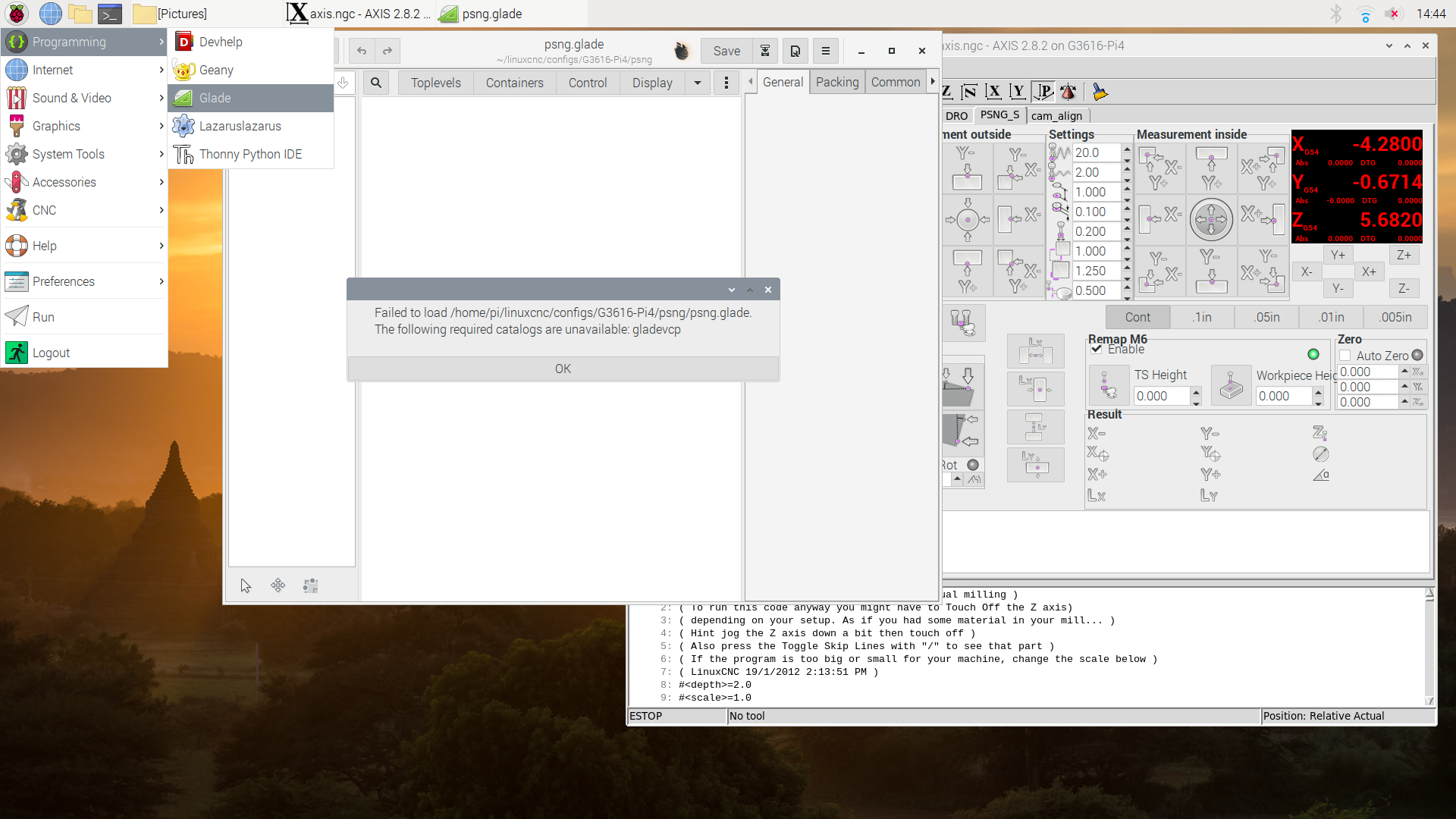
Makes no difference whether LinuxCNC is running or not.  So why does this message show up?
 
Why is the catalog unavailable.  It's now Linux.   Running LinuxCNC.  Running Glade trying to load psng.glade which BTW, is shown on the LinuxCNC axis panel.
Please Log in or Create an account to join the conversation.

More
3 years 2 months ago #277686 by blazini36

Justin,
'Troll' here again.
Makes no difference whether LinuxCNC is running or not.  So why does this message show up?

Why is the catalog unavailable.  It's now Linux.   Running LinuxCNC.  Running Glade trying to load psng.glade which BTW, is shown on the LinuxCNC axis panel.
 
When I said "you're not listening" that doesn't mean you're "stupid", it means "you are not listening"

You just tried to open a file created with glade-gtk2 inside of a version of glade that uses GTK3 or GTK4.....ya know how I know? Because of that wierd little icon to the left of the save button.

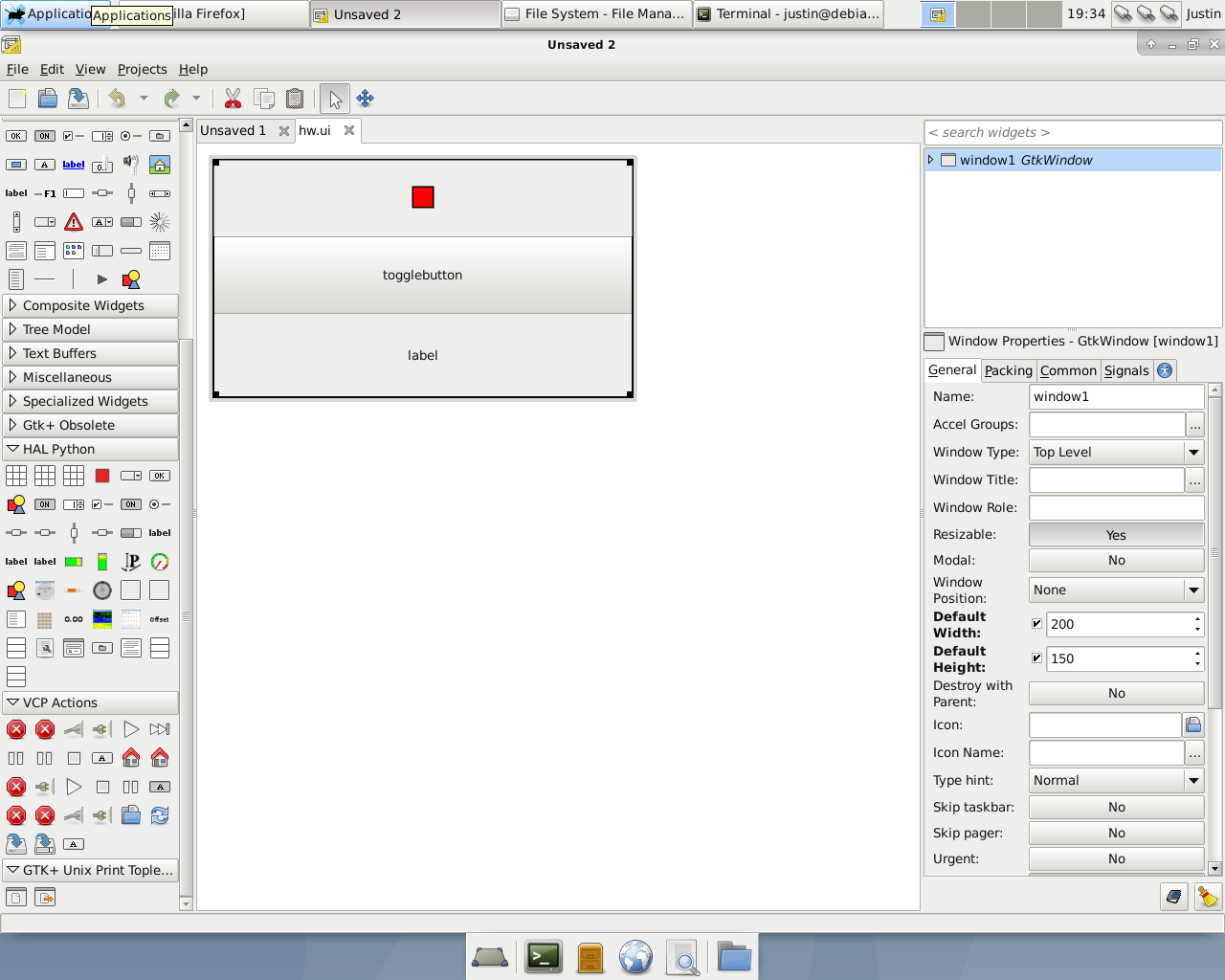
I took 10 minutes to install a Debian buster ISO inside of a virtualbox VM just to show you how this works, I expect a thanks.

On your Raspberry Pi with LinuxCNC installed run "sudo apt install glade-gtk2" Not "glade" that is the recent package, I told you what you are trying to do is ancient and you need legacy glade.

Anyway on my fresh Debian Buster/ LinuxCNC VM install I ran "sudo apt install glade-gtk2".  Then I ran "glade-3" to open it. You should probably understand that glade "version 3" does not mean it is for GTK3. Glade version 3.8.6 and below is for GTK2 and that is what you want to use. What you are trying to use in your screenshot is a version higher than 3.8.6.....ya know how I know?......


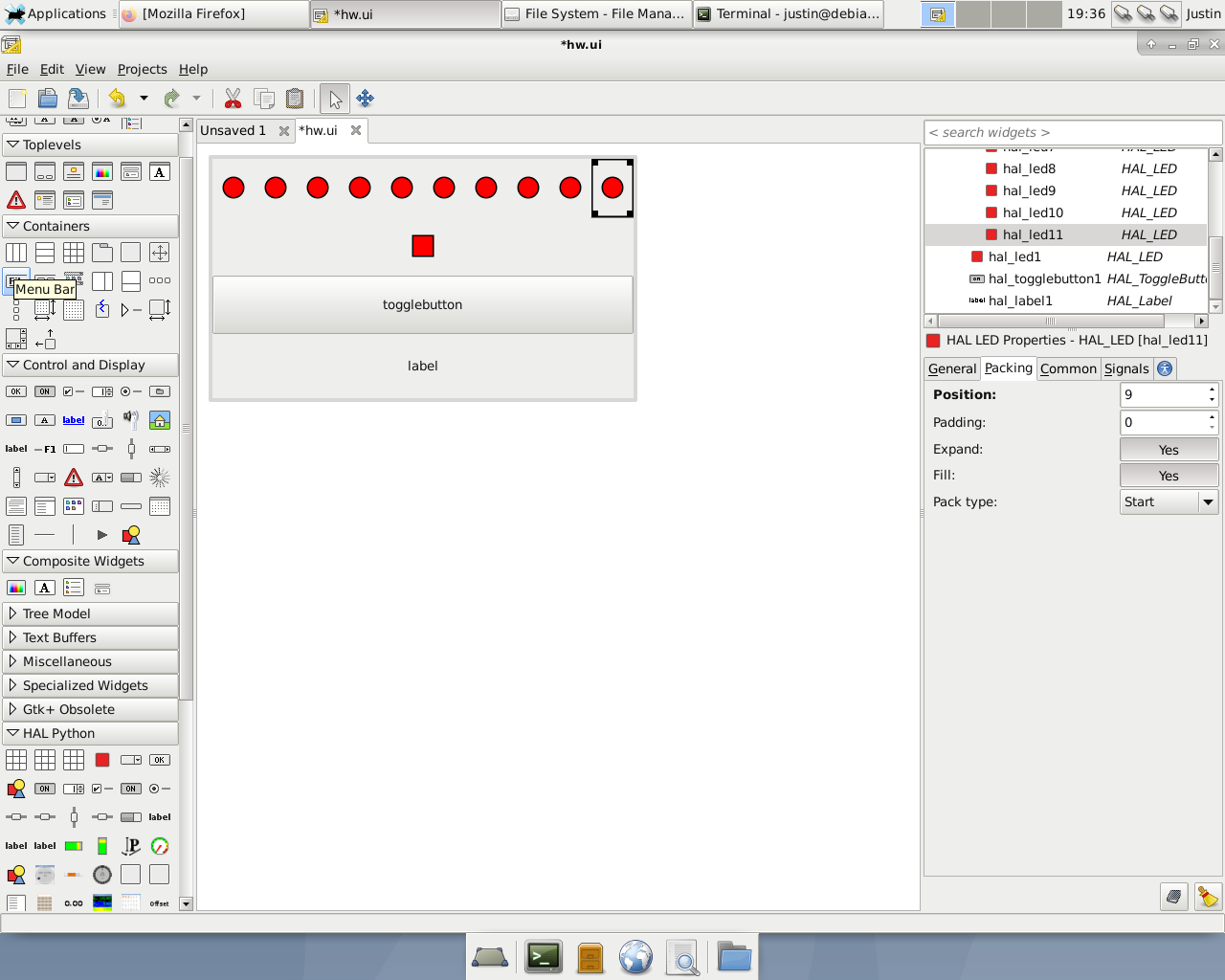
I can add 10 more LEDs if I really want to......


See the "HAL Python" widgets in the lower left? If you don't see those you aren't opening that file.

Please Log in or Create an account to join the conversation.
More
3 years 2 months ago #277752 by COFHAL
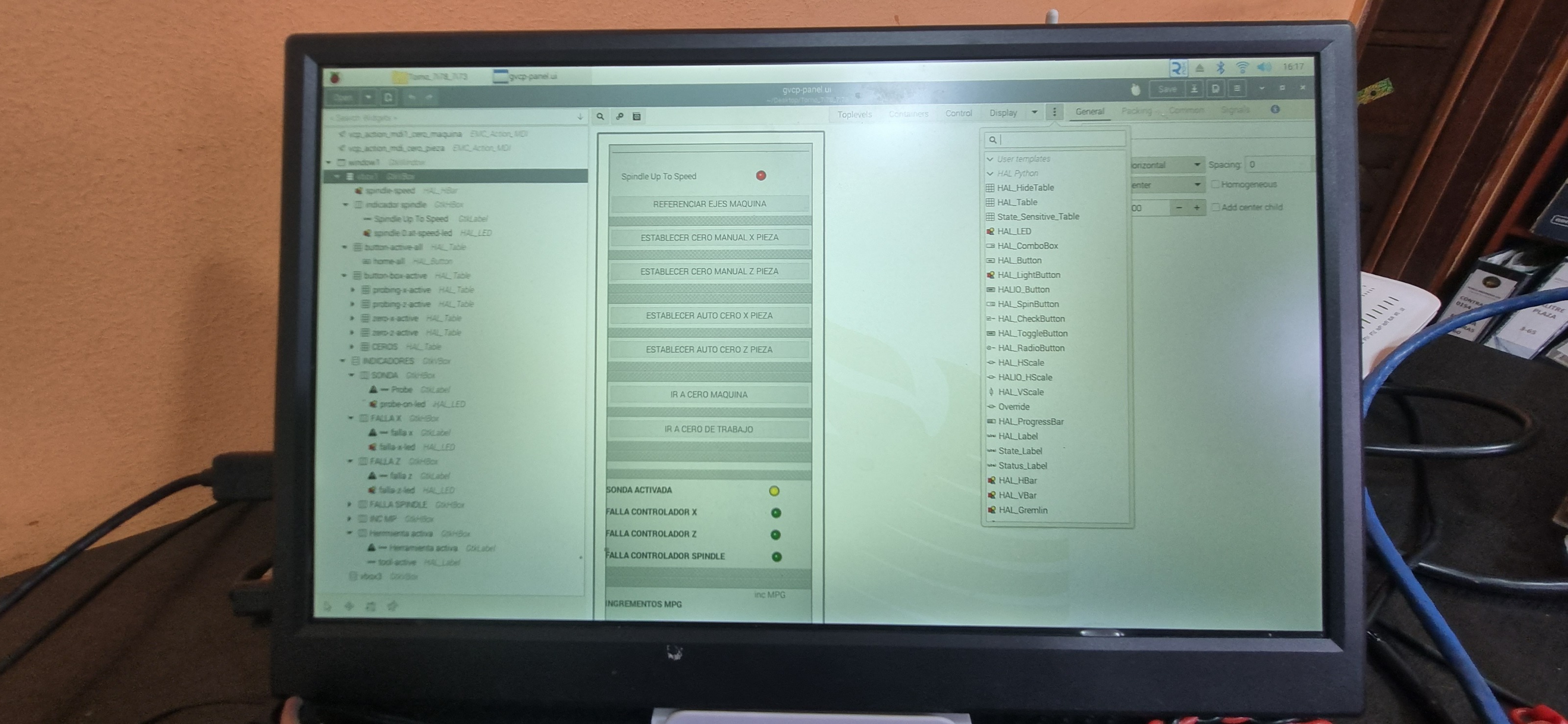
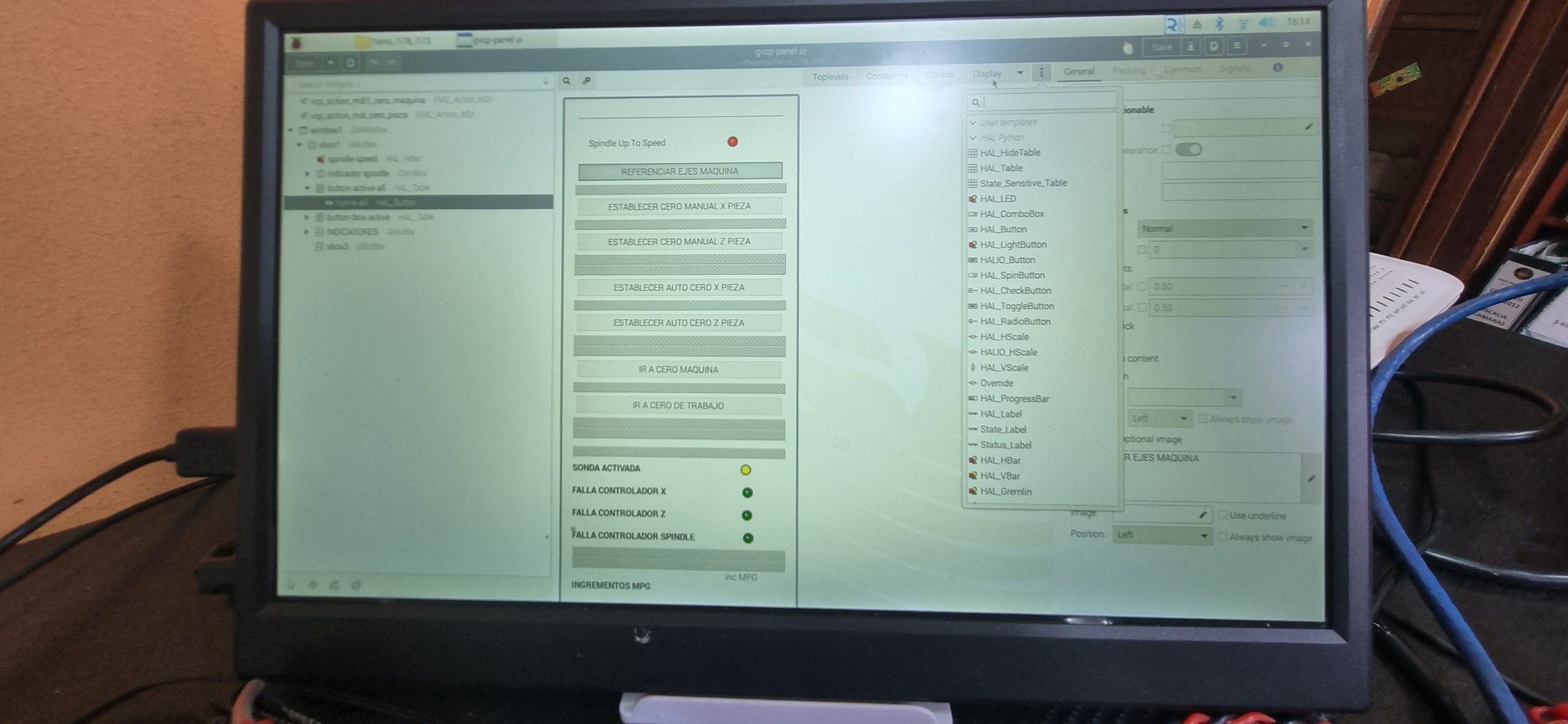
GLADE 3.20 in PI4   

Please Log in or Create an account to join the conversation.
Moderators: HansU
Time to create page: 0.265 seconds
Powered by Kunena Forum