
Lathe Macros
- michelko
- Offline
- Junior Member
-

Less
More
- Posts: 22
- Thank you received: 0
28 Aug 2025 15:21 #334049
by michelko
Replied by michelko on topic Lathe Macros
Thanks for your reply.
This is the result on the workpiece
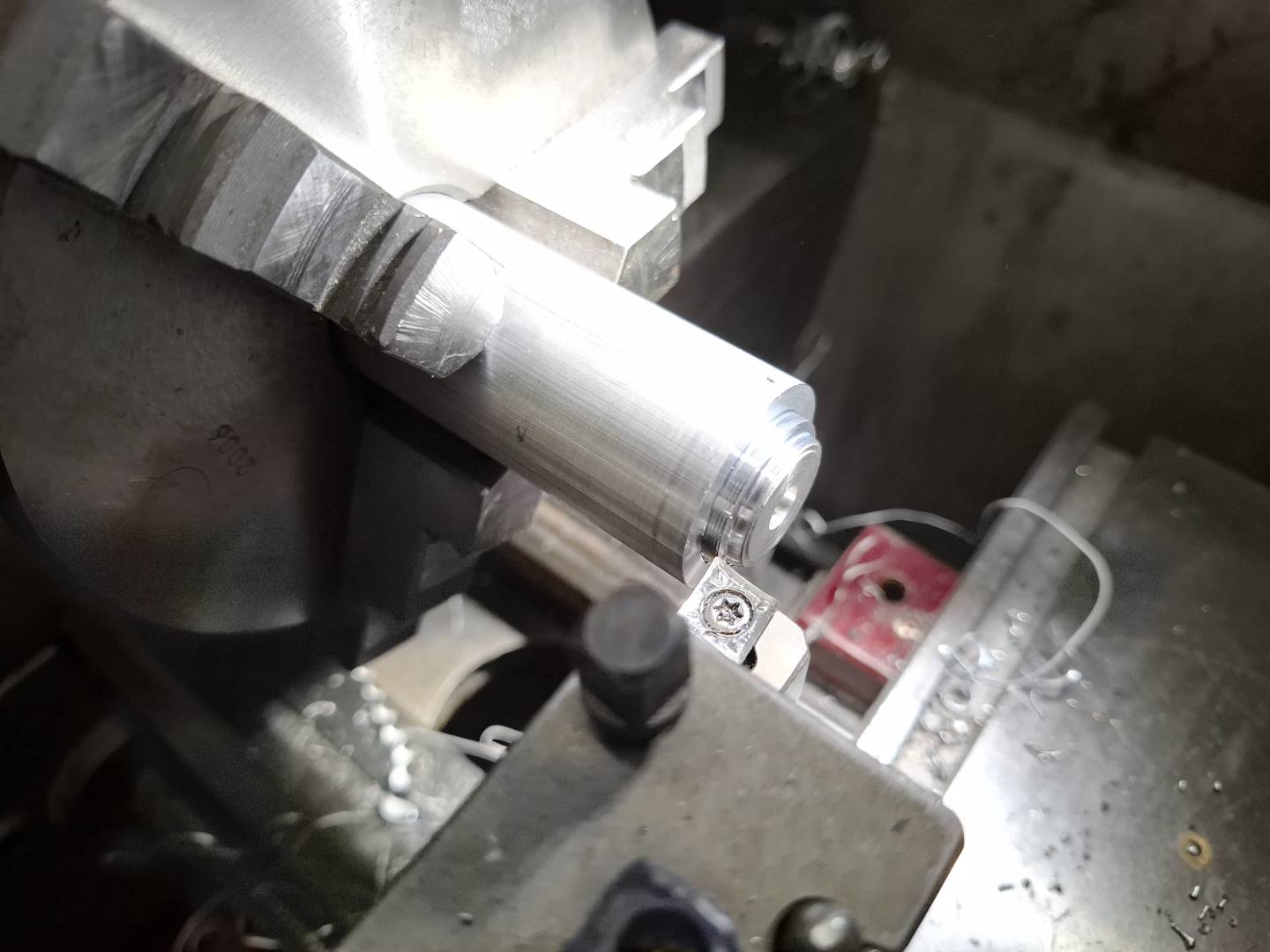
This is the result on the workpiece
Attachments:
Please Log in or Create an account to join the conversation.
- michelko
- Offline
- Junior Member
-
Less
More
- Posts: 22
- Thank you received: 0
28 Aug 2025 15:24 #334051
by michelko
Replied by michelko on topic Lathe Macros
something went wrong with the screen shot
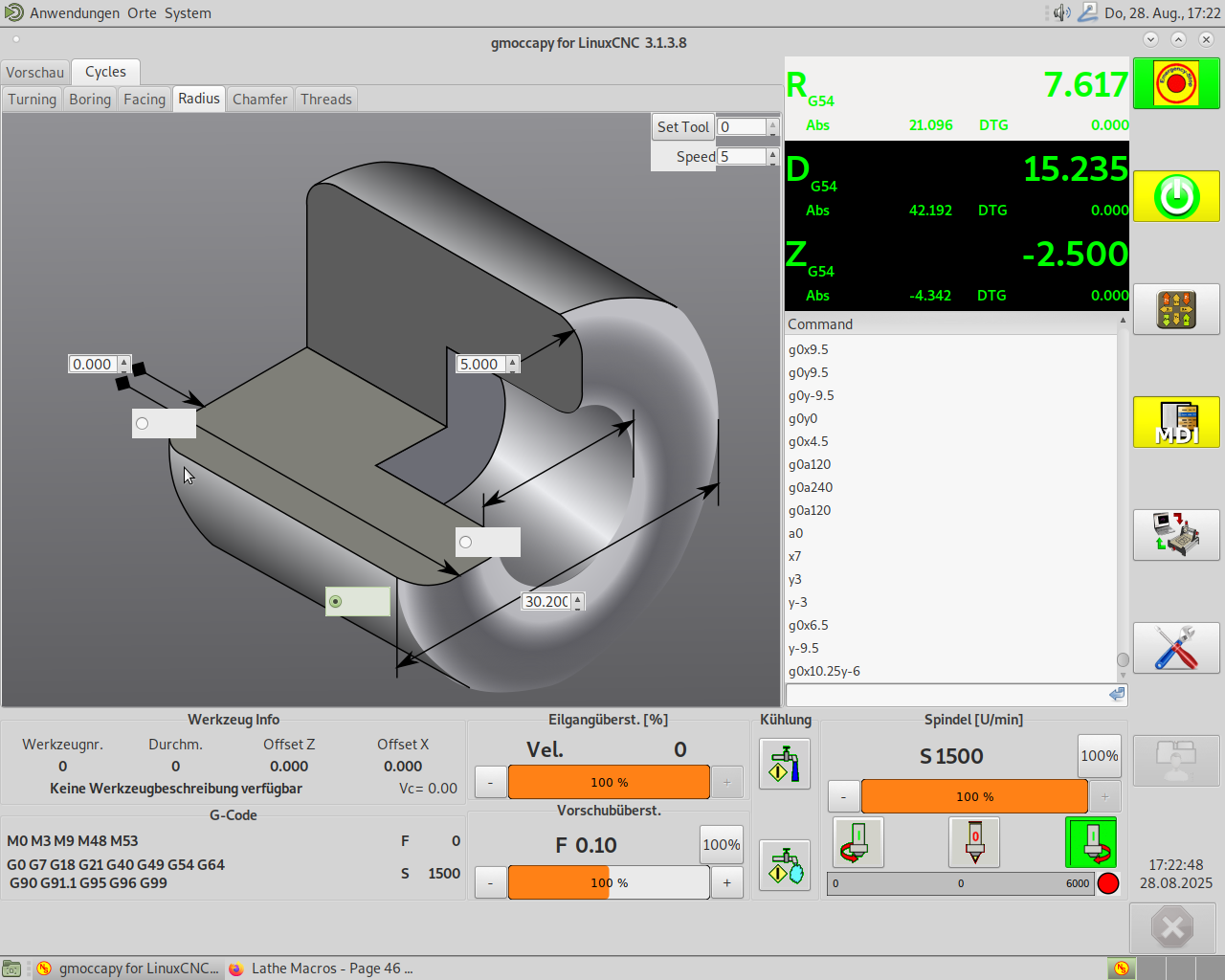
Attachments:
Please Log in or Create an account to join the conversation.
- andypugh
-
 Topic Author
- Offline
- Moderator
-

Less
More
- Posts: 19898
- Thank you received: 4655
29 Aug 2025 19:14 #334103
by andypugh
Replied by andypugh on topic Lathe Macros
Maybe the lathe is not touched-off correctly for diameter?
Where was the tool tip when you started?
(for the radius macro it should be possible to make a very good guess of the starting position, but the macro as it stands doesn't try)
5 m/min is a pretty low surface speed (the macros run in CSS mode)
Where was the tool tip when you started?
(for the radius macro it should be possible to make a very good guess of the starting position, but the macro as it stands doesn't try)
5 m/min is a pretty low surface speed (the macros run in CSS mode)
Please Log in or Create an account to join the conversation.
- RotarySMP
-

- Offline
- Platinum Member
-

Less
More
- Posts: 1635
- Thank you received: 595
25 Sep 2025 19:35 #335426
by RotarySMP
Replied by RotarySMP on topic Lathe Macros
Hi Andy,
Are the macros reread from the drive each time they run, or loaded once at start up?
The reason I ask, is I need to change the G76 Q value to 4.5° to cut my Schaublin collet draw tube buttress thread, and was wondering if I can just edit it with LinuxCNC active, or whether I should shut down, edit, and then restart?
Have you considered making flank angle a data entry box on the Macro page?
Cheers,
Mark
Are the macros reread from the drive each time they run, or loaded once at start up?
The reason I ask, is I need to change the G76 Q value to 4.5° to cut my Schaublin collet draw tube buttress thread, and was wondering if I can just edit it with LinuxCNC active, or whether I should shut down, edit, and then restart?
Have you considered making flank angle a data entry box on the Macro page?
Cheers,
Mark
Please Log in or Create an account to join the conversation.
- RotarySMP
-
- Offline
- Platinum Member
-
Less
More
- Posts: 1635
- Thank you received: 595
25 Sep 2025 19:55 #335429
by RotarySMP
Replied by RotarySMP on topic Lathe Macros
I worked it out, by playing around with adding an M5 to the end of Chamfer. It rereads it each time, so I didn't need to restart LCNC.
Please Log in or Create an account to join the conversation.
- andypugh
-
Topic Author
- Offline
- Moderator
-
Less
More
- Posts: 19898
- Thank you received: 4655
28 Sep 2025 16:49 #335510
by andypugh
Replied by andypugh on topic Lathe Macros
I was upbraided earlier by a friend from the Motor Club about this, as he watched your video and thought that I should have defaulted to a 55 degree angle as anything other than Whitworth is an abomination.
Adding the compound angle wouldn't be too hard, but I doubt that cutting buttress threads is that common, and you can always MDI the G76 directly if you need to.
I think that 29.5 is "not terrible" for Whitworth, but I would need to sketch a diagram to be sure. It's probably not ideal for BA threads (47.5 degree) or Panzergewinde (80 degree)
I also suspect that the macro takes many more passes than strictly necessary,
Adding the compound angle wouldn't be too hard, but I doubt that cutting buttress threads is that common, and you can always MDI the G76 directly if you need to.
I think that 29.5 is "not terrible" for Whitworth, but I would need to sketch a diagram to be sure. It's probably not ideal for BA threads (47.5 degree) or Panzergewinde (80 degree)
I also suspect that the macro takes many more passes than strictly necessary,
Please Log in or Create an account to join the conversation.
- RotarySMP
-
- Offline
- Platinum Member
-
Less
More
- Posts: 1635
- Thank you received: 595
22 Oct 2025 15:06 #336884
by RotarySMP
Replied by RotarySMP on topic Lathe Macros
Thanks Andy. It was easy enough to edit the infeed angle for that one thread, and I did remember to edit it back, but having a conversational entry for this would be nice.
Please Log in or Create an account to join the conversation.
- Muzzer
- Offline
- Elite Member
-

Less
More
- Posts: 275
- Thank you received: 49
09 Jan 2026 19:03 #341215
by Muzzer

I went through all 40 something pages of this thread and noted everything that could be remotely relevant, then ticked them all off. Nothing fixed the issue until I changed the following line in my .ini file, in particular the "-g 300x200+0+0" element, at which point the svgs appeared and all the spinwheels, keypad etc appeared and seemed to function:
EMBED_TAB_COMMAND=halcmd loadusr -Wn gladevcp gladevcp -c gladevcp -u lathehandler.py -x {XID} -g 300x200+0+0 lathemacro.ui

Of course, the play button is greyed out and doesn't function, as noted and discussed in the above thread around post 271603. I tried that modified version of lathemacro.ui posted by AndyP, hoping this would bring the play button to life but when I substituted it for my existing copy, it reverted to a similar "broken" screen like the first one.
Obviously one simple answer would be to fit a hardware switch, as preferred by AndyP but I thought I'd just check first - was that updated .ui file expected / intended to make the screen play button work? It's significantly different to the original 2022 .ui file when I do a file compare in VSC, so I've no idea where the critical changes actually lie. I looked at the .ui file in the Glade editor and in VSC and I can see it will take me some time to figure out what I'm looking at.
Replied by Muzzer on topic Lathe Macros
Until yesterday, I was stuck with a broken macros screen like this when I tried to access the macros:I couldn't resist trying to fix this. Here is a new version of lathemacro.ui that appears to work for me.
I went through all 40 something pages of this thread and noted everything that could be remotely relevant, then ticked them all off. Nothing fixed the issue until I changed the following line in my .ini file, in particular the "-g 300x200+0+0" element, at which point the svgs appeared and all the spinwheels, keypad etc appeared and seemed to function:
EMBED_TAB_COMMAND=halcmd loadusr -Wn gladevcp gladevcp -c gladevcp -u lathehandler.py -x {XID} -g 300x200+0+0 lathemacro.ui
Of course, the play button is greyed out and doesn't function, as noted and discussed in the above thread around post 271603. I tried that modified version of lathemacro.ui posted by AndyP, hoping this would bring the play button to life but when I substituted it for my existing copy, it reverted to a similar "broken" screen like the first one.
Obviously one simple answer would be to fit a hardware switch, as preferred by AndyP but I thought I'd just check first - was that updated .ui file expected / intended to make the screen play button work? It's significantly different to the original 2022 .ui file when I do a file compare in VSC, so I've no idea where the critical changes actually lie. I looked at the .ui file in the Glade editor and in VSC and I can see it will take me some time to figure out what I'm looking at.
Attachments:
Please Log in or Create an account to join the conversation.
- andypugh
-
Topic Author
- Offline
- Moderator
-
Less
More
- Posts: 19898
- Thank you received: 4655
23 Jan 2026 18:45 #341778
by andypugh
Replied by andypugh on topic Lathe Macros
The "play" button, if visible, ought to come to life when the machine is on and homed.
Please Log in or Create an account to join the conversation.
Time to create page: 0.540 seconds