
Ethernet connection to Mesa 7i76e disconnecting on its own after one minute
- rodw
-

- Offline
- Platinum Member
-

Less
More
- Posts: 12159
- Thank you received: 4151
31 May 2026 10:53 #346796
by rodw
Replied by rodw on topic Ethernet connection to Mesa 7i76e disconnecting on its own after one minute
I'm a bit confused, Initiially an IP address was not set but in later ip a dumps it was correctly set for a Mesa board at 10.10.10.10, It was never made clear after that if the Mesa board was pingable. I assumed it was.
I would like to see the Hal and ini files to confirm the MESA IP address.
Can you ping the card?
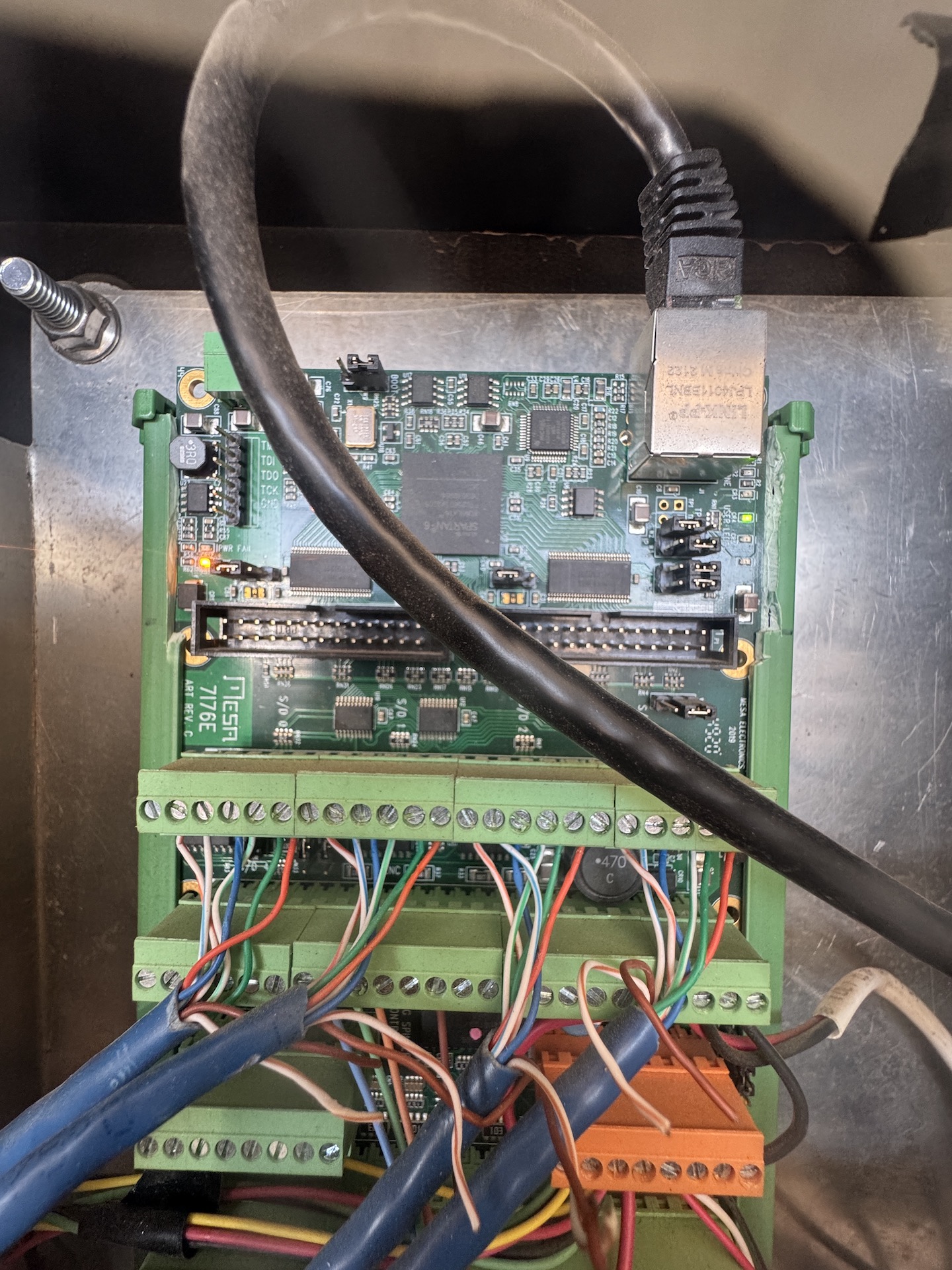
Also from photos of the board, it would be great if PCW could confirm that the links are set for the 10.10.10.10 address is set correctly. W2 down, W3 Up
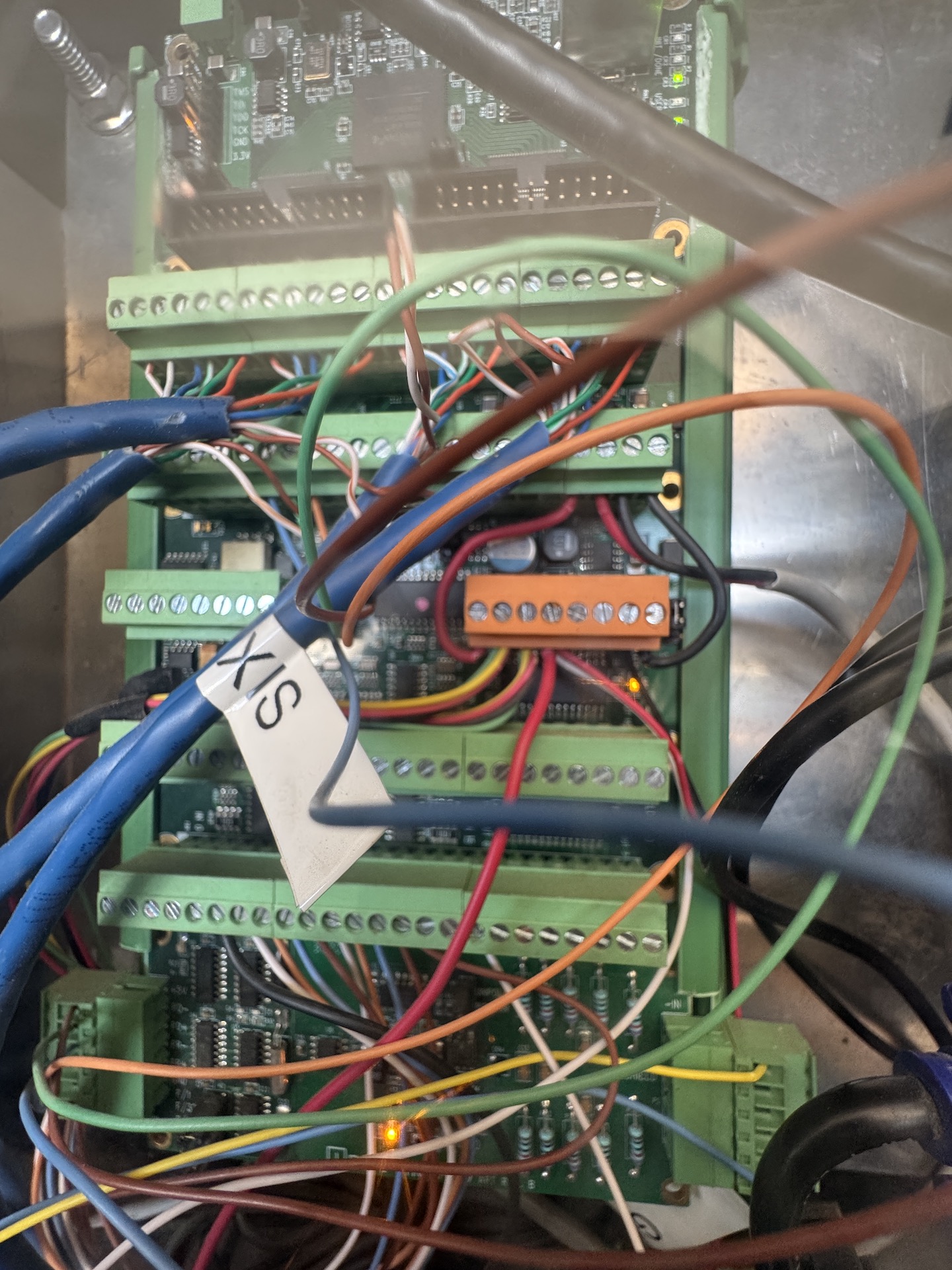
Also, need to check out the 5 volt power supply to the board which is usually powered form field power which seems to be the case. But are the links set correctly to send 5 volts to the logic side? Can PCW confirm?
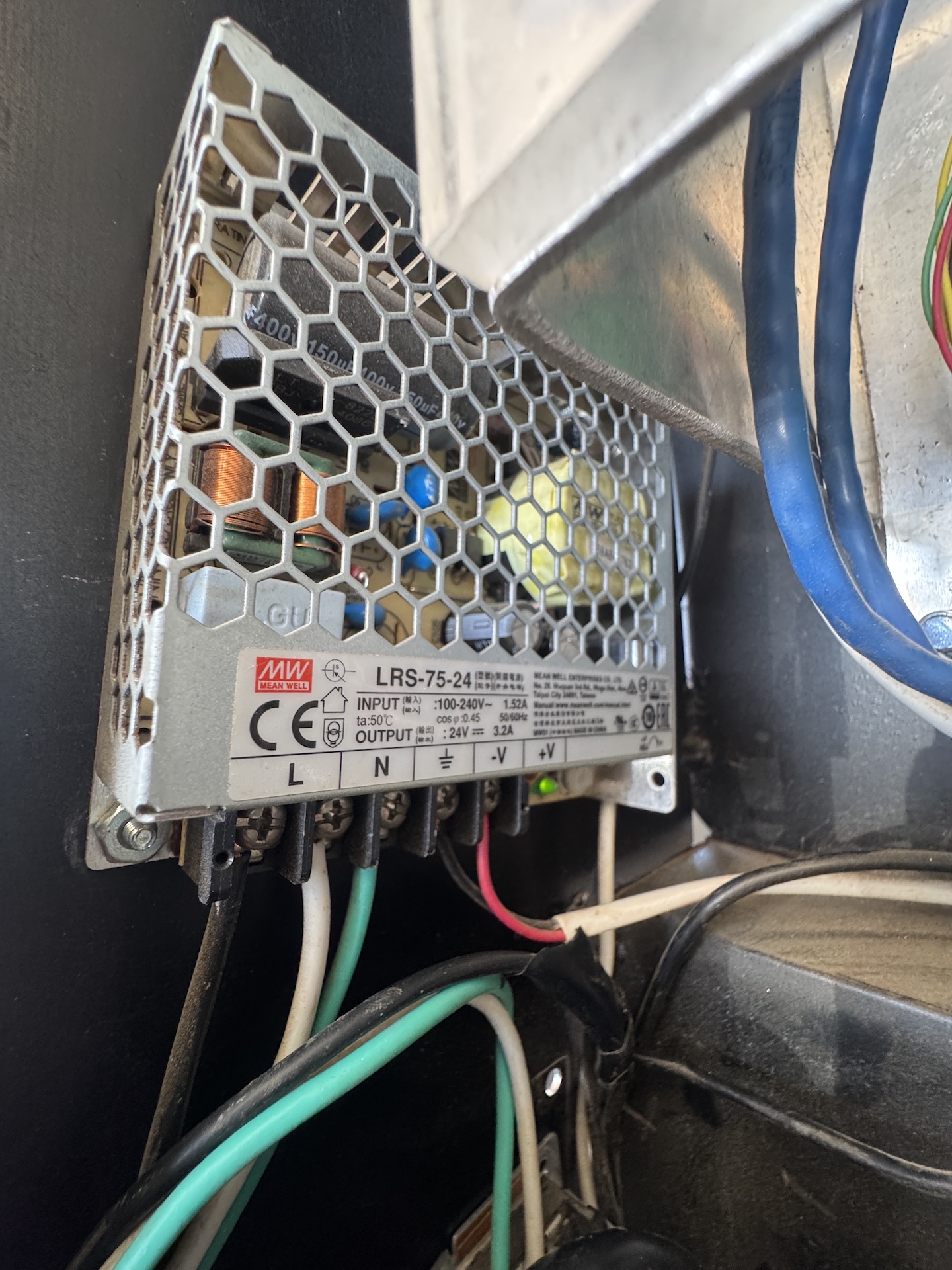
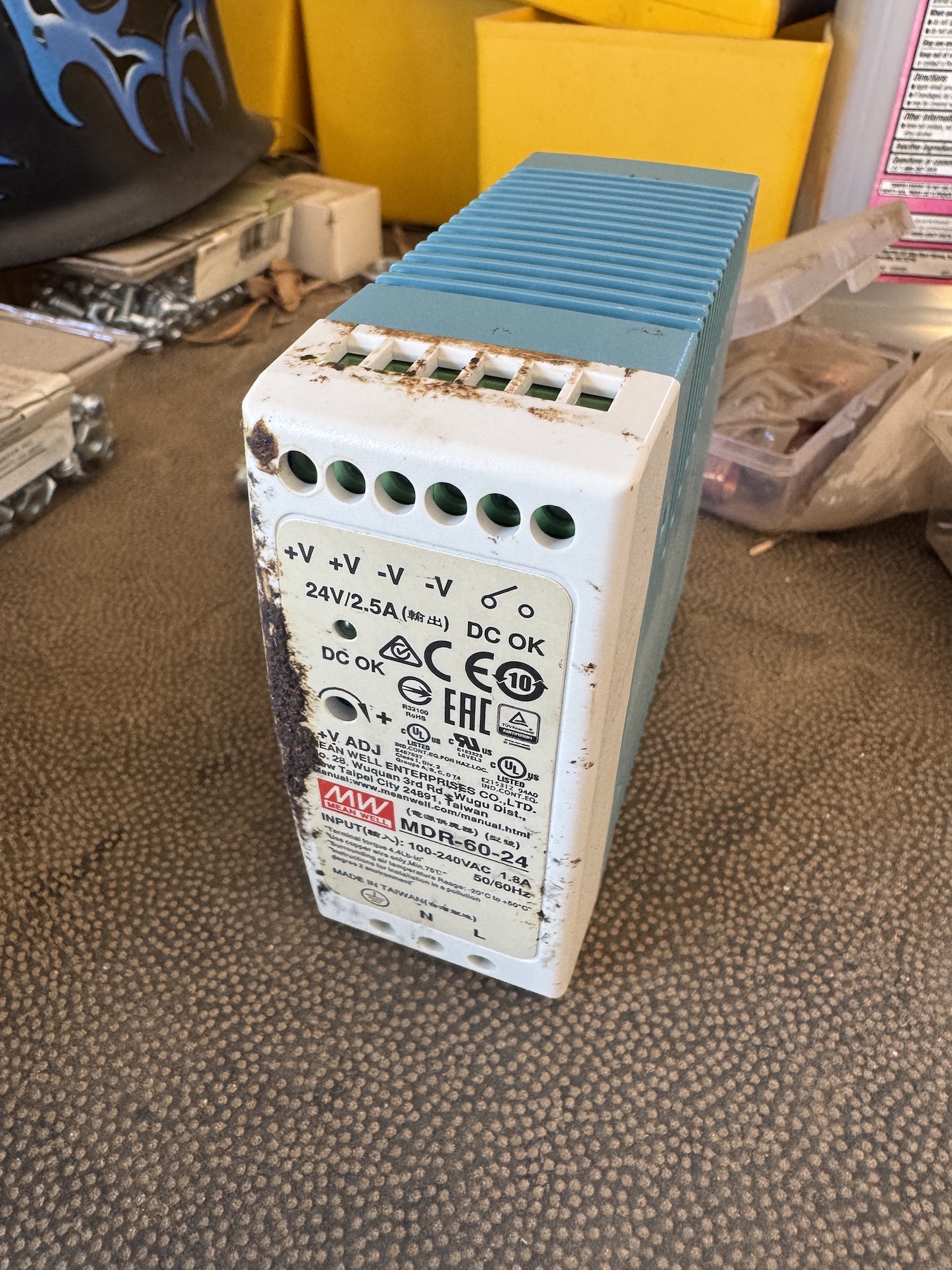
The final thing to check on physical wiring, What is the field power voltage? What is the actual power supply? What is the power supply current available? There have been numerous instances where borderline power supplies cause network failure with Mesa cards. This must be ruled out. If need be get a good industrial power supply such as Meanwell MDR-60-24.
It might be worth setting the IP address back to automatic (DHCP) and connecting the PC to your normal network using this NIC card to confirm networking is working.
I mentioned it before but be sure to set the IP address and coalescing as shown in man hm2_eth (use your IP address and
linuxcnc.org/docs/stable/html/man/man9/h...h%20static%20address
So if all of that checks out and a new network cable does not fix things AND the network is connecting but drops out every 45 seconds or gets error finishing read., there will likely be one of several power saving settings kicking in periodically.
I would like to see the Hal and ini files to confirm the MESA IP address.
Can you ping the card?
Also from photos of the board, it would be great if PCW could confirm that the links are set for the 10.10.10.10 address is set correctly. W2 down, W3 Up
Also, need to check out the 5 volt power supply to the board which is usually powered form field power which seems to be the case. But are the links set correctly to send 5 volts to the logic side? Can PCW confirm?
The final thing to check on physical wiring, What is the field power voltage? What is the actual power supply? What is the power supply current available? There have been numerous instances where borderline power supplies cause network failure with Mesa cards. This must be ruled out. If need be get a good industrial power supply such as Meanwell MDR-60-24.
It might be worth setting the IP address back to automatic (DHCP) and connecting the PC to your normal network using this NIC card to confirm networking is working.
I mentioned it before but be sure to set the IP address and coalescing as shown in man hm2_eth (use your IP address and
linuxcnc.org/docs/stable/html/man/man9/h...h%20static%20address
So if all of that checks out and a new network cable does not fix things AND the network is connecting but drops out every 45 seconds or gets error finishing read., there will likely be one of several power saving settings kicking in periodically.
Please Log in or Create an account to join the conversation.
- RMJ fabrication
- Offline
- Senior Member
-

Less
More
- Posts: 59
- Thank you received: 4
31 May 2026 16:38 #346808
by RMJ fabrication
Replied by RMJ fabrication on topic Ethernet connection to Mesa 7i76e disconnecting on its own after one minute
These are my HAL and INI files
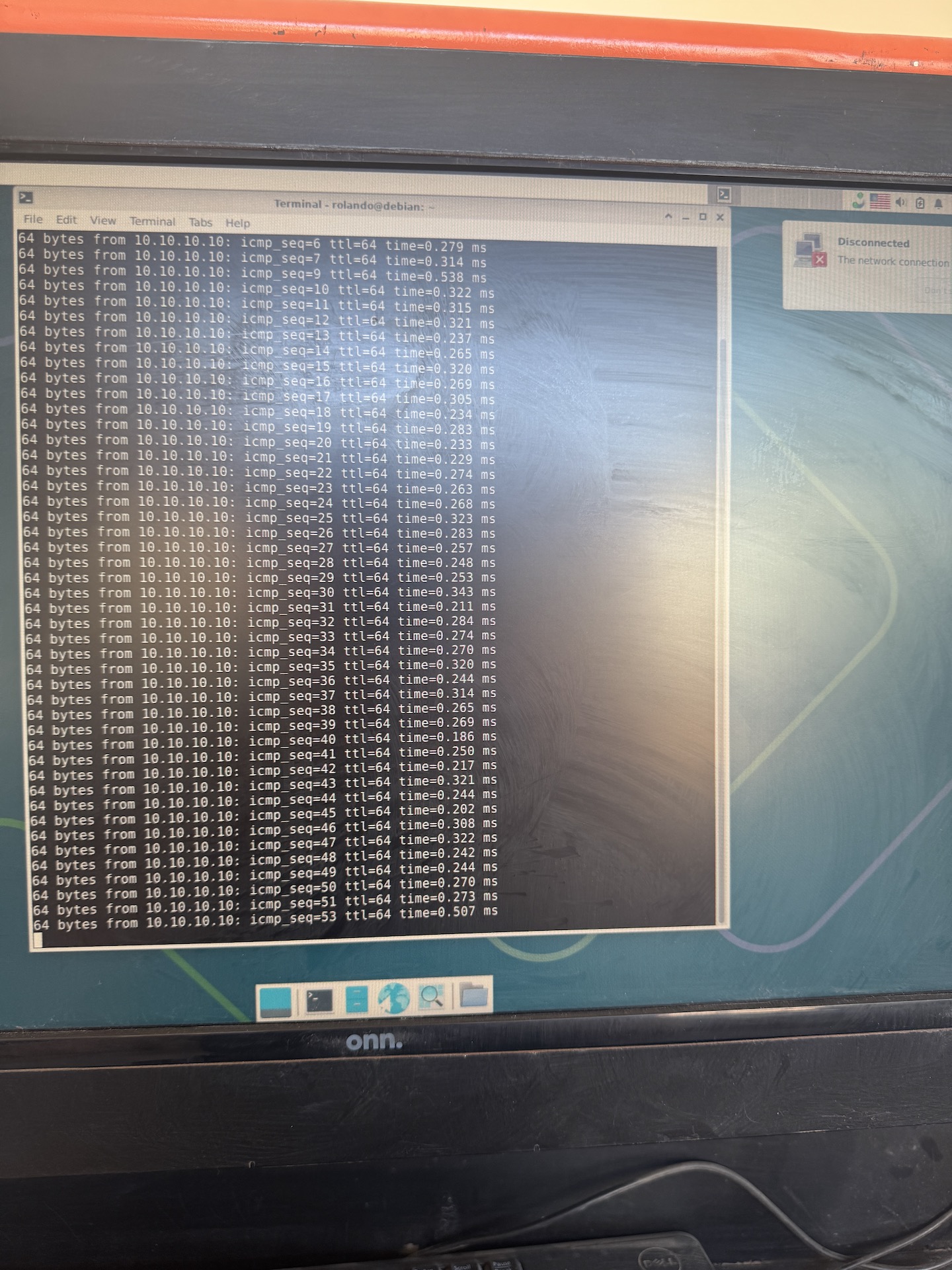
I can ping 10.10.10.10 but every time it goes over 0.500 ms it throws the error
These are my W2 and W3 jumpers
This is power to the board
This is the power supply to the board
And I also have a Meanwell MDR 60 24 for testing its just a really old one.
I can ping 10.10.10.10 but every time it goes over 0.500 ms it throws the error
These are my W2 and W3 jumpers
This is power to the board
This is the power supply to the board
And I also have a Meanwell MDR 60 24 for testing its just a really old one.
Attachments:
Please Log in or Create an account to join the conversation.
- PCW
-

- Offline
- Moderator
-

Less
More
- Posts: 18111
- Thank you received: 5330
31 May 2026 21:18 #346821
by PCW
Replied by PCW on topic Ethernet connection to Mesa 7i76e disconnecting on its own after one minute
Do you have anther PC or another Mesa card to see which device is dropping the connection?
Please Log in or Create an account to join the conversation.
- rodw
-
- Offline
- Platinum Member
-
Less
More
- Posts: 12159
- Thank you received: 4151
01 Jun 2026 00:34 #346823
by rodw
Replied by rodw on topic Ethernet connection to Mesa 7i76e disconnecting on its own after one minute
Here is a checklist of the key optimizations required for a `PREEMPT_RT` real-time kernel on Debian, specifically tailored for network performance on interface `eno1`.
### 1. BIOS/UEFI & Hardware Level
* Disable **Intel SpeedStep / AMD Cool'n'Quiet**
* Disable **Global C-States** (C1E, C3, C6, etc.)
* Disable **Intel Turbo Boost / AMD Core Performance Boost**
* Disable **Hyper-Threading (SMT)** *(highly recommended for strict determinism)*
* Disable **System Management Interrupts (SMIs)** / Advanced Power Management
### 2. Boot Command Line (`grub-customizer`)
lastcore = the last CPU you have. say its 3 on a 4 core CPU but yours may be different
* Add `isolcpus=3` to isolate specific CPU cores for RT tasks
* Add `nohz_full=3` to enable full dynticks on isolated cores
* Add `rcu_nocbs=3` to move RCU callbacks off isolated cores
* Add `processor.max_cstate=0` and `intel_idle.max_cstate=0`
* Add `pcie_aspm=off` (disables PCIe Active State Power Management)
* Add `skew_tick=1`
### 3. Network Interface (`eno1`) Optimizations
* Disable **Adaptive Interrupt Moderation** (`ethtool -C eno1 adaptive-rx off adaptive-tx off`)
* Set static interrupt coalescing to 0 (`ethtool -C eno1 rx-usecs 0 tx-usecs 0`)
* Disable offloads causing latency spikes:
* Generic Receive Offload (`ethtool -K eno1 gro off`)
* Large Receive Offload (`ethtool -K eno1 lro off`)
* TCP Segmentation Offload (`ethtool -K eno1 tso off`)
* Bind `eno1` queues to the single dedicated, isolated CPU core
### 4. Operating System & IRQ Tuning
* Increase the real-time priority of the `eno1` threaded IRQ handlers (using `chrt`)
* Set the `eno1` IRQ affinity mask to use isolated core
* Set the system power management policy to performance (`cpupower frequency-set -g performance`)
* Disable the `irqbalance` daemon (`systemctl disable irqbalance`)
### 1. BIOS/UEFI & Hardware Level
* Disable **Intel SpeedStep / AMD Cool'n'Quiet**
* Disable **Global C-States** (C1E, C3, C6, etc.)
* Disable **Intel Turbo Boost / AMD Core Performance Boost**
* Disable **Hyper-Threading (SMT)** *(highly recommended for strict determinism)*
* Disable **System Management Interrupts (SMIs)** / Advanced Power Management
### 2. Boot Command Line (`grub-customizer`)
lastcore = the last CPU you have. say its 3 on a 4 core CPU but yours may be different
* Add `isolcpus=3` to isolate specific CPU cores for RT tasks
* Add `nohz_full=3` to enable full dynticks on isolated cores
* Add `rcu_nocbs=3` to move RCU callbacks off isolated cores
* Add `processor.max_cstate=0` and `intel_idle.max_cstate=0`
* Add `pcie_aspm=off` (disables PCIe Active State Power Management)
* Add `skew_tick=1`
### 3. Network Interface (`eno1`) Optimizations
* Disable **Adaptive Interrupt Moderation** (`ethtool -C eno1 adaptive-rx off adaptive-tx off`)
* Set static interrupt coalescing to 0 (`ethtool -C eno1 rx-usecs 0 tx-usecs 0`)
* Disable offloads causing latency spikes:
* Generic Receive Offload (`ethtool -K eno1 gro off`)
* Large Receive Offload (`ethtool -K eno1 lro off`)
* TCP Segmentation Offload (`ethtool -K eno1 tso off`)
* Bind `eno1` queues to the single dedicated, isolated CPU core
### 4. Operating System & IRQ Tuning
* Increase the real-time priority of the `eno1` threaded IRQ handlers (using `chrt`)
* Set the `eno1` IRQ affinity mask to use isolated core
* Set the system power management policy to performance (`cpupower frequency-set -g performance`)
* Disable the `irqbalance` daemon (`systemctl disable irqbalance`)
Please Log in or Create an account to join the conversation.
- tommylight
-

- Offline
- Moderator
-
Less
More
- Posts: 22002
- Thank you received: 7488
01 Jun 2026 01:28 #346829
by tommylight
Replied by tommylight on topic Ethernet connection to Mesa 7i76e disconnecting on its own after one minute
Rod, this would have been much more useful in the "driver boards" or EtherCAT or both sections, not here as OP has actual networking disconnecting, same as physically removing the cable.
I really appreciate you trying to help, but i really do not like when you point members of this forum and whoever reads this in the wrong direction.
This is the second time i am mentioning on this topic that none of that tuning will help with a disconnected link.
I really appreciate you trying to help, but i really do not like when you point members of this forum and whoever reads this in the wrong direction.
This is the second time i am mentioning on this topic that none of that tuning will help with a disconnected link.
Please Log in or Create an account to join the conversation.
- rodw
-
- Offline
- Platinum Member
-
Less
More
- Posts: 12159
- Thank you received: 4151
01 Jun 2026 02:30 #346831
by rodw
Replied by rodw on topic Ethernet connection to Mesa 7i76e disconnecting on its own after one minute
Ooops, I saw the pings but missed the disconnect window. So to my mind, the only things that could cause this is faulty hardware, crappy network cable or a flakey power supply on the Mesa card. The Mesa power can be eliminated at this point. Time to follow PCW's advice to isolate that piece of hardware is causing it.
But the ping times are also too slow.
None of my suggestions are out of scope of a mesa card and earlier screen dumps showed no isolcpus was set so a lot of work to do there
But the ping times are also too slow.
None of my suggestions are out of scope of a mesa card and earlier screen dumps showed no isolcpus was set so a lot of work to do there
The following user(s) said Thank You: tommylight
Please Log in or Create an account to join the conversation.
- tommylight
-
- Offline
- Moderator
-
Less
More
- Posts: 22002
- Thank you received: 7488
01 Jun 2026 03:30 #346834
by tommylight
Replied by tommylight on topic Ethernet connection to Mesa 7i76e disconnecting on its own after one minute
Again, thank you, but again, i never ever used isolcpus in my life, yet i have over 30 machines running LinuxCNC and Mesa hardware happily, every day, on mostly industrial machines, for over 10 years.
Still, i understand that sometimes isolcpus and some other tuning can help.
P.S. that 30 above does not include over 15 PC's and laptops i own, all with LinuxCNC and used on machines with Mesa boards, and therein lies my dilemma, i have plenty of laptops that run LinuxCNC out of the box, but i can not advise on getting the same laptops as i had two of the same make and model where one was OK and the other was utterly useless. And i use USB-to-LAN adapters and switches, but i never ever advise others to do the same thing, as i am fully aware of the consequences, if something fails.
Still, i understand that sometimes isolcpus and some other tuning can help.
P.S. that 30 above does not include over 15 PC's and laptops i own, all with LinuxCNC and used on machines with Mesa boards, and therein lies my dilemma, i have plenty of laptops that run LinuxCNC out of the box, but i can not advise on getting the same laptops as i had two of the same make and model where one was OK and the other was utterly useless. And i use USB-to-LAN adapters and switches, but i never ever advise others to do the same thing, as i am fully aware of the consequences, if something fails.
Please Log in or Create an account to join the conversation.
- rodw
-
- Offline
- Platinum Member
-
Less
More
- Posts: 12159
- Thank you received: 4151
01 Jun 2026 07:42 #346836
by rodw
Replied by rodw on topic Ethernet connection to Mesa 7i76e disconnecting on its own after one minute
How many of those 30 machines run Bookworm or Trixie? I used to think like you. In my view its mandatory today and I get much better latency results on the same hardware I used with stock kernels back when we used to have to compile the PREEMPT_RT kernel to run Mesa cards. One day you will strike a PC which will cause you to rethink your views the hard way just like I have.
Please Log in or Create an account to join the conversation.
- RMJ fabrication
- Offline
- Senior Member
-
Less
More
- Posts: 59
- Thank you received: 4
02 Jun 2026 07:02 #346849
by RMJ fabrication
Replied by RMJ fabrication on topic Ethernet connection to Mesa 7i76e disconnecting on its own after one minute
I just ordered two Mesa 7I76EUs, two Mesa THCAD2s, two Hp elitedesk 800 G1 USDT with i5 2.9ghz 16gb ram 512gb ssd, and two cat 8 ethernet cables. So I really want to keep trying until I have a working system. This is my third attempt at trying to achieve a working plasma table and so far I have only got to use my machine for five minutes at a time at most. I really appreciate the amazing support from you all
The following user(s) said Thank You: rodw
Please Log in or Create an account to join the conversation.
- RMJ fabrication
- Offline
- Senior Member
-
Less
More
- Posts: 59
- Thank you received: 4
12 Jul 2026 19:45 #347716
by RMJ fabrication
Replied by RMJ fabrication on topic Ethernet connection to Mesa 7i76e disconnecting on its own after one minute
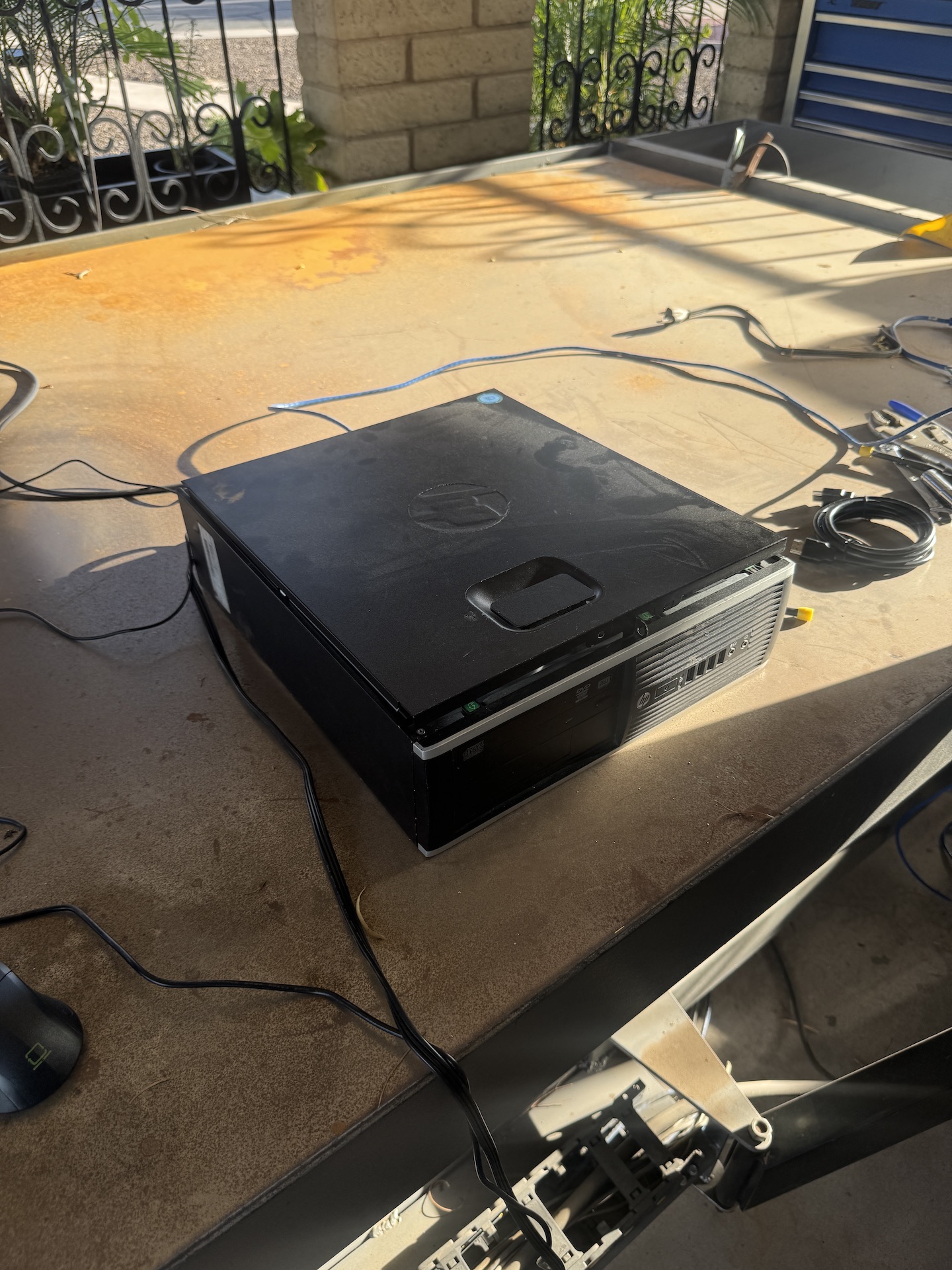
I connected a second PC to test wether the PC or the mesa board is dropping the connection. The result is the second PC works well for well over 20 minutes without interruptions or errors. it seems as the disconnected link was caused by the original PC.
Attachments:
The following user(s) said Thank You: rodw
Please Log in or Create an account to join the conversation.
Moderators: snowgoer540
Time to create page: 0.310 seconds