Homemade, cheap, plasma CNC

More
4 years 10 months ago #230041 by RNJFAB
Replied by RNJFAB on topic Homemade, cheap, plasma CNC
So post Christmas update 2021.

TB6600 stepped drivers getting bit funny in the heat of QLD (35+ deg C in the shed with 99.997% humidity).

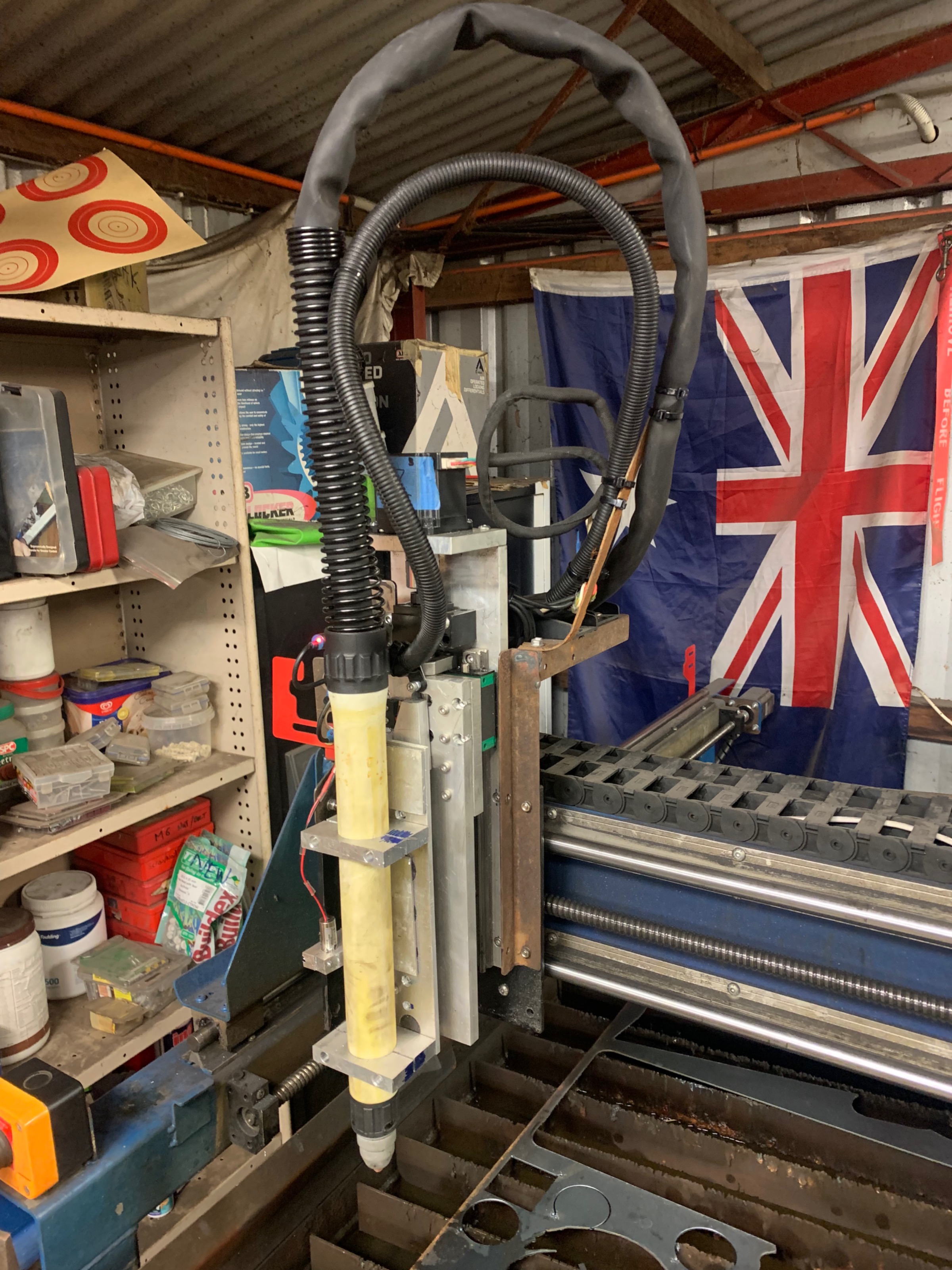
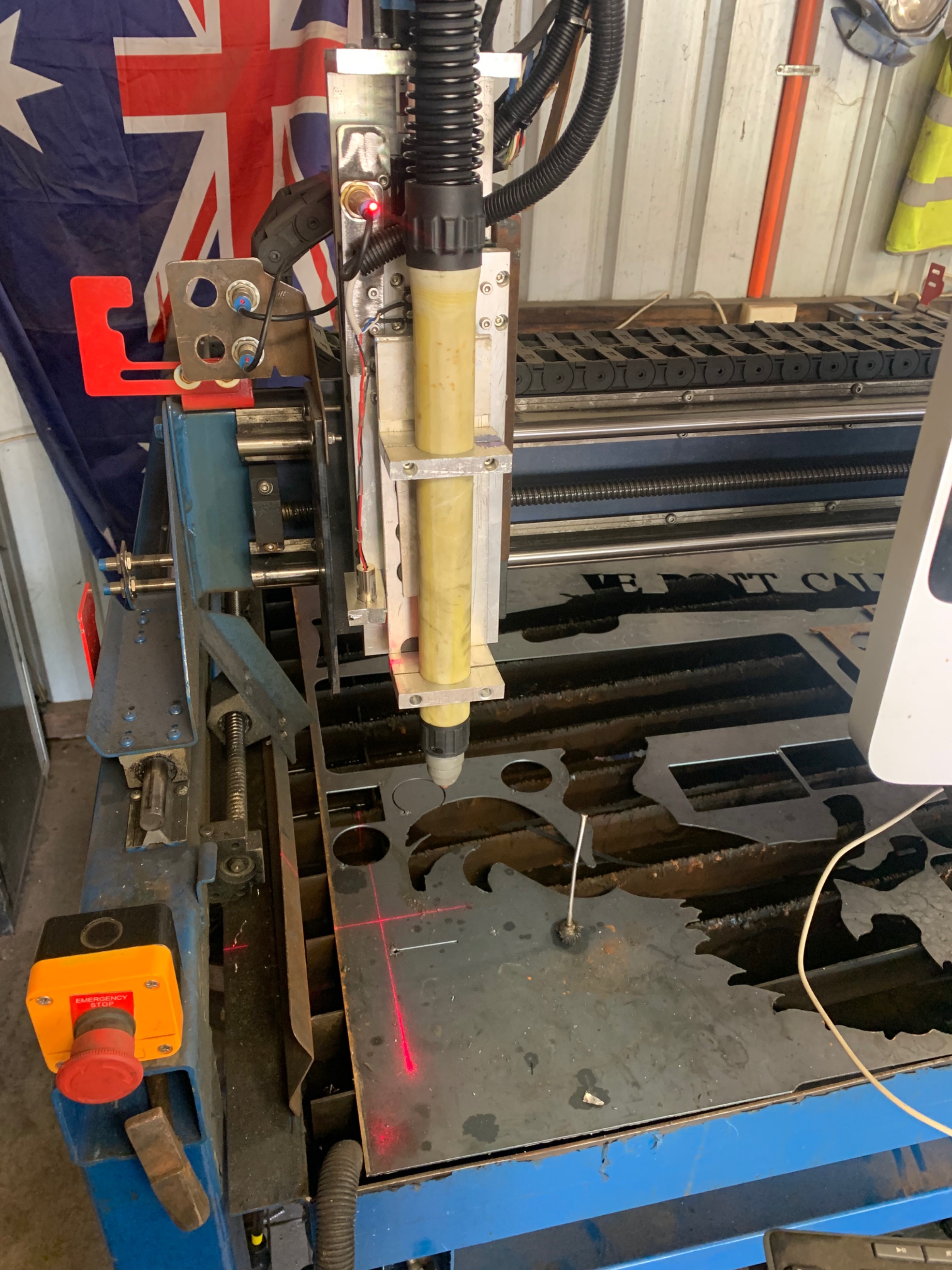
New z axis has been completed, tested and is working - pictures to follow shortly. New torch also added to make life easier. 160mm travel.

New laser is in and linked to a button in the GUI. Offset all worked in to zero off laser point. Offset also worked out for framing as part of QtPlasmaC.

Still haven't worked out spotting in Sheetcam, or how to se the tool from QtPlasmaC instead of Sheetcam. Must need to watch more video's.

Please Log in or Create an account to join the conversation.
More
4 years 10 months ago #230042 by RNJFAB
Replied by RNJFAB on topic Homemade, cheap, plasma CNC
    

Please Log in or Create an account to join the conversation.
More
4 years 10 months ago - 4 years 10 months ago #230043 by RNJFAB
Replied by RNJFAB on topic Homemade, cheap, plasma CNC
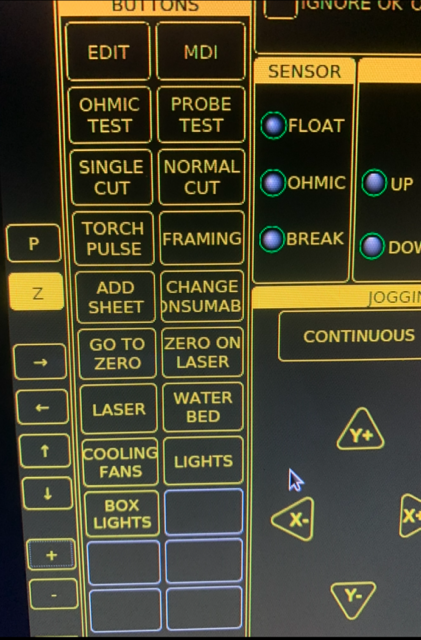
Here you can see some of the buttons that I have set. These just make my life easier in the way that I use my CNC. 

Add Sheet - moves plasma to the back left to allow me to load a new sheet of material. 
Change Consumable - Moves plasma to middle of bed right at the front to allow me to change consumables. 
Go To Zero - Go to where the machine has been zeroed
Zero On Laser - zero on the laser pointer (still not working 100% of the time - if a job I loaded it doesn't work correctly)
Laser - Toggle the laser pointer on/off
Water Bed - timed button to fill the water table. ensuring the table doesn't overflow. and making sure I don't forget to turn the pump off.
Cooling Fans - turn the fans on in the control box. 
Lights - Turn on lights around machine to help me see (not fully hooked up yet)
Box Lights - Turn on lights in control box (not fully hooked up yet)

 
Last edit: 4 years 10 months ago by RNJFAB.

Please Log in or Create an account to join the conversation.
More
4 years 10 months ago #230044 by rodw
Replied by rodw on topic Homemade, cheap, plasma CNC

So post Christmas update 2021.

Still haven't worked out spotting in Sheetcam, or how to se the tool from QtPlasmaC instead of Sheetcam. Must need to watch more video's.

 
The original plasmac post for sheetcam required a seperate tool defined called "Centre Spot"
You then did a seperate drill operation using that tool.
This required you to move the holes you wanted to spot to a new layer.
The default sheetcam post just needs a drill operation with any tool. 
Thats about it.

In the gui, set the spotting threshold for 10 volts and start the delay at 0.5 seconds.
What should happen is plasmac will see the voltage threshold exceeded. Then it will wait for 0.5 seconds or whatever you set and turn the torch off before you get an ArcOK.
This should result in a finer spot than would normally be achieved.
The time delay is very machine dependent. If it does not work for you (eg torch does not turn on), try extending the time delay.

The reason why we wait until a voltage is seen is that different plasmas and relays have different lag times from the time the torch is activated so it allows for this.
The following user(s) said Thank You: RNJFAB

Please Log in or Create an account to join the conversation.

More
4 years 10 months ago #230045 by phillc54
You can achive what both of your laser buttons do by using the built in laser button:
linuxcnc.org/docs/devel/html/plasma/qtplasmac.html#qt_laser
 
The following user(s) said Thank You: RNJFAB

Please Log in or Create an account to join the conversation.

More
4 years 10 months ago #230049 by rodw
Replied by rodw on topic Homemade, cheap, plasma CNC

You can achive what both of your laser buttons do by using the built in laser button:
linuxcnc.org/docs/devel/html/plasma/qtplasmac.html#qt_laser

 
Yeh, that was suggested in an earlier post here but James wanted to do it his way. Not a bad way to learn about hal and QTP really.
The following user(s) said Thank You: RNJFAB

Please Log in or Create an account to join the conversation.

Time to create page: 0.093 seconds
Powered by Kunena Forum
